1. Introduzzjoni
Thank you for choosing the Redragon H610 Wireless Gaming Headset. This headset is designed to provide an immersive audio experience for gaming and multimedia, featuring Bluetooth 5.3 connectivity, Active Noise Cancellation (ANC), and a built-in microphone. This manual provides detailed instructions for setup, operation, and maintenance to ensure optimal performance.
The H610 is compatible with various platforms including PS5, PS4, PC, Mac, and Nintendo Switch, offering versatile connectivity options through both Bluetooth and a 3.5mm AUX cable.
2. Kontenut tal-Pakkett
Jekk jogħġbok ivverifika li l-oġġetti kollha huma preżenti fil-pakkett tiegħek:
- Redragon H610 Wireless Gaming Headset
- Cable tal-Iċċarġjar tal-USB-C
- 3.5mm AUX Cable Awdjo
- Manwal għall-Utent (dan id-dokument)

Image: The Redragon H610 headset shown with its USB-C charging cable and 3.5mm AUX audio cable.
3. Prodott Aktarview
The Redragon H610 headset features intuitive controls and a comfortable design for extended use. Familiarize yourself with the main components:
- Faxxa tar-ras aġġustabbli: For a personalized and secure fit.
- Tazzi tal-widna li jdawru l-widnejn: Padded with soft PU leather for comfort and passive noise isolation.
- Sewwieqa dinamiċi ta' 40mm: Agħti awdjo ċar u qawwi.
- Mikrofonu inkorporat: Integrated into the earcup for clear voice communication.
- Buttuni tal-Kontroll: Located on the earcups for power, volume, ANC, and mode selection.
- Port USB-C: Għall-iċċarġjar tal-headset.
- Port AUX ta' 3.5mm: Għal konnessjoni awdjo bil-fili.
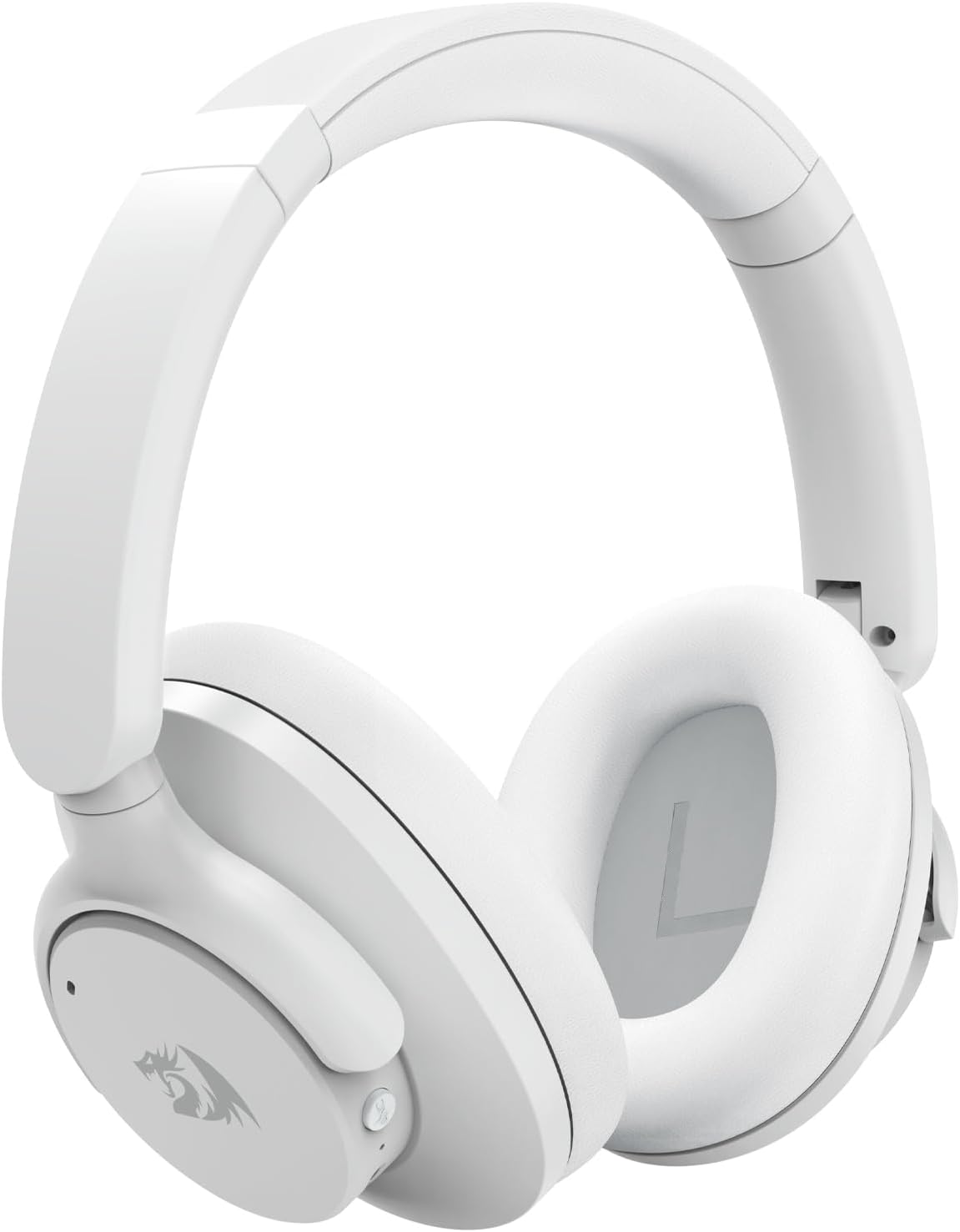
Immaġni: Faċċata dettaljata view of the Redragon H610 Wireless Gaming Headset, highlighting its sleek white design and over-ear cups.

Immaġni: Sploda view diagram illustrating the 40mm large moving coil diaphragm, responsible for the headset's sound quality.
4. Setup
4.1 Iċċarġjar tal-Headset
- Connect the supplied USB-C charging cable to the headset's USB-C port.
- Qabbad it-tarf l-ieħor tal-kejbil ma' sors ta' enerġija USB (eż., port USB tal-kompjuter, adapter tal-ħajt).
- The LED indicator on the headset will show charging status. A full charge provides up to 43 hours of battery life (40 hours Bluetooth playback, 36 hours with ANC on).
4.2 Tqabbil tal-Bluetooth
- Kun żgur li l-widna hija mitfija.
- Agħfas u żomm il-buttuna tal-Power sakemm l-indikatur LED jteptep blu u aħmar, u dan jindika l-modalità ta' tqabbil.
- On your device (PC, Mac, PS4/PS5 with compatible adapter, Nintendo Switch with compatible adapter, smartphone), enable Bluetooth and search for new devices.
- Select "Redragon H610" from the list of available devices.
- Ladarba konness, l-indikatur LED se jdur blu solidu.
4.3 Konnessjoni bil-wajer (3.5mm AUX)
- Connect one end of the 3.5mm AUX audio cable to the headset's 3.5mm port.
- Connect the other end to the 3.5mm audio jack on your device (e.g., PC, PS4 controller, smartphone).
- The headset will operate in passive mode, and battery power is not required for basic audio. ANC functionality may be limited or unavailable in wired mode.
5. Istruzzjonijiet Operattivi
5.1 Power On/Off
- Qawwa Mixgħul: Agħfas u żomm il-buttuna tal-Enerġija għal madwar 3 sekondi.
- Itfi: Agħfas u żomm il-buttuna tal-Enerġija għal madwar 5 sekondi.
5.2 Kontroll tal-Volum
- Volum 'il fuq: Agħfas il-buttuna '+'.
- Volum 'l isfel: Agħfas il-buttuna '-'.
5.3 Kanċellazzjoni Attiva tal-Ħoss (ANC)
The H610 features advanced ANC technology to reduce ambient noise by -35 to -40 dB.
- Attiva/Iddiżattiva l-ANC: Press the dedicated ANC button (usually marked with an 'ANC' icon). The LED indicator will change to confirm activation.
5.4 Modi Awdjo
Switch between different audio modes to optimize your listening experience:
- Aqleb il-Modi: Press the 'M' (Mode) button to cycle through Noise Reduction, Game, and Music modes.
- Modalità ta' Tnaqqis tal-Ħsejjes: Enhances ANC performance.
- Modalità tal-Logħba: Optimizes audio for gaming, emphasizing directional sound cues.
- Modalità Mużika: Jipprovdi professjonist awdjo bilanċjatfile for music listening.

Image: A user wearing the Redragon H610 headset, demonstrating its use during a gaming session with a computer.
6. Manutenzjoni
6.1 Tindif
- Uża drapp artab u niexef biex tnaddaf il-headset.
- Tużax kimiċi ħarxa, solventi tat-tindif, jew deterġenti qawwija.
- Evita li tidħol l-umdità fi kwalunkwe fetħiet.
6.2 Ħażna
- Aħżen il-headset f'post frisk u niexef 'il bogħod mix-xemx diretta u minn temperaturi estremi.
- The headset features a foldable design for easy storage and transport. Gently fold the earcups inward as shown in the diagram.

Image: An illustration demonstrating how the Redragon H610 headset can be folded for compact storage and portability.
7 Issolvi l-problemi
If you encounter issues with your Redragon H610 headset, please refer to the following common solutions:
| Problema | Soluzzjoni Possibbli |
|---|---|
| L-ebda ħoss mill-headset |
|
| Mikrofonu mhux qed jaħdem |
|
| Bluetooth connection unstable or failing |
|
| Active Noise Cancellation (ANC) not effective |
|
| Headset not compatible with PS5 |
|
8. Speċifikazzjonijiet
| Karatteristika | Dettall |
|---|---|
| Mudell | H610 (VIBECORE) |
| Konnettività | Bluetooth 5.3, 3.5mm AUX (Wired) |
| Daqs tas-Sewwieq | Sewwieqa dinamiċi 40mm |
| Rispons ta' Frekwenza | 20 Hz - 20 kHz |
| Kontroll tal-Ħoss | Kanċellazzjoni Attiva tal-Istorbju (ANC) |
| ANC Capability | -35 sa -40 dB |
| Mikrofonu | Mibnija fil- |
| Ħajja tal-batterija | Up to 43 hours (Bluetooth playback), 36 hours (with ANC on) |
| Port tal-Iċċarġjar | USB-C |
| Materjal | Polyurethane (PU) leather, ABS plastic |
| Piż | 0.62 kg (1.36 lbs) |
| Tqegħid tal-widnejn | Fuq il-widna |
| Apparati Kompatibbli | Gaming Consoles, Laptops, Desktops, Tablets, Smartphones |
9. Garanzija u Appoġġ
For warranty information and customer support, please refer to the documentation included with your purchase or visit the official Redragon websit. It-termini u l-kundizzjonijiet tal-garanzija jistgħu jvarjaw skont ir-reġjun u l-bejjiegħ bl-imnut.
If you require further assistance or have questions not covered in this manual, please contact Redragon customer service through their official channels.


