1. Introduzzjoni
Grazzi tax-xiriasing the NBCP Wireless Guitar Controller. This manual provides essential information for setting up, operating, and maintaining your new controller. Please read this manual thoroughly before use to ensure optimal performance and longevity of your device. This controller is designed for use with Rock Band 4 on Xbox Series X/S and Xbox One, and Fortnite Festival on PC.
2. Informazzjoni dwar is-Sigurtà
- Żomm l-apparat 'il bogħod mill-ilma u l-umdità.
- Evita li tesponi l-apparat għal temperaturi estremi jew dawl tax-xemx dirett.
- Tippruvax tiżżarma jew issewwi l-apparat int stess. Irreferi għal persunal kwalifikat għas-servizz.
- Use only specified batteries (4 AA batteries, not included). Ensure correct polarity during installation.
- Żomm partijiet żgħar, bħal batteriji, fejn ma jintlaħqux mit-tfal.
- Armi l-batteriji u l-apparat skont ir-regolamenti lokali.
3. Kontenut tal-Pakkett
Ivverifika li l-oġġetti kollha huma preżenti fil-pakkett tiegħek:
- 1 x NBCP Wireless Guitar Controller
- 1 x 2.4G USB Dongle
- 1 x Adjustable Guitar Strap
- 1 x Manwal tal-Utent (dan id-dokument)
4. Prodott Aktarview
The NBCP Wireless Guitar Controller features a classic design with responsive controls for an immersive rhythm gaming experience.

Image 4.1: NBCP Wireless Guitar Controller and 2.4G USB Dongle.
Komponenti Ewlenin:
- Buttuni tal-Fret: Five colored buttons (Green, Red, Yellow, Blue, Orange) on the neck for note input.
- Strum Bar: Located on the body, used for strumming notes up or down.
- Whammy Bar: A spring-loaded bar for applying pitch bends.
- Motion Tilt Sensor: For activating Star Power by tilting the guitar.
- Buttuni tal-Ibda/Agħżel: For game navigation and Star Power activation.
- Jack Awdjo 3.5mm: For connecting wired headphones or a microphone.
- Detachable Neck: Allows for easy storage and transport.
5. Istruzzjonijiet ta' Setup
5.1 Installazzjoni tal-batterija
- Locate the battery compartment on the back of the guitar controller.
- Iftaħ l-għatu tal-kompartiment tal-batterija.
- Daħħal 4 batteriji AA (mhux inklużi), waqt li tiżgura l-polarità korretta (+/-).
- Agħlaq l-għatu tal-kompartiment tal-batterija sew.
5.2 Connecting to Xbox (Series X/S, Xbox One)
The controller connects wirelessly via a 2.4G USB dongle and your existing Xbox controller.
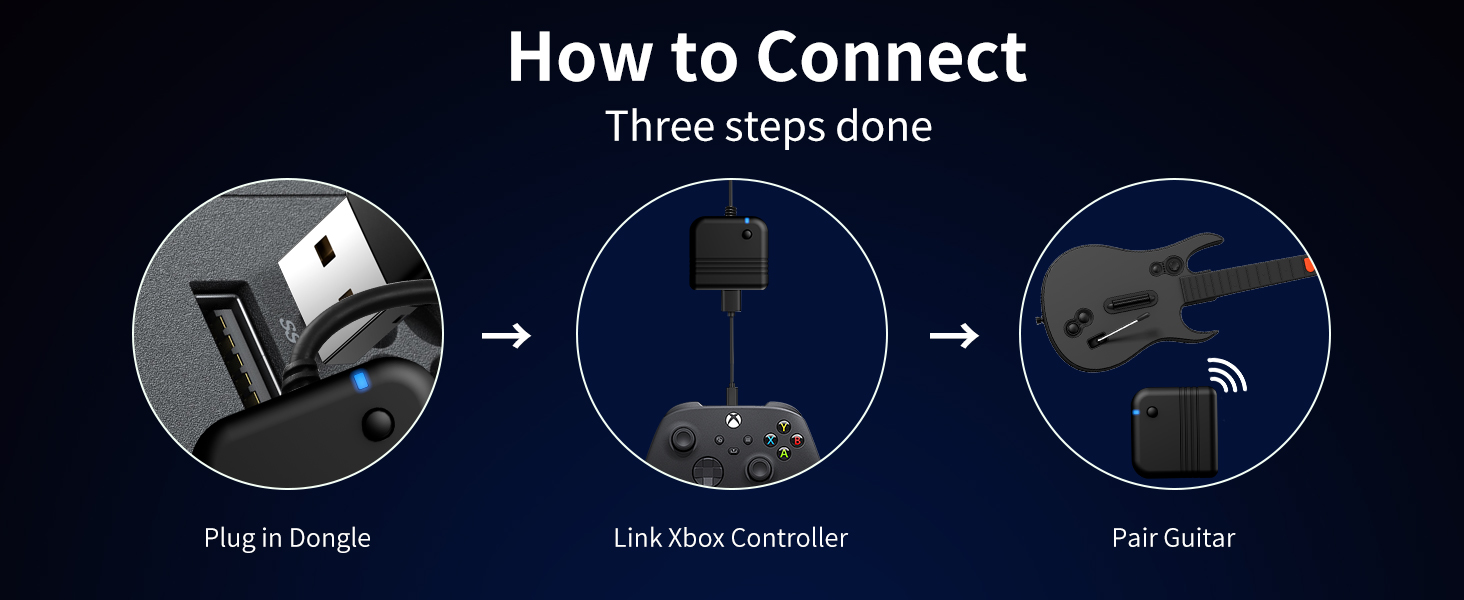
Image 5.1: Connection Diagram for Xbox.
- Plug the 2.4G USB dongle into an available USB port on your Xbox console.
- Connect your existing Xbox controller to the USB dongle using a USB cable. This guides the pairing process.
- Turn on the NBCP Wireless Guitar Controller. It should automatically pair with the dongle.
- Once paired, the guitar controller is ready for use with Rock Band 4.
5.3 Konnessjoni mal-PC
For PC use, the controller connects directly via the 2.4G USB dongle.
- Plug the 2.4G USB dongle into an available USB port on your PC.
- Turn on the NBCP Wireless Guitar Controller. It should automatically pair with the dongle.
- The controller will be recognized by your PC. You may need to configure button mappings within your game settings (e.g., Fortnite Festival).
5.4 Kompatibilità tal-Logħob
- Xbox (Series X/S, Xbox One): Compatible with Rock Band 4.
- PC: Compatible with Fortnite Festival.
- Nota: This controller is not compatible with Guitar Hero or Rock Band 1.
Video 5.2: A tutorial demonstrating PC guitar setup for Clone Hero. While the product description states non-compatibility with Clone Hero, this video is provided by the seller for PC users who may wish to attempt configuration.
6. Istruzzjonijiet Operattivi
6.1 Kontrolli Bażiċi
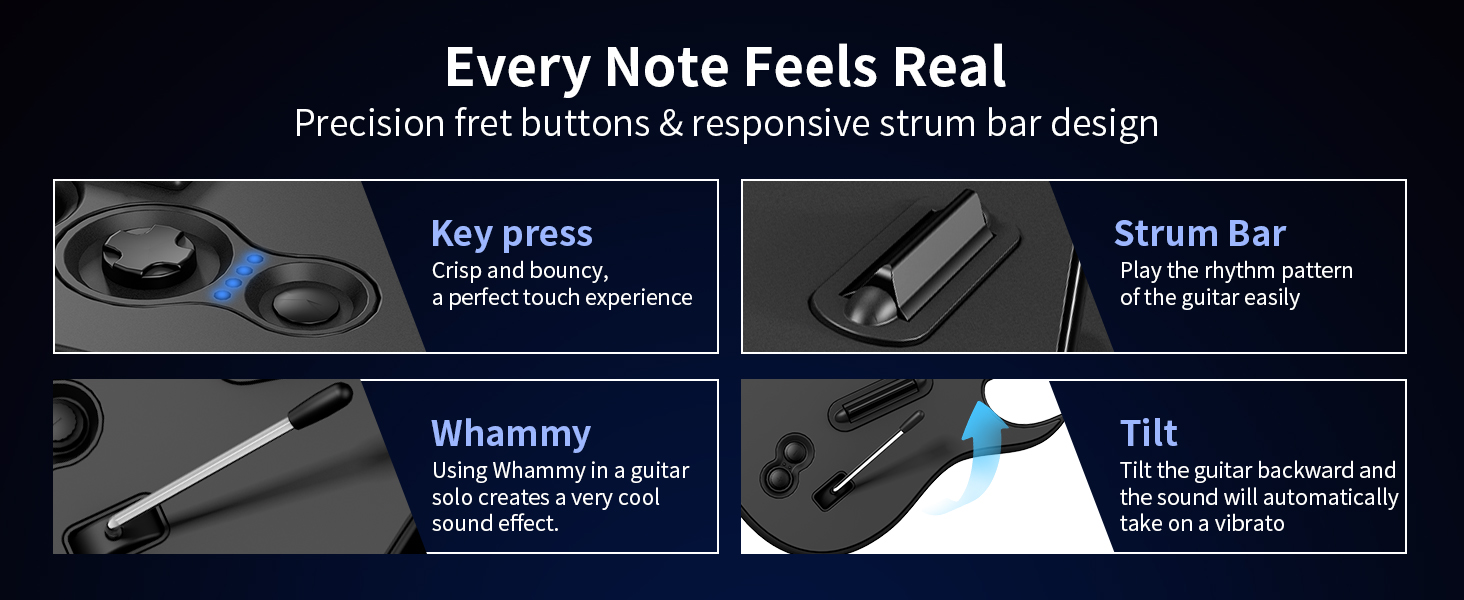
Immaġni 6.1: Fuqview of guitar controller functions.
- Buttuni tal-Fret: Press the corresponding colored fret button while strumming to hit notes.
- Strum Bar: Move the strum bar up or down to register a strum.
- Whammy Bar: Press and hold the whammy bar during sustained notes to alter their pitch.
- Motion Tilt: Quickly tilt the guitar upwards to activate Star Power (if available in-game).
6.2 Jack tal-awdjo
The 3.5mm audio jack allows for private audio playback and microphone input.
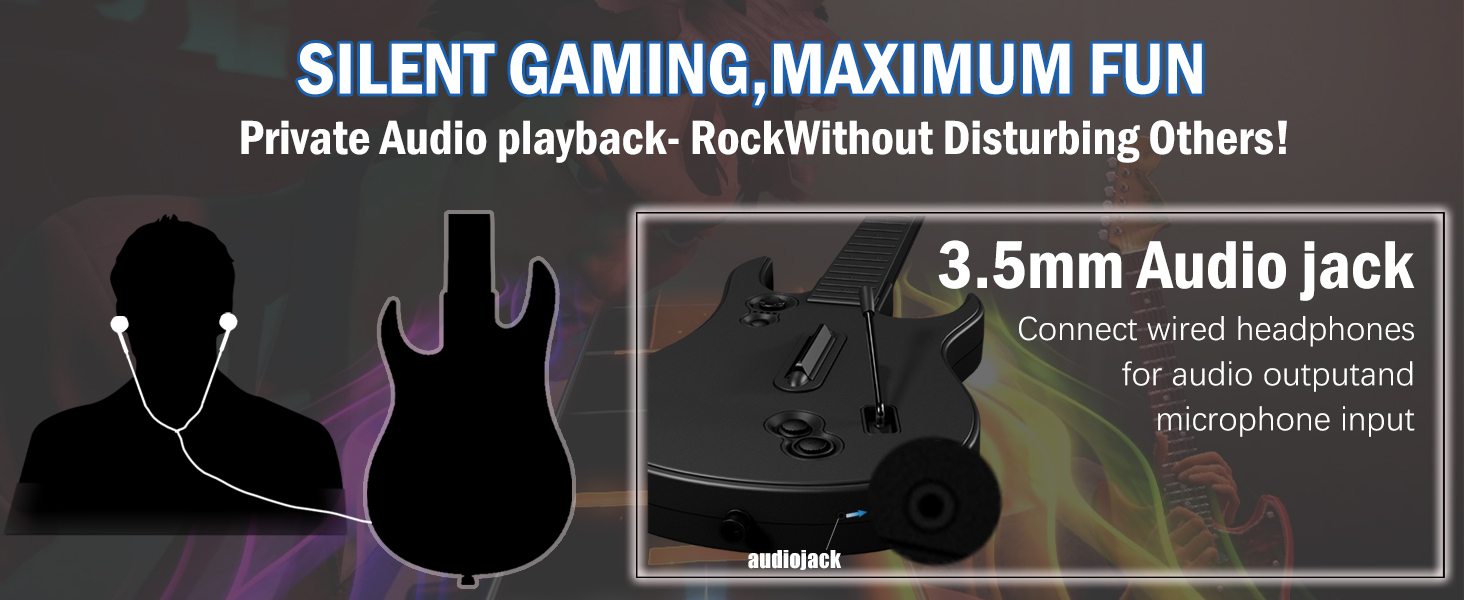
Image 6.2: 3.5mm Audio Jack for private audio and microphone.
Connect your wired headphones or a compatible microphone to the 3.5mm audio jack for an enhanced gaming experience without disturbing others.
7. Manutenzjoni
7.1 Tindif
Wipe the controller with a soft, dry cloth. Do not use abrasive cleaners or solvents, as these may damage the surface.
7.2 Ħażna
For convenient storage and transport, the neck of the guitar controller is detachable.
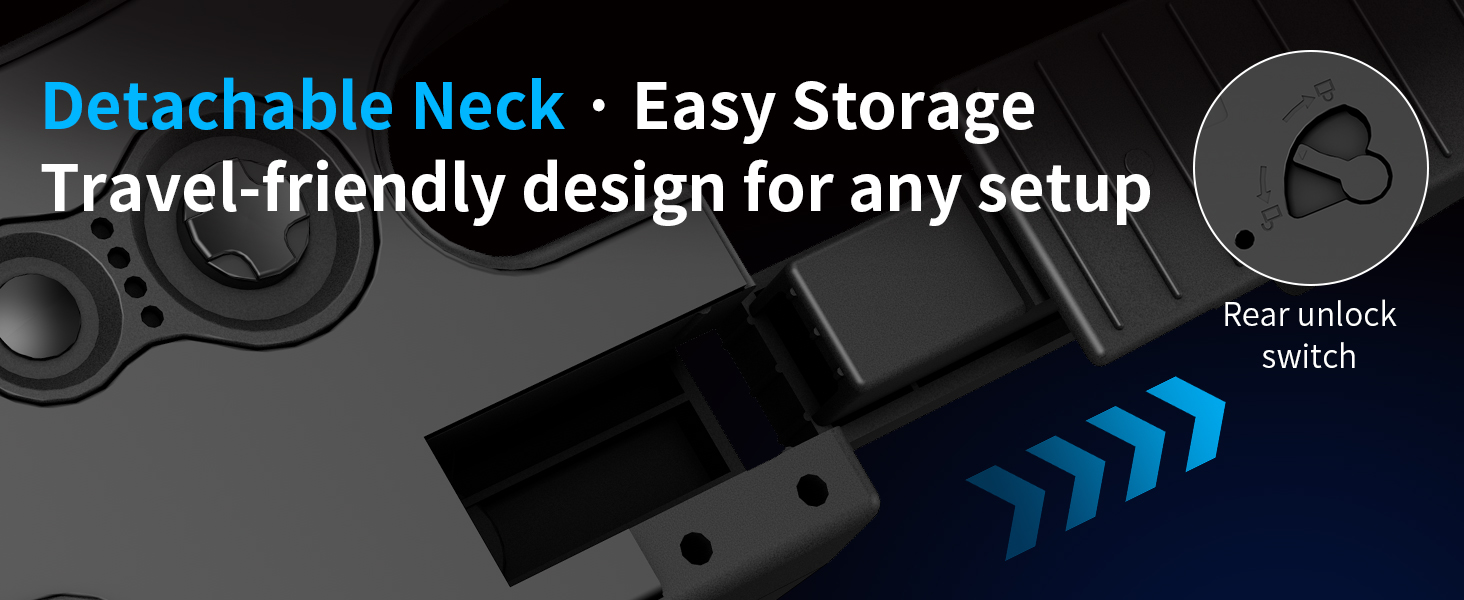
Image 7.1: Detachable neck for easy storage.
To detach, locate the rear unlock switch, press it, and carefully slide the neck off the body. Store the controller in a dry, cool place away from direct sunlight.
8 Issolvi l-problemi
- Il-kontrollur mhux qed jikkonnettja:
- Ensure the 2.4G USB dongle is securely plugged into your console or PC.
- Verify that the guitar controller has fresh batteries and is powered on.
- For Xbox, ensure your Xbox controller is connected to the dongle to facilitate pairing.
- Try restarting your console/PC and the guitar controller.
- Buttons not responding or registering inconsistently:
- Iċċekkja l-livelli tal-batterija; batteriji baxxi jistgħu jaffettwaw il-prestazzjoni.
- Ensure there are no obstructions preventing full button press.
- For PC, verify that button mappings are correctly configured in your game's settings.
- Lag or delayed input:
- Ensure the dongle is not obstructed and is within close range of the controller.
- Imminimizza l-interferenza minn apparati oħra mingħajr fili.
9. Speċifikazzjonijiet
| Numru tal-Mudell | X615 |
| Konnettività | 2.4G Wireless |
| Kompatibilità | Xbox Series X, Xbox Series S, Xbox One, Windows PC |
| Sors tal-Enerġija | 4 x Batteriji AA (mhux inklużi) |
| Dimensjonijiet (Pakkett) | 17.44 x 13.54 x 3.62 pulzieri |
| Piż (Oġġett) | 2.86 liri |
| Manifattur | NBCP |
10. Garanzija u Appoġġ
NBCP provides responsive after-sales support for all users. For warranty information, technical assistance, or any inquiries regarding your NBCP Wireless Guitar Controller, please contact NBCP customer service through the retailer where the product was purchased or visit the official NBCP store page. Please retain your proof of purchase for warranty claims.
