1. Introduzzjoni
Thank you for choosing the Tribesigns Industrial Executive Desk, Model JW1057. This manual provides essential information for the safe assembly, proper use, and effective maintenance of your new desk. Please read all instructions carefully before beginning assembly and retain this manual for future reference.
1.1 Informazzjoni dwar is-Sigurtà
- Always read and understand all instructions before assembly and use.
- Żomm il-partijiet żgħar u l-materjali tal-ippakkjar 'il bogħod mit-tfal u l-annimali domestiċi biex tevita perikli ta' fgar.
- Assemble the desk on a soft, clean, and level surface (e.g., a carpet or blanket) to prevent scratches or damage.
- Ensure all screws and fasteners are securely tightened before using the desk. Periodically check and re-tighten as necessary.
- Do not overload the desk. Refer to the specifications section for weight capacity.
- Use the desk only for its intended purpose as a workstation or table.
- Jekk xi partijiet huma nieqsa jew bil-ħsara, tipproċedix bl-assemblaġġ. Ikkuntattja l-appoġġ għall-klijenti immedjatament.
2. Lista tal-Partijiet
Before assembly, verify that all components listed below are present and undamaged. The package includes all necessary hardware and tools for assembly.

Stampa 2.1: Sploda view showing the desk's main components and overall dimensions. This includes the tabletop sections, metal legs, and connecting hardware.
- Tabletop Sections: Multiple engineered wood panels that form the main work surface.
- Saqajn tal-metall: Two U-shaped metal frames providing primary support.
- Crossbars: Metal bars connecting the leg frames for enhanced stability.
- Pads tas-saqajn aġġustabbli: Leveling feet to ensure stability on uneven surfaces.
- Pakkett tal-ħardwer: Includes screws, bolts, and an Allen wrench for assembly.
3. Istruzzjonijiet tal-Assemblea
Follow these steps carefully to assemble your Tribesigns Industrial Executive Desk. It is recommended that two people assemble this product.
Vidjo 3.1: Official assembly and feature overview video for the Tribesigns Industrial Executive Desk. This video demonstrates the step-by-step assembly process and highlights key product features.
- Ipprepara l-Ispazju tax-Xogħol: Clear a spacious area and lay down a soft cloth or carpet to protect the desk components and your floor during assembly. Unpack all parts and organize them according to the parts list.
- Arma l-Oqfsa tas-Saqajn: Attach the metal crossbars to the two U-shaped metal legs using the provided screws and Allen wrench. Ensure all connections are firm but do not overtighten initially.
- Waħħal is-Saqajn mal-Wiċċ tal-Mejda: Carefully place the tabletop sections upside down on your protected surface. Align the assembled leg frames with the pre-drilled holes on the underside of the tabletop. Secure the leg frames to the tabletop using the appropriate screws.
- Connect Tabletop Sections: If your tabletop comes in multiple sections, align them precisely and use the provided connectors and screws to join them together, creating a seamless surface.
- Installa l-Kuxxinetti tas-Saqajn Aġġustabbli: Screw the adjustable foot pads into the bottom of each metal leg.
- Final Tightening and Positioning: Carefully flip the desk upright. Place it in its desired location. Adjust each foot pad by rotating it until the desk is perfectly level and stable on your floor. Once level, go back and fully tighten all screws on the leg frames and tabletop connections.
4. Użu u Operazzjoni
Your Tribesigns Industrial Executive Desk is designed for versatility and stability. Here are some operational guidelines:

Stampa 4.1: Dettaljati view highlighting the thickened tabletop, reinforced metal support, and adjustable foot pads for stability.
- Pads tas-saqajn aġġustabbli: The desk is equipped with adjustable foot pads. If your floor is uneven, rotate these pads clockwise or counter-clockwise to raise or lower each corner until the desk is stable and does not wobble.
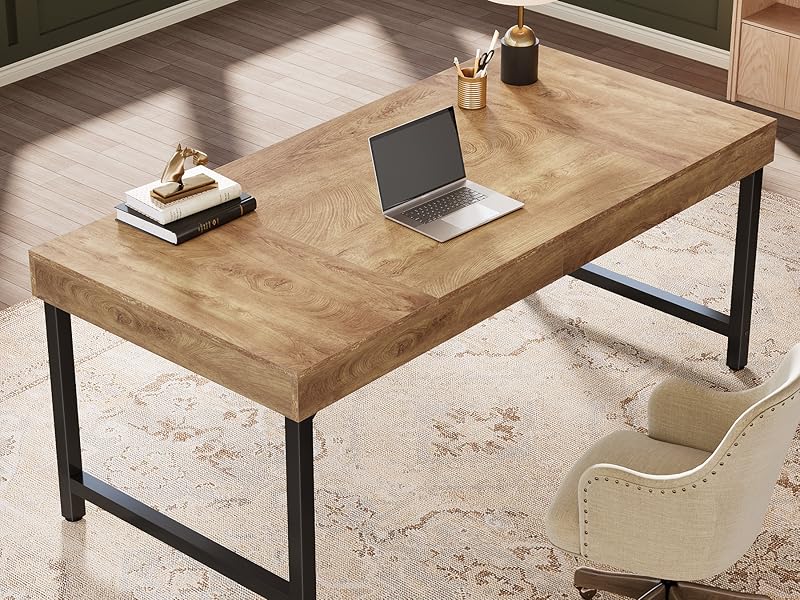
- Wiċċ tax-Xogħol Spazjuż: Utilize the generous 55-inch work surface for your computer, monitor, documents, and other office essentials. The design provides ample legroom for comfortable use.
- Użu versatili: This desk is suitable for various applications, including a home office workstation, study table, writing desk, or even a small conference table.
5. Manutenzjoni
Proper care will extend the life and maintain the appearance of your desk.

Stampa 5.1: Close-up of the desk surface, illustrating its waterproof, scratch-resistant, and easy-to-clean properties.
- Tindif: Wipe the desk surface with a dry cloth to remove dust and light spills. For more stubborn marks, use a slightly damp cloth with mild soap, then dry immediately. Avoid abrasive cleaners or harsh chemicals, as these can damage the finish.
- Reżistenza għall-grif: While the desk surface is scratch-resistant, it is not scratch-proof. Use coasters for drinks and protective pads under heavy or sharp objects to prevent potential damage.
- Iċċekkja tal-Qafliet: Periodically (e.g., every 3-6 months) check all screws and bolts to ensure they remain tight. Re-tighten if necessary to maintain stability.
- Evita Kundizzjonijiet Estremi: Do not expose the desk to direct sunlight for prolonged periods or extreme temperature changes, as this may cause warping or fading.
6 Issolvi l-problemi
Jekk tiltaqa' ma' xi problemi bl-iskrivanija tiegħek, irreferi għall-problemi u s-soluzzjonijiet komuni li ġejjin:
- L-iskrivanija hija Wobbly:
- Kun żgur li l-viti kollha tal-assemblaġġ huma ssikkati sew.
- Adjust the foot pads on each leg to level the desk on uneven flooring.
- Parts are Missing or Damaged:
- Tipproċedix bl-assemblaġġ. Ikkuntattja lis-servizz tal-konsumatur ta' Tribesigns immedjatament għal partijiet ta' sostituzzjoni.
- Diffikultà Waqt l-Assemblaġġ:
- Review the assembly instructions and video carefully.
- Kun żgur li qed tuża l-ħardwer korrett għal kull pass.
- Jekk il-problemi jippersistu, ikkuntattja l-appoġġ tal-klijent għall-assistenza.
7. Speċifikazzjonijiet
Stampa 7.1: Detailed diagram showing the length, width, and height of the desk.
| Karatteristika | Dettall |
|---|---|
| Brand | Tribsigns |
| Numru tal-Mudell | JW1057 |
| Dimensjonijiet tal-Prodott (P x W x H) | 27.56"D x 55.12"W x 29.92"H |
| Kulur | Brown (variant shown) |
| Stil | Industrijali, Modern |
| Materjal Bażi | Metall |
| Tip ta 'Materjal ta' Fuq | Injam Inġinerija |
| Tip Finish | Miżbugħa |
| Karatteristika Speċjali | Reżistenti għall-grif |
| Piż tal-oġġett | 54.9 Liri |
| Ħxuna tal-mejda | 3.94 Pulzier |
| Assemblea Meħtieġa | Iva |
| Numru Rakkomandat ta' Nies għall-Assemblea | 2 |
| Jinkludi l-Għodod tal-Assemblea Kollha | Iva |
8. Garanzija u Appoġġ għall-Klijent
Tribesigns is committed to providing quality products and excellent customer service. If you have any questions, require assistance with assembly, or need to report missing/damaged parts, please contact our customer service team.
Servizz tal-Klijent: Please refer to the contact information provided with your purchase or visit the official Tribesigns website for support details. Our customer service team is always ready to assist, ensuring a smooth experience for you.
Informazzjoni dwar il-garanzija: Specific warranty details may vary. Please retain your proof of purchase for any warranty claims. For detailed warranty terms and conditions, consult the documentation included with your product or the Tribesigns official websit.


