1. Introduzzjoni
Thank you for choosing the NBD K200 64MP 4K Digital Camera. This manual provides essential information for setting up, operating, and maintaining your camera to ensure optimal performance. Please read this manual thoroughly before using the camera and retain it for future reference.
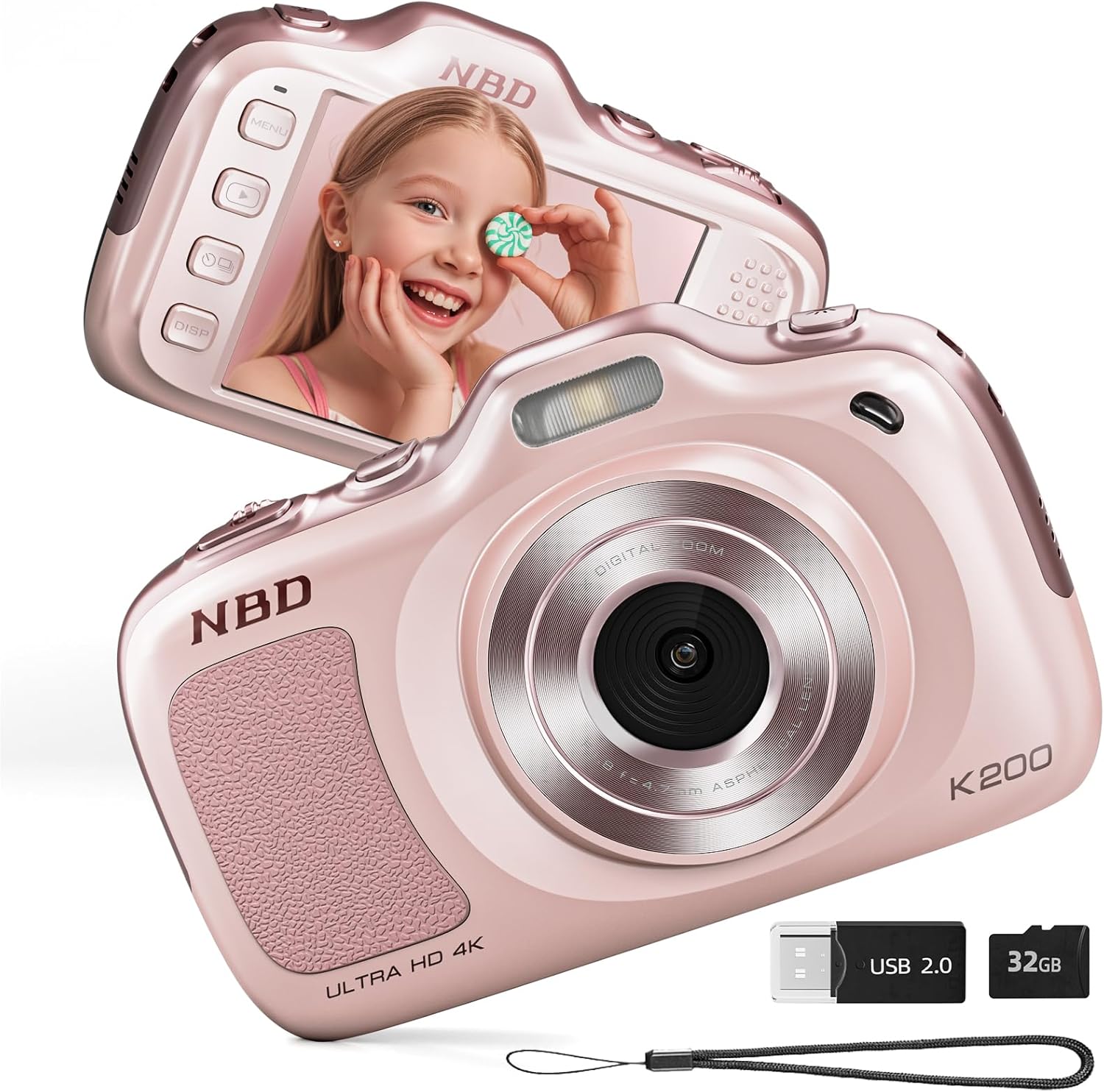
Immaġni 1.1: Quddiem u wara view of the NBD K200 Digital Camera.
2. Prodott Aktarview
2.1 X'hemm fil-Kaxxa
- NBD K200 Camera Body
- Karta TF ta' 32GB (installata minn qabel jew separata)
- USB-C Cable
- Ċinga ta 'l-għonq
- Drapp tat-Tindif tal-Lenti
- Qarrej tal-Kard

Image 2.1: Included accessories with the NBD K200 camera.
2.2 Karatteristiċi ewlenin
- 64 Megapixel Photos: Capture high-resolution still images.
- Reġistrazzjoni tal-vidjo 4K: Record videos in Ultra HD resolution.
- Żum Diġitali 16X: Ingrandixxi suġġetti 'l bogħod għal ritratti dettaljati.
- Auto Focus: Ensures subjects are sharp and clear.
- Stabbilizzazzjoni kontra t-Tħawwad: Reduces blur from camera movement.
- Modi ta' Xena Multipli: Includes Sport, Portrait, Night, Beauty, and Burst modes.
- Disinn kompatt u portabbli: Lightweight for easy carrying.
- High-Speed USB Transfer: Facilitates quick transfer of files to other devices.
3. Setup
3.1 Installazzjoni u Iċċarġjar tal-Batterija
- Sib l-għatu tal-kompartiment tal-batterija fuq il-kamera.
- Open the cover and insert the two included Lithium-Ion batteries, ensuring correct polarity.
- Agħlaq l-għatu tal-kompartiment tal-batterija sew.
- Connect the camera to a power source using the provided USB-C cable to fully charge the batteries before first use. A full charge allows for approximately 300 photos.
3.2 Installazzjoni tal-Kard tal-Memorja
- Sib is-slott tal-kard tat-TF fuq il-ġenb tal-kamera.
- Insert the included 32GB TF card into the slot until it clicks into place. Ensure the card is inserted in the correct orientation.
- To remove the card, gently press it inward until it springs out.
3.3 Twaħħil taċ-Ċinga tal-Għonq
Thread the neck strap through the designated loop on the camera body to prevent accidental drops and for convenient carrying.

Image 3.1: The NBD K200 camera with an attached neck strap for portability.
4. Istruzzjonijiet Operattivi
4.1 Power On/Off
- Biex tixgħel, agħfas u żomm il-buttuna tal-qawwa sakemm l-iskrin jixgħel.
- Biex titfi, agħfas u żomm il-buttuna tal-qawwa mill-ġdid sakemm l-iskrin jintefa.
4.2 Tieħu Ritratti
- Ensure the camera is in photo mode (indicated on the LCD screen).
- Frame your shot using the LCD screen. The camera features auto-focus to ensure clarity.
- Press the shutter button halfway to activate auto-focus, then press fully to capture the image.

Image 4.1: Demonstrating autofocus and timer for capturing photos.
4.3 Reġistrar Vidjows
- Switch the camera to video mode using the Multi-Functional Roller Button or menu options.
- Agħfas il-buttuna tax-shutter biex tibda tirrekordja. Normalment jidher indikatur aħmar fuq l-iskrin.
- Agħfas il-buttuna tax-shutter għal darb'oħra biex tieqaf tirrekordja.

Image 4.2: Capturing 4K video with the NBD K200 camera.
4.4 Funzjoni Zoom
Utilize the 16X digital zoom by adjusting the Multi-Functional Roller Button. Roll it left to zoom out and right to zoom in. The zoom level will be displayed on the screen.
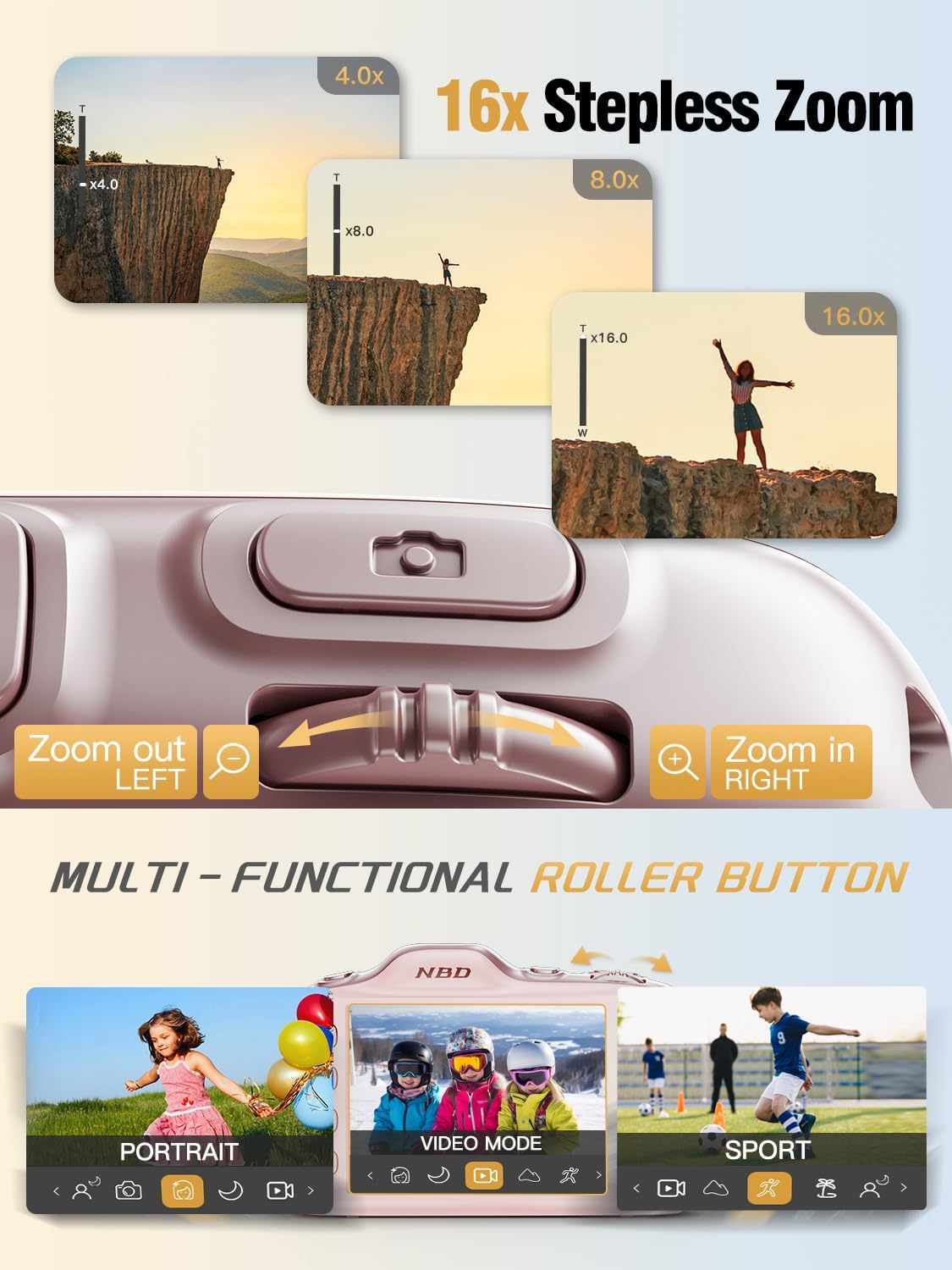
Image 4.3: Using the 16X stepless zoom feature.
4.5 Shooting Modes and Filters
The NBD K200 offers various shooting modes and built-in filters to enhance your photography:
- Modalità Sport: Optimized for capturing fast-moving subjects.
- Modalità Ritratt: Enhances facial features and softens backgrounds.
- Modalità bil-lejl: Improves image quality in low-light conditions.
- Modalità tas-Sbuħija: Applies subtle enhancements to portraits.
- Modalità tal-Fqigħ: Jaqbad sekwenza rapida ta' ritratti.
- Filtri integrati: Apply effects like Vintage, Warm Tone, Cool Tone, Sepia, Sketch, and Japan Style.

Immaġni 4.4: Fuqview of K200's multiple shooting modes.
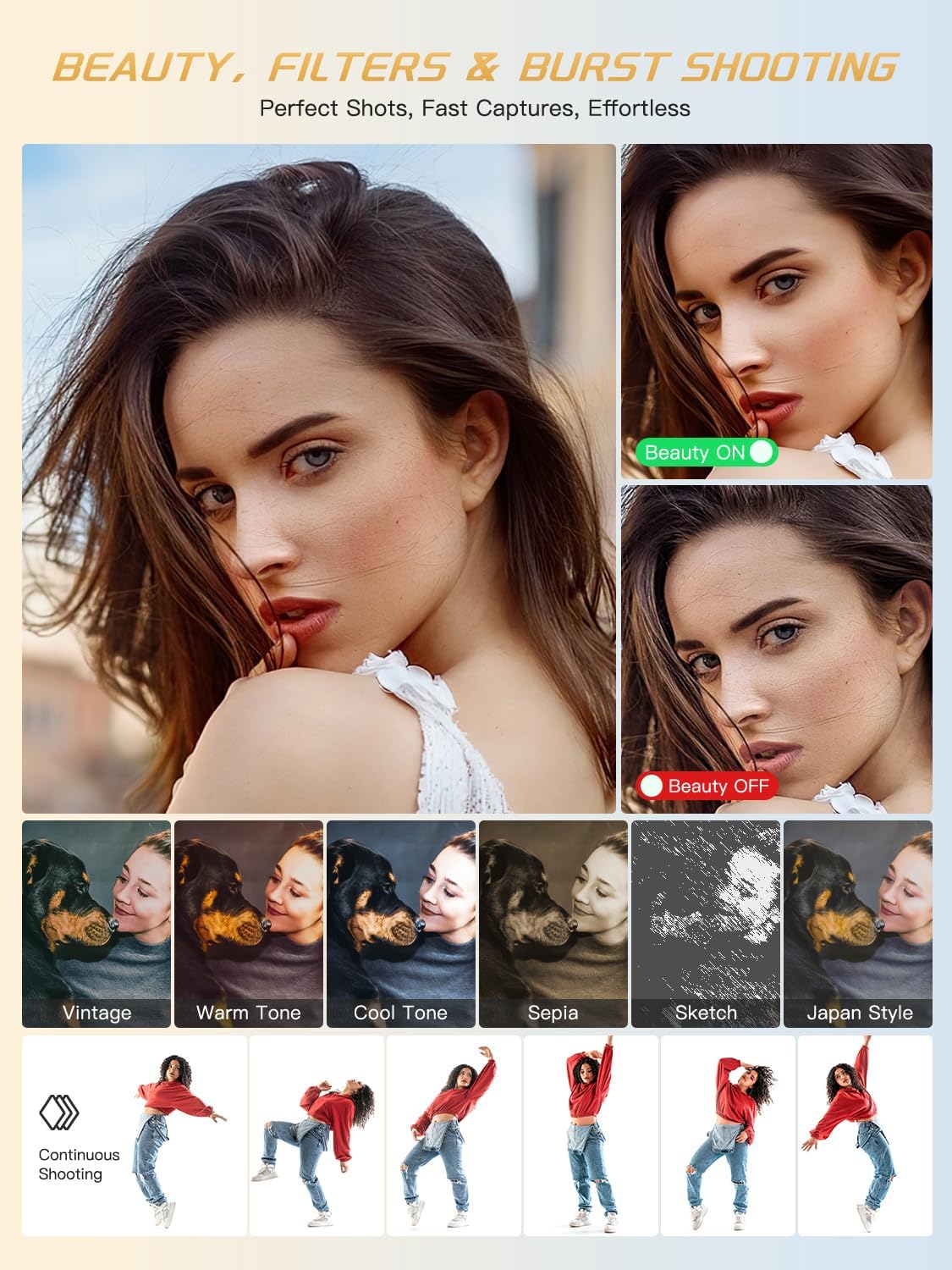
Immaġni 4.5: Eż.amples of beauty mode, filters, and burst shooting.
4.6 L-Użu tal-Flash
The camera features a built-in flash for illuminating subjects in low-light conditions. The flash can be activated or deactivated via a dedicated physical button or through the camera's menu settings.
4.7 Trasferiment Files
To transfer photos and videos to a computer or smartphone:
- Connect the camera to your device using the provided USB-C cable.
- The camera will appear as a removable drive on your computer.
- Iddreggja u qiegħed files from the camera's memory card to your desired location.
- Alternatively, remove the TF card and use the included card reader to transfer files.
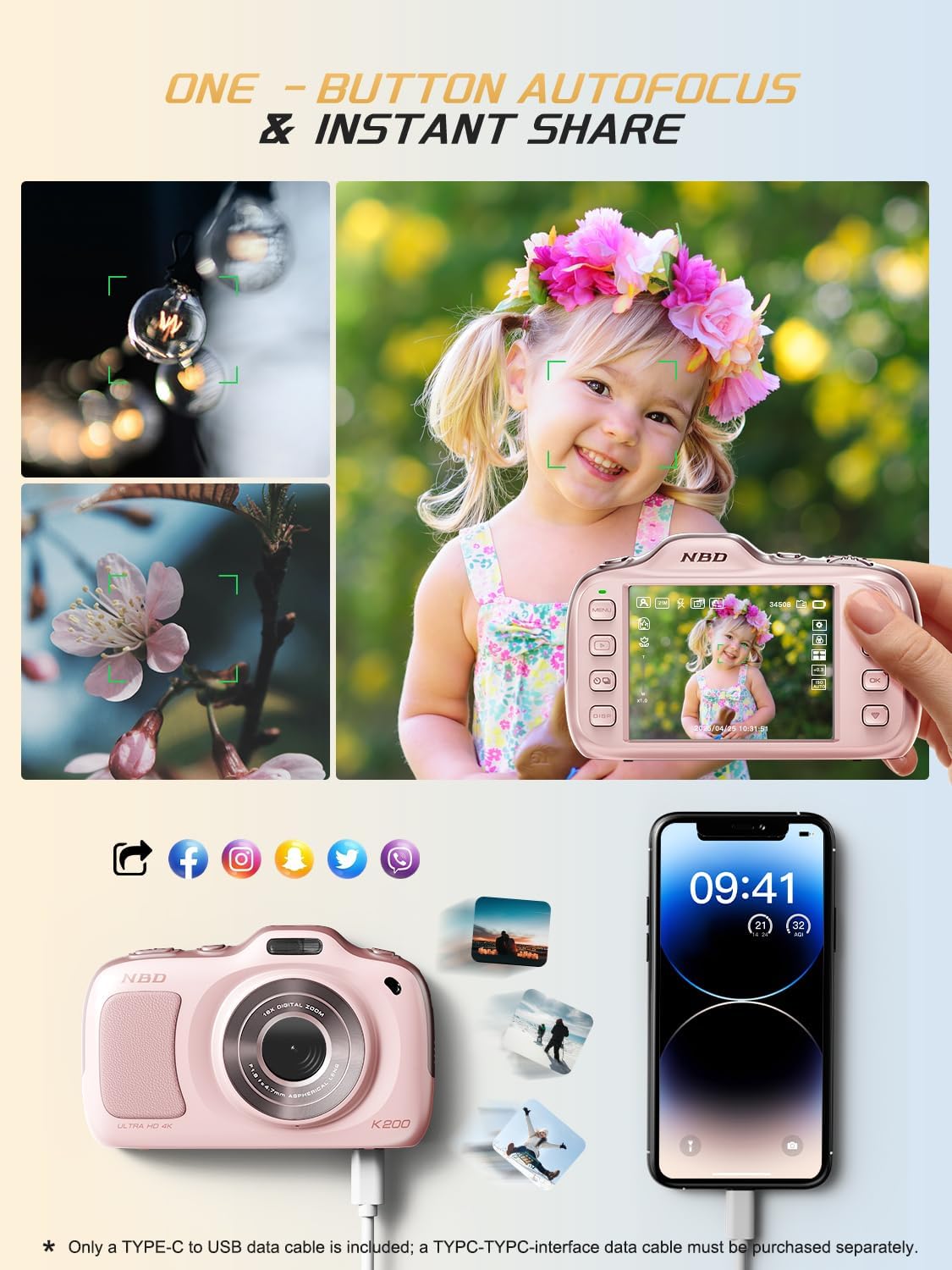
Image 4.6: One-button autofocus and instant sharing capabilities.
5. Manutenzjoni
5.1 Tindif tal-Kamera
- Use the provided lens cleaning cloth to gently wipe the lens and screen.
- For the camera body, use a soft, dry cloth. Avoid using harsh chemicals or abrasive materials.
5.2 Ħażna
- Aħżen il-kamera f'post frisk u niexef 'il bogħod mix-xemx diretta u minn temperaturi estremi.
- Neħħi l-batteriji jekk il-kamera ma tkunx se tintuża għal perjodu twil ta’ żmien.
6 Issolvi l-problemi
| Problema | Soluzzjoni Possibbli |
|---|---|
| Il-kamera ma tixgħelx. | Ensure batteries are correctly inserted and fully charged. Try charging the camera for at least 30 minutes. |
| "No Card" error message. | Check if the TF card is inserted correctly. Reinsert the card or try a different compatible TF card. |
| L-immaġini huma mċajpra. | Ensure auto-focus is engaged. Clean the lens. Use anti-shake stabilization if available. Ensure sufficient lighting. |
| Ma jistax jittrasferixxi files għall-kompjuter. | Verify the USB-C cable connection. Try a different USB port or computer. Ensure the camera is powered on during transfer. |
7. Speċifikazzjonijiet
| Karatteristika | Dettall |
|---|---|
| Isem tal-Mudell | K200 |
| Teknoloġija tas-Sensor tar-Ritratti | CMOS |
| Riżoluzzjoni Massima tar-Ritratti | 64 MP |
| Riżoluzzjoni tal-vidjo | 2160p (4K) at 30 FPS |
| Zoom Diġitali | 16x |
| Stabbilizzazzjoni tal-Immaġni | Ottiċi |
| Auto Focus Teknoloġija | Contrast Detection (19 points) |
| Apertura | F1.8 |
| Daqs tal-Iskrin | LCD ta' 3 pulzieri |
| Ħażna tal-Memorja | 32 GB TF Card (included) |
| Appoġġjati File Format | JPEG, MP4 |
| Tip ta 'batterija | 2 batteriji tal-jone tal-litju (inklużi) |
| Piż tal-oġġett | 0.26 Kilogrammi |
| Teknoloġija tal-Konnettività | USB-C |
| Livell ta 'Reżistenza għall-Ilma | Mhux Reżistenti għall-Ilma |
8. Garanzija u Appoġġ
NBD products are manufactured to high-quality standards. For information regarding warranty coverage, technical support, or service inquiries, please refer to the contact information provided with your purchase or visit the official NBD websit. Jekk jogħġbok żomm il-prova tax-xiri tiegħek għal talbiet ta' garanzija.


