1. Introduzzjoni u Fuqview
This manual provides essential information for setting up, operating, maintaining, and troubleshooting your HP OmniDesk Desktop PC. Designed for efficiency and performance, this system is equipped with advanced components to meet your computing needs.
Karatteristiċi ewlenin:
- AMD Ryzen 7 8700G Processor: Optimized for high-speed performance, gaming, and responsiveness, ensuring cool and quiet operation.
- Grafika AMD Radeon 780M: Integrated graphics deliver impressive visual fidelity and high-definition gaming capabilities.
- 32GB DDR5 5200MHz RAM: High-bandwidth memory for smooth multitasking, graphics-intensive applications, and seamless browsing.
- 1TB PCIe 4.0 SSD Storage: Provides fast data transfer speeds and efficient storage for quick boot-ups and application loading.
- Windows 11 Pro with Microsoft Copilot: Enhanced operating system with intelligent AI assistance for improved productivity and creativity.

Figure 1: HP OmniDesk Desktop PC with included keyboard and mouse.
2. Setup
Follow these steps to set up your HP OmniDesk Desktop PC:
- Ħoll il-Komponenti: Carefully remove the desktop tower, keyboard, mouse, power cable, and any other accessories from their packaging.
- Qabbad il-Monitor: Connect your monitor to the desktop PC using either the DisplayPort 1.4 or HDMI port on the rear of the tower. Ensure the monitor's power cable is also connected.
- Qabbad it-Tastiera u l-Maws: Plug the USB cables from the keyboard and mouse into any available USB-A ports on the desktop PC.
- Qabbad l-Enerġija: Connect the power cable to the power input on the rear of the desktop PC, then plug the other end into a wall outlet or surge protector.
- Qawwa Mixgħul: Press the power button on the front of the desktop PC to turn it on. Follow the on-screen instructions for initial Windows 11 Pro setup.

Figure 2: Rear ports of the HP OmniDesk Desktop PC, including DisplayPort, HDMI, USB-A, and Ethernet.

Figure 3: Front ports of the HP OmniDesk Desktop PC, including headphone/microphone combo, USB-A, and USB-C ports.
3. Istruzzjonijiet Operattivi
Your HP OmniDesk Desktop PC comes pre-installed with Windows 11 Pro, offering a user-friendly interface and powerful features.
Operazzjoni Bażika:
- Power On/Off: Press the power button on the front of the tower to turn the PC on. To shut down, click the Start button, then Power, and select "Shut down."
- Konnettività: Utilize the multiple USB ports (USB-A 3.0, USB-A 3.1, USB-C 3.0, USB-C 3.1, USB-A 2.0) for connecting peripherals. Wi-Fi 6 and Bluetooth connectivity are built-in for wireless networking and device pairing.
- Kopilota tal-Microsoft: Access the AI-powered intelligent assistant by pressing the dedicated Copilot key on your keyboard or through the Windows Start menu for quick answers and task assistance.
- Awdjo: Connect headphones or speakers to the front headphone/microphone combo jack or use the rear audio ports for surround sound configurations.
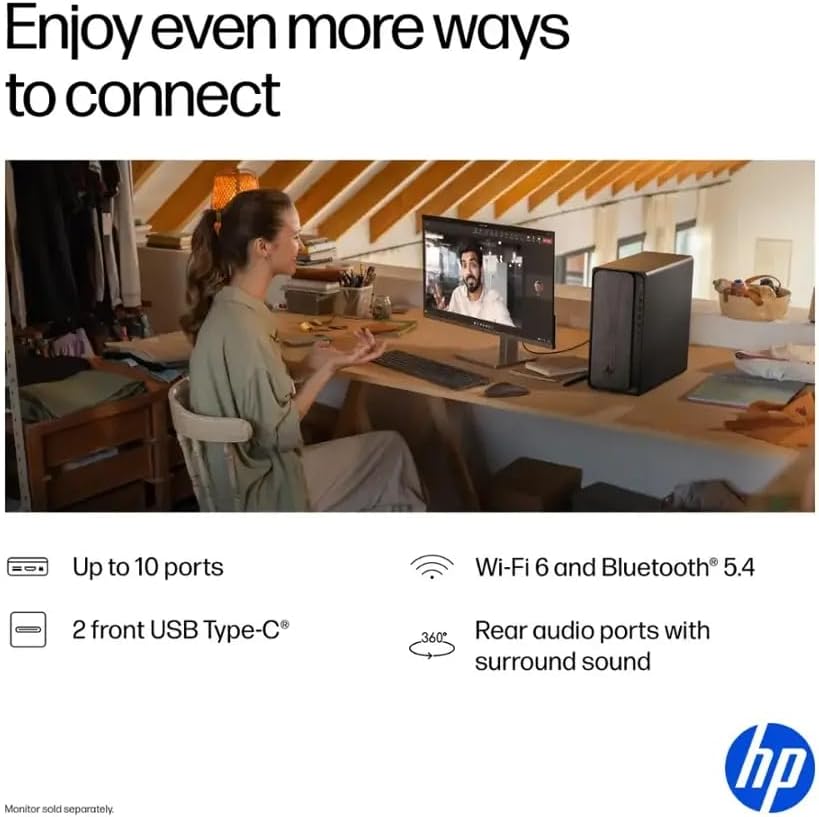
Figure 4: User interacting with the HP OmniDesk Desktop PC, highlighting its productivity features.
4. Manutenzjoni
Regular maintenance ensures optimal performance and longevity of your HP OmniDesk Desktop PC.
- Żommha Nadif: Regularly clean the exterior of the PC with a soft, dry cloth. Use compressed air to clear dust from vents and ports to prevent overheating.
- Aġġornamenti tas-Software: Ensure your Windows 11 Pro operating system and drivers are up-to-date. This can be done through Windows Update settings.
- Protezzjoni Antivirus: Install and regularly update antivirus software to protect against malware and viruses.
- Dejta tal-Backup: Agħmel backup perjodikament ta' affarijiet importanti files għal drajv estern jew ħażna fil-cloud biex tevita t-telf tad-dejta.
- System Restore Points: Create system restore points before installing new software or making significant system changes.
5 Issolvi l-problemi
Hawn huma soluzzjonijiet għal kwistjonijiet komuni li tista' tiltaqa' magħhom:
- Il-PC Mhux qed Jixgħel:
- Check if the power cable is securely connected to both the PC and the power outlet.
- Kun żgur li s-sokit tal-enerġija jaħdem billi tqabbad apparat ieħor.
- Ebda Wiri fuq il-Monitor:
- Verify that the monitor is powered on and the video cable (HDMI/DisplayPort) is securely connected to both the PC and the monitor.
- Try a different video port or cable if available.
- Prestazzjoni bil-mod:
- Agħlaq l-applikazzjonijiet bla bżonn li jkunu qed jaħdmu fl-isfond.
- Iċċekkja u installa kwalunkwe aġġornament pendenti tal-Windows.
- Mexxi tindif tad-diska u deframmentazzjoni (għall-HDDs, mhux neċessarju għall-SSDs).
- Skennja għal malware jew viruses.
- Periferali Mhux Rilevat:
- Kun żgur li l-periferali huwa konness sew ma' port USB funzjonali.
- Ipprova qabbad il-periferali ma' port USB differenti.
- Update or reinstall the peripheral's drivers.
6. Speċifikazzjonijiet
| Komponent | Dettall |
|---|---|
| Proċessur | AMD Ryzen 7 8700G (Up to 5.1 GHz, 8-core) |
| Unità tal-Ipproċessar newrali (NPU) | Yes (Max 16 TOPS) |
| Memorja (RAM) | 32GB DDR5 5200MHz |
| Ħażna | 1TB SSD PCIe 4.0 |
| Grafika | AMD Radeon 780M (Integrata) |
| Sistema Operattiva | Windows 11 Pro |
| Konnettività bla fili | Wi-Fi 6, Bluetooth |
| Portijiet USB | 2x USB-A 3.0, 2x USB-A 3.1, 1x USB-C 3.0, 1x USB-C 3.1, 4x USB-A 2.0 |
| Portijiet tal-vidjo | 1x DisplayPort 1.4, 1x HDMI |
| Portijiet Ethernet | 1 |
| Portijiet Awdjo | Microphone Input, Rear Audio Ports with Surround Sound |
| CPU Cooling System | Arja |
| Dimensjonijiet (LxWxH) | 13.27 x 6.1 x 12.4 pulzieri |
| Piż | 12.72 liri |
| Periferali Inklużi | Tastiera, ġurdien |

Figure 5: Dimensions of the HP OmniDesk Desktop PC.
7. Garanzija u Appoġġ
Your HP OmniDesk Desktop PC is covered by HP's standard warranty. For detailed information regarding your product's warranty period and terms, please refer to the documentation included with your purchase or visit the official HP support websit.
For technical assistance, troubleshooting, or service requests, please contact HP Customer Support. You can find contact information on the HP webis-sit jew fid-dokumentazzjoni tal-garanzija tal-prodott tiegħek.
Pjanijiet ta' protezzjoni addizzjonali jistgħu jkunu disponibbli għax-xiri biex jestendu l-kopertura lil hinn mill-perjodu standard tal-garanzija.
8. Vidjows tal-Prodott
Watch this video for additional information and visual guides:
Stratos Gallery Video
Dan il-filmat jipprovdi viżwali fuqview of the Stratos PC, showcasing its design and features. Note: This video is for a related product (Stratos PC) by Empowered PC, a seller, and is included for general reference on PC features.