1. Introduzzjoni
Thank you for choosing the HTC GT-288 Electric Shaver. This manual provides essential information for the safe and effective operation, maintenance, and care of your new shaver. Please read these instructions thoroughly before first use and retain them for future reference.
2. Informazzjoni dwar is-Sigurtà
Biex tnaqqas ir-riskju ta’ xokk elettriku, korriment, jew ħsara, dejjem segwi dawn il-prekawzjonijiet bażiċi ta’ sigurtà:
- Do not immerse the charging cable or power adapter in water or other liquids.
- Żomm l-apparat 'il bogħod mit-tfal.
- Kun żgur li l-leħja tkun niexfa għalkollox qabel ma tqabbdu mal-kejbil tal-iċċarġjar.
- Do not use the shaver if the blade or foil is damaged, as this may cause injury.
- Uża biss il-kejbil tal-iċċarġjar tal-USB ipprovdut.
- This appliance is designed for personal use only.
3. Kontenut tal-Pakkett
Jekk jogħġbok iċċekkja l-pakkett għall-oġġetti li ġejjin:
- 1 x HTC GT-288 Electric Shaver
- 1 x USB Iċċarġjar Cable
- 3 x Precision Combs (1mm, 3mm, 5mm)
- 1 x Pinzell tat-Tindif
- 1 x Żejt Lubrikanti
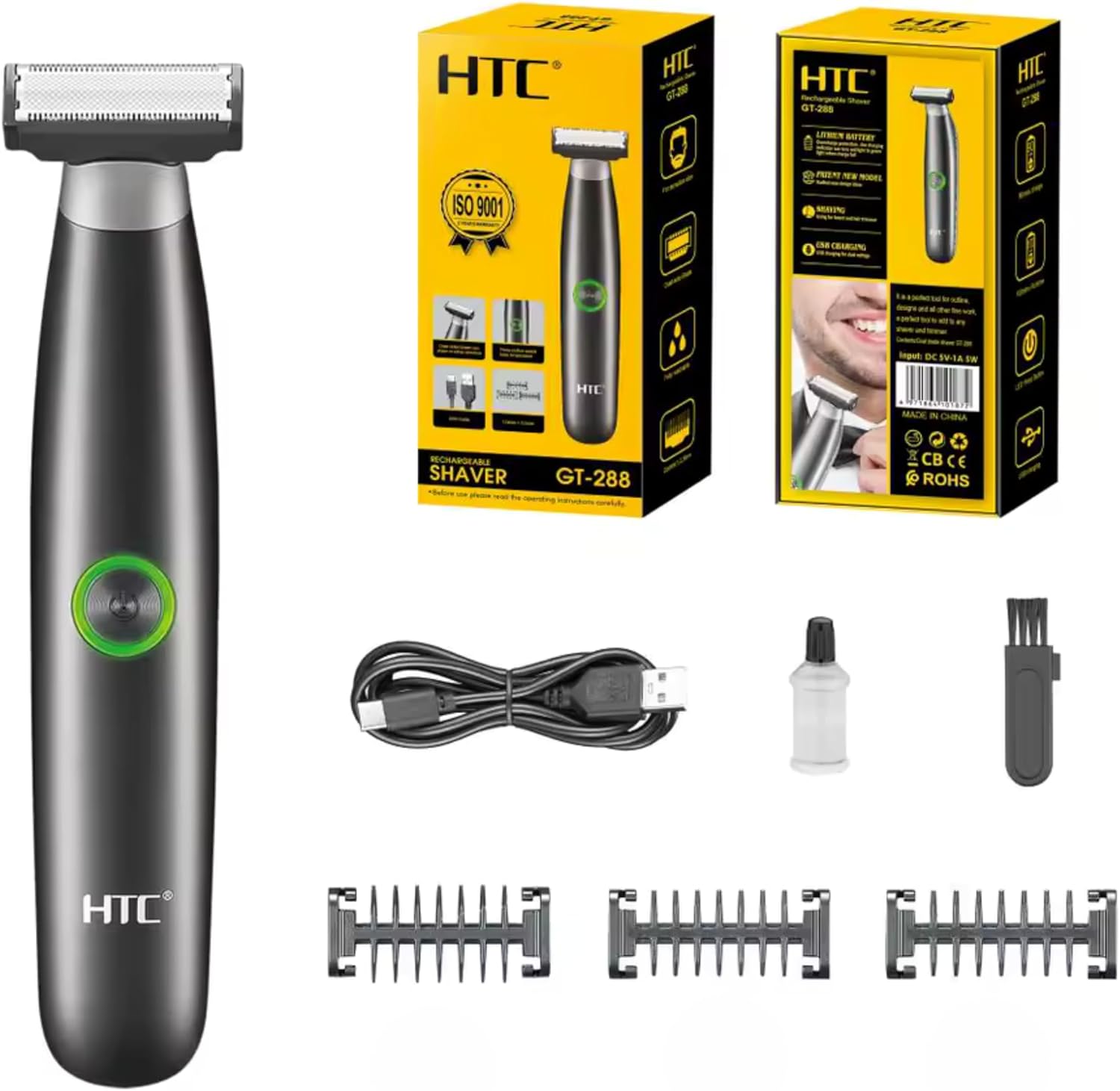
Image 3.1: Contents of the HTC GT-288 Electric Shaver package, including the shaver, USB cable, three precision combs, cleaning brush, and lubricating oil.
4. Prodott Aktarview
The HTC GT-288 Electric Shaver features a sleek design with a dual-sided blade for efficient trimming and shaving. It includes an easy-to-operate press-button switch and is fully washable for convenient cleaning.
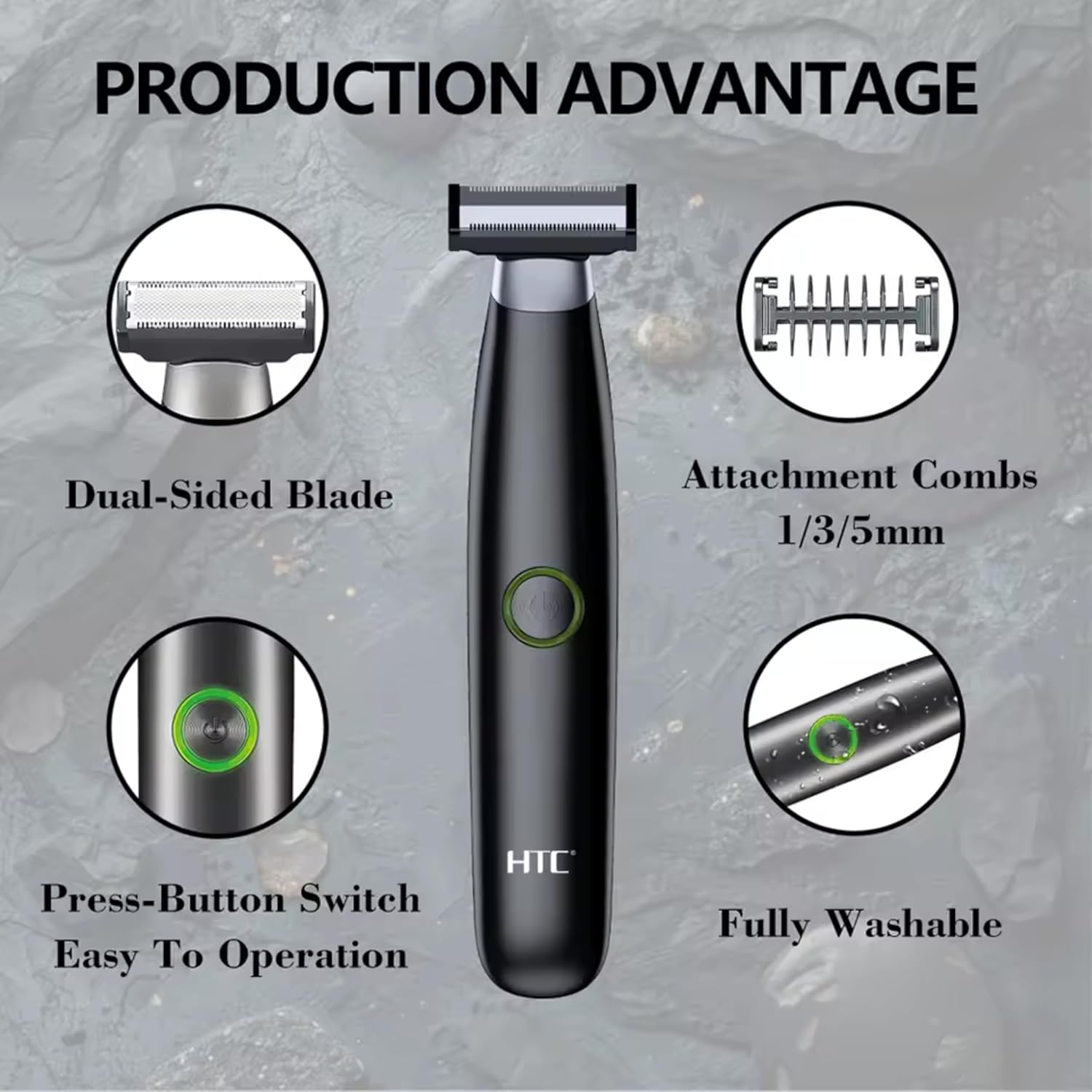
Immaġni 4.1: Fuqview of the HTC GT-288 Electric Shaver's key features, highlighting the dual-sided blade, attachment combs (1/3/5mm), press-button switch, and fully washable design.

Image 4.2: Detail of the LED press button, which serves as the on/off switch for easy operation.
5. Setup
- Ippakkja: Neħħi bir-reqqa l-komponenti kollha mill-imballaġġ.
- Ħlas Inizjali: Before first use, fully charge the shaver. Refer to Section 6 for charging instructions.
- Waħħal il-Moxt (Mhux obbligatorju): If desired, select one of the three precision combs (1mm, 3mm, or 5mm) and slide it onto the shaver head until it clicks into place. Ensure it is securely attached.
6. Iċċarġjar
The HTC GT-288 Electric Shaver is equipped with a rechargeable battery for cordless operation.
- Kun żgur li l-leħja huwa mitfi.
- Connect the small end of the USB charging cable to the charging port on the shaver.
- Connect the larger end of the USB cable to a compatible USB power source (e.g., computer, USB wall adapter).
- The LED indicator on the shaver will illuminate to show that it is charging.
- Allow the shaver to charge completely before its first use. A full charge typically takes several hours.
- Ladarba jkun iċċarġjat kompletament, skonnettja l-kejbil USB.
7. Istruzzjonijiet Operattivi
The HTC GT-288 shaver can be used for both wet and dry shaving.
- Qawwa Mixgħul: Press the LED button to turn on the shaver.
- Tqaxxir Niexef: For dry shaving, ensure your skin is clean and dry. Gently press the shaver against your skin and move it in slow, even strokes against the direction of hair growth.
- Tqaxxir imxarrab: For wet shaving, apply shaving foam or gel to your skin. The shaver is waterproof, allowing for use in the shower or with water. Move the shaver in gentle, even strokes.
- Using Precision Combs: Attach the desired 1mm, 3mm, or 5mm comb for trimming beards, sideburns, or other facial hair to a specific length. Move the shaver with the comb attached against the direction of hair growth for an even trim.
- Itfi: Press the LED button again to turn off the shaver after use.
8. Manutenzjoni u Tindif
Tindif regolari jiżgura prestazzjoni ottimali u jtawwal il-ħajja tax-shaver tiegħek.
- Itfi: Dejjem itfi l-leħja qabel ma tnaddafha.
- Laħlaħ ir-Ras: The shaver is fully washable (IPX6 rated). You can rinse the shaver head directly under running water to remove hair clippings.
- Uża xkupilja tat-tindif: For more thorough cleaning, use the provided cleaning brush to remove stubborn hair particles from the blade and comb attachments.
- Lubrikazzjoni tax-Xfafar: After cleaning and drying, apply a small drop of the provided lubricating oil to the blades. Turn on the shaver for a few seconds to distribute the oil evenly. This helps maintain blade performance.
- Nixxef: Ħalli l-leħja tinxef kompletament bl-arja qabel ma taħżinha jew terġa’ tiċċarġjaha.

Image 8.1: The HTC GT-288 Electric Shaver being rinsed under a faucet, illustrating its IPX6 fully washable design for easy cleaning.
9 Issolvi l-problemi
| Problema | Kawża Possibbli | Soluzzjoni |
|---|---|---|
| Il-leħja ma tixgħelx. | Il-batterija hija eżawrita. | Iċċarġja l-leħja kompletament. |
| Shaver does not cut effectively. | Ix-xfafar huma mblukkati bix-xagħar jew matt. | Clean the shaver head thoroughly. Apply lubricating oil. If problem persists, blades may need replacement. |
| Il-leħja tiġbed ix-xagħar. | Battery is low or blades are clogged. | Charge the shaver. Clean the shaver head. |
| Il-leħja tieqaf waqt l-użu. | Il-batterija hija eżawrita. | Erġa' ċċarġja l-leħja. |
10. Speċifikazzjonijiet
- Ditta: HTC
- Isem tal-Mudell: GT-288
- Sors tal-Enerġija: USB Rechargeable
- Karatteristiċi Speċjali: USB Cable, Adjustable Combs, Rechargeable, Water Resistant, Wet & Dry Use
- Użi Rakkomandati: Facial Shaving, Beard Trimming, Daily Use, Travel
- Komponenti Inklużi: Electric Shaver, USB Cable, 3 Precision Combs, Cleaning Brush, Lubricating Oil
- Piż tal-Prodott: 250 Gramm
- Kulur: Iswed
- Materjal tax-xafra: Stainless Steel
- Tip ta 'ras: Trimmer ta 'Preċiżjoni
11. Garanzija u Appoġġ
This product is manufactured by HTC. For any questions, technical support, or warranty claims, please contact the seller or manufacturer directly through your purchase platform. Please retain your proof of purchase for warranty purposes.


