
Introduzzjoni
This manual provides essential instructions for the safe and efficient operation of your Crayola Kids Bluetooth PA Stereo Speaker System. Please read this manual thoroughly before use and retain it for future reference.

Image: The Crayola Kids Bluetooth PA Stereo Speaker System in black, shown with its wired microphone.
Setup
1. Unboxing u Spezzjoni Inizjali
- Neħħi bir-reqqa l-komponenti kollha mill-imballaġġ.
- Verify that the package contains the speaker unit, one wired microphone, and a USB-C charging cable.
- Inspect the unit for any signs of damage. If damage is present, do not use the product and contact customer support.
2. Iċċarġja l-Ispeaker
- Qabel l-ewwel użu, iċċarġja l-ispiker kompletament.
- Connect the supplied USB-C charging cable to the USB-C charge port on the speaker.
- Qabbad it-tarf l-ieħor tal-kejbil ma' adapter tal-enerġija USB kompatibbli (mhux inkluż).
- Id-dawl indikatur tal-iċċarġjar jixgħel. Ladarba jkun iċċarġjat kompletament, id-dawl jista’ jibdel il-kulur jew jintefa.
- Ċarġ sħiħ jipprovdi madwar 2 sigħat ta' ħin ta' daqq.
3. Tixgħil / Mitfi
- Locate the power button on the control panel.
- Press and hold the power button for a few seconds to turn the speaker ON or OFF.
Istruzzjonijiet Operattivi
1. Tqabbil tal-Bluetooth

Image: The Crayola speaker shown with icons representing connectivity to a phone, MP3 player, iPad, and TV, illustrating its multifunctional Bluetooth capabilities.
- Ensure the speaker is powered ON and in Bluetooth mode. The speaker will typically enter Bluetooth pairing mode automatically upon power-on, indicated by a flashing LED.
- Fuq l-apparat tiegħek (smartphone, tablet, eċċ.), attiva l-Bluetooth u fittex apparati disponibbli.
- Select "Crayola Speaker" from the list of devices.
- Ladarba jkun imqabbad, l-ispiker se joħroġ ħoss ta' konferma, u l-indikatur LED se jieqaf iteptep.
2. Bl-użu tal-Mikrofonu
- Plug the wired microphone into the designated microphone input port on the speaker.
- Ensure the microphone's ON/OFF switch is in the ON position.
- Speak into the microphone. The sound will be amplified permezz tal-kelliem.
- Note: The microphone volume is fixed and cannot be adjusted independently from the main speaker volume.
3. Tqabbil ta' Stereo Wireless Veru (TWS)
TWS allows two Crayola Bluetooth speakers to connect wirelessly for a stereo sound experience.
- Ensure both speakers are powered ON and in Bluetooth mode, but not yet paired with any device.
- On one speaker, press and hold the 'MODE' button until you hear a pairing tone. This speaker will become the primary unit.
- Iż-żewġ kelliema jikkonnettjaw ma' xulxin awtomatikament. Jinstema' ħoss ta' konferma ladarba jkunu konnessi.
- Now, pair your device with the primary speaker via Bluetooth as described in the "Bluetooth Pairing" section.
4. Funzjoni tar-Radju FM
- Press the 'MODE' button to switch to FM Radio mode.
- Press the 'SCAN' button to automatically scan and save available FM radio stations.
- Use the 'V-/K' and 'V+/L' buttons to navigate between saved stations.
5. Kontrolli u Funzjonijiet

Image: A hand pressing one of the control buttons on the top panel of the Crayola speaker, demonstrating user interaction.
| Buttuna | Funzjoni |
|---|---|
| MODALITÀ | Switches between Bluetooth, FM Radio, and other input modes. Long press for TWS pairing. |
| V-/K | Short press: Volume Down. Long press (in FM mode): Previous Station. |
| SKANJA | Short press: Play/Pause (Bluetooth). Long press (in FM mode): Auto-scan FM stations. |
| V+/L | Short press: Volume Up. Long press (in FM mode): Next Station. |
Manutenzjoni
- Tindif: Uża drapp artab u niexef biex tnaddaf il-barra tal-ispiker. Tużax prodotti tat-tindif likwidi jew materjali li joborxu.
- Ħażna: Aħżen l-ispiker f'post frisk u niexef 'il bogħod mix-xemx diretta u minn temperaturi estremi.
- Kura tal-batterija: Biex ittawwal il-ħajja tal-batterija, evita li tiċċarġja kompletament il-batterija ta’ spiss. Erġa’ ċċarġja l-ispiker regolarment, anke jekk ma jkunx qed jintuża għal perjodi twal.
- Espożizzjoni għall-Ilma: Dan l-ispiker mhuwiex reżistenti għall-ilma. Evita l-espożizzjoni għall-ilma jew umdità eċċessiva.
Issolvi l-problemi
| Problema | Soluzzjoni Possibbli |
|---|---|
| L-ispiker ma jixgħelx. | Ensure the battery is charged. Connect the USB-C cable and charge for at least 30 minutes before attempting to power on again. |
| L-ebda ħoss mill-ispiker. | Check the volume level on both the speaker and your connected device. Ensure the speaker is correctly paired via Bluetooth or in the correct mode (e.g., FM radio). |
| Tqabbil Bluetooth ifalli. | Ensure the speaker is in pairing mode. Turn off Bluetooth on your device and turn it back on. Move the speaker closer to your device. Disconnect any other Bluetooth devices from the speaker. |
| Microphone has excessive echo. | The microphone's volume is fixed. Ensure you are not too close to the speaker when using the microphone, as this can cause feedback or echo. |
| Ir-riċeviment tar-radju FM huwa fqir. | Relocate the speaker to an area with better signal. Perform an auto-scan again to find stronger stations. |
Speċifikazzjonijiet tal-Prodott
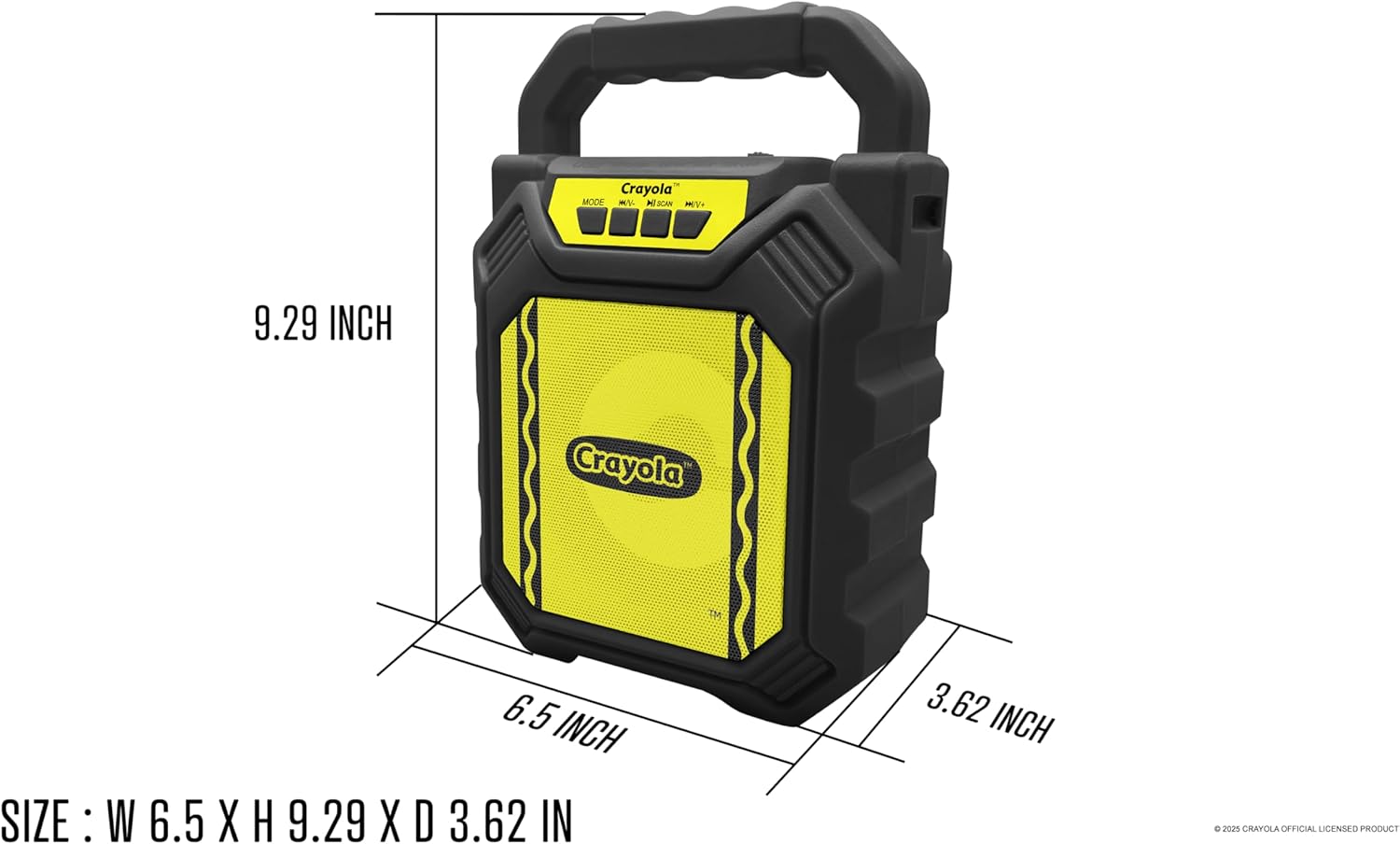
Image: Diagram illustrating the dimensions of the Crayola Kids Bluetooth PA Stereo Speaker System.
| Karatteristika | Dettall |
|---|---|
| Numru tal-Mudell | B0FGYDFH7M |
| Brand | Crayola |
| Teknoloġija tal-Konnettività | Bluetooth 5.0 |
| Daqs tas-Sewwieq | 4 pulzieri |
| L-ogħla qawwa | 10W |
| Kapaċità tal-batterija | 1200mAh |
| Ħin tal-daqq | Sa 2 sigħat (fuq ċarġ wieħed) |
| Sensittività | > 85dB |
| Port tal-Iċċarġjar | USB-C |
| Karatteristiċi | Bluetooth, TWS, FM Radio, Microphone Input, LED Lights |
| Dimensjonijiet (L x W x H) | 6.49 x 3.72 x 1.57 pulzieri |
| Piż tal-oġġett | 1.58 liri |
| Materjal | Plastik |
| UPC | 605832373966 |
Garanzija u Appoġġ
For warranty information and customer support, please refer to the documentation included with your purchase or visit the official Crayola websit. Żomm il-prova tax-xiri tiegħek għal talbiet ta' garanzija.


