Introduzzjoni
This manual provides essential information for setting up, operating, maintaining, and troubleshooting your Microsoft Surface Pro 7+ Tablet PC. Please read this guide thoroughly to ensure optimal performance and longevity of your device.
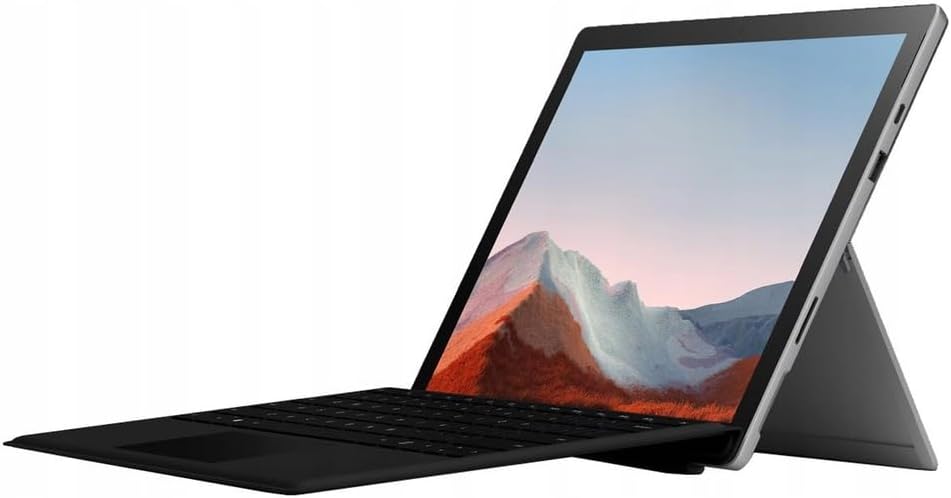
Image: The Microsoft Surface Pro 7+ in tablet mode with an attached keyboard, showcasing id-disinn versatili tiegħu.
The Microsoft Surface Pro 7+ is a versatile 2-in-1 device, functioning as both a powerful tablet and a laptop. It features a 12.3-inch PixelSense touchscreen display with a resolution of 2736 x 1824 pixels, powered by an Intel Core i7-1165G7 processor. This model comes with 16GB RAM and a 512GB Solid State Drive, running on Windows 11 Pro.
Setup
1. Unboxing u Spezzjoni Inizjali
Neħħi bir-reqqa l-komponenti kollha mill-imballaġġ. Ivverifika li l-oġġetti li ġejjin huma preżenti:
- Microsoft Surface Pro 7+ Tablet PC
- Adapter/Kejbil tal-Enerġija
Spezzjona l-apparat għal kwalunkwe ħsara viżibbli qabel tipproċedi.

Image: The Microsoft Surface Pro 7+ tablet shown alongside its detachable keyboard, illustrating the two main components.
2. Konnessjoni mal-Enerġija
Connect the power adapter to the Surface Connect port on your device and then plug the adapter into a wall outlet. The battery indicator will illuminate to show that the device is charging.
3. L-Ibbutjar Inizjali u s-Setup tal-Windows
Press the power button located on the top edge of the device to turn it on. Follow the on-screen prompts to complete the Windows 11 Pro setup, including language selection, network connection, and user account creation.
4. Attaching the Type Cover (Keyboard)
Align the magnetic connector of the Surface Type Cover with the bottom edge of the Surface Pro 7+. The magnets will snap the keyboard into place. You can adjust the angle of the keyboard for comfortable typing.

Image: The Microsoft Surface Pro 7+ with its keyboard attached, set up on a wooden surface, demonstrating its portability and usability in various environments.
Operazzjoni
1. Navigazzjoni Bażika
- Touchscreen: Uża l-ġesti għan-navigazzjoni, iż-żum, u l-iscrolljar.
- Type Cover: Utilize the keyboard for typing and the integrated trackpad for cursor control.
- Surface Pen (Optional): If you have a Surface Pen, it can be used for writing, drawing, and precise interaction with the screen.
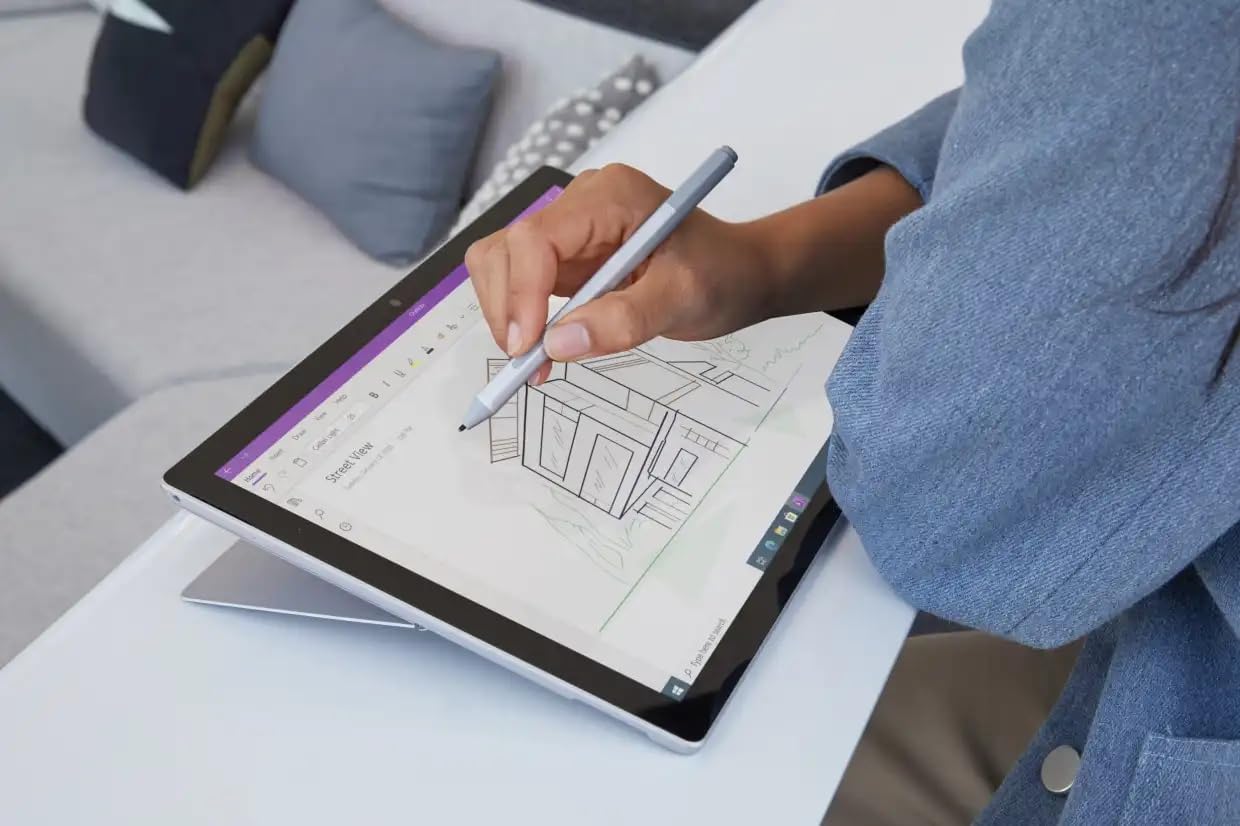
Image: A user interacting with the Microsoft Surface Pro 7+ using a Surface Pen, highlighting its capabilities for creative and precise tasks.
2. Portijiet u Konnettività
Your Surface Pro 7+ includes various ports for connecting peripherals:
- Port USB-C: For data transfer, video output, and charging compatible devices.
- Port USB-A: For connecting standard USB devices like flash drives or mice.
- Jack tal-Headphone ta' 3.5 mm: Għall-ħruġ tal-awdjo għal headphones jew kelliema esterni.
- Port tal-Konness tal-wiċċ: For power and connecting Surface Dock accessories.
- Micro SDXC Card Reader: Għall-espansjoni tal-ħażna jew it-trasferiment files minn karti tal-memorja.

Immaġni: Pro tal-ġenbfile view of the Microsoft Surface Pro 7+, clearly showing the various input/output ports available for connectivity.
Konnettività Wireless: The device supports Wi-Fi 6 (802.11ax) for high-speed internet access and Bluetooth 5.0 for connecting wireless accessories.
3. Windows 11 Pro Features
Leverage the advanced features of Windows 11 Pro, including enhanced security, powerful management tools, and improved productivity with features like Snap Layouts and virtual desktops. Regular updates will ensure your system remains secure and up-to-date.
Manutenzjoni
1. Tindif tal-Apparat Tiegħek
- Skrin: Uża drapp ratba u mingħajr ħelu ftit dampLaħlaħ bl-ilma jew b'tindif tal-iskrin. Evita kimiċi ħarxa.
- Korp: Imsaħ il-barra b'ċarruta ratba u niexfa.
- Portijiet: Keep ports free of dust and debris. Use compressed air if necessary, but do so gently.
2. Aġġornamenti tas-Software
Ensure your Surface Pro 7+ is always up-to-date by regularly checking for Windows updates. Go to Settings > Aġġornament tal-Windows to check for and install available updates. This helps maintain security and performance.
3. Kura tal-batterija
Biex timmassimizza l-ħajja tal-batterija:
- Evita temperaturi estremi.
- Tbattilx il-batterija għal 0% b'mod konsistenti jew iżżommhiex għal 100% għal perjodi twal.
- Use the provided official power adapter.
Issolvi l-problemi
Kwistjonijiet Komuni u Soluzzjonijiet
- L-Apparat Mhux Jixgħel:
Ensure the device is charged. Connect the power adapter and wait a few minutes before attempting to power on again. If unresponsive, perform a force restart by holding the power button for 30 seconds.
- Kwistjonijiet tal-Wiri:
If the screen is blank or flickering, try restarting the device. Check display settings in Windows. Ensure drivers are updated.
- Problemi ta' Konnettività Wi-Fi/Bluetooth:
Toggle Wi-Fi/Bluetooth off and on. Restart your router. Check device drivers in Device Manager.
- Prestazzjoni bil-mod:
Agħlaq l-applikazzjonijiet mhux meħtieġa. Iċċekkja għal proċessi fl-isfond. Kun żgur li hemm biżżejjed spazju għall-ħażna. Mexxi tindif tad-diska.
For more detailed troubleshooting, refer to the official Microsoft Surface support websit.
Speċifikazzjonijiet
| Karatteristika | Dettall |
|---|---|
| Brand | Microsoft |
| Mudell | Wiċċ Pro 7+ |
| CPU | Intel Core i7-1165G7 Processor (3.4GHz up to 4.6GHz) |
| Memorja (RAM) | 16GB |
| Ħażna | Sewqan ta' Stat Solidu (SSD) ta' 512GB |
| Grafika | Grafika Intel Iris Plus |
| Sistema Operattiva | Windows 11 Pro 64 Bit |
| Wiri | 12.3-inch Full HD (2736 x 1824) 2K PixelSense Touchscreen |
| Wi-Fi | 802.11ax (Wi-Fi 6) |
| Bluetooth | BT5.0 |
| Portijiet | 1 x USB-C, 1 x USB-A, 1 x Surface Connect port, 1 x 3.5 mm headphone jack, 1 x Micro SDXC card reader |
| Dimensjonijiet | 20.1 x 29.2 x 0.85 ċm (7.9 x 11.5 x 0.33 pulzieri) |
| Piż | 0.77 kg (1.7 lbs) |
Garanzija u Appoġġ
This Microsoft Surface Pro 7+ comes with a 90-day warranty. For warranty claims or technical support, please contact the vendor or refer to the official Microsoft support resources.
For additional assistance, visit the official Microsoft Surface support websit: support.microsoft.com/surface


