1. Prodott Aktarview
The MECHEER Digital Timer Switch (Model JK-TM02-BL) is a programmable timer socket designed to automate the control of electrical devices. It allows you to set specific ON/OFF times for appliances, helping to save energy and enhance home security. This timer features a clear LCD display with backlight, up to 16 programmable settings, and a random mode for holiday security.
Karatteristiċi ewlenin:
- Up to 16 programmable ON/OFF settings for daily or weekly schedules.
- 24-hour and weekly scheduling options (weekdays, weekends, specific days).
- Large, high-contrast LCD display with soft white backlight for easy readability.
- Random mode to simulate occupancy for enhanced home security during absences.
- Built-in battery to retain programmed settings during power outages.
- Constructed from durable, heat-resistant PC material.
- Manual override function for immediate control.
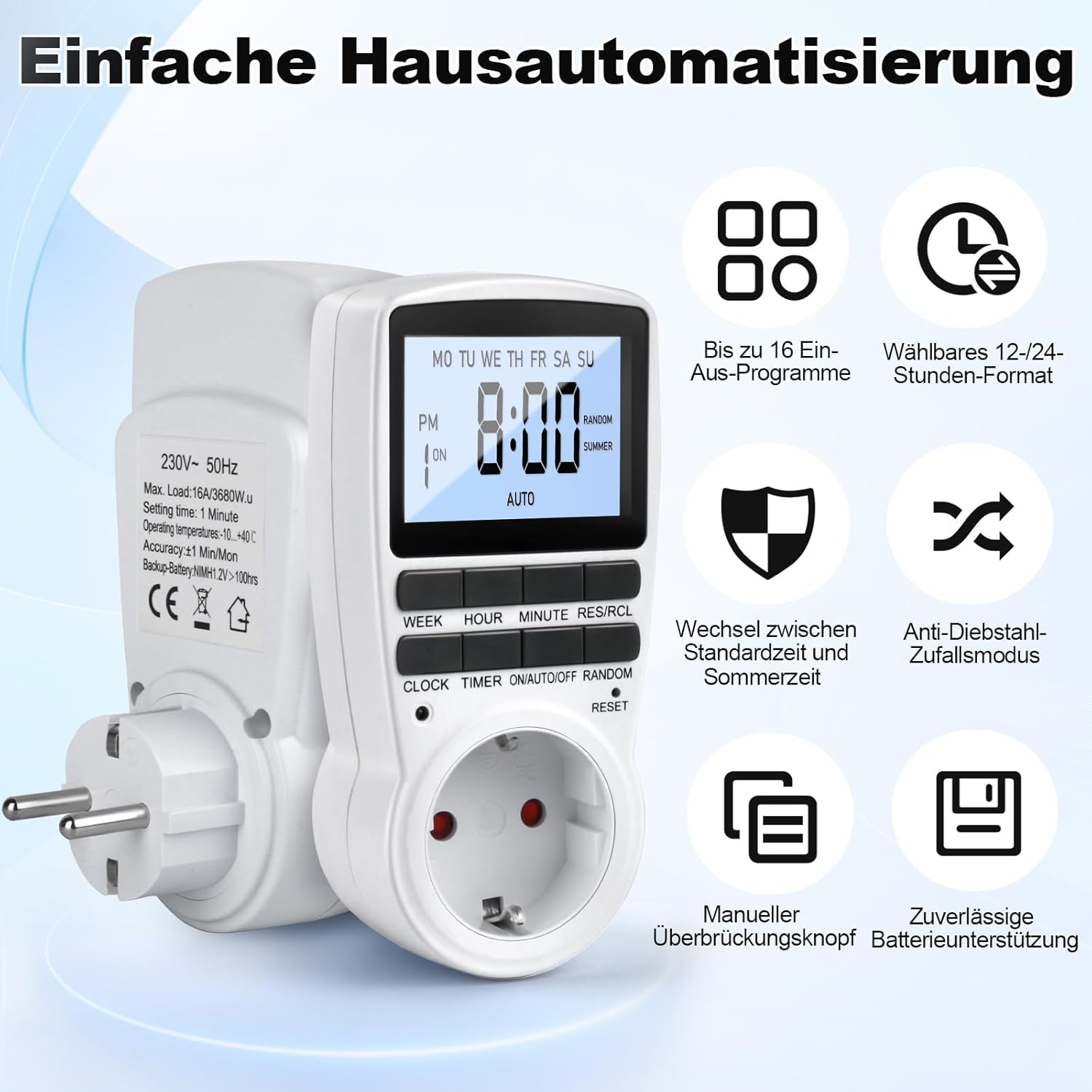
Figure 1: MECHEER Digital Timer Switch showing its display and control buttons, with icons illustrating key features like 16 programs and 12/24-hour format.
2. Istruzzjonijiet tas-Sigurtà
- Tgħaddix it-tajmer fl-ilma jew f'xi likwidu ieħor.
- Do not connect any appliance that exceeds the maximum load rating of 16A/3680W.
- Kun żgur li t-tajmer huwa pplaggjat sew f'sokit ertjat.
- Do not disassemble or attempt to repair the timer yourself. Contact qualified personnel for service.
- Żomm fejn ma jintlaħaqx mit-tfal.
- Use indoors only. This timer is not suitable for outdoor use.
- Skonnettja t-tajmer mill-plagg tal-ħajt qabel ma tnaddaf.
3. Kontenut tal-Pakkett
- 1 x MECHEER Digital Timer Switch (Model JK-TM02-BL)
- 1 x Manwal għall-Utent
4. Komponenti tal-Prodott
Familiarize yourself with the buttons and display of your digital timer switch.
- Display LCD: Shows current time, day, ON/OFF status, program number, and mode.
- Buttuna tal-ĠIMGĦA: Sets the day of the week.
- Buttuna SIEGĦA: Sets the hour.
- Buttuna MINUTA: Sets the minute.
- RES/RCL Button: Jirrisettja jew isejjaħ lura s-settings tal-programm.
- Buttuna tal-ARLOĠĠ: Exits programming mode and returns to clock display.
- Buttuna TIMER: Enters or exits program setting mode.
- ON/AUTO/OFF Button: Selects operating mode (ON, AUTO, OFF).
- Buttuna RANDOM: Activates or deactivates random mode.
- RESET Pinhole: Jissettja l-apparat għal defaults tal-fabbrika.
Figura 2: Dettaljat view of the timer's LCD display and control buttons.
5. Setup
5.1 Is-Setup Inizjali u l-Iċċarġjar
- Plug the timer into a standard wall outlet for at least 5-10 minutes to charge the internal backup battery. This battery retains your settings during power outages.
- After charging, use a pointed object (like a pen tip) to press the RESET pinhole button located above the socket. This clears all current settings and ensures proper operation.

Figure 3: Pressing the RESET button to restore factory settings.
5.2 Issettjar tal-Ħin Attwali
- Agħfas u żomm il- ARLOĠĠ buttuna.
- Waqt li żżomm ARLOĠĠ, agħfas il- ĠIMGĦA button repeatedly to set the current day of the week.
- Waqt li żżomm ARLOĠĠ, agħfas il- SIEGĦA button repeatedly to set the current hour (12-hour or 24-hour format).
- Waqt li żżomm ARLOĠĠ, agħfas il- MINUTA Agħfas il-buttuna ripetutament biex tissettja l-minuta kurrenti.
- Irrilaxxa l- ARLOĠĠ buttuna. Il-ħin u l-jum attwali issa huma ssettjati.
- Biex taqleb bejn il-format ta' 12-il siegħa u ta' 24 siegħa, agħfas il-buttuna ARLOĠĠ u TIMER buttuni fl-istess ħin.
6. Istruzzjonijiet Operattivi
6.1 Programmazzjoni tal-Ħinijiet ON/OFF
It-tajmer jippermetti sa 16 programm ON/OFF. Kull programm jikkonsisti minn ħin ON u ħin OFF.
- Agħfas il- TIMER Agħfas il-buttuna darba biex tidħol fil-modalità tas-settings tal-programm. Id-displej se juri "1 ON".
- Agħfas il- ĠIMGĦA button to select the desired day(s) for this program. Options include: every day, specific weekdays, weekends, or custom combinations.
- Agħfas il- SIEGĦA buttuna biex tissettja s-siegħa ON mixtieqa.
- Agħfas il- MINUTA buttuna biex tissettja l-minuta ON mixtieqa.
- Agħfas il- TIMER Agħfas il-buttuna mill-ġdid. Id-displej se juri "1 OFF".
- Repeat steps 2-4 to set the desired OFF day(s), hour, and minute for the first program.
- Agħfas il- TIMER button to advance to the next program ("2 ON", "2 OFF", etc.) and repeat the process for up to 16 programs.
- Wara li tissettja l-programmi mixtieqa kollha, agħfas il-buttuna ARLOĠĠ Agħfas il-buttuna biex toħroġ mill-modalità tal-programm u terġa' lura għall-wiri tal-ħin attwali.

Figura 4: Eżample of 16 ON/OFF programs in action, automating devices like an aquarium light and a toaster.
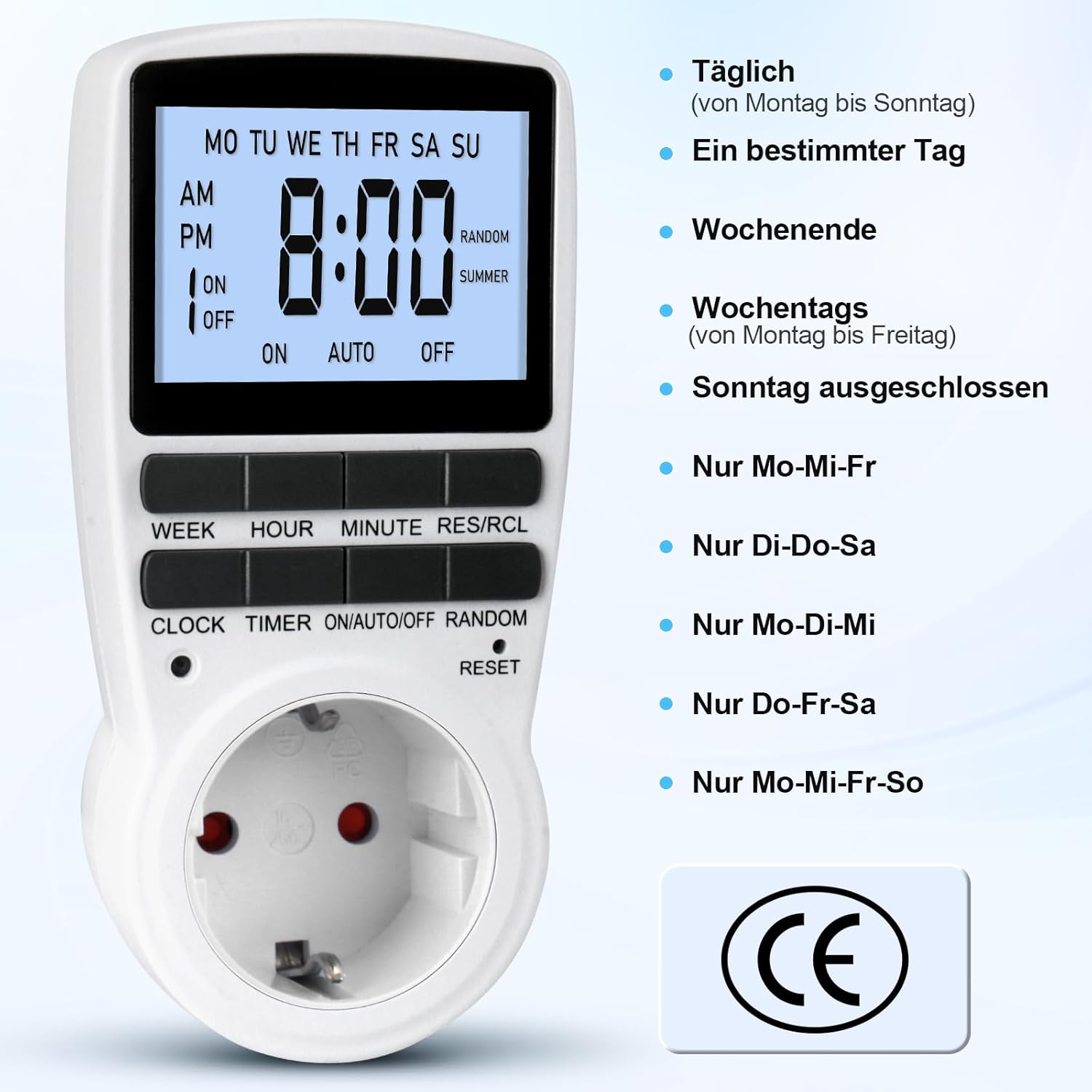
Figure 5: Different weekly programming options available, such as daily, specific days, weekends, or weekdays.
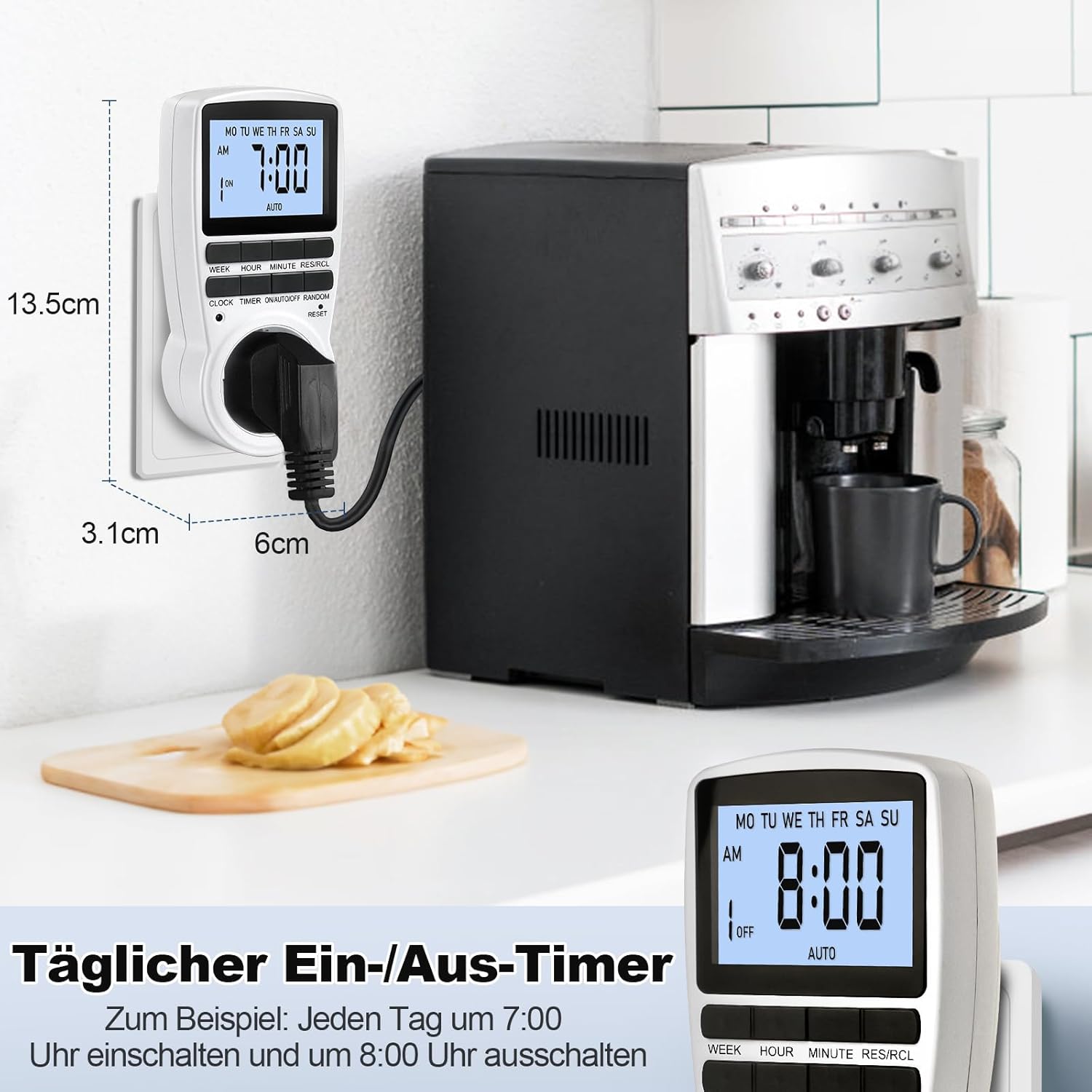
Figure 6: The timer in use, demonstrating a daily ON/OFF schedule and illustrating its compact dimensions.
6.2 Manual Override (ON/AUTO/OFF)
Agħfas il- ON/AUTO/MITFI button repeatedly to cycle through the operating modes:
- FUQ: The connected appliance will remain ON, ignoring all programmed settings.
- AUTO: The connected appliance will operate according to the programmed ON/OFF times.
- MITFI: The connected appliance will remain OFF, ignoring all programmed settings.
Għal tħaddim awtomatiku, kun żgur li t-tajmer huwa ssettjat għal AUTO mod.
6.3 Random Mode (Holiday Security)
The random mode is designed to deter potential intruders by making your home appear occupied when you are away. When activated, the timer will randomly turn ON and OFF connected lights or appliances within a set period.
- To activate Random Mode, press the KAŻ button. The "RANDOM" indicator will appear on the LCD.
- To deactivate Random Mode, press the KAŻ button again. The "RANDOM" indicator will disappear.

Figure 7: The timer in holiday mode, randomly switching lights to enhance home security.
6.4 Funzjoni tad-Dawl ta' Wara
The LCD display features a soft white backlight for improved visibility in low-light conditions.
- The backlight activates automatically when any button is pressed.
- It will turn off automatically after approximately 30 seconds of inactivity to conserve energy.
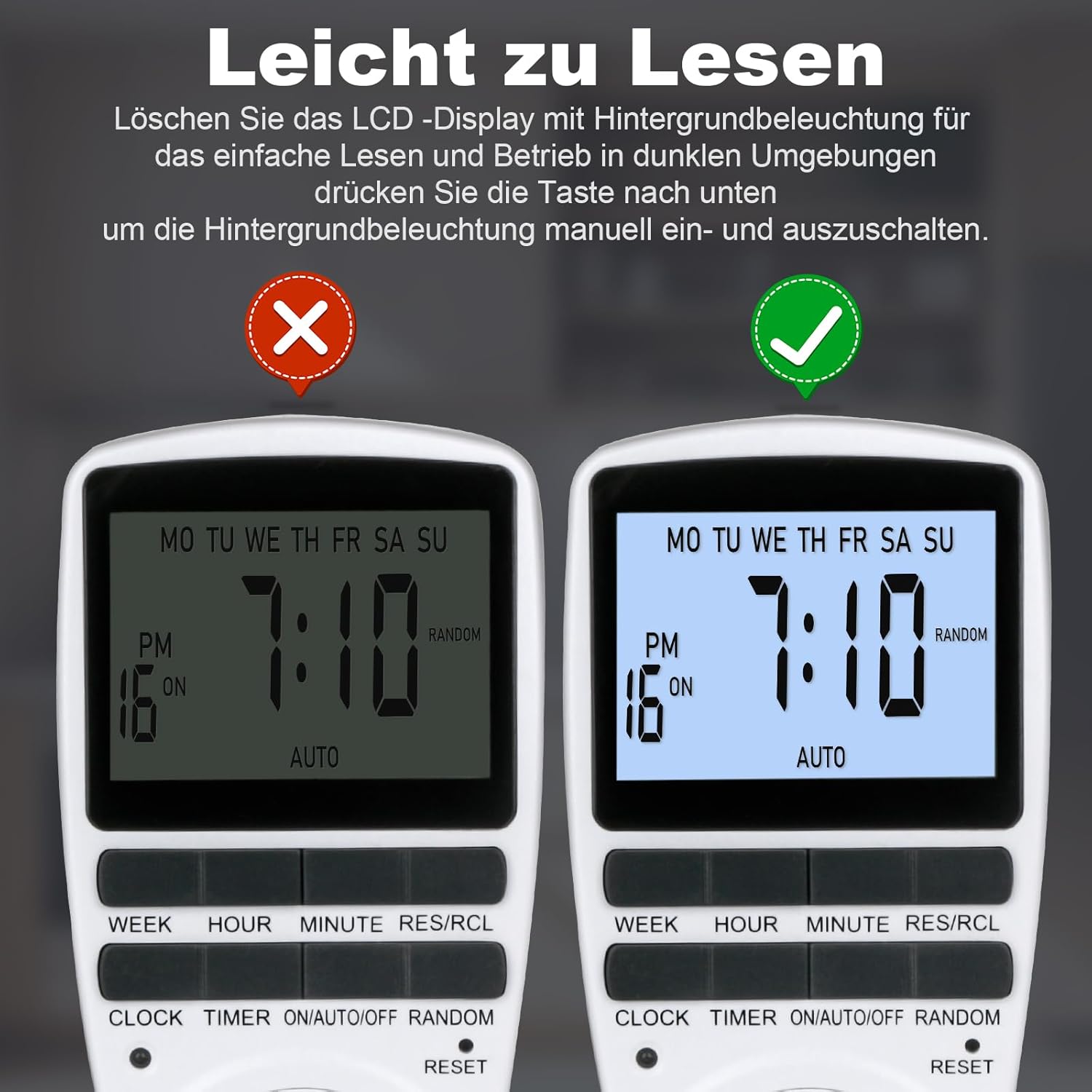
Figure 8: The timer's display with and without the backlight for clear readability.
6.5 Multi-functional Applications
The MECHEER Digital Timer Switch can be used to automate a wide range of household appliances and devices, helping to save energy and simplify your daily routine.

Figura 9: Eżamples of how the timer switch can be used with various devices such as lamps, ovens, aquariums, air purifiers, and routers.
7. Manutenzjoni
- Tindif: Skonnettja t-tajmer mill-iżbokk tal-enerġija qabel ma tnaddaf. Imsaħ il-barra b'ċarruta ratba u niexfa. Tużax prodotti tat-tindif likwidi jew materjali li joborxu.
- Batterija: The timer has a built-in rechargeable battery that maintains settings during power outages. This battery is not user-replaceable. Ensure the timer is regularly plugged in to keep the battery charged.
- Ħażna: If storing the timer for an extended period, ensure it is fully charged and stored in a cool, dry place.
8 Issolvi l-problemi
| Problema | Kawża Possibbli | Soluzzjoni |
|---|---|---|
| Id-displej huwa vojt jew mudlam. | Il-batterija interna hija baxxa jew eżawrita. | Plug the timer into a live outlet for 5-10 minutes to charge the battery. |
| Timer programs are not activating. | Timer is not in AUTO mode. Incorrect program settings. | Kun żgur li t-tajmer huwa ssettjat għal AUTO mode. Review and correct your program settings. |
| Appliance remains ON/OFF constantly. | Timer is in ON or OFF mode, not AUTO. | Agħfas il- ON/AUTO/MITFI button until "AUTO" is displayed. |
| Timer is behaving erratically. | System glitch or interference. | Perform a full reset by pressing the RESET pinhole button. You will need to reprogram the time and settings. |
9. Speċifikazzjonijiet
| Karatteristika | Dettall |
|---|---|
| Numru tal-Mudell | JK-TM02-BL |
| Brand | MECHEER |
| Dimensjonijiet tal-Prodott | 1.57"D x 1.97"W x 3.94"Għ (4 x 5 x 10 ċm) |
| Piż tal-oġġett | 6.7 uqija (190 gramma) |
| Tagħbija Max | 16A / 3680W |
| Ħin tal-issettjar | 1 Minuta |
| Temperatura operattiva | -10 sa +40°C |
| Eżattezza | ±1 Min/Mon |
| Batterija tal-Backup | NiMH 1.2V >100hrs |
| Kulur | Abjad |
10. Garanzija u Appoġġ
MECHEER products are designed for reliability and performance. For warranty information, technical support, or any questions regarding your Digital Timer Switch, please contact MECHEER customer service through the retailer where you purchased the product or visit the official MECHEER website. Please have your model number (JK-TM02-BL) and purchase details ready when contacting support.


