1. Introduzzjoni
Welcome to the user manual for your new OnePlus Buds 4 Wireless Earbuds. These earbuds are designed to provide a superior audio experience with features such as adaptive noise cancellation, high-resolution audio support, and extended battery life. This manual will guide you through the setup, operation, maintenance, and troubleshooting of your device to ensure you get the most out of your earbuds.
2. X'hemm fil-Kaxxa
Jekk jogħġbok iċċekkja l-kontenut tal-pakkett tiegħek biex tiżgura li l-oġġetti kollha huma preżenti:
- OnePlus Buds 4 Earbuds
- OnePlus Buds 4 Charging Case
- Kejbil tal-Iċċarġjar tat-Tip C
- Ear Tips (S, M, L pairs)
- User Manual & Safety and Warranty Information
3. Prodott Aktarview
The OnePlus Buds 4 feature an ergonomic design for comfortable wear and a compact charging case for portability and extended battery life. Key components include the earbuds with touch controls and the charging case with a USB-C port.

Image: OnePlus Buds 4 earbuds securely placed within their charging case.

Image: The OnePlus Buds 4 earbuds and their open charging case, showcasing the individual components.

Immaġni: Aktar minnview of the OnePlus Buds 4's advanced features, including noise cancellation, audio quality, and smart functionalities.
3.1 Karatteristiċi ewlenin
- Sensationally Sculpted Sound: Dual DACs and dual drivers with Hi-Res LHDC 5.0 for near-lossless audio, deep bass, and clear highs. Features Golden Sound for personalized listening and OnePlus 3D Audio for immersive sound.
- Silence Made Smarter: Up to 55dB Adaptive Noise Cancellation (ANC) dynamically reduces ambient noise. Adaptive Mode allows switching between ANC and Transparency Mode.
- AI Clear Call Algorithm: A 3-mic system filters out ambient noise and wind for crystal-clear calls.
- Smarter Connectivity: Steady Connect ensures reliable connectivity. Supports real-time AI Translation and voice assistant activation.
- Ħajja Estiża tal-Batterija: Sa 45 siegħa ta' daqq totali bil-kaxxa tal-iċċarġjar.

Image: Visual representation of BassWave™ 2.0 Dynamic Bass technology, enhancing low-frequency audio.

Image: Depiction of Golden Hearing technology, which customizes sound based on individual ear canal structure for optimized audio.
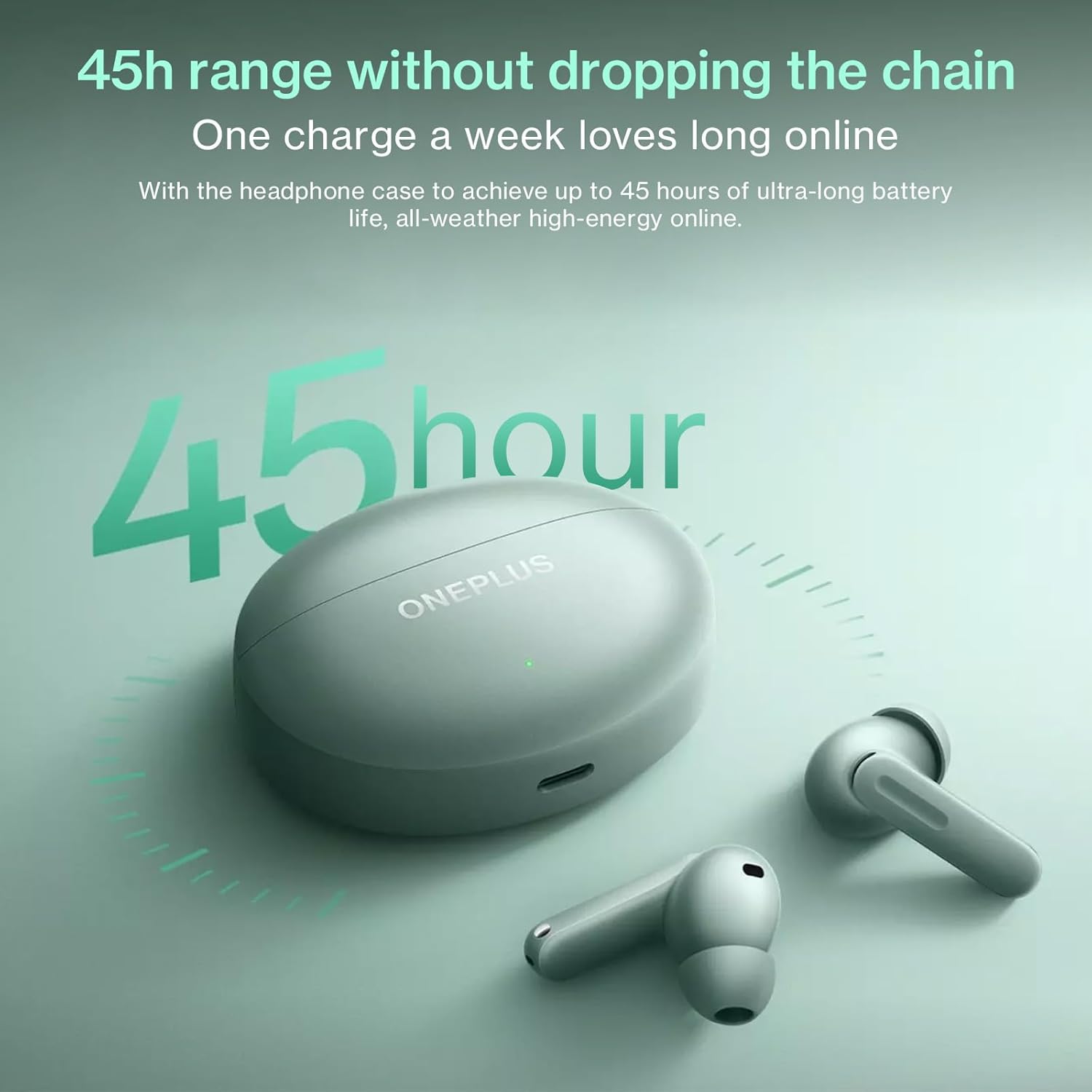
Image: The OnePlus Buds 4 and their charging case, highlighting the impressive 45-hour total battery life.

Image: Explanation of the enhanced Vocal Noise Reduction feature, demonstrating its effectiveness in noisy environments.

Immaġni: Dettaljata view of the Flagship Coaxial Dual Unit, illustrating its design for balanced high and low-frequency audio reproduction.
4. Setup
4.1 Iċċarġjar tal-Earbuds u l-Kaxxa
Before first use, fully charge the earbuds and the charging case. Place the earbuds into the charging case and close the lid. Connect the Type-C charging cable to the charging port on the case and plug the other end into a USB power adapter (not included). The indicator light on the case will show charging status.
- Każ tal-Iċċarġjar: Connect to a power source using the provided USB-C cable.
- Earbuds: Place them inside the charging case. They will charge automatically.
4.2 It-tqabbil inizjali
- Kun żgur li l-earbuds jinsabu fil-kaxxa tal-iċċarġjar u li l-kaxxa għandha biżżejjed batterija.
- Open the charging case lid. The indicator light will flash, indicating pairing mode.
- Fuq l-apparat tiegħek (smartphone, tablet, eċċ.), mur fis-settings tal-Bluetooth u attiva l-Bluetooth.
- Fittex għal available devices and select "OnePlus Buds 4" from the list.
- Ladarba tkun konnessa, id-dawl indikatur fuq il-kaxxa jixgħel b'mod solidu.
4.3 Subsequent Pairing
The earbuds will automatically connect to the last paired device when the case lid is opened. If you wish to pair with a new device, follow the initial pairing steps.
4.4 App Installation (HeyMelody App)
For full functionality, including custom touch controls, sound customization (Golden Sound), and firmware updates, download the HeyMelody app from your device's app store (Google Play Store for Android, Apple App Store for iOS). Open the app and follow the on-screen instructions to connect your OnePlus Buds 4.
5. Istruzzjonijiet Operattivi
5.1 Kontrolli touch
The OnePlus Buds 4 feature intuitive touch controls on each earbud. The default controls are:
- Tektek Uniku: Daqq/Pawża l-mużika, Wieġeb/Tmiem is-sejħa.
- Tektek doppju: It-trakka li jmiss, Irrifjuta s-sejħa.
- Tektek triplu: Previous track, Activate AI Translation (on OnePlus phones).
- Press and Hold (Earbud Stem): Switch Noise Control modes (ANC/Transparency/Off).
- Press and Hold (Both Earbuds): Attiva l-assistent tal-vuċi.
Note: These controls can be customized via the HeyMelody app.
5.2 Modi ta' Kontroll tal-Istorbju
The OnePlus Buds 4 offer advanced noise control options:
- Kanċellazzjoni Adattiva tal-Istorbju (ANC): Reduces ambient noise for an immersive listening experience. The earbuds dynamically adjust noise cancellation levels based on your environment.
- Modalità ta' Trasparenza: Allows you to hear your surroundings clearly without removing the earbuds, useful for conversations or being aware of traffic.
- Mitfi: Disables both ANC and Transparency modes.
Switch between modes by pressing and holding the earbud stem.
5.3 Traduzzjoni bl-AI
For OnePlus phone users, triple-tapping an earbud can activate real-time AI Translation, facilitating seamless conversation in multiple languages. Ensure your OnePlus phone's translation features are set up.
5.4 Funzjonijiet ta' Sejħa
The earbuds are equipped with a 3-mic system and AI Clear Call algorithm for clear voice pickup during calls, even in noisy environments.
- Tweġiba/Tmiem Sejħa: Tektek wieħed fuq kull earbud.
- Tiċħad Sejħa: Tektek darbtejn fuq kull earbud.
5.5 Modalità tal-Logħob
The Low Latency Gaming Mode minimizes audio delay, providing a more synchronized audio-visual experience for gaming. This mode can typically be activated or managed through the HeyMelody app or your OnePlus phone's settings.
6. Manutenzjoni
6.1 Tindif
Tindif regolari jgħin biex tinżamm il-kwalità tal-ħoss u l-iġjene:
- Earbuds: Gently wipe the earbuds, especially the ear tips and mesh, with a soft, dry, lint-free cloth. For stubborn dirt, slightly dampen the cloth with water or a mild, non-abrasive cleaner. Ensure no liquid enters the speaker openings.
- Każ tal-Iċċarġjar: Wipe the case with a soft, dry cloth. Use a cotton swab to clean the charging contacts inside the case if necessary.
- Tips tal-widnejn: Remove the ear tips and wash them with water and mild soap. Rinse thoroughly and allow them to dry completely before reattaching.
Tużax materjali li joborxu, alkoħol, jew prodotti kimiċi tat-tindif.
6.2 Ħażna
Meta ma tkunx qed tużahom, dejjem aħżen il-earbuds fil-kaxxa tal-iċċarġjar tagħhom biex tipproteġihom mit-trab, il-ħmieġ, u l-ħsara fiżika. Aħżen il-kaxxa f'post frisk u niexef 'il bogħod mix-xemx diretta u minn temperaturi estremi.
7 Issolvi l-problemi
If you encounter issues with your OnePlus Buds 4, try the following solutions:
- Il-earbuds mhux qed jitqabbdu: Ensure the earbuds are charged, in the case, and the lid is open. Check your device's Bluetooth settings. Try resetting the earbuds (refer to the HeyMelody app or online support for specific reset instructions).
- L-ebda ħoss minn earbud wieħed: Place both earbuds back in the case, close the lid, wait a few seconds, then open it again. Check the battery level of both earbuds.
- Kwistjonijiet tal-iċċarġjar: Ensure the charging cable is securely connected to both the case and the power source. Try a different cable or power adapter. Clean the charging contacts on the earbuds and inside the case.
- Kwalità tal-ħoss fqira: Ensure the ear tips provide a good seal in your ear canal. Try different sized ear tips. Clean the earbud mesh. Check for interference from other wireless devices.
- Il-kontrolli tattili ma jirrispondux: Ensure your fingers are clean and dry. Try restarting the earbuds by placing them in the case and closing the lid.
For more detailed troubleshooting or persistent issues, refer to the HeyMelody app or the official OnePlus support websit.
8. Speċifikazzjonijiet
| Speċifikazzjoni | Dettall |
|---|---|
| Isem tal-Mudell | E513A |
| Teknoloġija tal-Konnettività | Wireless |
| Teknoloġija tal-Komunikazzjoni mingħajr Fili | Bluetooth |
| Verżjoni Bluetooth | 5.4 |
| Tip ta' Kontroll | Touch Control |
| Kontroll tal-Ħoss | Kanċellazzjoni Adattiva tal-Ħoss |
| Tqegħid tal-widnejn | Fil-widnejn |
| Fattur tal-Formola | Fil-widnejn |
| Livell ta 'Reżistenza għall-Ilma | Reżistenti għall-Ilma (IP55) |
| Piż tal-oġġett | 4.2 uqija (0.12 Kilogrammi) |
| Ħajja tal-Batterija (Total bil-Kaxxa) | Sa 45 sigħat |
| Kulur | Aħdar |
| Manifattur | ONEPLUS |
9. Garanzija u Appoġġ
Your OnePlus Buds 4 are covered by a limited warranty. Please refer to the "User Manual & Safety and Warranty" document included in your package for detailed warranty terms and conditions. For technical support, product information, or service requests, please visit the official OnePlus support webis-sit jew ikkuntattja s-servizz tal-konsumatur tagħhom. Żomm il-prova tax-xiri tiegħek għal talbiet ta’ garanzija.
OnePlus Official Websit: https://www.oneplus.com/global/support


