1. Introduzzjoni
The IIWEY IK5 is a portable 9-inch touchscreen car stereo designed to upgrade your vehicle with modern connectivity features. It offers wireless Apple CarPlay and Android Auto, an integrated 4K dash cam, and a 1080p backup camera. This manual provides detailed instructions for installation, operation, and maintenance to ensure optimal performance and a seamless user experience.
2. Kontenut tal-Pakkett
Iċċekkja li l-oġġetti kollha elenkati hawn taħt huma inklużi fil-pakkett tiegħek:
- 4K CarPlay Device (Main Unit)
- Kamera ta' Backup 1080P
- 64GB SD Card
- Car Charger with Extra USB Port
- Suction Mount
- 3M Sticker Mount
- Crowbar (għar-rottaġġ tal-kejbil)
- Retrieve Card Pin
- Wire Buckles (x5)
- Manwal għall-Utent
- FAQ Menu
- Ippakkjar tal-Kaxxa tar-Rigal

Figure 2.1: Contents of the IIWEY IK5 package, including the main unit, cameras, mounts, and cables.
3. Installazzjoni
The IIWEY IK5 is designed for plug-and-play installation. Choose your preferred mounting method and follow the steps below.
3.1 Għażliet ta 'Immuntar
The device offers flexible mounting solutions for various vehicle dashboards and windshields.
- Dashboard Suction Mount: Provides a secure attachment to flat dashboard surfaces.
- 3M Sticker Mount: For a more permanent dashboard installation.
- Windshield Suction Mount: Allows mounting on the windshield for optimal viewangoli.
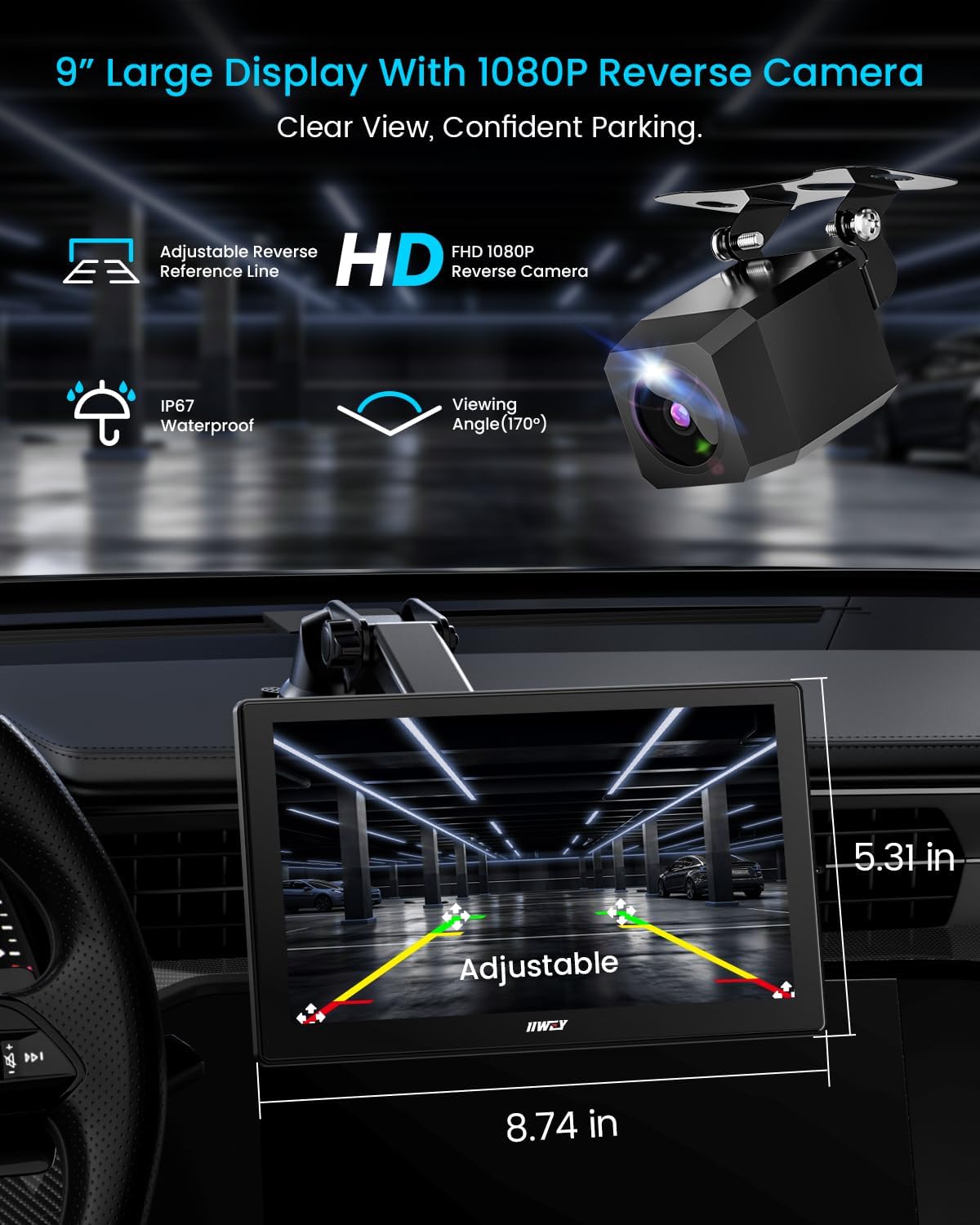
Figure 3.1: The IIWEY IK5 unit shown with its 9-inch display and the included 1080P rear camera, highlighting adjustable parking guidelines for safe reversing.
Vidjo 3.1: Overview of the IIWEY IK5, demonstrating its features and components, including mounting options and connectivity.
3.2 Qawwa tal-Konnessjoni
Connect the provided car charger to your vehicle's 12V cigarette lighter socket and then to the USB-C port on the main unit. The device is designed to automatically power on and start recording when the engine is activated.
3.3 Camera Installation (Optional)
The IK5 includes a 4K front dash cam integrated into the main unit and a separate 1080p rear backup camera.
- Kamera ta' quddiem: Integrated with the main unit, positioned to record the view quddiem.
- 1080p Rear Camera: Install the 1080p backup camera at the rear of your vehicle. Route the camera cable discreetly to the main unit. The red trigger wire should be connected to the positive terminal of your vehicle's reverse lamp. When your car is shifted into reverse, the display will automatically switch to full rearview mod.
Use the provided crowbar and wire buckles to neatly hide cables along the vehicle's interior trim, avoiding interference with airbags.
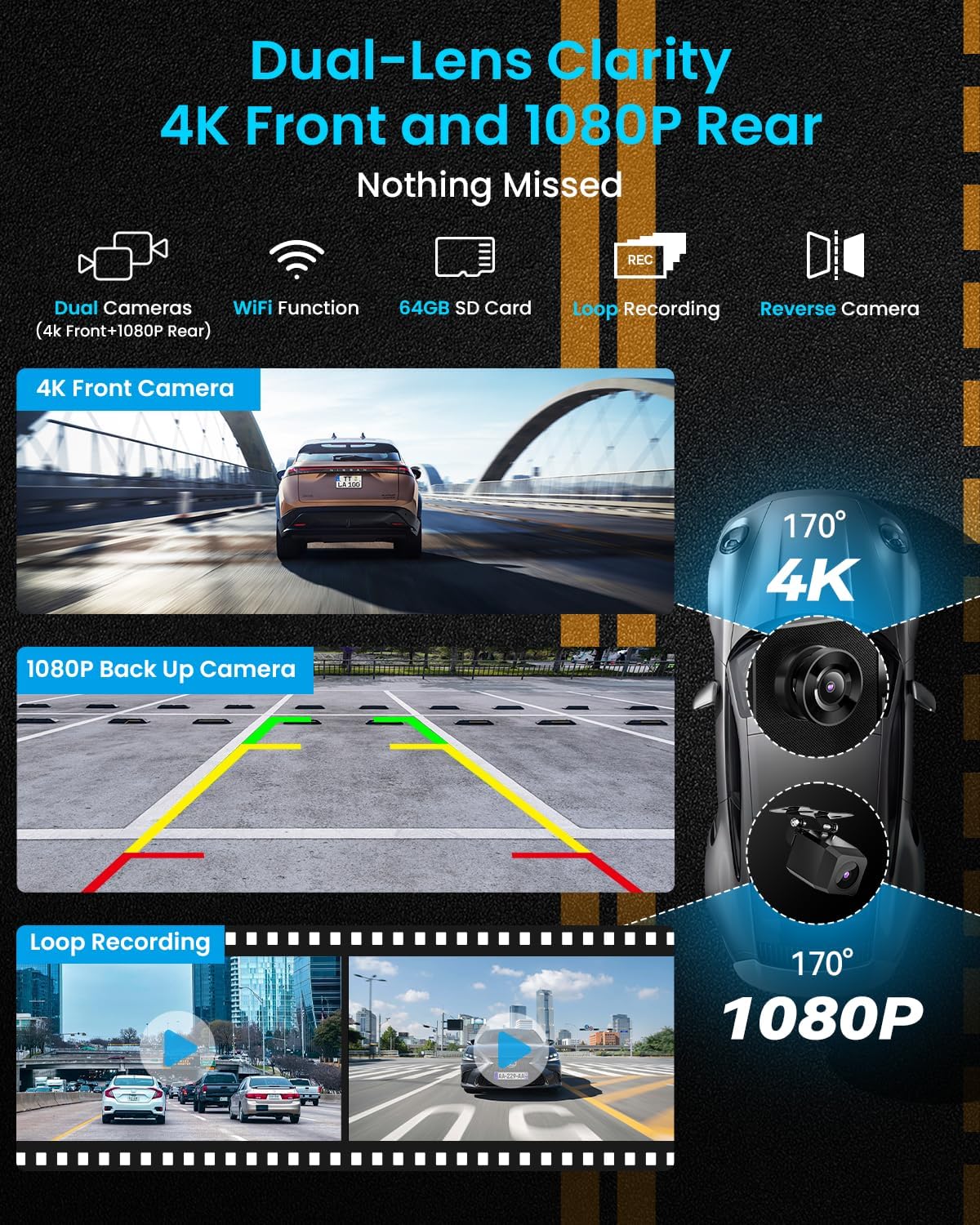
Figure 3.2: Illustration of the dual-lens camera system, showing the integrated 4K front camera and the external 1080p rear camera for comprehensive road coverage.
Video 3.2: A short demonstration of the dash cam functionality, highlighting its use for recording driving events.
4. Konnettività
The IIWEY IK5 supports wireless Apple CarPlay, Android Auto, AirPlay, and Miracast for seamless smartphone integration.
4.1 Wireless Apple CarPlay
- Choose the CarPlay mode on the IK5 screen.
- Open Bluetooth settings on your iPhone, find "IIWEY-IK5-XXXX" and connect.
- Agree to the pairing request.
- When prompted, select "Use CarPlay" on your iPhone.
- After 5-10 seconds, CarPlay will automatically launch on the IK5.
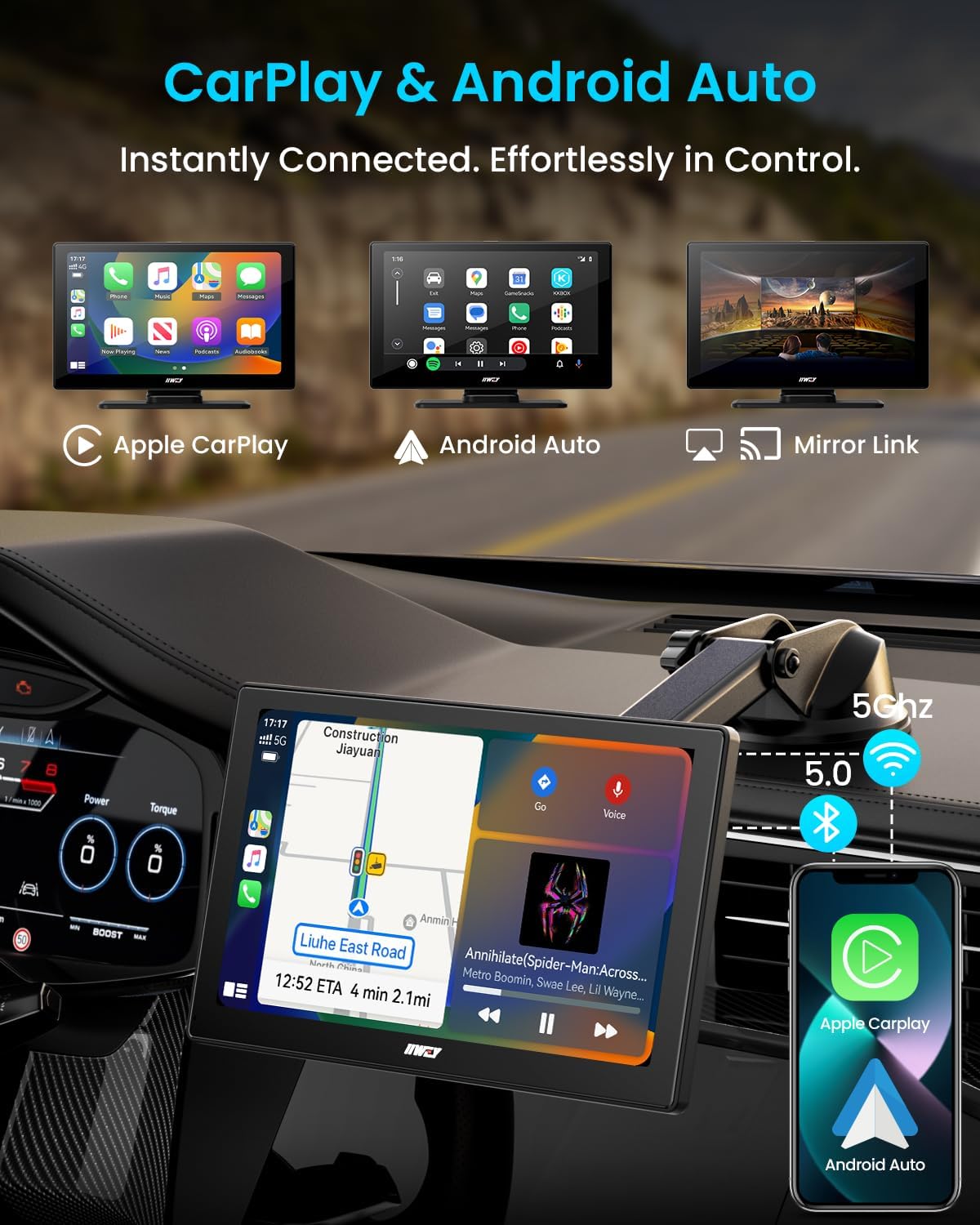
Figure 4.1: The main screen showing the options for Apple CarPlay, Android Auto, and Mirror Link.
4.2 Android Auto mingħajr fili
- Choose the Android Auto mode on the IK5 screen.
- Open Bluetooth settings on your Android phone, find "IIWEY-IK5-XXXX" and connect.
- Agree to the pairing request and allow access to messages.
- Android Auto will automatically launch on the IK5.
4.3 AirPlay & Miracast (Mirror Link)
The IK5 supports wireless mirroring for both iOS (AirPlay) and Android (Miracast) devices, allowing you to project apps, videos, and maps directly from your smartphone.
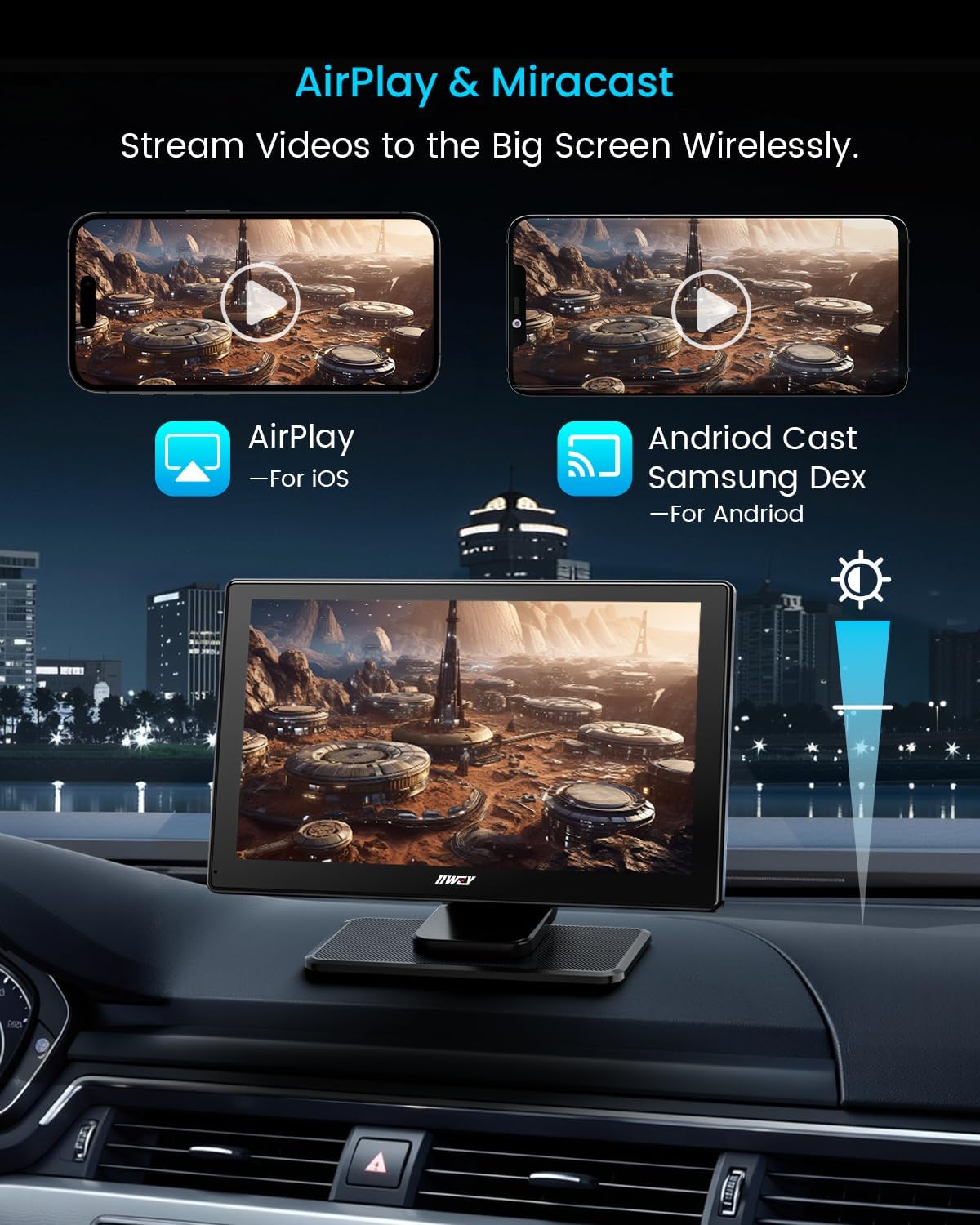
Figure 4.2: The screen displaying mirrored content from a smartphone via AirPlay and Android Cast (Miracast).
5. Istruzzjonijiet Operattivi
5.1 Dash Cam Functionality
The integrated 4K front dash cam and 1080p rear camera provide continuous recording of your journey. The included 64GB SD card stores footage, and loop recording ensures older files are overwritten when storage is full.
- 4K Front Camera: Records high-resolution video of the road ahead.
- 1080p Rear Camera: Jipprovdi ċara view behind your vehicle, especially useful for reversing.
- Reġistrazzjoni Loop: Automatically manages storage by overwriting the oldest files.
- Konnettività Wi-Fi: Trasferiment irreġistrat files to your smartphone via the IIWEY app.
Vidjo 5.1: Reviżjoni dettaljataview highlighting the features and performance of the wireless car screen, including dash cam capabilities.
5.2 Għażliet tal-Output tal-Awdjo
Enjoy audio through various methods:
- Kelliem inkorporat: For direct audio playback from the unit.
- Bluetooth tal-Karozza: Connect to your vehicle's existing Bluetooth system for audio output.
- Trażmissjoni FM: Tune your car radio to an unused FM frequency and set the IK5 to transmit audio to that frequency.
- Cable AUX: Connect the IK5 to your car's AUX input for wired audio.
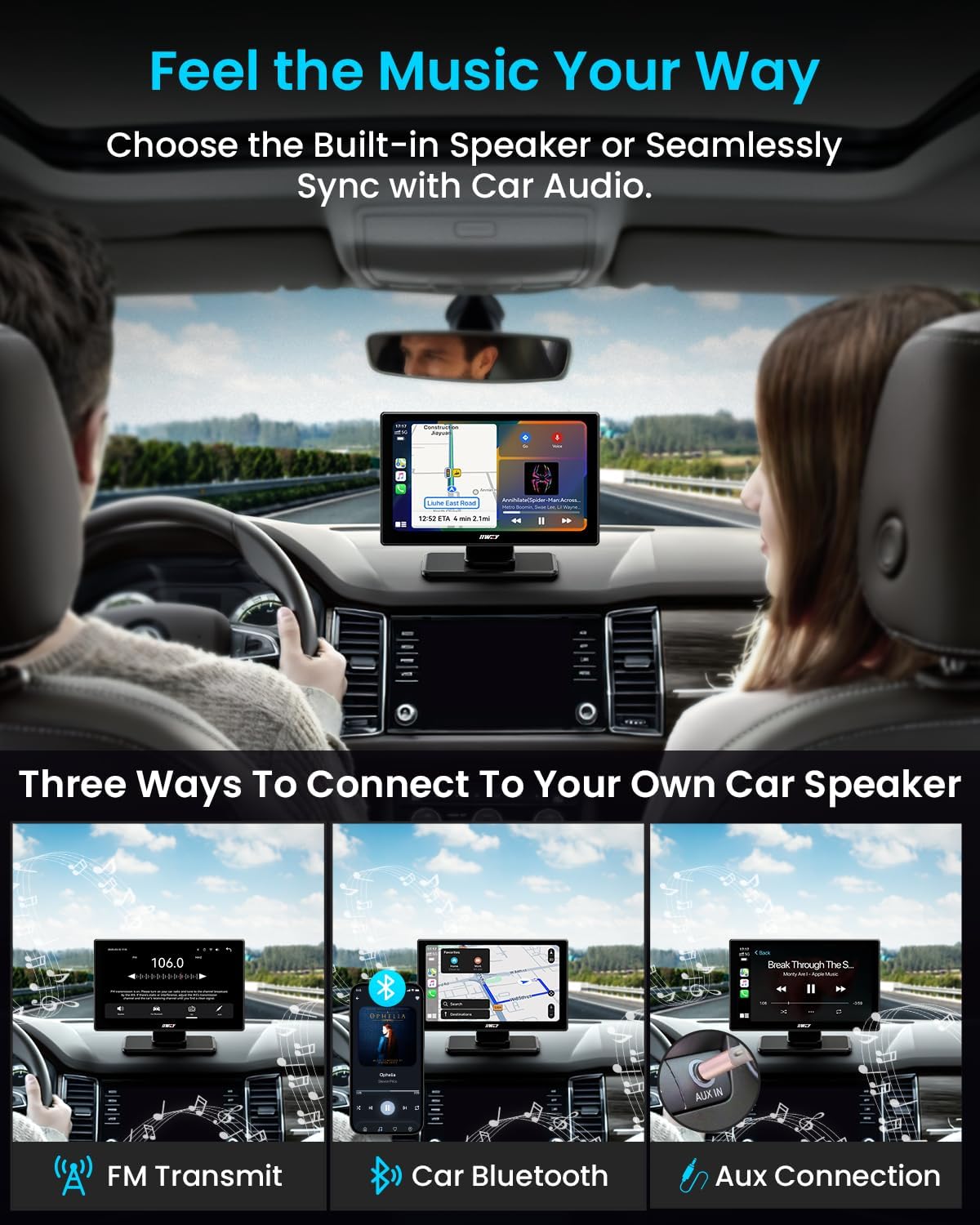
Figure 5.1: Visual representation of connecting the IIWEY IK5 to your car's audio system via FM Transmit, Car Bluetooth, or Aux Connection.
5.3 Voice Control & Navigation
Utilize Siri or Google Assistant for hands-free control over calls, messages, music, and navigation. Mirror navigation apps like Google Maps or Waze from your phone for real-time traffic updates and voice-guided routing.

Figure 5.2: The screen displaying voice command prompts for Siri and Google Assistant, alongside navigation apps like Waze and Google Maps.
6. Settings
Access the settings menu on the IK5 to customize various aspects of the device:
- Wiri: Adjust brightness, contrast, and screen timeout.
- Awdjo: Configure audio output preferences (Bluetooth, FM, AUX).
- Dash Cam: Manage recording resolution (4K/1080P), loop recording duration, and G-sensor sensitivity.
- Sistema: Update firmware, restore factory settings, and view informazzjoni dwar l-apparat.
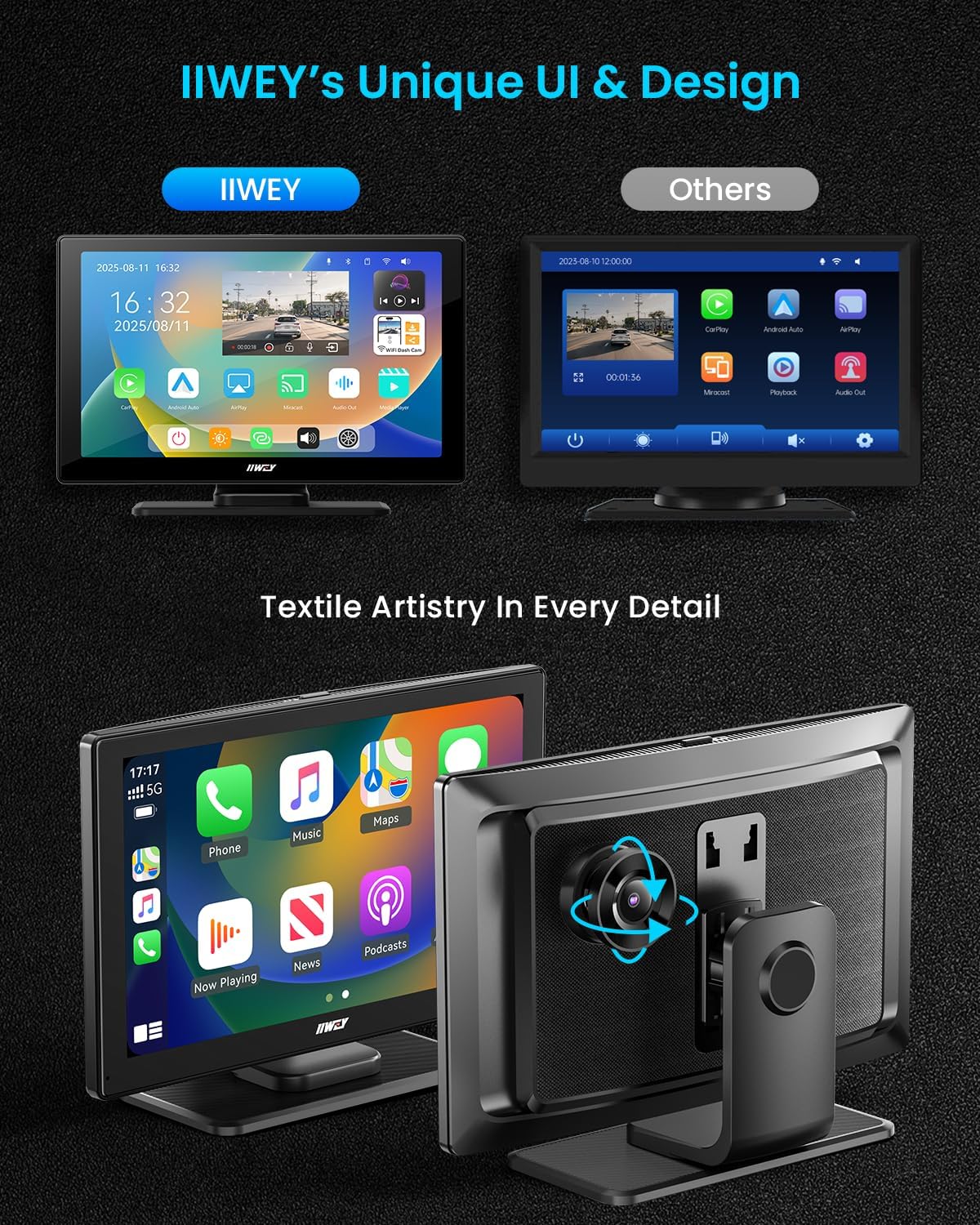
Figure 6.1: The IIWEY IK5's user interface, showcasing its design and various app icons, including settings.
7. Manutenzjoni
- Tindif: Use a soft, dry cloth to clean the screen and device body. Avoid abrasive cleaners or solvents.
- Karta SD: Periodically format the 64GB SD card to maintain optimal recording performance and prevent data corruption.
- Aġġornamenti tal-Firmware: Check the IIWEY website or app for any available firmware updates to ensure the device operates with the latest features and stability.
8 Issolvi l-problemi
| Problema | Soluzzjoni |
|---|---|
| L-apparat ma jixgħelx. | Ensure the car charger is securely plugged into both the vehicle's 12V socket and the IK5's USB-C port. Check the vehicle's fuse for the cigarette lighter. |
| Ma nistax nikkonnettja ma' CarPlay/Android Auto. | Ensure Bluetooth and WLAN are enabled on your phone. Disconnect and re-pair the device. Check if your phone's OS version meets the minimum requirements (Android 8.0 or later, iOS 11 or higher). |
| L-ebda awdjo jew kwalità tal-awdjo fqira. | Verify the selected audio output method (Built-in Speaker, Bluetooth, FM, AUX). If using FM, try a different frequency. If using AUX, ensure the cable is fully inserted and not damaged. |
| Dash cam not recording or SD card error. | Ensure the 64GB SD card is properly inserted. Format the SD card through the device settings. If issues persist, try a different recommended Micro-SD card (Class 10, U3 speed). |
| Il-kamera ta' wara ma turiex. | Check the physical connection of the rear camera cable to the main unit. Ensure the red trigger wire is correctly connected to the reverse light power. |
9. Speċifikazzjonijiet
- Dimensjonijiet tal-Prodott: 1.8 x 8.7 x 5.3 pulzieri
- Piż tal-oġġett: 14.1 uqija
- Isem tal-Mudell: IK5
- Wiri: 9-inch HD Touchscreen (1024x600 resolution)
- Kamera ta' quddiem: 4K Video Capture Resolution
- Kamera ta' wara: 1080P Video Capture Resolution
- Ħażna: Includes 64GB SD Card (supports up to 256GB)
- Komunikazzjoni bla fili: Bluetooth, WiFi
- Teknoloġiji tal-Konnettività: Wireless, Apple CarPlay, Android Auto, Mirror Link, GPS (via phone)
- Metodu ta' Kontroll: App, Touch, Voice (Siri/Google Assistant)
- Tip ta 'Immuntar: Suction Mount, 3M Sticker Mount
- Kulur: Linen Gray Fabric Finish
10. Garanzija u Appoġġ
The IIWEY IK5 comes with a garanzija ta 'sena u a Politika ta 'ritorn ta' 30 jum. For any technical assistance, setup guidance, or warranty claims, please contact our 24/7 support team.
Email ta' Appoġġ: support@iiwey.com
You can also scan the QR code in the user manual or visit the IIWEY website for online help and to register your device for extended warranty (up to 24 months).

