1. Getting Started: Unboxing and Components
This section details the contents of your TABWEE T80 package and provides an overview of the tablet's physical features.
1.1 Kontenut tal-Pakkett
Iċċekkja li l-oġġetti kollha elenkati hawn taħt huma preżenti fil-pakkett tiegħek:
- Pillola Android TABWEE T80
- Tastiera Bluetooth
- Ġurdien mingħajr fili
- Pinna tal-istilus
- Kawża Protettiva
- Screen Protector (pre-applied or separate)
- Stand tal-Pillola
- Charger and USB-C Cable

1.2 Prodott Fuqview
Familiarize yourself with the tablet's buttons, ports, and camera locations.
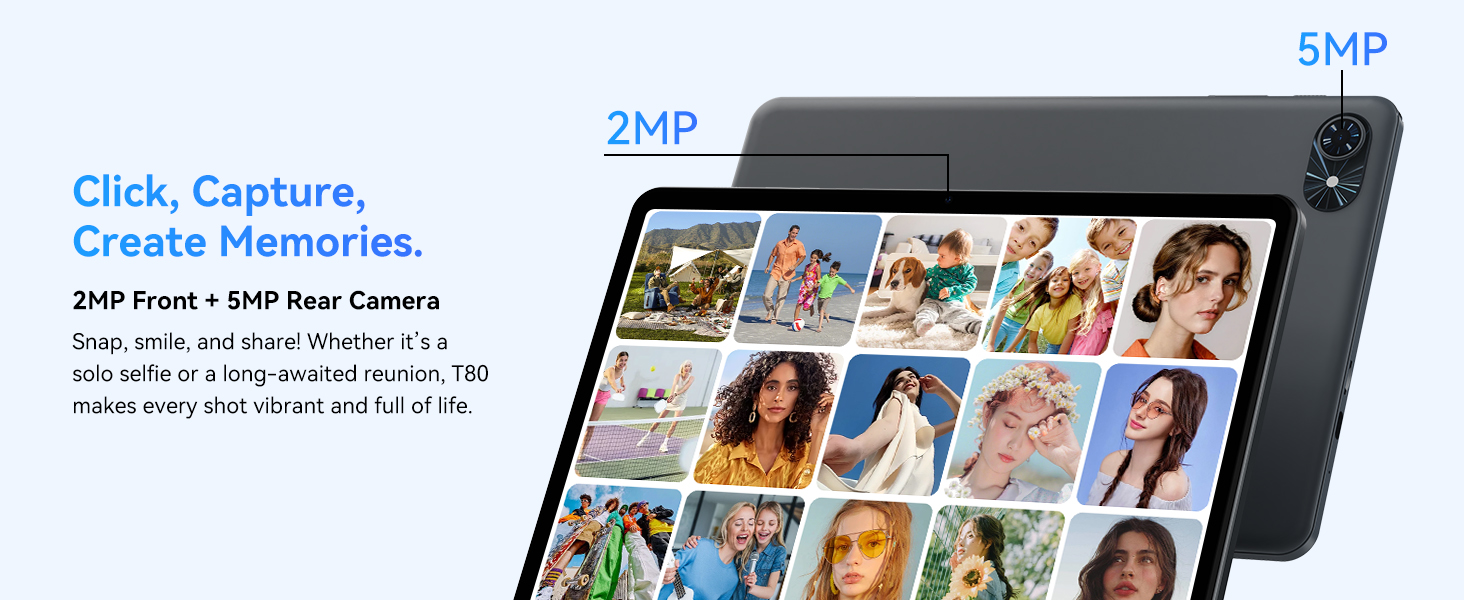
- Kamera ta' quddiem: Located at the top center when held in landscape orientation. (2MP)
- Kamera ta' wara: Located on the back panel, typically in the upper left corner. (5MP)
- Buttuna tal-Qawwa: Used to turn the tablet on/off or wake/sleep the screen.
- Buttuni tal-Volum: Aġġusta l-livell tal-ħruġ tal-awdjo.
- Port USB-C: Għall-iċċarġjar u t-trasferiment tad-dejta.
- Slott tal-Karta MicroSD: For expanding storage up to 2TB.
- Kelliema: Dual speakers for audio output.
2. Istruzzjonijiet ta' Setup
Follow these steps to set up your TABWEE T80 tablet for first-time use.
2.1 L-Ewwel Tixgħel u l-Konfigurazzjoni Bażika
- Iċċarġja l-Pillola: Connect the provided USB-C cable and charger to the tablet and a power outlet. Allow the tablet to charge for at least 30 minutes before first use.
- Qawwa Mixgħul: Press and hold the Power button until the TABWEE logo appears on the screen.
- Lingwa u Reġjun: Segwi l-istruzzjonijiet fuq l-iskrin biex tagħżel il-lingwa u r-reġjun preferut tiegħek.
- Qabbad mal-Wi-Fi: Select your Wi-Fi network from the list and enter the password. A stable internet connection is required for initial setup and updates.
- Kont Google: Idħol bil-kont tal-Google tiegħek jew oħloq wieħed ġdid. Dan huwa neċessarju biex tniżżel l-apps mill-Google Play Store.
- Data u Ħin: Confirm the date and time settings.
- Sigurtà: Set up a screen lock (PIN, pattern, or password) for security.
2.2 Aċċessorji tal-Konnessjoni
The TABWEE T80 comes with several accessories to enhance its functionality.
- Bluetooth Keyboard and Mouse:
- Kun żgur li t-tastiera u l-maws huma ċċarġjati u mixgħula.
- Fuq it-tablet tiegħek, mur fuq Settings > Apparati konnessi > Bluetooth.
- Enable Bluetooth and scan for new devices.
- Agħżel it-tastiera u l-maws mil-lista biex tqabbadhom. Segwi kwalunkwe struzzjonijiet fuq l-iskrin.
- Stylus Pen: The stylus pen can be used directly on the screen for navigation, drawing, or writing. No pairing is typically required for basic capacitive styluses.
- Protective Case and Stand: Attach the protective case to the tablet. The case often includes a foldable stand for hands-free viewing.
3. Istruzzjonijiet Operattivi
This section covers the daily operation of your TABWEE T80 tablet.
3.1 Basic Navigation and Android 15 Features
- Skrin tad-dar: Swipe left or right to access different home screens. Tap and hold an empty space to customize widgets, wallpaper, and settings.
- Notifiki u Settings Quick: Swipe 'l isfel minn fuq tal-iskrin għal view notifications and access quick settings like Wi-Fi, Bluetooth, and brightness.
- App Drawer: Skrolla 'l fuq mill-qiegħ tal-iskrin biex taċċessa l-applikazzjonijiet installati kollha.
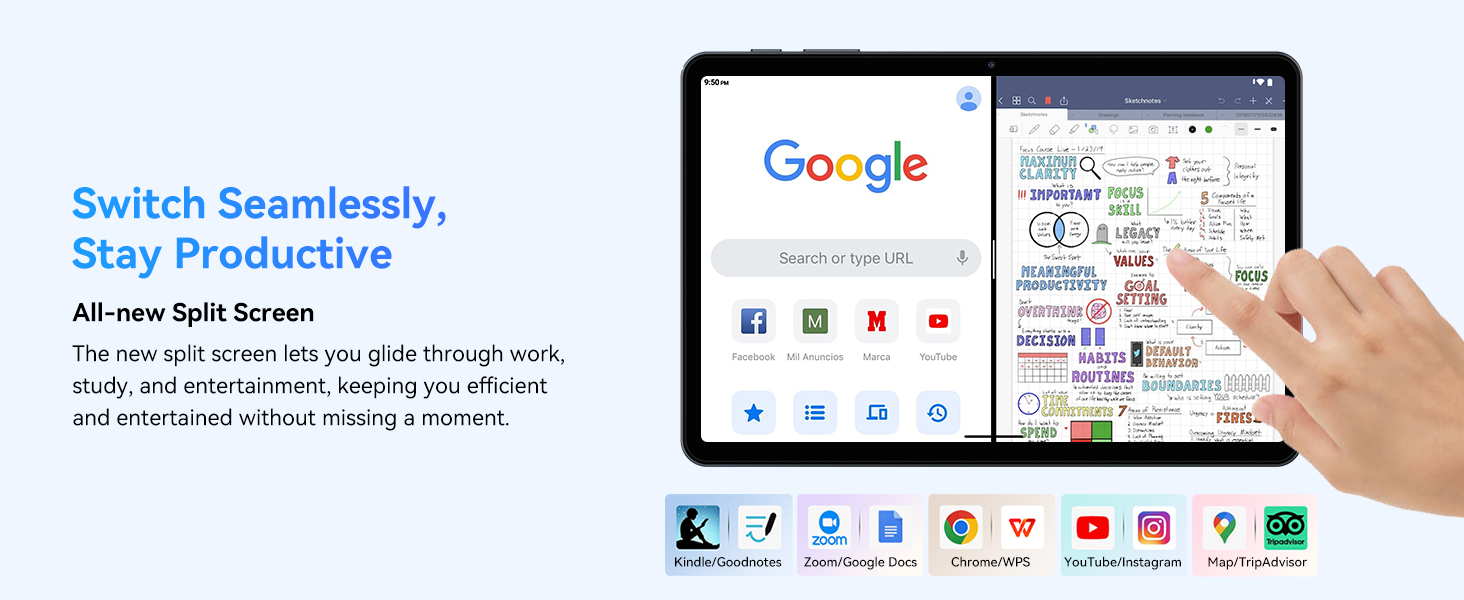
- Multitasking (Split Screen): Android 15 supports enhanced split-screen functionality. To use, open an app, then swipe up from the bottom, hold, and drag another app icon to either side of the screen.
- Gemini AI 2.0: Your tablet integrates Gemini AI 2.0 for enhanced task management, smart chats, text-to-image generation, voice-enabled Q&A, and real-time conversations. Access AI features through compatible apps or dedicated AI interfaces.
- Privatezza u Sigurtà: Android 15 offers improved privacy controls. Review and adjust app permissions in Settings > Privatezza.
3.2 Konnettività
- Wi-Fi: Supports 802.11a/b/g/n/ac for fast 5G Wi-Fi connectivity. Manage Wi-Fi connections in Settings > Netwerk u internet > Wi-Fi.
- Bluetooth 5.0: For connecting wireless headphones, speakers, keyboards, and mice. Manage Bluetooth devices in Settings > Apparati konnessi > Bluetooth.
- GPS: The tablet includes GPS functionality for location services and navigation apps.
- OTG (Fuq il-Mixi): Supports OTG, allowing you to connect USB devices like flash drives or external hard drives using an appropriate adapter.
3.3 Użu tal-Kamera
The TABWEE T80 features a 2MP front camera and a 5MP rear camera.
- Iftaħ l-app tal-Kamera mill-iskrin tad-dar tiegħek jew mill-kexxun tal-apps.
- Tap the shutter button to take photos.
- Ibdel bejn il-kameras ta' quddiem u ta' wara billi tuża l-ikona tat-toggle tal-kamera.
- Explore different modes such as video recording or panorama if available.

3.4 Ħażna u Prestazzjoni
- RAM: The tablet comes with 6GB of physical RAM, expandable virtually to 18GB for smooth multitasking. Adjust RAM settings in Settings jekk meħtieġ.
- Ħażna Interna: 128GB ROM is provided for apps and files.
- Ħażna espansibbli: A MicroSD card slot allows for storage expansion up to 2TB. Insert a compatible MicroSD card into the designated slot.
- Proċessur: Powered by a Quad-Core Unisoc T310 processor (1x A75 2.0GHz, 3x A55 1.8GHz) and GE8300 GPU for efficient performance.
3.5 Batterija u Iċċarġjar
- Kapaċità tal-batterija: Equipped with a 6000mAh battery, providing over 10 hours of typical usage.
- Iċċarġjar: Use the provided 10W fast charger and USB-C cable. Connect the cable to the tablet's USB-C port and the charger to a power outlet.
- Ottimizzazzjoni tal-Batterija: Android 15 includes AI Super Power Saving Algorithms to extend battery life. Monitor battery usage in Settings> Battery.

3.6 Display and Entertainment
- Wiri: 10-inch IPS display with a resolution of 1280 x 800 pixels.
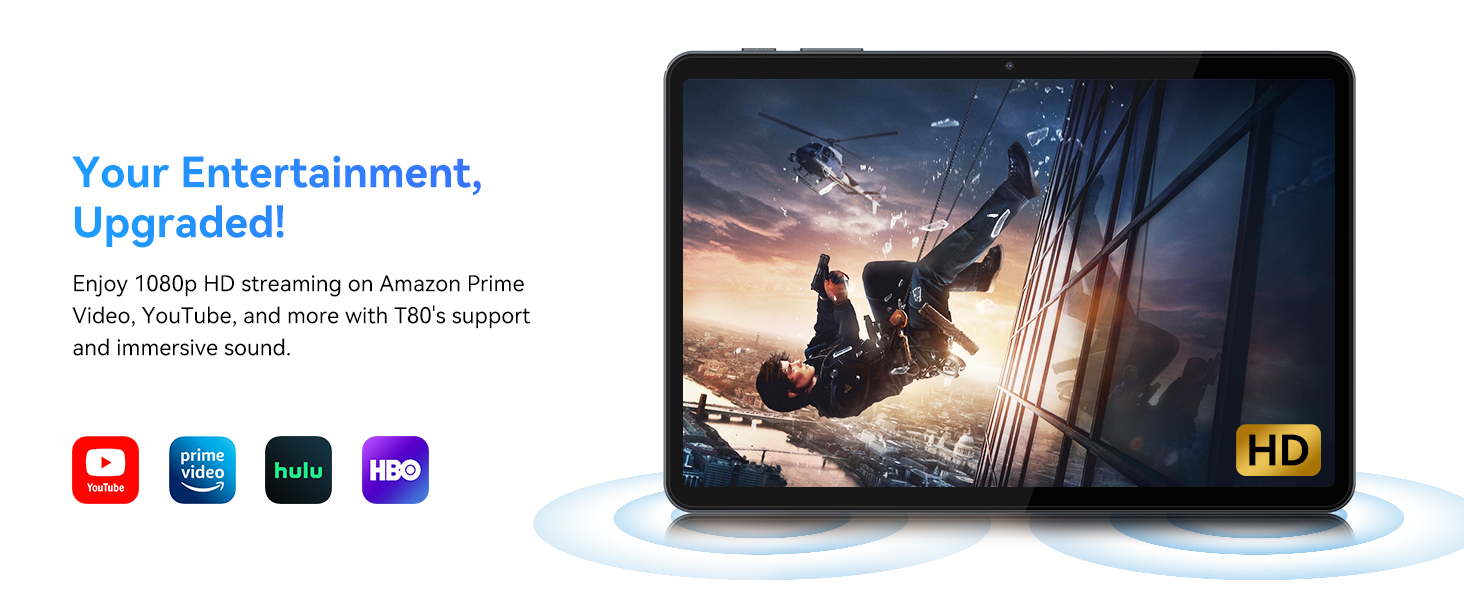
- Daqq tal-Vidjo: Supports 1080P video playback for streaming services like Amazon Prime Video, YouTube, Hulu, and HBO.
- Awdjo: Dual speakers provide clear audio for media consumption.
4. Manutenzjoni
Manutenzjoni xierqa tiżgura l-lonġevità u l-prestazzjoni ottimali tat-tablet tiegħek.
4.1 Kura tal-Batterija
- Evita temperaturi estremi, għax jistgħu jnaqqsu l-ħajja tal-batterija.
- Do not let the battery completely drain frequently. Charge it before it reaches 0%.
- Use only the provided charger and cable to prevent damage.
4.2 Tindif
- Uża drapp artab u mingħajr suf biex tnaddaf l-iskrin u l-korp tat-tablet.
- Għal tbajja' iebsa, ftit dampLaħlaħ id-drapp bl-ilma jew b'soluzzjoni għat-tindif tal-iskrin. Evita kimiċi ħarxa.
- Kun żgur li l-portijiet kollha huma ħielsa mit-trab u l-fdalijiet.
4.3 Aġġornamenti tas-Software
- Regularly check for and install system updates. These updates often include performance improvements, security patches, and new features.
- Mur fuq Settings > Sistema > Aġġornament tas-sistema biex tiċċekkja għal aġġornamenti disponibbli.
5 Issolvi l-problemi
Din it-taqsima tindirizza kwistjonijiet komuni li tista’ tiltaqa’ magħhom bit-tablet TABWEE T80 tiegħek.
It-Tablet 5.1 Mhux qed Jixgħel
- Kun żgur li t-tablet huwa ċċarġjat biżżejjed. Qabbadha mal-ċarġer u stenna ftit minuti qabel ma tipprova tixgħelha mill-ġdid.
- Ipprova żomm il-buttuna tal-Qawwa għal 10-15-il sekonda biex terġa' tibda.
5.2 Kwistjonijiet ta' Konnettività tal-Wi-Fi
- Itfi u ixgħel il-Wi-Fi fis-Settings Rapidi.
- Erġa' ibda r-router tal-Wi-Fi tiegħek.
- Forget the network in Settings > Netwerk u internet > Wi-Fi u erġa' qabbad.
5.3 Prestazzjoni bil-mod
- Agħlaq applikazzjonijiet fl-isfond mhux meħtieġa.
- Clear cache for frequently used apps in Settings > Apps > [Isem tal-App] > Ħażna u cache > Neħħi l-cache.
- Ensure you have sufficient free storage space. Delete old files or move them to expandable storage.
- Erġa’ ibda l-pillola perjodikament.
5.4 Aċċessorji Mhux Konnessi
- For Bluetooth accessories, ensure they are charged, powered on, and in pairing mode.
- Verify Bluetooth is enabled on the tablet and try re-pairing the device.
- Check the battery level of the accessories.
6. Speċifikazzjonijiet
Detailed technical specifications for the TABWEE T80 Android 15 Tablet.
| Karatteristika | Speċifikazzjoni |
|---|---|
| Isem tal-Mudell | T80(6+128) |
| Sistema Operattiva | Android 15 |
| Daqs tal-Iskrin | 10 Pulzier |
| Riżoluzzjoni Massima tal-Iskrin | 1280 x 800 Pixels |
| Proċessur | Unisoc T310 Quad-Core (1x A75 2.0GHz, 3x A55 1.8GHz) |
| RAM | 18GB (6GB fiżiku + 12GB virtwali) |
| Daqs tal-Memorja Flash (ROM) | 128 GB |
| Ħażna espansibbli | Sa 2TB permezz ta' kard MicroSD |
| Tip bla fili | 802.11a, 802.11ac, 802.11b, 802.11g, 802.11n (5G WiFi) |
| Bluetooth | Bluetooth 5.0 |
| Kapaċità tal-batterija | 6000mAh |
| Ħajja Medja tal-Batterija | 480 Hours (Standby) / 10+ Hours (Usage) |
| Kamera ta' Quddiem | 2MP |
| Kamera ta' wara | 5MP |
| Piż tal-oġġett | 1.1 liri |
| Dimensjonijiet tal-Prodott | 9.5 x 6.3 x 0.3 pulzieri |
| Kulur | Griż tal-fidda |
7. Garanzija u Appoġġ
Information regarding your product warranty and how to obtain customer support.
7.1 Garanzija tal-Prodott
The TABWEE T80 tablet comes with a 2-Sena Garanzija, covering manufacturing defects and ensuring product reliability. This warranty provides peace of mind and support for your device.
7.2 Appoġġ għall-Klijent
For any technical assistance, inquiries, or warranty claims, please contact TABWEE customer support:
- Email: serviceplus.linda@gmail.com
- Telefon (US): +1 (717) 896-6060
- Telefon (UK): +44 7700 156388
- Phone (CA): +1 (587) 841-0500
- Telefon (DE): +49 157 3598 0115
TABWEE offers 24/7 customer support and lifetime technical assistance to ensure you have the best experience with your product.