1. Introduzzjoni
This manual provides essential information for the safe and efficient use of your Lenovo Tab 10.1 Inch Wi-Fi Tablet. Please read this guide thoroughly before operating your device to ensure optimal performance and longevity. Keep this manual for future reference.
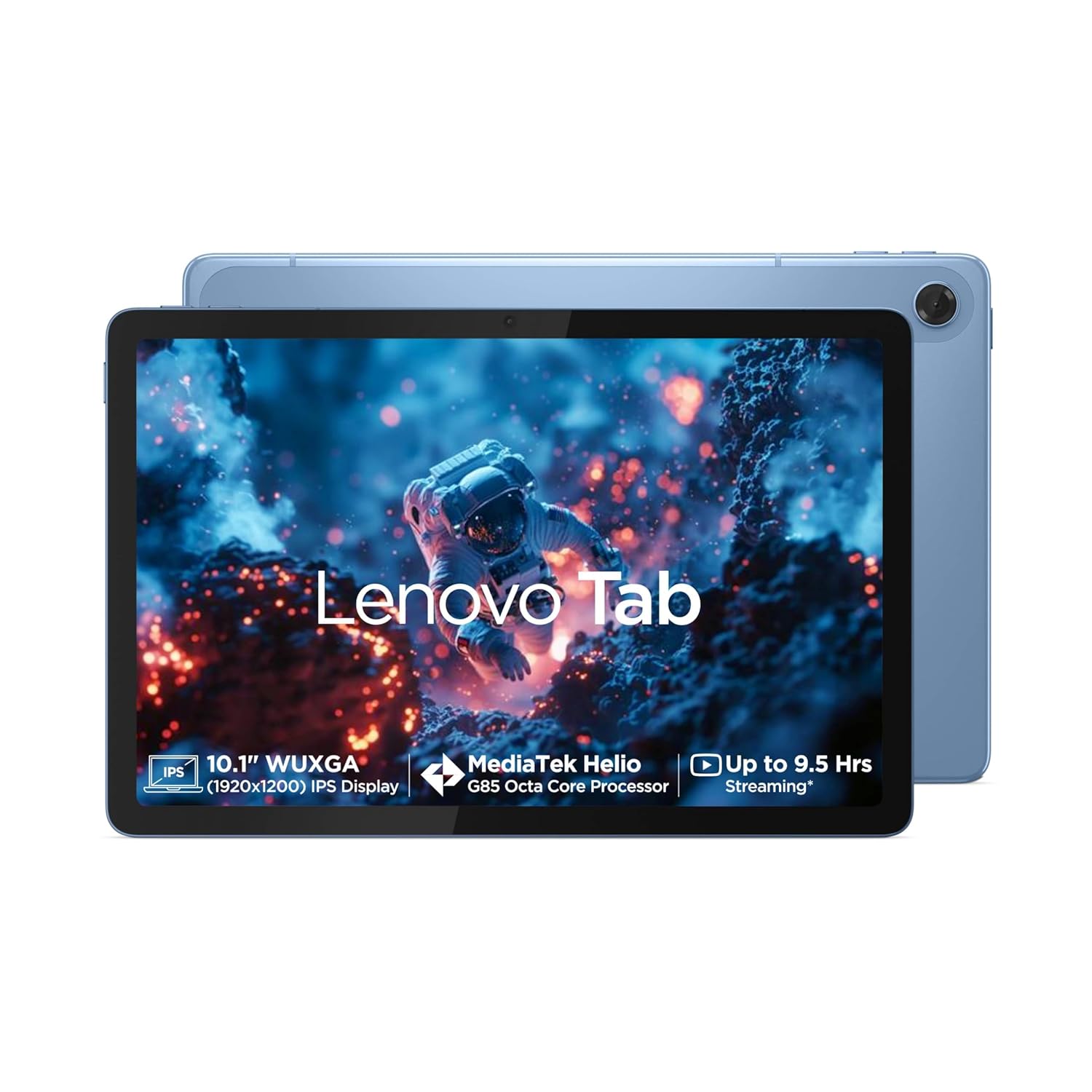
Stampa 1.1: Quddiem view of the Lenovo Tab 10.1 Inch Wi-Fi Tablet.
2. Informazzjoni Importanti dwar is-Sigurtà
- Sigurtà tal-batterija: Do not attempt to replace the internal battery yourself. Use only approved chargers and cables. Avoid exposing the tablet to extreme temperatures.
- Iċċarġjar: Ensure the charging adapter and cable are in good condition. Do not charge the device in damp kundizzjonijiet.
- Użu Ambjent: Avoid using the tablet in dusty, humid, or excessively hot/cold environments. Keep away from direct sunlight for prolonged periods.
- Tindif: Disconnect the tablet from power before cleaning. Use a soft, dry cloth. Avoid liquid cleaners.
- Rimi: Dispose of the device and its battery responsibly according to local regulations. Do not incinerate.
3. Kontenut tal-Pakkett
Ivverifika li l-oġġetti kollha huma preżenti fil-pakkett tal-prodott tiegħek:
- Tab tal-Lenovo
- USB Type-C 2.0 Charging Cable
- MicroSD/SIM Tray Pin
- Adapter tal-Iċċarġjar ta' 20W fil-Kaxxa
- Gwida Quick Start & Sigurtà, Garanzija
4. Device Overview
Familiarize yourself with the physical components and ports of your Lenovo Tab.

Immaġni 4.1: Fuqview of ports and buttons on the Lenovo Tab.
- Ċavetta tal-Enerġija: Located on the side, used to turn the tablet on/off or wake/sleep the screen.
- Ċwievet tal-Volum: Aġġusta l-volum tal-awdjo.
- USB Type-C 2.0 Port: Għall-iċċarġjar u t-trasferiment tad-dejta.
- Jack Awdjo 3.5mm: Connect headphones or external audio devices.
- Slott tal-Karta MicroSD: Expand storage capacity up to 1TB.
- Kelliema Doppji: Optimized with Dolby Atmos for enhanced audio experience.
- Mikrofonu: Għall-input tal-vuċi.
5. Setup Inizjali
5.1. Iċċarġja l-Pillola
- Connect the USB Type-C cable to the tablet's charging port.
- Connect the other end of the cable to the 20W in-box charging adapter.
- Ipplaggja l-adapter fi żbokk tad-dawl.
- Ħalli t-tablet jiċċarġja kompletament qabel l-ewwel użu. L-indikatur tal-batterija fuq l-iskrin se juri l-istatus tal-iċċarġjar.
5.2. Tixgħil / Mitfi
- Biex Tixgħel: Press and hold the Power Key until the Lenovo logo appears on the screen.
- Biex Tifi: Press and hold the Power Key, then select 'Power off' from the options that appear.
- Biex terġa' tibda: Press and hold the Power Key, then select 'Restart' from the options.
5.3. Konnessjoni mal-Wi-Fi
- From the Home screen, swipe down from the top to open the Quick Settings panel.
- Tektek u żomm l-ikona tal-Wi-Fi biex tiftaħ is-settings tal-Wi-Fi.
- Toggle Wi-Fi 'On' if it is off.
- Agħżel in-netwerk Wi-Fi mixtieq tiegħek mil-lista.
- Daħħal il-password tan-netwerk jekk tintalab, imbagħad tektek 'Qabbad'.
6. Operating Your Lenovo Tab
6.1. Wiri u Navigazzjoni
Your Lenovo Tab features a 10.1-inch WUXGA LCD IPS screen with a resolution of 1920 x 1200 pixels, 400 nits brightness, and a 60Hz refresh rate. It also includes Eyesafe and TUV Rheinland certification for low blue light, enhancing viewkumdità.

Image 6.1: Display features and certifications.
6.2. Karatteristiċi tal-Awdjo
Experience immersive audio with the tablet's dual side speakers, optimized with Dolby Atmos technology. This provides a rich and clear sound experience for media consumption.
6.3. Użu tal-kamera
The tablet is equipped with a 5.0MP front camera for video calls and selfies, and an 8.0MP rear camera for capturing photos and videos.
6.4. Ġestjoni tal-Ħażna
The device comes with 64GB eMMC 5.1 internal storage. You can expand this storage up to 1TB using a microSD card (sold separately) inserted into the dedicated slot.

Image 6.2: Core specifications for performance and storage.
7. Manutenzjoni u Kura
- Aġġornamenti tas-Software: Regularly check for and install system updates to ensure your tablet has the latest features and security patches. (Settings > System > System update).
- Kura tal-batterija: To prolong battery life, avoid fully discharging the battery frequently. The tablet supports an 80% charging limit function for increasing battery health.
- Tindif tal-Iskrin: Use a microfiber cloth to gently wipe the screen. For stubborn smudges, slightly dampLaħlaħ id-drapp bl-ilma jew b'prodott tat-tindif tal-iskrin iddisinjat għall-elettronika.
- Ottimizzazzjoni tal-Ħażna: Neħħi perjodikament bla bżonn files u ddiżinstalla l-apps mhux użati biex iżżomm prestazzjoni ottimali.
8. Issolvi l-problemi ta' Kwistjonijiet Komuni
| Problema | Soluzzjoni |
|---|---|
| It-tablet mhux se jixgħel | Ensure the tablet is charged. Connect to the charger and wait a few minutes before attempting to power on again. If unresponsive, perform a force restart by holding the Power Key for 10-15 seconds. |
| Kwistjonijiet ta 'konnessjoni Wi-Fi | Iċċekkja jekk il-Wi-Fi huwiex attivat fis-settings. Erġa' ibda r-router Wi-Fi tiegħek. Insieh in-netwerk u erġa' qabbad. Kun żgur li tinsab fil-firxa tas-sinjal Wi-Fi. |
| L-apps huma bil-mod jew qed jiġġarraf | Close background applications. Clear app cache (Settings > Apps > [App Name] > Storage > Clear cache). Restart the tablet. Ensure sufficient free storage space. |
| Il-batterija tiskula malajr | Reduce screen brightness. Close unused apps running in the background. Disable Wi-Fi/Bluetooth when not in use. Check for apps consuming excessive power in battery settings. |
| L-iskrin ma jirrispondix | Erġa' ibda t-tablet. Jekk il-problema tippersisti, kun żgur li l-iskrin ikun nadif u ħieles minn debris. |
9. Speċifikazzjonijiet Tekniċi
Detailed specifications for your Lenovo Tab:
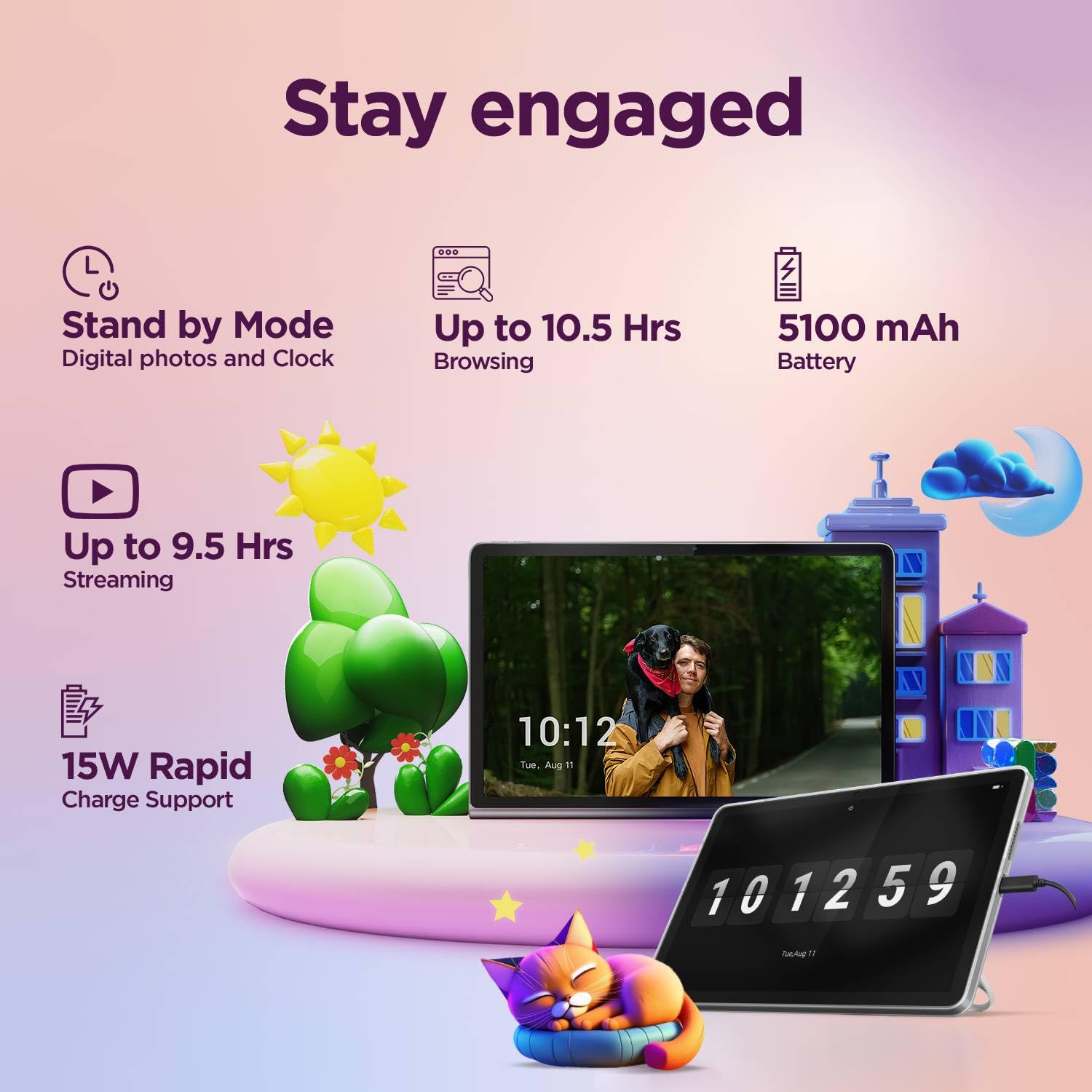
Image 9.1: Key technical specifications.
| Karatteristika | Speċifikazzjoni |
|---|---|
| Numru tal-Mudell | ZAEH0019IN |
| Wiri | 10.1" WUXGA LCD IPS (1920 x 1200 pixels) |
| Luminożità | 400 nits |
| Riffriskar Rata | 60Hz |
| Proċessur | MediaTek Helio G85 (8C, 2x A75 @2.0GHz + 6x A55 @1.8GHz) |
| RAM | 4GB LPDDR4x issaldjat |
| Ħażna Interna | 64GB eMMC 5.1 |
| Ħażna espansibbli | MicroSD card, supports up to 1TB |
| Sistema Operattiva | Android 14 (Upgradable to Android 15 & 16 on release) |
| Kamera ta' Quddiem | 5.0MP |
| Kamera ta' wara | 8.0MP |
| Awdjo | 2 side speakers, optimized with Dolby Atmos |
| Konnettività | Wi-Fi 5 (802.11ac 1x1), Bluetooth 5.3 |
| Batterija | 5100mAh integrat (Tip.) |
| Battery Life (Video Streaming) | Up to 9.5 hours (YouTube streaming) |
| Battery Life (Web (Browsing) | Up to 10.5 hours (Chrome browsing) |
| Iċċarġjar | 15W Rapid Charge Support (20W In-Box Adapter) |
| Dimensjonijiet | 25.5 x 17.3 x 6.4 ċm |
| Piż | 425 g |
10. Garanzija u Appoġġ
Your Lenovo Tab comes with a 1 Year Carry-in warranty. For detailed warranty information, please visit the official Lenovo support websit.

Image 10.1: Warranty information and registration details.
- Warranty Lookup: Check warranty details at pcsupport.lenovo.com/in/en/warranty-lookup#/
- Reġistrazzjoni tal-Garanzija: To activate your warranty from the date of Amazon invoice, visit pcsupport.lenovo.com/in/en/servicerequest?ProblemType=/warranty/. You will need your invoice copy, P-slip copy with serial number, and a serial number snapshot from the tablet.
- Appoġġ għall-Klijent: For further assistance, please refer to the official Lenovo support channels available on their websit.


