1. Introduzzjoni
The NIMO Mini PC Desktop is a compact and powerful computing solution designed for various applications, from home office tasks to multimedia entertainment and educational use. Featuring the 12th Gen Intel N100 processor, this mini PC offers efficient performance, advanced connectivity, and support for multiple displays, all within a highly portable form factor. This manual provides essential information for setting up, operating, maintaining, and troubleshooting your NIMO Mini PC Desktop.
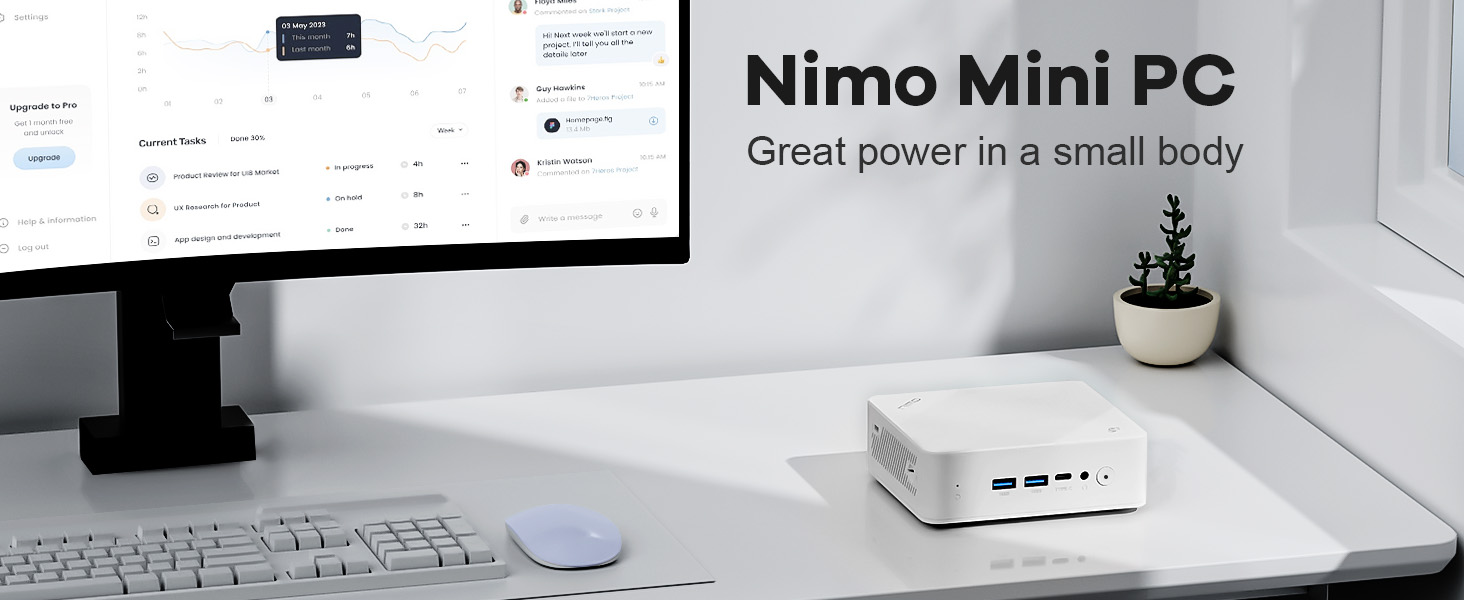
Image: The NIMO Mini PC Desktop positioned on a clean desk alongside a monitor, illustrating its compact design and powerful capabilities.
2. X'hemm fil-Kaxxa
Upon opening your NIMO Mini PC Desktop package, please verify that all the following components are included:
- 1x NIMO Mini PC Desktop
- 1x Bracket tal-Immuntar
- 1x Adapter tal-Enerġija
- 1x Manwal ta 'Istruzzjoni

Image: A visual representation of the NIMO Mini PC Desktop and its included accessories, such as the power adapter, mounting bracket, and user manual.
3. Prodott Aktarview u Karatteristiċi
The NIMO Mini PC Desktop is engineered for efficiency and versatility. Its compact design belies its robust capabilities, making it an ideal choice for various computing needs.
Karatteristiċi ewlenin:
- Compact Yet Mighty: Houses the robust 12th Gen Intel N100 Processor, combining high-performance cores for seamless multitasking and light gaming within a compact form factor.
- Portabbiltà Ultimate: With dimensions of 4.92 x 4.33 x 1.57 inches and weighing just 11.64 ounces, it is incredibly compact and lightweight, making it easy to transport.
- Konnettività Avvanzata: Features BT 5.2 and WiFi 6 for lightning-fast wireless connections, along with multiple USB 3.0 ports and a versatile USB Type-C port for high-speed data transfer and peripheral connections.
- Immersive 4K Display Expansion: Supports external connection to triple displays simultaneously via two HDMI ports and one USB Type-C port, all capable of stunning 4K resolution output.

Image: An infographic highlighting the NIMO Mini PC Desktop's core features, including WiFi 6, multiple port options, LAN connectivity, DDR4 memory, PCIe 3.0 support, and 4K display capability.

Image: A detailed illustration of the Intel N100 processor, emphasizing its role in providing powerful performance for the NIMO Mini PC Desktop.
4. Portijiet u Konnessjonijiet
The NIMO Mini PC Desktop offers a comprehensive array of ports to ensure seamless connectivity with a wide range of peripherals and displays.
Panel ta' quddiem:
- 2x USB Type-A Ports: Għall-konnessjoni ta' apparati USB bħal tastieri, ġurdien, u ħażna esterna.
- 1x USB Type-C Port (Multifunction): Supports data transfer, display output, and power delivery (depending on connected device).
- 1x Audio Port: Għal headphones jew kelliema esterni.
- 1x Power Button: Biex tixgħel/itfi l-apparat.
- 1x Reset Button: For system reset.
Panel ta 'wara:
- 1x Giga LAN Port (RJ45): Għal konnessjoni ta' netwerk bil-fili.
- 2x Portijiet HDMI 2.0: For connecting to displays, supporting up to 4K resolution.
- 2x USB Type-A Ports: Portijiet USB addizzjonali għal periferali.
- 1x DC-IN Port: Għall-konnessjoni tal-adapter tal-enerġija.
- 1x Security Slot: For physical security locks.
- 1x SD Card Reader: For expanding storage or transferring data from SD cards.

Image: A comprehensive diagram illustrating the layout and function of all ports and buttons on the front and rear panels of the NIMO Mini PC Desktop.
5. Gwida ta' Setup
Follow these steps to set up your NIMO Mini PC Desktop:
- Qabbad mal-Display: Connect your monitor(s) to the Mini PC using HDMI cables. For triple display setup, use both HDMI ports and the USB Type-C port (with a compatible adapter if needed).
- Ikkonnettja l-Periferali: Ipplaggja t-tastiera, il-maws, u kwalunkwe apparat USB ieħor tiegħek fil-portijiet USB tat-Tip A disponibbli.
- Qabbad man-Netwerk: For a wired connection, plug an Ethernet cable into the Giga LAN port. For wireless, ensure your WiFi network is available after powering on.
- Qabbad l-Enerġija: Daħħal l-adapter tal-enerġija fil-port DC-IN fuq il-Mini PC, imbagħad waħħal l-adapter f'sokit tal-enerġija.
- Qawwa Mixgħul: Press the power button on the front panel of the Mini PC. The power indicator light should illuminate.
- Setup Inizjali: Follow the on-screen instructions to complete the operating system setup, including language, region, and network configuration.

Immaġni: Close-up view of the NIMO Mini PC Desktop, highlighting the front panel with its USB ports and power button, essential for initial setup.
6. Istruzzjonijiet Operattivi
Once set up, your NIMO Mini PC Desktop is ready for use. Here are some basic operating instructions:
Power On/Off:
- Biex Tixgħel: Agħfas il-buttuna tal-qawwa darba.
- Biex tagħlaq: Use the operating system's shutdown option (e.g., Start > Power > Shut down in Windows).
- Biex terġa' tibda: Use the operating system's restart option (e.g., Start > Power > Restart in Windows).
- Force Shut Down: If the system is unresponsive, press and hold the power button for 5-10 seconds until the device powers off. Use this only as a last resort.
Konnessjoni mal-Wi-Fi:
After booting, navigate to the network settings in your operating system to connect to an available Wi-Fi 6 network.
Konfigurazzjoni ta' Wiri Tlieta:
The NIMO Mini PC supports up to three displays simultaneously. Connect your monitors to the two HDMI ports and the USB Type-C port. Once connected, configure display settings within your operating system (e.g., Display Settings in Windows) to extend or duplicate your desktop across the screens.

Image: A visual demonstration of the NIMO Mini PC Desktop's ability to support a triple monitor setup, enhancing productivity and multitasking.

Image: The NIMO Mini PC Desktop discreetly mounted behind a television, showcasing its space-saving design and ability to create a clutter-free entertainment or workspace.
7. Manutenzjoni
Proper maintenance ensures the longevity and optimal performance of your NIMO Mini PC Desktop:
- Tindif: Regularly wipe the exterior with a soft, dry cloth. Use compressed air to clear dust from vents and ports. Do not use liquid cleaners directly on the device.
- Ventilazzjoni: Ensure the Mini PC is placed in a well-ventilated area. Do not block the air vents, as this can lead to overheating.
- Aġġornamenti tas-Software: Keep your operating system and drivers updated to ensure security and performance.
- Backup tad-Data: Agħmel backup tad-dejta importanti regolarment fuq drajv estern jew ħażna fil-cloud biex tevita t-telf tad-dejta.
- Ġestjoni tal-Enerġija: Use the recommended power adapter. Avoid frequent power interruptions.
8 Issolvi l-problemi
This section addresses common issues you might encounter with your NIMO Mini PC Desktop.
Ebda Qawwa:
- Kun żgur li l-adapter tal-enerġija huwa konness sew kemm mal-Mini PC kif ukoll ma' sokit tal-enerġija li jaħdem.
- Ipprova żbokk tad-dawl differenti.
- Verify the power adapter is not damaged.
Ebda Display:
- Check that the HDMI or USB-C display cables are securely connected to both the Mini PC and the monitor.
- Kun żgur li l-monitor ikun mixgħul u ssettjat għas-sors tad-dħul korrett.
- Ipprova qabbad ma' display differenti jew uża kejbil differenti.
Prestazzjoni bil-mod:
- Agħlaq l-applikazzjonijiet bla bżonn li jkunu qed jaħdmu fl-isfond.
- Kun żgur li hemm biżżejjed spazju ħieles fuq l-SSD.
- Check for and install any pending operating system updates.
- Monitor CPU and RAM usage through Task Manager (Windows) to identify resource-intensive processes.
- Ensure proper ventilation to prevent thermal throttling.
No Wi-Fi/Bluetooth Connection:
- Iċċekkja jekk il-Wi-Fi/Bluetooth huwiex attivat fis-settings tas-sistema operattiva.
- Restart the Mini PC.
- Ensure drivers for Wi-Fi/Bluetooth are installed and up to date.
- Move closer to the wireless router or remove obstructions.
9. Speċifikazzjonijiet
Detailed technical specifications for the NIMO Mini PC Desktop (Model: Nimo N151):
| Karatteristika | Speċifikazzjoni |
|---|---|
| Proċessur | 12th Gen Intel N100 (3.4 GHz Intel Mobile CPU, 4 Cores) |
| RAM | 8 GB DDR4 (3200 MHz) |
| Ħażna | 1 TB SSD (Solid State Drive) |
| Grafika | Grafika Integrata |
| Riżoluzzjoni Massima tal-Iskrin | 3840x2160 Pixel (4K) |
| Konnettività bla fili | WiFi 6, Bluetooth 5.2 |
| Portijiet USB | 3x USB 3.0 Type-A, 1x USB Type-C |
| Output tal-vidjo | 2x HDMI 2.0, 1x USB Type-C (for display) |
| Sistema Operattiva | OS (Installat minn qabel) |
| Piż tal-oġġett | 11 liri (madwar 5 kg) |
| Dimensjonijiet tal-Pakkett | 8 x 7 x 6 pulzieri |
| Kulur | Abjad |
| Sors tal-Enerġija | DC |
10. Garanzija u Appoġġ
NIMO is committed to providing excellent after-sales service for your Mini PC Desktop.
- 2-Year Technical Support: The NIMO Mini PC Desktop comes with a 2-year technical support warranty. If you experience any problems while using it, you can contact the NIMO after-sales team for consultation.
- Ritorn u Skambju bla Ħlas fi żmien 90 Jum: NIMO offers a 90-day free return and exchange policy from the date of purchase.
- Servizz tal-Klijent: For technical assistance, warranty claims, or any other inquiries, please refer to the contact information provided in the included warranty card or visit the official NIMO websit.

Image: An illustration of NIMO's commitment to customer satisfaction, highlighting their after-sales support, including warranty and return policies.


