Introduzzjoni
Thank you for choosing the Ailun Camera Lens Protector for your iPhone 17 Pro Max. This tempered glass protector is designed to safeguard your device's camera lenses from scratches, scrapes, and impacts, ensuring the longevity and clarity of your photos and videos. This manual provides detailed instructions for proper installation and care.
X'hemm fil-Kaxxa
- 3 x Protetturi tal-Lenti tal-Kamera
- 1 x Manwal ta 'Istruzzjoni
- 3 x Wet Wipes
- 3 x Dry Wipes
- 3 x Dust-Absorbers
Kompatibilità
This Ailun Camera Lens Protector is specifically designed for the iPhone 17 Pro Max (6.9 inch) 2025 model. It is engineered to provide a precise fit and optimal protection for your device's camera system.
Nota Importanti: Dan il-prodott huwa MHUX kompatibbli with iPhone 17 (6.3 inch), iPhone 17 Pro (6.3 inch), or iPhone Air (6.5 inch) models.
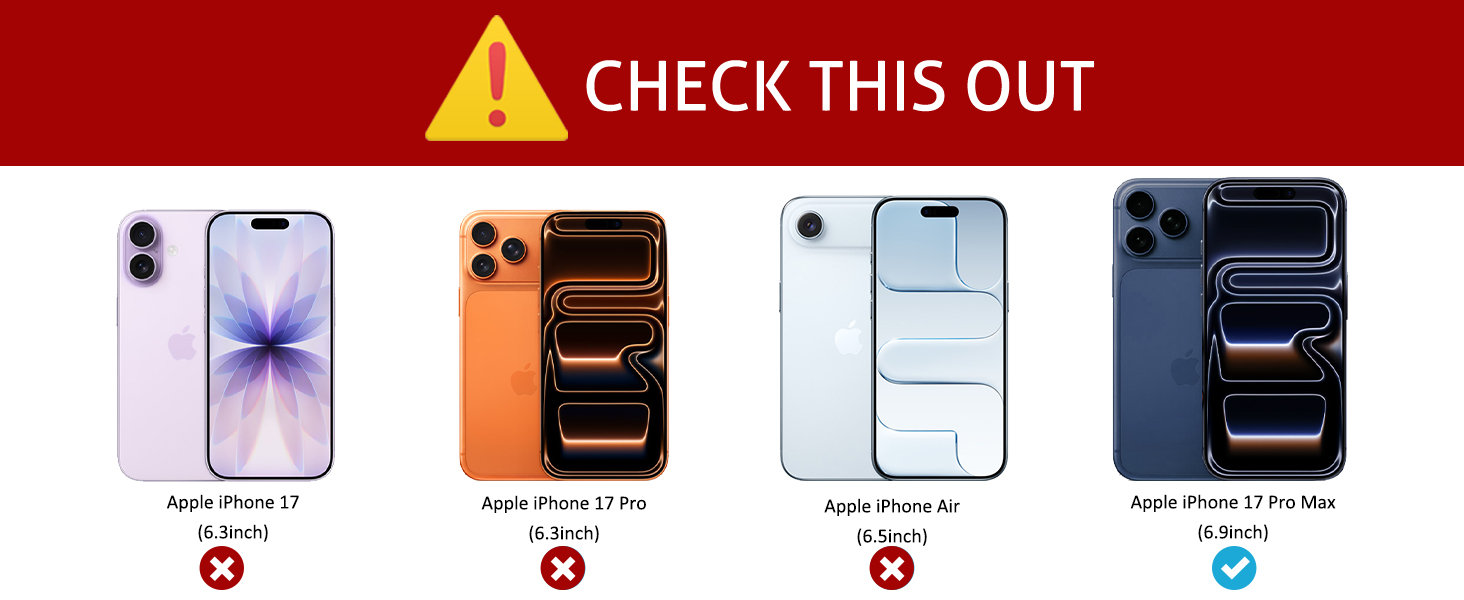
Image: Compatibility chart for iPhone 17 series camera lens protectors.
Setup u Installazzjoni
For optimal adhesion and clarity, please follow these installation steps carefully. It is recommended to perform the installation in a dust-free environment.
- Naddaf il-Lenti tal-Kamera: Use the provided wet wipe (marked '1') to thoroughly clean the camera lenses on your iPhone 17 Pro Max. Ensure all smudges, dust, and fingerprints are removed.
- Dry the Camera Lens: Immediately use the provided dry wipe (marked '2') to dry the camera lenses completely. Ensure no moisture or residue remains. Use the dust-absorber sticker to remove any remaining dust particles.
- Prepare the Protector: Carefully bend the plastic sheet holding the camera lens protector to gently remove the protector. Avoid touching the adhesive side.
- Allinja l-Protettur: Align the camera lens protector precisely with the camera lens holes on your iPhone. The design ensures a perfect fit for the iPhone 17 Pro Max camera module.
- Apply and Press: Once aligned, gently place the protector onto the camera module. Press the protector slowly from one end to another, ensuring that any air bubbles are fully pushed out with each press.

Image: Visual guide for installing the Ailun Camera Lens Protector.
Installazzjoni Video
Video: Official Ailun installation guide for iPhone 17 Series Camera Lens Protectors.
Karatteristiċi Ewlenin
- 9H Hardness Tempered Glass: Provides maximum protection against scratches, scrapes, and bumps, safeguarding your camera lenses from daily wear and tear.
- Ultra-Thin Design (0.1mm): Engineered to be extremely thin, ensuring it does not add bulk to your device or interfere with the sleek design of your iPhone 17 Pro Max.
- Ċarezza ta' Definizzjoni Għolja: Features 99.99% high-definition clear glass, ensuring that your photos and videos retain their original quality without distortion.
- Night Shooting Function: Designed with advanced technology for seamless integration, allowing for optimal light transmittance and night shooting capabilities without affecting flash performance.
- Hydrophobic & Oleophobic Coating: The clear screen coating repels sweat, oil residue, and fingerprints, keeping your lenses clean and clear.
- Ultra-Strong Adsorption: Ensures a secure and bubble-free attachment to your camera lenses, providing reliable protection.

Image: The ultra-thin profile of the Ailun Camera Lens Protector.

Image: Demonstrating the HD clarity of the lens protector.
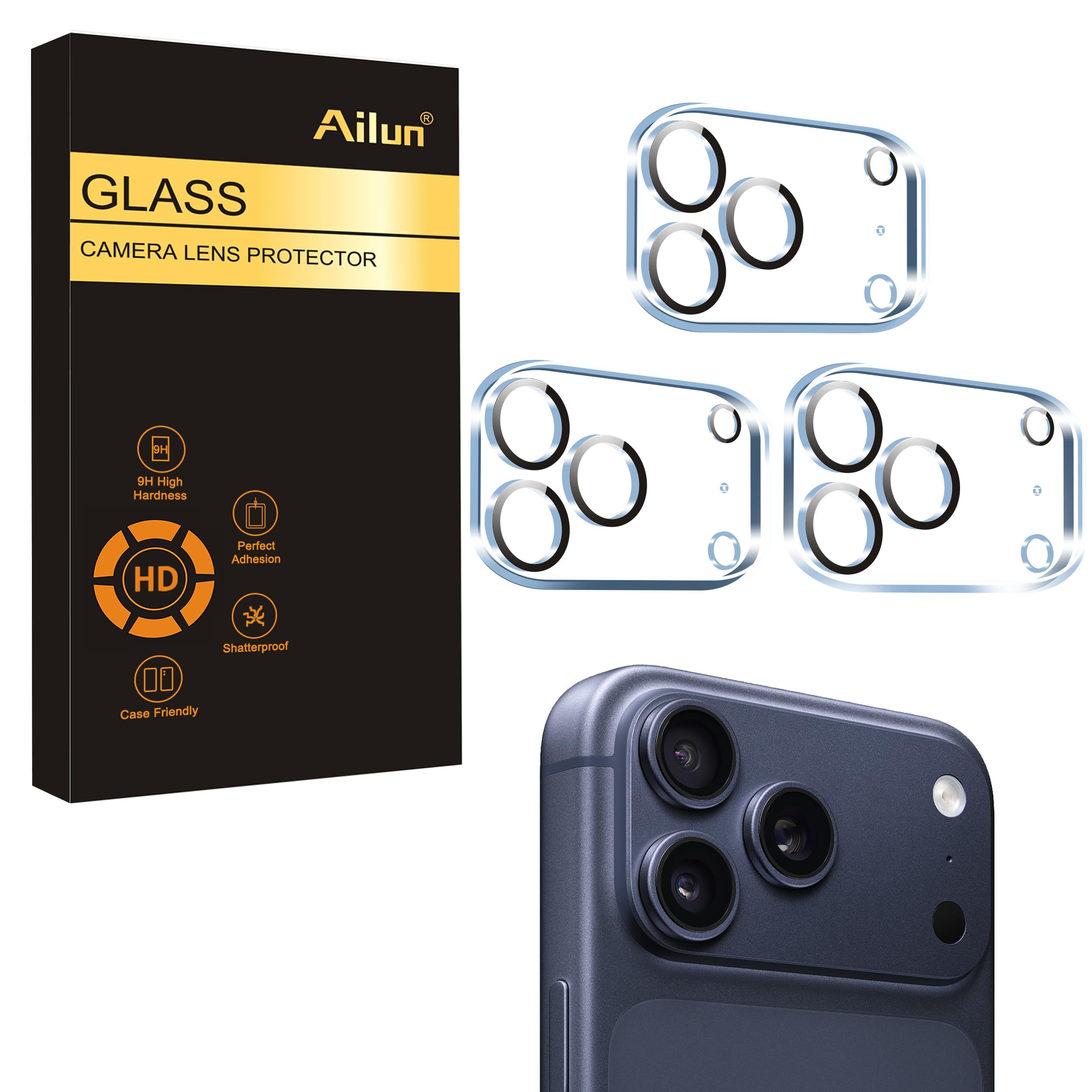
Image: Illustration of the protector's ultra-strong adsorption to the camera.
Manutenzjoni
To maintain the clarity and effectiveness of your Ailun Camera Lens Protector, regularly wipe it with a soft, lint-free cloth. The hydrophobic and oleophobic coating helps resist smudges, making cleaning easy. Avoid using harsh chemicals or abrasive materials that could damage the coating.
Issolvi l-problemi
- Air Bubbles After Installation: If small air bubbles appear, gently press them towards the edges of the protector with a soft cloth or your finger. Ensure the lens surface was thoroughly cleaned before application.
- Reduced Photo Quality (especially in low light/flash): While designed not to affect photo quality, ensure the protector is perfectly clean and free of smudges. If issues persist, re-clean the lens and re-apply the protector, ensuring proper alignment.
- Protector Not Sticking: Ensure the camera lens surface is completely dry and free of dust or oil before applying. If the issue persists, try using a new protector from the pack.
Speċifikazzjonijiet
| Attribut | Dettall |
|---|---|
| Dimensjonijiet tal-Prodott | 2.65 x 1.47 x 0.01 pulzieri |
| Piż tal-oġġett | 0.586 uqija |
| Materjal | Ħġieġ ittemprat |
| Ebusija tal-oġġett | 9H |
| Kulur | Trasparenti |
| Tip Finish | Tleqq |
| Livell ta 'Reżistenza għall-Ilma | Waterproof |
| Karatteristiċi Speċjali | Anti Glare, Anti-Fingerprint, Drop Resistant, Dust Resistant, Scratch Resistant |
| Apparati Kompatibbli | iPhone 17 Pro Max |
| Għadd ta' Unitajiet | 3.0 Għadd |
Garanzija u Appoġġ
For any questions, concerns, or support regarding your Ailun Camera Lens Protector, please contact our customer service team. Refer to the product packaging or the Ailun official websit għal informazzjoni ta' kuntatt.


