1. Introduzzjoni
This manual provides detailed instructions for the proper use and maintenance of your OnePlus Buds 4 Wireless Earbuds. Please read this manual thoroughly before using the product to ensure optimal performance and longevity.
Kontenut tal-Pakkett
Ivverifika li l-oġġetti kollha huma preżenti fil-pakkett:
- OnePlus Buds 4 Earbuds (Xellug u Lemin)
- Kawża tal-Iċċarġjar
- Cable tal-Iċċarġjar tal-USB-C
- Daqsijiet Diversi ta' Ponta tal-Widnejn (S, M, L)
- Manwal għall-Utent (dan id-dokument)

Image: Contents of the OnePlus Buds 4 retail package, showing the earbuds, charging case, USB-C cable, and various ear tip sizes.
2. Setup
2.1 Iċċarġjar inizjali
Before first use, fully charge the OnePlus Buds 4 and their charging case. Connect the provided USB-C charging cable to the charging port on the case and a power source. The indicator light on the case will show charging status.
- A full charge provides extended playback time.
- Il-kaxxa tal-iċċarġjar għandha kapaċità ta' batterija ta' 530mAh.

Image: OnePlus Buds 4 earbuds in their open charging case, highlighting the extended battery life capability.
2.2 Tqabbil ma' Apparat
- Kun żgur li l-earbuds jinsabu fil-kaxxa tal-iċċarġjar u li l-għatu huwa miftuħ.
- Press and hold the function button on the charging case until the indicator light flashes white, indicating pairing mode.
- On your device (smartphone, tablet, etc.), go to Bluetooth settings and select "OnePlus Buds 4" from the list of available devices.
- Once connected, the indicator light will turn solid white or off.
The OnePlus Buds 4 utilize Bluetooth 5.4 for stable connectivity and support Fast Pair for quick setup with compatible Android devices.

Image: OnePlus Buds 4 earbuds and charging case with a Bluetooth signal icon, illustrating stable connectivity via Bluetooth 5.4.
2.3 L-Ilbies tal-Earbuds
Choose the ear tips that provide the best seal and comfort for your ears. A proper fit is crucial for optimal sound quality and effective Active Noise Cancellation.
- Daħħal il-earbuds bil-mod fil-kanal tal-widna tiegħek.
- Rotate them slightly until they feel secure and comfortable.
3. Istruzzjonijiet Operattivi
3.1 Kontrolli touch
The OnePlus Buds 4 feature intuitive touch controls on the stem of each earbud.
| Azzjoni | Funzjoni |
|---|---|
| Tektek Uniku | Daqq / Issospendi mużika, Tweġiba / Tmiem is-sejħa |
| Tektek Doppju | It-trakka li jmiss, Irrifjuta s-sejħa |
| Tektek triplu | Track preċedenti |
| Agħfas u Żomm (Xellug/Lemin) | Switch Noise Control Mode (ANC/Transparency) |
| Swipe Up/Down (Stem) | Aġġusta Volum |

Image: Close-up of OnePlus Buds 4 earbuds showing the area for volume swipe control on the stem.
3.2 Kanċellazzjoni Attiva tal-Istorbju (ANC) u Modalità ta' Trasparenza
The earbuds feature advanced Active Noise Cancellation to reduce ambient noise and a Transparency Mode to allow you to hear your surroundings.
- Kanċellazzjoni Attiva tal-Ħsejjes: Reduces external sounds for an immersive listening experience.
- Modalità ta' Trasparenza: Ampjgħajjef il-ħsejjes ambjentali, u jippermettilek tibqa' konxju tal-ambjent tiegħek mingħajr ma tneħħi l-earbuds.
- Modalità Adattiva: Intelligently switches between ANC and Transparency modes based on your environment.
Switch between these modes by pressing and holding the touch area on either earbud.

Image: A person wearing OnePlus Buds 4 earbuds outdoors, illustrating the effect of Active Noise Cancellation.
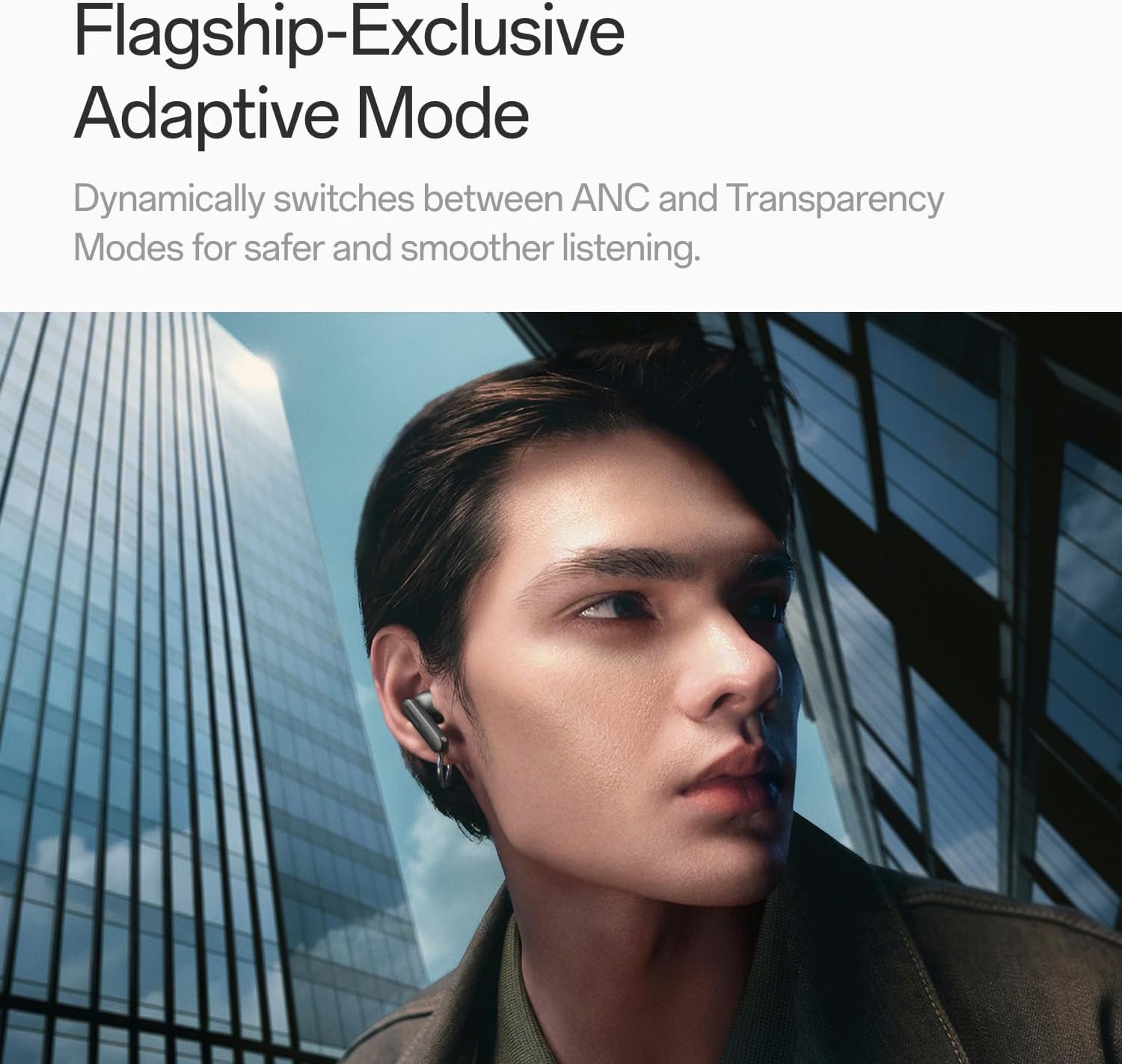
Image: A person wearing OnePlus Buds 4 earbuds in a city setting, highlighting the Adaptive Mode feature.
3.3 Karatteristiċi tal-awdjo
The OnePlus Buds 4 deliver high-quality audio with advanced technologies.
- 11mm Audio Drivers: Provide balanced, true-to-life acoustics.
- Hi-Res Audio & LHDC 5.0: For detailed, studio-grade sound reproduction.
- Awdjo Spazjali 3D Immersiv: Creates a richer, surrounding sound experience.

Image: OnePlus Buds 4 earbuds with Hi-Res Audio and LHDC 5.0 branding, emphasizing advanced audio capabilities.

Image: OnePlus Buds 4 earbuds depicted with a visual effect suggesting immersive 3D Spatial Audio.

Immaġni: Sploda view diagram of a OnePlus Buds 4 earbud, highlighting its internal sound components and drivers.
3.4 Karatteristiċi tas-Sejħa
The earbuds are equipped with features to enhance call clarity.
- 3-mic AI Call Noise Cancellation: Filters out noise and wind for clear calls in various environments.
- 3x Voice Cancellation: Reduces vocal distractions in noisy settings like cafes or trains.

Image: A person lying down with OnePlus Buds 4 earbuds, representing the effect of voice cancellation for undisturbed listening.
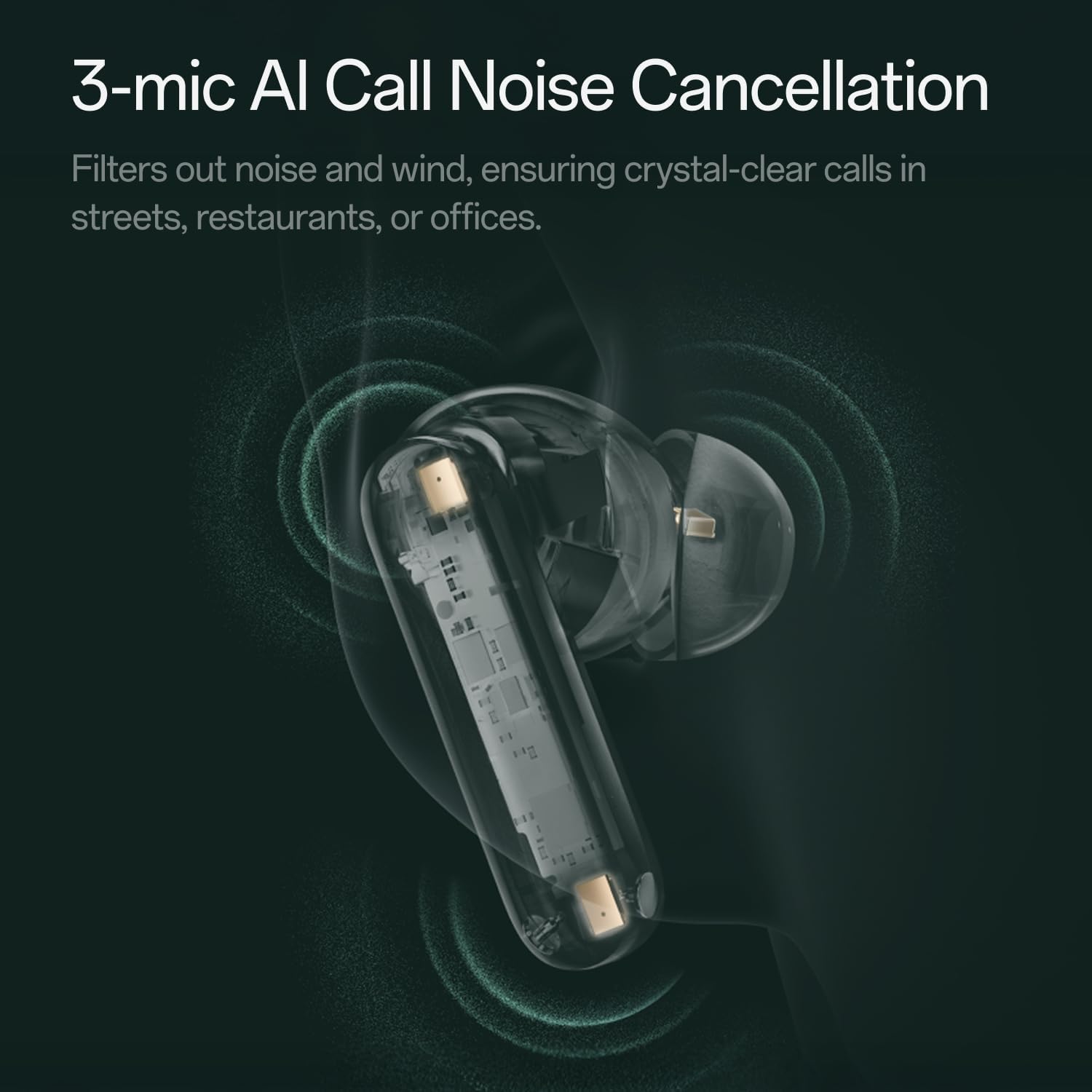
Immaġni: Trasparenti view of a OnePlus Buds 4 earbud, highlighting the 3-mic system for AI Call Noise Cancellation.
3.5 AI Translation
With a compatible OnePlus phone, the earbuds can facilitate real-time conversations in multiple languages.

Image: OnePlus Buds 4 earbuds alongside a smartphone screen demonstrating AI translation functionality.
4. Manutenzjoni
4.1 Tindif
- Naddaf il-earbuds u l-kaxxa tal-iċċarġjar regolarment b'ċarruta ratba, niexfa u mingħajr suf.
- Neħħi l-ponot tal-widnejn u naddafhom bl-ilma u sapun ħafif jekk meħtieġ, filwaqt li tiżgura li jkunu niexfa għalkollox qabel ma terġa' twaħħalhom.
- Tużax materjali li joborxu jew kimiċi ħarxa.
4.2 Reżistenza għall-Ilma
The OnePlus Buds 4 are water resistant. This means they can withstand splashes and sweat, making them suitable for workouts. However, they are not waterproof and should not be submerged in water.
4.3 Ħażna
Meta ma tkunx qed tużahom, aħżen il-earbuds fil-kaxxa tal-iċċarġjar tagħhom biex tipproteġihom u tiżgura li jibqgħu ċċarġjati.
5 Issolvi l-problemi
If you encounter issues with your OnePlus Buds 4, refer to the following common solutions:
5.1 Kwistjonijiet ta' Tqabbil
- Ensure the earbuds are charged and in pairing mode (flashing white light).
- Itfi u ixgħel il-Bluetooth fuq l-apparat tiegħek.
- Insieh l-apparat fis-settings tal-Bluetooth tiegħek u pprova erġa' qabbad.
- Try resetting the earbuds (refer to the full user manual for specific reset instructions).
5.2 Kwistjonijiet tal-Ħoss
- Check the earbud fit and try different ear tip sizes.
- Clean the ear tips and speaker meshes to remove any debris.
- Ensure the volume on both your device and earbuds is adjusted correctly.
5.3 Kwistjonijiet ta' Iċċarġjar
- Iċċekkja li l-kejbil tal-iċċarġjar huwa konness sew kemm mal-kaxxa kif ukoll mas-sors tal-enerġija.
- Kun żgur li l-kuntatti tal-iċċarġjar fuq il-earbuds u ġewwa l-kaxxa huma nodfa u ħielsa minn ostaklu.
- Ipprova kejbil USB-C jew adapter tal-enerġija differenti.
6. Speċifikazzjonijiet
| Karatteristika | Dettall |
|---|---|
| Isem tal-Mudell | OnePlus Buds 4 |
| Numru tal-Mudell | E513A |
| Brand | OnePlus |
| Kulur | Zen Green |
| Tqegħid tal-widnejn | Fil-widnejn |
| Fattur tal-Formola | Fil-widnejn |
| Kontroll tal-Ħoss | Kanċellazzjoni Attiva tal-Ħoss |
| Daqs tas-Sewwieq tal-Awdjo | 11 Millimetru |
| Tip ta' Sewwieq Awdjo | Sewwieq Dinamika |
| Rispons ta' Frekwenza | 40 Hz |
| Sensittività | 100 dB |
| Impedenza | 18 Ohm |
| Teknoloġija tal-Konnettività | Bluetooth |
| Teknoloġija tal-Komunikazzjoni mingħajr Fili | Bluetooth |
| Verżjoni Bluetooth | 5.4 |
| Medda Bluetooth | 33 Saqajn |
| Metodu ta' Kontroll | Mess |
| Tip ta' Kontrollur | Touch Kontrolli |
| Kapaċità tal-Każ tal-Iċċarġjar | 530mAh |
| Livell ta 'Reżistenza għall-Ilma | Reżistenti għall-Ilma |
| Piż tal-oġġett | 0.15 Kilogrammi (5.3 uqija) |
| Komponenti Inklużi | Cable, Charging Case, Eartip, User Manual |
7. Garanzija u Appoġġ
7.1 Garanzija tal-Manifattur
The OnePlus Buds 4 are backed by a one-year manufacturer warranty. This warranty covers defects in materials and workmanship under normal use. For specific terms and conditions, please refer to the warranty card included in your product packaging or visit the official OnePlus support websit.
7.2 Appoġġ għall-Klijent
For further assistance, technical support, or warranty claims, please contact OnePlus customer service through their official webis-sit jew l-informazzjoni ta' kuntatt ipprovduta fid-dokumentazzjoni tal-prodott tiegħek.
Official OnePlus Store: OnePlus Store on Amazon


