1. Introduzzjoni
This manual provides essential information for setting up, operating, and maintaining your NIMO 15.6-inch FHD Laptop Nimo N155. Please read this manual thoroughly before using your device to ensure proper function and longevity.

Figure 1: NIMO 15.6-inch FHD Laptop Nimo N155 Overview
The NIMO N155 laptop is equipped with an AMD Ryzen 7 6800H processor, 32GB DDR5 RAM, and a 1TB PCIe 4.0 SSD, designed for efficient performance in various computing tasks. It features a 15.6-inch Full HD IPS anti-glare display, a backlit keyboard, and an integrated fingerprint sensor for enhanced security and user experience.
2. X'hemm fil-Kaxxa
Ivverifika li l-oġġetti kollha huma preżenti fil-pakkett:
- 1 x Laptop Nimo N155
- 1 x Ċarġer Veloċi tat-Tip Ċ 100W PD
- 1 x Manwal tal-Utent (dan id-dokument)
- Sistema Operattiva Windows 11 Home (installata minn qabel)
3. Setup Inizjali
3.1. Charging the Laptop
Before first use, connect the laptop to the power adapter and charge it fully. The Type-C 100W PD Fast Charger provides rapid charging capabilities.
- Connect the Type-C charger to a power outlet.
- Plug the Type-C connector into one of the Type-C ports on your laptop.
- The charge LED indicator will illuminate, indicating that the laptop is charging.

Figure 2: Connecting the Type-C 100W PD Fast Charger
3.2. Tixgħel
Press the power button located on the keyboard to turn on the laptop. Follow the on-screen instructions to complete the initial Windows 11 setup, including language selection, network connection, and user account creation.
4. Laptop Components and Ports
Familiarize yourself with the various components and ports of your NIMO N155 laptop.

Figure 3: Laptop Ports and Connectors
4.1. Portijiet tan-Naħa tax-Xellug
- Port USB 2.0: Għall-konnessjoni ta' apparati USB eqdem.
- Port USB 3.0: Għall-konnessjoni ta' apparati USB b'veloċità għolja.
- Slott tal-Karta Mikro SD: For reading and writing to Micro SD cards.
- Jack tal-headphone: Għall-konnessjoni ta' headphones jew kelliema esterni.
- Slot Kensington Lock: Biex tassigura l-laptop tiegħek b'serratura kompatibbli.
4.2. Portijiet tan-Naħa tal-Lemin
- LED tal-Ħlas: Jindika l-istatus tal-iċċarġjar.
- Type-C (PD/Charging) Port: Primarily for power delivery and charging.
- Type-C (Multifunction) Port: Jappoġġja t-trasferiment tad-dejta u l-output tal-wiri.
- Portijiet USB 3.0 (x2): Għall-konnessjoni ta' apparati USB b'veloċità għolja.
- Port HDMI: Għall-konnessjoni ma' displays jew projetturi esterni.
4.3. Internal Components
- Proċessur: AMD Ryzen 7 6800H (8 Cores, 16 Threads, up to 4.7 GHz).
- Grafika: Integrated AMD Radeon 680M GPU.
- RAM: 32GB DDR5 (upgradeable).
- Ħażna: 1TB PCIe 4.0 SSD (upgradeable).
- Wiri: 15.6-inch FHD (1920x1080) IPS Anti-Glare Display.
- Webcam: 2.0 MP with privacy shield.
- Wireless: 802.11a/b/g/n/ac (Wi-Fi 5) and Bluetooth 5.2.

Figure 4: AMD Ryzen 7 6800H Processor Details

Figure 5: High-Speed RAM and PCIe SSD
5. It-Tħaddim tal-Laptop Tiegħek
5.1. Wiri
The 15.6-inch Full HD IPS display offers a resolution of 1920x1080 pixels. Adjust brightness and display settings through Windows settings (Right-click on desktop > Display settings).
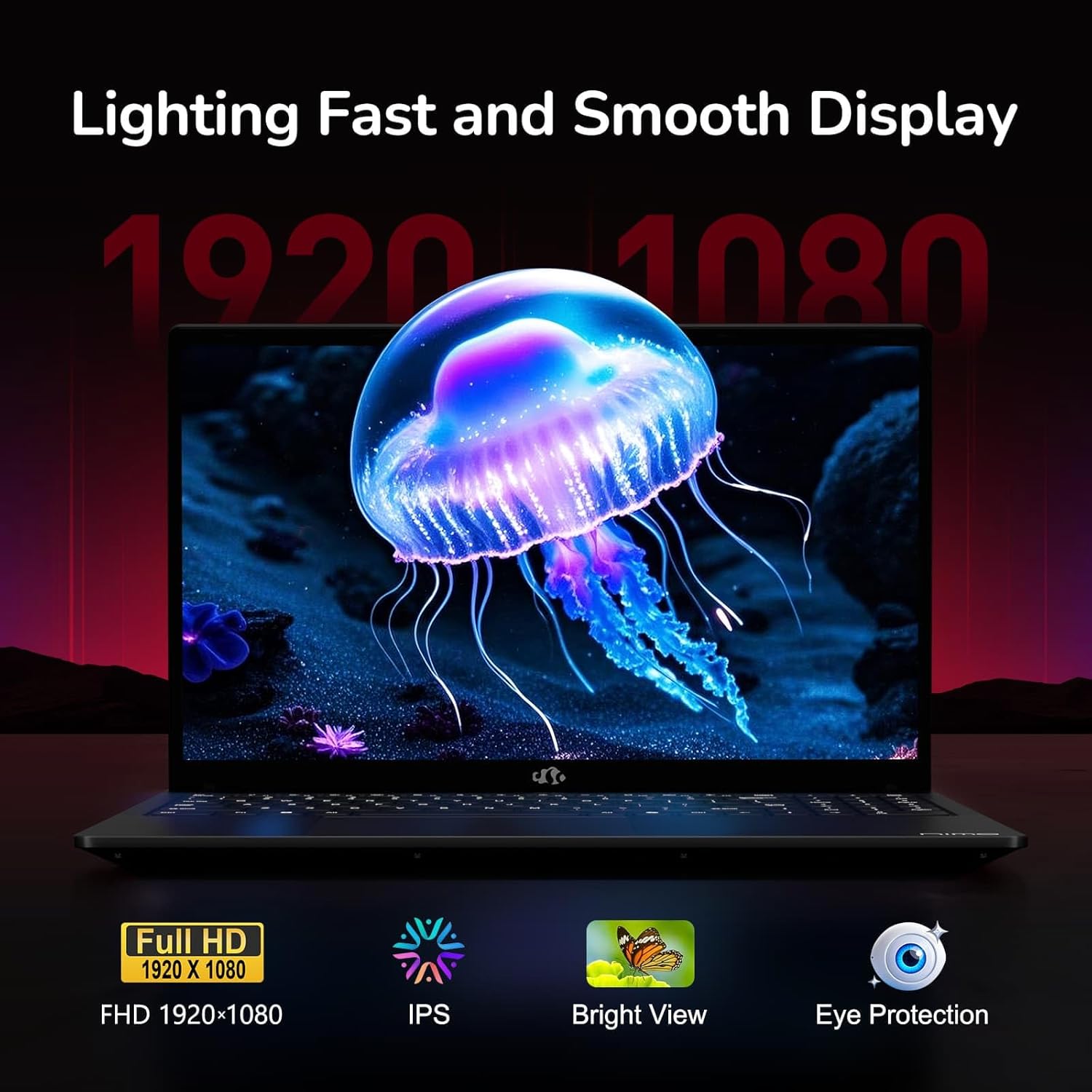
Figure 6: Laptop Display Features
5.2. Tastiera u Touchpad
The laptop features a backlit keyboard and a responsive touchpad with multi-touch gesture support. The integrated fingerprint sensor is located on the touchpad for secure login.
- Tastiera backlit: Agħfas Fn + Fx (where Fx is the backlight key, typically F3 or F4) to adjust keyboard backlight brightness.
- Sensor tal-marki tas-swaba': Enroll your fingerprints via Windows Settings > Accounts > Sign-in options for quick and secure access.
- Webcam Privacy Shield: Slide the physical cover over the webcam for privacy when not in use.

Figure 7: Keyboard and Input Features

Figure 8: Seamless Security Integration (Fingerprint and Webcam Shield)
5.3. Ġestjoni tal-Enerġija
The laptop is equipped with a 4700mAh (53.58Wh) Lithium Polymer battery. Battery life can vary based on usage. To optimize battery life, adjust power settings in Windows and close unnecessary applications.

Figure 9: Battery Specifications
6. Manutenzjoni u Kura
6.1. Tindif
- Uża drapp artab u mingħajr suf biex tnaddaf l-iskrin u l-barra.
- Għal marki iebsa, dampNaddaf id-drapp bl-ilma jew b'prodott tat-tindif tal-iskrin. Evita kimiċi ħarxa.
- Kun żgur li l-laptop ikun mitfi u skonnettjat qabel ma tnaddaf.
6.2. Ħażna u Immaniġġjar
- Store the laptop in a cool, dry place away from direct sunlight and extreme temperatures.
- Evita li tpoġġi oġġetti tqal fuq il-laptop.
- Do not expose the laptop to liquids.
6.3. Aġġornamenti
The NIMO N155 laptop supports detachable RAM and SSD, allowing for user upgrades. Refer to the official NIMO support website or contact customer service for detailed upgrade instructions to avoid voiding your warranty.
7 Issolvi l-problemi
This section addresses common issues you might encounter with your NIMO N155 laptop.
| Problema | Soluzzjoni Possibbli |
|---|---|
| Il-laptop ma jixgħelx. | Kun żgur li l-ċarġer huwa konness sew u li l-batterija għandha biżżejjed ċarġ. Ipprova sokit tal-enerġija differenti. |
| L-iskrin huwa vojt. | Check if the laptop is powered on. Adjust screen brightness. Connect to an external monitor to check if the issue is with the laptop's display. |
| Problemi bil-konnessjoni tal-Wi-Fi. | Kun żgur li l-Wi-Fi huwa attivat fis-settings tal-Windows. Erġa' ibda r-router u l-laptop tiegħek. Aġġorna d-drivers tal-Wi-Fi. |
| Id-dawl ta' wara tat-tastiera mhux qed jaħdem. | Press the Fn key combined with the appropriate function key (e.g., F3 or F4) to toggle or adjust the backlight. |
| Fingerprint sensor not responding. | Ensure your finger is clean and dry. Re-enroll your fingerprints in Windows settings. Update fingerprint sensor drivers. |
Jekk tiltaqa' ma' problemi li mhumiex elenkati hawn jew teħtieġ aktar assistenza, jekk jogħġbok ikkuntattja l-appoġġ għall-klijenti ta' NIMO.
8. Speċifikazzjonijiet Tekniċi
| Karatteristika | Speċifikazzjoni |
|---|---|
| Isem tal-Mudell | Nimo N155 |
| Wiri | 15.6-inch FHD (1920x1080) IPS Anti-Glare |
| Proċessur | AMD Ryzen 7 6800H (8 Qlub, 16-il Ħjut, sa 4.7 GHz) |
| Grafika | AMD Radeon 680M integrata |
| RAM | 32GB DDR5 4800 MHz (Dual-channel, upgradeable) |
| Ħażna | SSD PCIe 4.0 ta' 1TB (jista' jiġi aġġornat) |
| Sistema Operattiva | Windows 11 Home |
| Konnettività bla fili | Wi-Fi 5 (802.11a/b/g/n/ac), Bluetooth 5.2 |
| Portijiet | 1x USB 2.0, 3x USB 3.0, 2x Type-C (1x PD, 1x Multifunction), 1x HDMI, 1x Micro SD, 1x Headphone Jack, 1x Kensington Lock |
| Webcam | 2.0 MP (with privacy shield) |
| Batterija | 4700mAh / 53.58Wh Lithium Polymer |
| Adapter tal-Enerġija | Type-C 100W PD Fast Charger |
| Dimensjonijiet (LxWxH) | 14.07 x 8.98 x 0.76 pulzieri (357.4 x 228 x 19.2 mm) |
| Piż | 3.8 liri (1.7 kg) |
| Karatteristiċi Speċjali | Tastiera b'dawl minn wara, Qarrej tal-marki tas-swaba', Awdjo HD, Tastiera Numerika |
9. Garanzija u Appoġġ
9.1. Garanzija tal-Manifattur
Il-laptop NIMO N155 tiegħek jiġi b' Garanzija ta' 2 snin mill-manifatturDin il-garanzija tkopri difetti fil-materjali u fix-xogħol taħt użu normali. Jekk jogħġbok żomm il-prova tax-xiri tiegħek għal talbiet ta' garanzija.
9.2. Politika ta' Ritorn
NIMO offers a Politika ta' ritorn mingħajr problemi ta' 90 jum from the date of purchase. For details on eligibility and the return process, please refer to your purchase documentation or contact customer support.
9.3. Appoġġ għall-Klijent
For technical assistance, warranty claims, or any other inquiries, please visit the official NIMO support website or contact their customer service team. Contact information can typically be found on the NIMO brand store page or included documentation.
NIMO Brand Store: Visit NIMO Store on Amazon


