1. Introduzzjoni
Thank you for choosing the Pursuit 800A Car Jump Starter. This device is designed to provide a powerful and safe solution for jump-starting vehicles, charging portable electronic devices, and offering emergency lighting. Please read this manual thoroughly before use to ensure proper operation and to prevent damage to the product or your vehicle.

Image 1.1: The Pursuit 800A Car Jump Starter with its included booster clamps.
2. Informazzjoni dwar is-Sigurtà
Your safety is paramount. This jump starter incorporates multiple safety features. Always follow these guidelines:
- Teknoloġija Prova Spark: Designed to prevent sparks during connection.
- Protezzjoni tal-Polarità Reverse: Protects against incorrect connection to battery terminals.
- Protezzjoni ta' Ħlas Żejjed: Prevents damage from excessive charging.
- Protezzjoni ta' ċirkwit qasir: Salvagwardji kontra short circuits.
- Protezzjoni f'temperatura għolja u baxxa: Ensures safe operation within optimal temperature ranges.
- Protezzjoni ta' Tagħbija Żejjed: Jipprevjeni ħsara minn ġibda eċċessiva ta' kurrent.
- Over-Voltage Protezzjoni: Jipproteġi kontra l-volumtagŻidiet.
- Protezzjoni ta' Kurrent Żejjed: Limits current to safe levels.
- AI-Software Monitoring: Provides intelligent monitoring for enhanced safety.
Despite these features, always exercise caution:
- Tgħaddix l-apparat fl-ilma.
- Żarmax l-unità.
- Żomm fejn ma jintlaħaqx mit-tfal.
- Use only the provided booster clamps and charging cable.
- Żgura ventilazzjoni xierqa waqt l-użu.

Image 2.1: Visual representation of the various safety protections integrated into the device.
3. Kontenut tal-Pakkett
Ivverifika li l-oġġetti kollha huma preżenti fil-pakkett tiegħek:
- Pursuit 800A Car Jump Starter Unit
- Booster Clamps (Aħmar u Iswed)
- Cable tal-Iċċarġjar tal-USB
- User Guide (This manual)

Image 3.1: All items included in the Pursuit 800A Car Jump Starter package.
4. Prodott Aktarview
Familiarize yourself with the components of your jump starter:
- Port tal-Ħruġ USB: Għall-iċċarġjar ta' apparati esterni.
- Buttuna tal-Funzjoni: Activates LED light and checks battery status.
- Jump Start Output: Port for connecting booster clamps.
- Type C Charge Input: For recharging the jump starter unit.
- Dawl LED: Multi-mode flashlight.

Image 4.1: Labeled diagram of the Pursuit 800A Car Jump Starter's features and ports.
5. Iċċarġjar tal-Jump Starter
Before first use, fully charge the jump starter. It recharges in approximately 3 hours via a USB port at 2.1 amps.
- Connect the provided USB charging cable to the Type C Charge Input port on the jump starter.
- Connect the other end of the USB cable to a suitable USB power adapter (not included) or a powered USB port.
- The LED indicators on the unit will illuminate to show charging progress. All indicators will be solid when fully charged.
6. Istruzzjonijiet Operattivi
6.1. Startjar ta' Vettura b'Avvanz
The Pursuit 800A Car Jump Starter is suitable for gasoline engines up to 5.0L and diesel engines up to 2.0L.
- Ensure the jump starter is sufficiently charged.
- Insert the jump starter cable into the Jump Start Output port on the Pursuit 800A Jump Starter. Ensure a firm connection.
- Qabbad il- aħmar (+) booster clamp mat-terminal pożittiv (+) tal-batterija tal-vettura.
- Qabbad il- iswed (-) booster clamp mat-terminal negattiv (-) tal-batterija tal-vettura.
- Once connected, the indicator on the booster clamps will show a solid green light if the connection is correct. If it shows a red light or beeps, check the connections for reverse polarity.
- Ibda l-magna tal-karozza.
- Once the engine starts, immediately remove the booster clampmill-batterija tal-vettura, l-ewwel il-polz iswed (-)amp, imbagħad il-marka ħamra (+)amp.
- Disconnect the jump starter cable from the jump starter unit.

Image 6.1: Visual guide for connecting the jump starter to a vehicle battery.
6.2. Użu bħala Power Bank Portabbli
The jump starter can charge smartphones, tablets, earphones, and other USB-powered devices.
- Connect your device's USB charging cable to the USB Output Port on the jump starter.
- Qabbad it-tarf l-ieħor tal-kejbil mat-tagħmir elettroniku tiegħek.
- Il-jump starter jibda jiċċarġja t-tagħmir tiegħek awtomatikament.

Image 6.2: The jump starter functioning as a portable power bank for various devices.
6.3. L-użu tat-Torċa LED
The built-in LED flashlight offers three modes for various situations.
- Press and hold the Function Button for 3 seconds to turn on the flashlight (solid light mode).
- Press the Function Button again to cycle through the modes: SOS mode (slow flash), Strobe mode (fast flash).
- Press and hold the Function Button again for 3 seconds to turn off the flashlight.
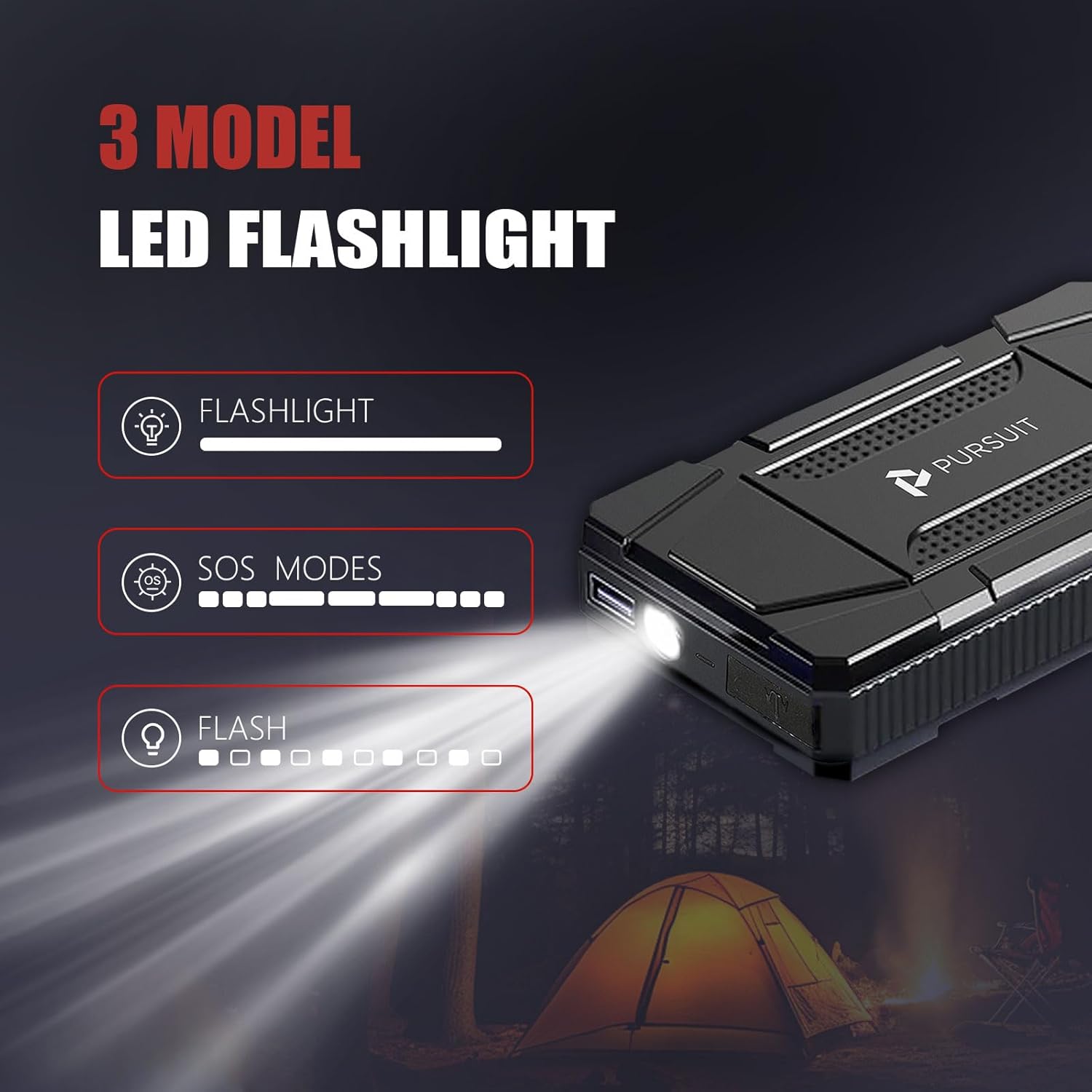
Image 6.3: The LED flashlight demonstrating its three operational modes.
7. Manutenzjoni
- Aħżen il-jump starter f'post frisk u niexef 'il bogħod mix-xemx diretta.
- Recharge the unit every 3-6 months, even if not in use, to maintain battery health.
- Naddaf il-parti ta 'barra b'karta ratba, damp drapp. Tużax kimiċi ħarxa jew abrażivi.
- Ensure the ports are free from dust and debris.
8 Issolvi l-problemi
- L-unità ma tixgħelx: Ensure the unit is charged. If not, recharge it fully.
- Il-vettura ma tixgħelx: Check that the booster clamps are securely connected to the correct battery terminals (red to positive, black to negative). Ensure the jump starter has sufficient charge.
- Booster clamp indicator shows red/beeps: This indicates a reverse polarity connection. Disconnect immediately and re-connect the clamps to the correct terminals.
- Device not charging from USB port: Ensure the jump starter has sufficient power. Try a different USB cable or device.
9. Speċifikazzjonijiet
| Karatteristika | Speċifikazzjoni |
|---|---|
| Brand | Insegwiment |
| Numru tal-Mudell | R33 |
| L-ogħla Kurrent tal-Ħruġ | 800 Amps |
| Tip ta 'batterija | Polimeru tal-litju |
| Kompatibilità tal-Magna (Gass) | Sa 5.0 Litri |
| Kompatibilità tal-Magna (Diżil) | Sa 2.0 Litri |
| Ħin ta 'Iċċarġjar | Approx. 3 hours (via USB 2.1A) |
| Piż | 2 Liri |
| Reżistenza għall-Ilma | IPX4 |
10. Garanzija u Appoġġ
For warranty information and customer support, please refer to the contact details provided with your purchase or visit the official Pursuit websit. Żomm l-irċevuta tax-xiri tiegħek bħala prova tax-xiri.


