1. Introduzzjoni
Thank you for choosing the Cillso H97 Wireless Earbuds. This manual provides detailed instructions on how to set up, operate, and maintain your earbuds to ensure optimal performance and longevity. Please read this manual carefully before using the product.

Image: The Cillso H97 Wireless Earbuds in their charging case, displaying the LED battery indicator.
2. X'hemm fil-Kaxxa
Meta tiftaħ il-pakkett, jekk jogħġbok kun żgur li l-oġġetti kollha elenkati hawn taħt huma preżenti:
- Cillso H97 Wireless Earbuds (L/R)
- Kawża tal-Iċċarġjar
- Cable tal-Iċċarġjar tal-USB-C
- Manwal għall-Utent (Dan id-dokument)

Image: A visual representation of the items included in the product packaging: earbuds, user manual, charging case, and USB-C charging cable.
3. Prodott Aktarview
The Cillso H97 Wireless Earbuds are designed for comfort and high-quality audio. Key features include:
- Teknoloġija Bluetooth 5.4: Provides a stable connection, longer transmission range, lower power consumption, and reduced latency.
- Immersive Hi-Fi Stereo Sound: Equipped with 13mm dynamic drivers for deep bass, clear mids, and crisp highs.
- ENC Noise Cancelling Microphones: Four built-in microphones enhance call clarity by reducing background noise.
- Ħajja Estiża tal-Batterija: Up to 8 hours of playback per charge, with a total of 40 hours using the charging case.
- Wiri Diġitali LED: The charging case features an independent LED display to show battery levels for both the case and individual earbuds.
- Klassifikazzjoni IPX7 li ma jgħaddix ilma minnha: Protects against sweat, rain, and splashes, making them suitable for various activities.
- Sensitive Touch Controls: Manage playback, calls, and voice assistants with simple taps.
- Ergonomic and Lightweight Design: Each earbud weighs 3.5 grams, and the case weighs 32 grams, ensuring comfortable wear and portability.
3.1 Komponenti u Indikaturi
Familiarize yourself with the main components and indicators:
- Earbuds: Left (L) and Right (R) earbuds with touch control areas and earbud lights.
- Każ tal-Iċċarġjar: Houses and charges the earbuds, features a USB-C charging port and an LED digital display.
- Wiri Diġitali LED: Shows the charging case's battery percentage and individual earbud charging status (L/R battery bars).

Immaġni: Aktar minnview of the Cillso H97 Wireless Earbuds highlighting key features like Bluetooth 5.4, clear calls, Hi-Fi sound, comfort, IPX7 waterproof, 40H playtime, USB-C charging, and LED display.

Image: The earbuds and charging case with their dimensions and weight, illustrating their compact and lightweight design.
4. Setup
4.1 Iċċarġjar inizjali
Qabel l-ewwel użu, iċċarġja l-earbuds u l-kaxxa tal-iċċarġjar kompletament.
- Poġġi ż-żewġ earbuds fil-kaxxa tal-iċċarġjar.
- Connect the USB-C charging cable to the charging port on the case and a standard 5V/1A or 5V/2A USB power adapter.
- Id-displej LED fuq il-kaxxa se juri l-progress tal-iċċarġjar. Iċċarġjar sħiħ għall-kaxxa jieħu madwar siegħa u nofs.
- The earbud battery indicators on the LED display will show charging status for each earbud.
Note: Please use a standard 5V/1A or 5V/2A charger. Using non-standard chargers may cause charging issues or damage.
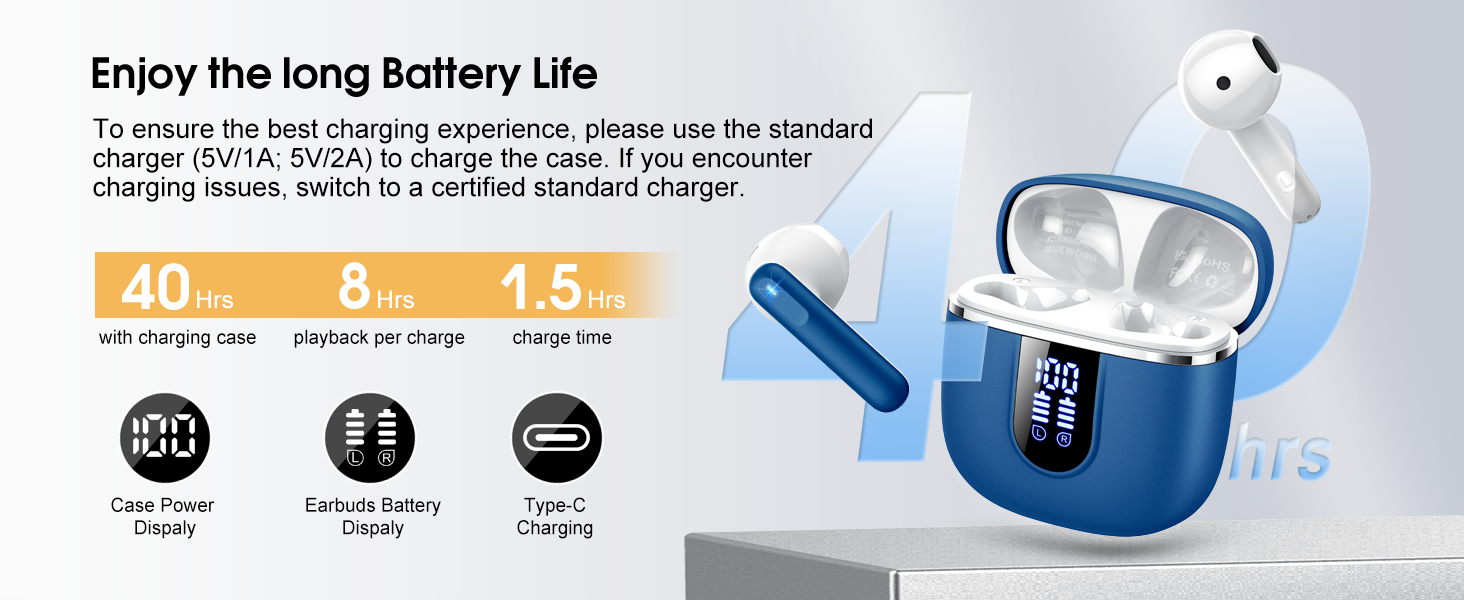
Image: Details on battery life (40 hours with case, 8 hours per charge) and charging time (1.5 hours), along with the LED display for battery status.
4.2 Tqabbil tal-Bluetooth
The earbuds feature a Hall sensor for automatic pairing.
- Tqabbil għall-ewwel darba: Iftaħ il-kaxxa tal-iċċarġjar. Il-earbuds jinxtegħlu awtomatikament u jidħlu fil-modalità ta' tqabbil.
- Fuq l-apparat tiegħek (smartphone, tablet, laptop), attiva l-Bluetooth u fittex apparati disponibbli.
- Select "H97" from the list of devices to connect. Once connected, you will hear a confirmation tone.
- Konnessjoni mill-ġdid Awtomatika: After the initial pairing, the earbuds will automatically connect to the last paired device when the charging case is opened (within 15 meters).
- Modalità tal-Earbud Uniku: You can use either the left or right earbud independently. Simply take one earbud out of the case, and it will connect. If you take out the other earbud, they will automatically switch to binaural mode. To use a single earbud, place the other back into the charging case.

Image: An illustration explaining how to use the earbuds in single earbud mode or binaural (stereo) mode, and how they automatically switch.
5. Istruzzjonijiet Operattivi
5.1 Kontrolli touch
The Cillso H97 earbuds feature sensitive touch controls on each earbud. The functions are as follows:
| Azzjoni | Funzjoni |
|---|---|
| Tektek Doppju (Xellug/Lemin) | Play/Pawsa mużika |
| One Tap (L/R) | Tweġiba/Tmiem Sejħa |
| Long Press 2s (L/R) | Irrifjuta Sejħa |
| Long Tap 2s (R) | Kanzunetta li jmiss |
| Long Tap 2s (L) | Kanzunetta Preċedenti |
| One Tap (R) | Volum Up |
| One Tap (L) | Volum 'l isfel |
| Triple Tap (R) | Attiva l-Assistent tal-Vuċi |

Image: A diagram illustrating the various touch control gestures for managing music playback, calls, and voice assistant functions.
5.2 L-Ilbies tal-Earbuds
Għal kwalità tal-ħoss u kumdità ottimali, kun żgur li l-earbuds huma mqiegħda sew f'widnejk.
- Identifika l-earbuds tax-Xellug (L) u tal-Lemin (R).
- Daħħal bil-mod kull earbud fil-kanal tal-widna tiegħek.
- Adjust the angle until it feels secure and comfortable. The ergonomic design is intended to fit the contours of most ear canals.

Image: Diagrams showing the ergonomic design and recommended angles for wearing the earbuds for a secure and comfortable fit.
5.3 Kompatibilità Wiesgħa
The Cillso H97 Wireless Earbuds are compatible with a broad range of Bluetooth-enabled devices.
- Sistemi Operattivi: Android 4.4+ u iOS 8.0+
- Verżjoni Bluetooth: Bluetooth 4.0 jew aktar tard
- Apparati: Smartphones (iPhone, Samsung Galaxy, Huawei, Xiaomi, etc.), tablets, and laptops.

Image: Icons representing compatibility with phones, tablets, laptops, and desktops, showing the earbuds connected to a smartphone.
6. Manutenzjoni u Kura
6.1 Tindif
- Naddaf il-earbuds u l-kaxxa tal-iċċarġjar regolarment b'ċarruta ratba, niexfa u mingħajr suf.
- Tużax prodotti tat-tindif li joborxu, alkoħol, jew sprejs kimiċi.
- Kun żgur li l-kuntatti tal-iċċarġjar kemm fuq il-earbuds kif ukoll fuq il-kaxxa huma nodfa u niexfa għal iċċarġjar xieraq.
6.2 Ħażna
- Meta ma tkunx qed tużahom, aħżen il-earbuds fil-kaxxa tal-iċċarġjar tagħhom biex tipproteġihom u żżommhom iċċarġjati.
- Aħżen f'post frisk u niexef, 'il bogħod minn temperaturi estremi u dawl tax-xemx dirett.
6.3 Reżistenza għall-Ilma (IPX7)
The earbuds are rated IPX7 waterproof, meaning they can withstand immersion in water up to 1 meter for 30 minutes. This protects them from sweat, rain, and splashes.
- Tgħaddasx il-kaxxa tal-iċċarġjar apposta, għax mhijiex reżistenti għall-ilma.
- Ensure earbuds are completely dry before placing them back into the charging case to prevent damage to the charging contacts.
- Avoid using the earbuds in saunas, steam rooms, or during diving.

Image: An earbud with water splashing on it, illustrating its IPX7 waterproof capability.
6.4 Protezzjoni Over Current (OCP)
The charging case is equipped with Over Current Protection technology to prevent issues such as overheating, melting, or fire caused by prolonged high current from an external power source. When the current exceeds the power limit, the power source will immediately cut off output to protect the circuitry and device.
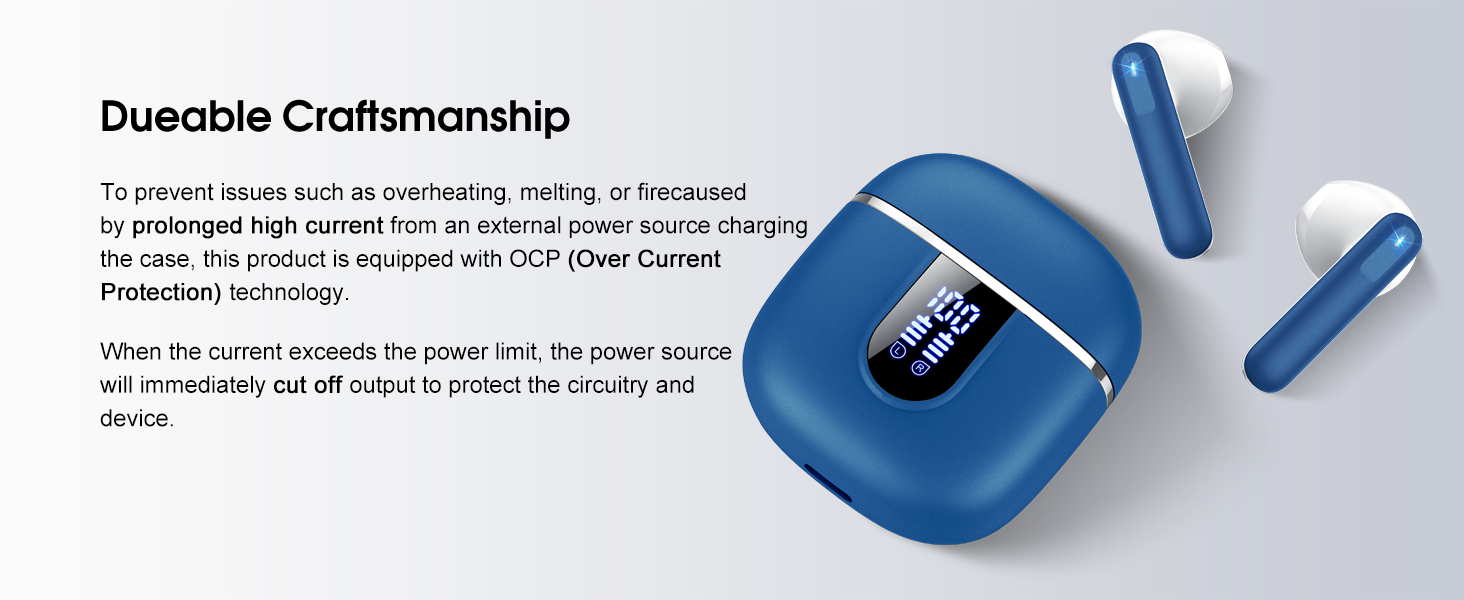
Image: The charging case and earbuds, highlighting the durable craftsmanship and Over Current Protection (OCP) technology.
7 Issolvi l-problemi
If you encounter any issues with your Cillso H97 Wireless Earbuds, please refer to the following common problems and solutions:
- No Sound / Disconnection:
- Kun żgur li l-earbuds huma ċċarġjati.
- Check if Bluetooth is enabled on your device and if "H97" is selected.
- Ersaq eqreb lejn l-apparat tiegħek biex tiżgura li tinsab fil-medda ta' 15 metru tal-Bluetooth.
- Ipprova neħħi l-akkoppjar u erġa' qabbad il-earbuds mat-tagħmir tiegħek.
- Earbuds Mhux Jiċċarġjaw:
- Kun żgur li l-kaxxa tal-iċċarġjar hija ċċarġjata.
- Check that the earbuds are correctly seated in the charging case and the charging contacts are clean.
- Verify the USB-C cable and power adapter are working correctly and meet the 5V/1A or 5V/2A standard.
- Earbud Wieħed Biss Jaħdem:
- Poġġi ż-żewġ earbuds lura fil-kaxxa tal-iċċarġjar, agħlaq l-għatu, stenna ftit sekondi, imbagħad iftaħ l-għatu u oħroġhom flimkien.
- Kun żgur li ż-żewġ earbuds huma ċċarġjati.
- If the issue persists, try resetting the earbuds (refer to the full user manual if a specific reset procedure is available, otherwise, unpair and re-pair).
- Il-Kontrolli tal-Messi mhux Jirrispondew:
- Kun żgur li subgħajk huma nodfa u niexfa.
- Ipprova erġa' ibda l-earbuds billi tpoġġihom fil-kaxxa u oħroġhom mill-ġdid.
Jekk dawn il-passi ma jsolvux il-problema tiegħek, jekk jogħġbok ikkuntattja l-appoġġ għall-klijenti.
8. Speċifikazzjonijiet
| Karatteristika | Dettall |
|---|---|
| Isem tal-Mudell | H97 |
| Brand | Cillso |
| Teknoloġija tal-Konnettività | Wireless (Bluetooth) |
| Verżjoni Bluetooth | 5.4 |
| Medda Bluetooth | 15 Meters |
| Daqs tas-Sewwieq tal-Awdjo | 13mm (from description, spec says 14.2mm, using 13mm as it's consistent with marketing) |
| Rispons ta' Frekwenza | 20Hz - 20kHz (mid-deskrizzjoni) |
| Sensittività | 110 dB |
| Impedenza | 32 Ohm |
| Ħajja tal-Batterija tal-Earbud | Sa 8 sigħat |
| Ħin Totali ta' Daqq (bil-kaxxa) | Sa 40 sigħat |
| Ħin tal-Iċċarġjar (Każ) | Appross. 1.5 sigħat |
| Port tal-Iċċarġjar | USB-C |
| Klassifikazzjoni tar-Reżistenza għall-Ilma | IPX7 (Earbuds) |
| Piż tal-Earbud | 3.5 grammi (kull wieħed) |
| Piż tal-Każ tal-Iċċarġjar | 32 gramma |
| Apparati Kompatibbli | iOS 9.0+/Android 5.0+ with Bluetooth 4.0+ |
| Metodu ta' Kontroll | Mess |
9. Garanzija u Appoġġ
Cillso products are designed for reliability and performance. For warranty information and customer support, please refer to the warranty card included in your product packaging or visit the official Cillso websit.
If you have any questions or require assistance, please do not hesitate to contact our customer service team.


