1. Introduzzjoni
This manual provides detailed instructions for the setup, operation, maintenance, and troubleshooting of your MOFII 2.4GHz Wireless Keyboard and Mouse Combo. This combo features a gradient color design with retro typewriter-style round keycaps, an ergonomic design with foldable stands, and anti-slip pads for comfortable use. It utilizes 2.4GHz wireless technology for a stable connection.
2. Kontenut tal-Pakkett
- MOFII Wireless Keyboard
- MOFII Wireless Mouse
- USB Receiver (located inside the mouse battery compartment)
- Manwal għall-Utent
- Cleaning Brush (for detachable keycaps)
3. Istruzzjonijiet ta' Setup
Segwi dawn il-passi għas-setup inizjali:
- Installa Batteriji: The keyboard and mouse each require one AA battery (not included). Open the battery compartment on the underside of both the keyboard and mouse and insert the batteries, ensuring correct polarity.
- Sib ir-Riċevitur USB: The USB receiver is stored in the battery compartment of the mouse. Carefully remove it.
- Qabbad ir-Riċevitur: Plug the USB receiver into an available USB port on your computer (PC, laptop, desktop, etc.).
- Qawwa Mixgħul: Turn on the keyboard and mouse using their respective power switches (usually located on the underside).
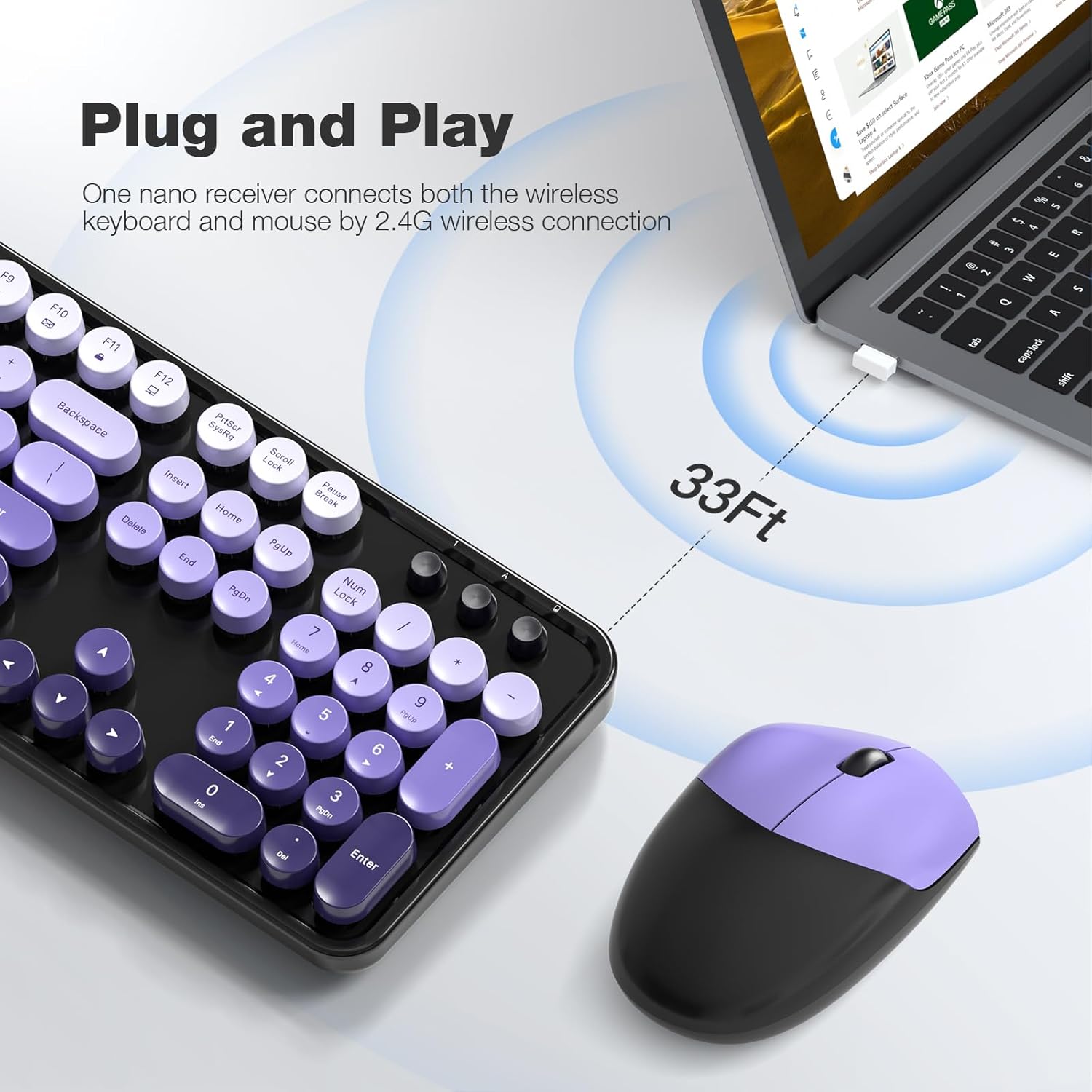
- Konnessjoni Awtomatika: The keyboard and mouse will automatically connect to your computer. No additional drivers are required for most operating systems.

The 2.4GHz wireless technology provides a stable and reliable connection up to 33 feet (10 meters) without latency.
4. Istruzzjonijiet Operattivi
4.1 Karatteristiċi tat-Tastiera
- Layout ta' Daqs sħiħ: The 104-key layout includes a number pad for efficient data entry.
- Shortcuts tal-Multimedia: Utilize the 13 multimedia shortcuts (Fn + F1-F12) to control audio/video playback, volume, web browsing, u email.
- Disinn Ergonomiku: The keyboard features foldable stands on the underside to adjust the typing angle for improved comfort. Anti-slip pads prevent movement during use.

4.2 Modalità Auto Sleep
To conserve battery life, both the keyboard and mouse are equipped with a smart auto-sleep function. If inactive for 5 minutes, they will automatically enter sleep mode. To wake them up, simply click any key on the keyboard or move the mouse.

5. Manutenzjoni
5.1 Tindif
The keyboard features detachable round keycaps, allowing for easy cleaning. Use the included cleaning brush to remove dust and debris from between the keys. For deeper cleaning, carefully remove the keycaps and clean the keyboard base and keycaps separately with a soft, damp drapp. Kun żgur li l-partijiet kollha jkunu kompletament niexfa qabel ma jerġgħu jingħaqdu.

5.2 Sostituzzjoni tal-batterija
When the keyboard or mouse stops responding or experiences intermittent connectivity, it may be time to replace the AA batteries. Open the battery compartment on the underside of the device, remove the old battery, and insert a new AA battery, observing the correct polarity. Close the compartment securely.
6 Issolvi l-problemi
- L-ebda Rispons mit-Tastiera/Maws:
- Kun żgur li l-batteriji huma installati sew u mhux eżawriti. Ibdelhom jekk meħtieġ.
- Check if the power switch on both devices is in the 'ON' position.
- Iċċekkja li r-riċevitur tal-USB huwa mdaħħal sew f'port USB li jaħdem fuq il-kompjuter tiegħek. Ipprova port USB ieħor.
- Mexxi t-tastiera u l-maws eqreb lejn ir-riċevitur tal-USB biex teskludi problemi ta' firxa.
- Konnessjoni Dewmien jew Intermittenti:
- Naqqas l-interferenza billi tmexxi apparati oħra mingħajr fili 'l bogħod mir-riċevitur.
- Kun żgur li m'hemm l-ebda oġġetti kbar tal-metall bejn l-apparati u r-riċevitur.
- Ibdel il-batteriji jekk ikunu baxxi.
- Multimedia Keys Not Working:
- Ensure you are pressing the 'Fn' key simultaneously with the desired function key (F1-F12).
- Check your operating system settings for any conflicting hotkey configurations.
- Il-Kurser tal-Maws Jaqbeż jew Mhux Preċiż:
- Kun żgur li s-senser tal-maws huwa nadif u ħieles mit-trab jew mill-fdalijiet.
- Use the mouse on a suitable surface (e.g., a mouse pad) for optimal tracking.
7. Speċifikazzjonijiet
| Brand | MOFII |
| Mudell | 2.4GHz Retro Typewriter Keyboard and Mouse Combo |
| Kulur | Black Purple Gradient Color |
| Teknoloġija tal-Konnettività | 2.4GHz Wireless (Riċevitur USB) |
| Layout tat-Tastiera | 104-Key Full-Size |
| Karatteristika Speċjali | Round Keycaps, Ergonomic Design, Auto-Sleep Mode, Multimedia Shortcuts |
| Apparati Kompatibbli | Laptop, Personal Computer, Desktop, Notebook, Smart TV |
| Sistemi Operattivi Kompatibbli | Windows 7/8/10/11/XP/Vista, Linux, Chrome |
| Sors tal-Enerġija | 1x AA Battery (Keyboard), 1x AA Battery (Mouse) - Batteriji mhux inklużi |
| Piż tal-oġġett | 3.2 uqija |
| Dimensjonijiet tal-Pakkett | 17.76 x 5.43 x 3.03 pulzieri |
8. Garanzija u Appoġġ
For warranty information and technical support, please refer to the product packaging or contact MOFII customer service directly. Keep your purchase receipt for warranty claims.


