1. Introduzzjoni
This manual provides essential instructions for the safe and efficient operation of your artfone CF241A GSM Flip Phone. Please read this manual thoroughly before using the device and keep it for future reference.
The artfone CF241A is designed with user-friendliness in mind, featuring large buttons, a clear display, and essential functions for reliable communication.

Figura 1.1: The artfone CF241A Flip Phone, showcasing its design with large buttons and a clear display, suitable for easy use.
2. Prodott Aktarview
The artfone CF241A is a compact and robust flip phone, specifically designed for ease of use. Key features include:
- Disinn faċli għall-utent: Features a 2.4-inch color screen, extra-large backlit keys, and clear menu icons for enhanced visibility and intuitive operation.
- Buttuna ta' Emerġenza SOS: A dedicated button allows for quick dialing of up to 5 pre-set emergency contacts and sending predefined SMS messages.
- Batterija fit-tul: Equipped with a 1300 mAh Lithium-ion battery, providing extended talk time and standby duration.
- Essential Daily Functions: Includes a flashlight, FM radio, basic camera, Bluetooth connectivity, alarm clock, and calculator.
- Appoġġ għal SIM doppju: Allows for the use of two SIM cards simultaneously.
- Voice Number Broadcast: Announces dialed numbers to prevent errors, beneficial for users with visual impairments.
- Loud Speaker: Ensures clear conversations even in noisy environments.

Figura 2.1: Detail of the large, easy-to-read buttons and clear display of the artfone CF241A.

Figura 2.2: Fuqview of the artfone CF241A's features, including battery, flashlight, and user-centric design.
3. Setup
3.1. Installazzjoni tal-Karta SIM u l-Karta MicroSD
The phone supports Dual SIM cards and a MicroSD card for expanded storage (up to 32GB).
- Iftaħ l-għatu ta' wara tat-telefon.
- Neħħi l-batterija.
- Carefully insert your SIM card(s) into the designated slot(s). Ensure the gold contacts face downwards.
- If using a MicroSD card, insert it into its dedicated slot.
- Replace the battery and then the back cover.

Figura 3.1: Illustration of SIM and MicroSD card insertion points.
3.2. Installazzjoni u Iċċarġjar tal-batterija
- Ensure the battery is correctly placed in its compartment with the contacts aligned.
- Connect the charger cable to the USB Type C port on the phone.
- Plug the charger into a power outlet. The phone will indicate charging status.
- Ħalli t-telefon jiċċarġja kompletament qabel l-ewwel użu.
3.3. L-Ewwel Tixgħil
Press and hold the Power/End Call button (red button) until the screen lights up. Follow any on-screen prompts for initial setup, such as language selection.
4. Istruzzjonijiet Operattivi
4.1. Funzjonijiet Bażiċi
- Tagħmel Sejħa: Daħħal in-numru tat-telefon billi tuża t-tastiera u agħfas il-buttuna ħadra tas-Sejħa.
- Jirċievu Sejħa: Press the Green Call button to answer an incoming call.
- Tmiem Sejħa: Press the Red End Call button.
- Tibgħat SMS: Navigate to the 'Messages' menu, select 'Write message', enter your text, and choose a recipient from your contacts or enter a number.
4.2. Funzjoni ta' Emerġenza SOS
The SOS button is located on the back of the phone. To activate:
- Go to 'Settings' > 'SOS Settings' to program up to 5 emergency contact numbers.
- In an emergency, press and hold the SOS button for 3 seconds.
- The phone will automatically call the programmed numbers in sequence until one is answered. It will also send a predefined emergency SMS to these contacts.

Figura 4.1: Using the one-button SOS emergency call feature.
4.3. Ktieb tat-telefon
You can store up to 250 contacts. To add a contact:
- Go to 'Menu' > 'Phonebook' > 'Add New Contact'.
- Daħħal l-isem u n-numru tat-telefon.
- Issejvja l-kuntatt.
Speed Dial: Assign frequently called numbers to M1, M2, and keys 2-9 for quick dialing. Access this feature via 'Menu' > 'Settings' > 'Speed Dial'.

Figura 4.2: Features like Speed Dial, Backlit Keyboard, and Voice Dialing for ease of use.
4.4. Funzjonijiet Multimedia
- Kamera: Access the camera from the main menu to take photos. Photos are saved to the phone's memory or MicroSD card.
- Radju FM: Plug in headphones (acting as an antenna) and select 'FM Radio' from the menu.
- Flashlight: Activate the flashlight via a dedicated side button or through the menu.

Figura 4.3: The integrated flashlight feature in use.
4.5. Settings
- Lingwa: Change the phone's language (German, English, French, Spanish, Italian are supported).
- Ħin u Data: Adjust these settings manually or set to automatic update.
- Volum: Adjust ringtone, call, and media volumes.
- Dawl ta' wara: Adjust screen brightness and keypad backlight duration.
- Xandira tal-Vuċi: Enable or disable the feature that announces dialed numbers.
- Modalità Ajruplan: Deactivates all wireless functions.

Figura 4.4: The voice number broadcast feature in action.
5. Manutenzjoni
5.1. Kura tal-batterija
- Evita temperaturi estremi, li jistgħu jnaqqsu l-ħajja tal-batterija.
- Tesponix il-batterija għall-ilma jew għan-nar.
- Use only the original or approved charger.
- If the phone will not be used for an extended period, charge it to about 50% and store it in a cool, dry place.
5.2. Tindif
- Wipe the phone with a soft, dry cloth.
- Tużax kimiċi ħarxa jew tindif li joborxu.
5.3. Ħażna u Rimi
- Store the phone in a dry place away from direct sunlight.
- Dispose of the phone and battery according to local regulations for electronic waste. Do not dispose of in household waste.

Figura 5.1: Recycling information for the product and its components.
6 Issolvi l-problemi
If you encounter issues with your artfone CF241A, please refer to the following common problems and solutions:
| Problema | Kawża Possibbli | Soluzzjoni |
|---|---|---|
| It-telefon ma jixgħelx | Batterija baxxa; Il-batterija mhux installata sew | Charge the battery; Reinstall the battery ensuring correct alignment. |
| Ma nistax nagħmel jew nirċievi telefonati | No SIM card; SIM card not installed correctly; No network signal | Install SIM card; Reinstall SIM card; Move to an area with better network coverage. |
| Kwalità fqira tas-sejħiet | Weak network signal; Obstructions | Move to an open area; Ensure no physical obstructions are blocking the signal. |
| Il-batterija tiskula malajr | Frequent use; Background applications; Old battery | Reduce screen brightness; Close unused applications; Consider replacing the battery if it's old. |
| Il-buttuna SOS mhux qed taħdem | Emergency numbers not set; Button not pressed long enough | Program emergency numbers in settings; Press and hold the SOS button for 3 seconds. |
Jekk il-problema tippersisti, jekk jogħġbok ikkuntattja l-appoġġ għall-klijenti.
7. Speċifikazzjonijiet
Detailed technical specifications for the artfone CF241A:
| Karatteristika | Dettall |
|---|---|
| Brand | artfone |
| Isem tal-Mudell | CF241A |
| Tip ta' Prodott | Flip Phone |
| Sistema Operattiva | artfone OS |
| Daqs tal-Iskrin | 2.4 Pulzier |
| Konnessjonijiet | Bluetooth, 3.5 mm Jack, USB Type C |
| Effective Fixed Resolution (Camera) | 1.0 MP |
| Karatteristiċi Speċjali | Dual SIM, Basic Phone, SOS Button, Large Keys, Backlit Keyboard, Voice Dialing, FM Radio, Flashlight |
| Kompożizzjoni tal-batterija | Lithium-ion (1300 mAh) |
| Daqs RAM | 32 MB |
| Mudell tas-CPU | Cortex A13 1.2 GHz Processor |
| Veloċità tas-CPU | 1000 MHz |
| Kapaċità tal-Ħżin tal-Memorja | 128 MB (expandable up to 32GB with MicroSD) |
| Teknoloġija Ċellulari | 2G (850/900/1800/1900 MHz) |

Figura 7.1: Physical dimensions of the artfone CF241A.
8. Informazzjoni dwar Garanzija
Id-dettalji speċifiċi tal-garanzija tipikament jiġu pprovduti mad-dokumentazzjoni tax-xiri tiegħek jew fuq il-karta uffiċjali tal-manifattur. website. Please refer to these resources for the most accurate and up-to-date warranty terms and conditions.
9. Support & Contact Information
For further assistance, technical support, or inquiries, please refer to the contact information provided with your product packaging or visit the official artfone websit.
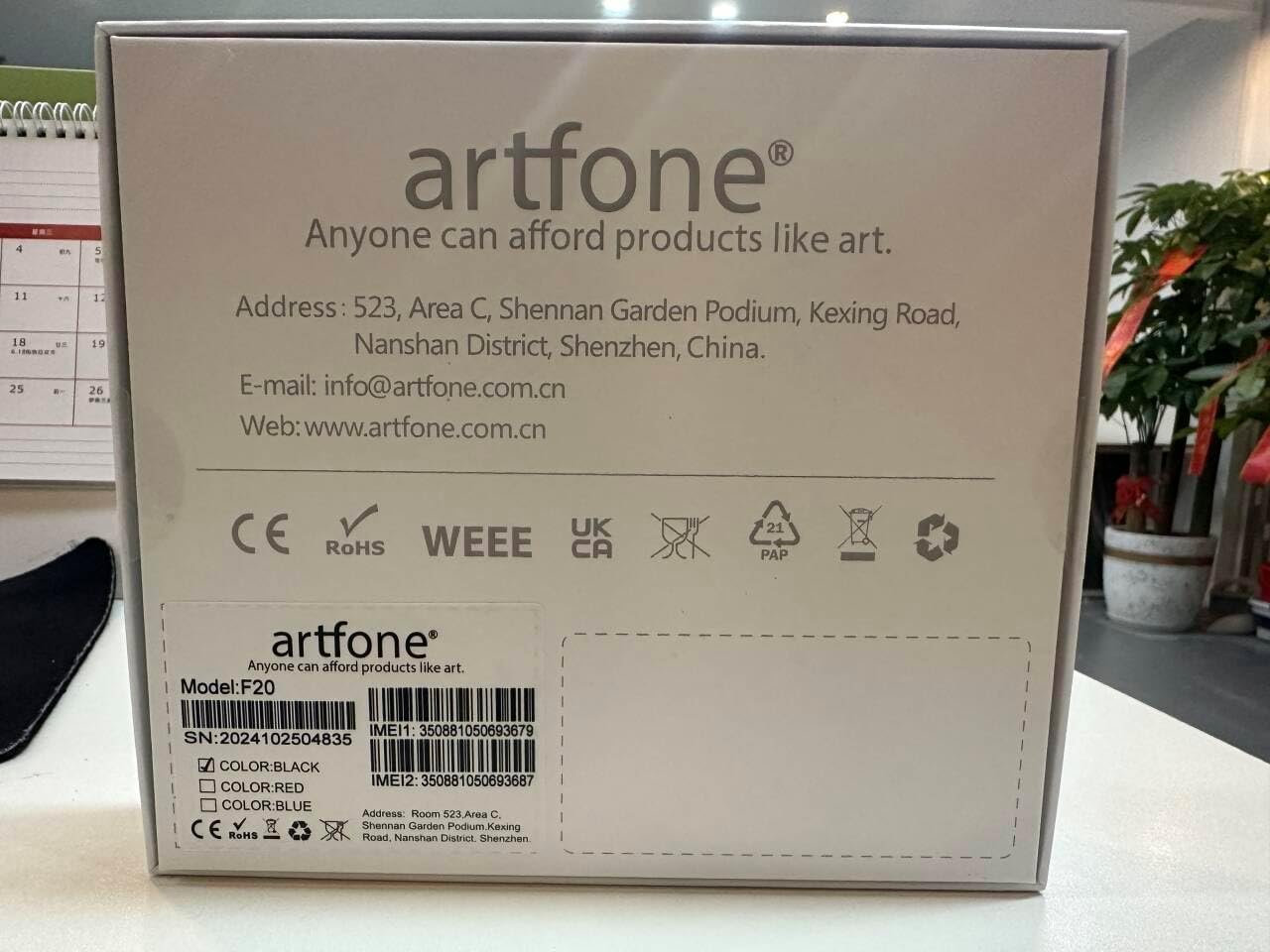
Figura 9.1: Manufacturer contact details from product packaging.
Manifattur: artfone
Websit: www.artfone.com.cn
Email: info@artfone.com.cn


