Introduzzjoni
This manual provides detailed instructions for the setup, operation, maintenance, and troubleshooting of your KOFIRE UG-09 Wireless Gaming Headset. Please read this manual thoroughly before using the product to ensure optimal performance and longevity.

Image: The KOFIRE UG-09 Wireless Gaming Headset displayed with its charging cable, detachable microphone, and USB/Type-C 2-in-1 transmitter.
Kontenut tal-Pakkett
Ivverifika li l-oġġetti kollha huma preżenti fil-pakkett tiegħek:
- 1 x KOFIRE Wireless Gaming Headset (Model: UG-09)
- 1 x USB & Type-C 2-in-1 Transmitter
- 1 x Cable tal-Iċċarġjar tat-Tip-Ċ
- 1 x Mikrofonu li jinqala '
- 1 x 3.5mm Cable Awdjo
- 1 x Manwal tal-Utent (dan id-dokument)
Prodott Overview
Familiarize yourself with the components and controls of your headset.
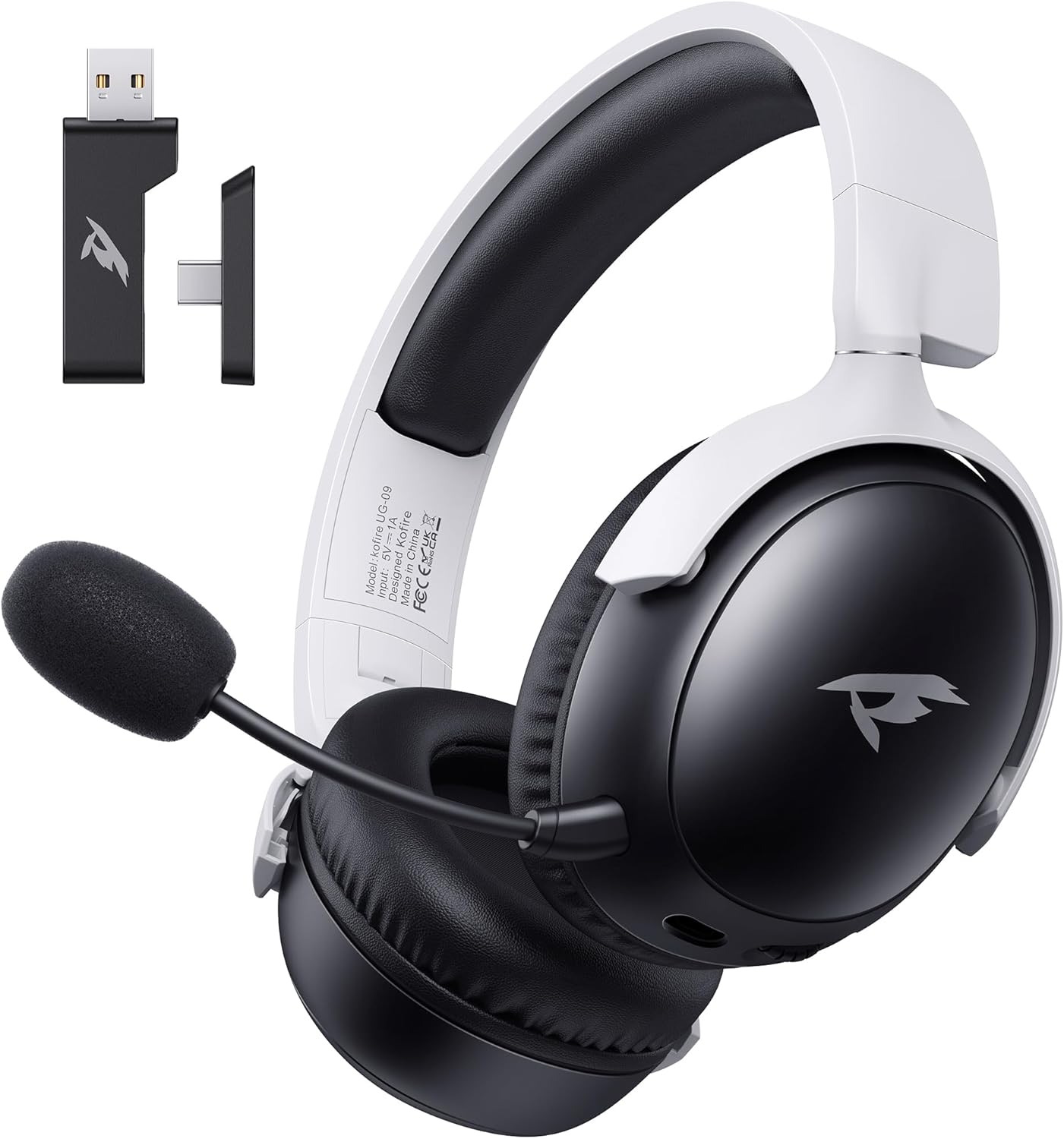
Immaġni: Quddiem view of the KOFIRE UG-09 Wireless Gaming Headset in black and white, showing the detachable microphone and the USB/Type-C 2-in-1 transmitter.
Karatteristiċi ewlenin:
- Konnettività b'ħafna modi: 2.4GHz Wireless, Bluetooth 5.4, and 3.5mm Wired options.
- Ħajja twila tal-batterija: Sa 65 siegħa ta 'logħob.
- Sewwieqa dinamiċi ta' 53mm: For immersive 3D stereo sound.
- ENC Noise-Canceling Microphone: Detachable and omnidirectional for clear communication.
- Disinn Ergonomiku: Lightweight with rotatable ear cups, adjustable headband, and soft memory foam cushions for comfort.
Setup Istruzzjonijiet
1. Iċċarġjar tal-Headset
Before first use, fully charge the headset. Connect the supplied Type-C charging cable to the headset's charging port and the other end to a USB power source (e.g., computer USB port, USB wall adapter). The LED indicator will show charging status. A full charge takes approximately 2-2.5 hours. The headset supports simultaneous charging and use.
2. Konnessjoni permezz ta' 2.4GHz Wireless (USB Dongle)
This mode offers ultra-low latency (≤20ms) for gaming on compatible devices like PC, Mac, PS4, PS5, and Nintendo Switch (audio only).
- Insert the USB & Type-C 2-in-1 transmitter into an available USB-A or USB-C port on your device.
- Qawwa fuq il-widna.
- Press and hold the microphone button on the headset to switch to 2.4G mode. You will hear an audio prompt "dongle mode."
- On your connected device, navigate to sound settings and select "Kofire UG-09" as the audio output/input device to complete pairing.

Image: Illustration of the 2.4GHz wireless connection, showing the USB dongle plugged into a gaming handheld device, emphasizing stable and low-latency performance.
3. Konnessjoni permezz tal-Bluetooth 5.4
Use Bluetooth for mobile devices such as phones, tablets, and Nintendo Switch (audio only).
- Qawwa fuq il-widna.
- Press and hold the microphone button for 3 seconds to switch to Bluetooth mode. You will hear an audio prompt "Bluetooth mode." The LED indicator will flash, indicating pairing mode.
- On your mobile device, go to Bluetooth settings and search for "Kofire UG-09." Select it to complete the pairing process.

Image: Depicts the versatility of the headset, showing one user connected via Bluetooth to a phone and another connected wirelessly to a PC, highlighting dual connectivity options.
4. Connecting via 3.5mm Wired
For universal compatibility or when the battery is depleted, use the 3.5mm audio cable.
- Connect one end of the 3.5mm audio cable to the headset's 3.5mm jack.
- Connect the other end to the 3.5mm audio port on your gaming device or console.
- Il-headset jaqleb awtomatikament għall-modalità bil-fili.
Nota: The microphone function is not supported on Nintendo Switch when using any wireless mode. For Xbox, only wired mode is supported.
Istruzzjonijiet Operattivi
Qawwa mixgħul/mitfi
- Qawwa Mixgħul: Agħfas u żomm il-buttuna tal-Power sakemm l-indikatur LED jixgħel.
- Itfi: Agħfas u żomm il-buttuna tal-Power sakemm l-indikatur LED jintefa.
Kontroll tal-Volum
- Żid il-Volum: Rotate the volume wheel upwards.
- Naqqas il-Volum: Rotate the volume wheel downwards.
Użu tal-mikrofonu
The headset features a detachable ENC (Environmental Noise Canceling) omnidirectional microphone.
- Waħħal/Aqla’: Insert the microphone into the dedicated port on the left earcup or remove it when not needed.
- Ixekkel/Ixekkel: Press the dedicated microphone mute button for one-touch muting. The LED indicator on the microphone will show its status.

Immaġni: Dettaljata view of the ENC noise reduction microphone, highlighting its internal components and detachable design for clear voice transmission.
Bdil tal-Modalità
To switch between 2.4GHz wireless and Bluetooth modes, press and hold the microphone button for approximately 3 seconds until you hear the corresponding audio prompt ("dongle mode" or "Bluetooth mode").
Ħajja tal-batterija u Twissijiet
The headset provides up to 65 hours of playtime in Bluetooth mode (microphone off) and 50 hours in 2.4GHz dongle mode (microphone on). A low battery alert will notify you when recharging is needed.
Manutenzjoni
Tindif
- Imsaħ il-headset b'ċarruta ratba u niexfa.
- Tużax kimiċi ħarxa, solventi tat-tindif, jew deterġenti qawwija.
- Ensure no moisture enters the earcups or control buttons.
Ħażna
- Aħżen il-headset f'post frisk u niexef 'il bogħod mix-xemx diretta u minn temperaturi estremi.
- When storing for extended periods, ensure the headset is partially charged (around 50%) to preserve battery health.
- The rotatable and foldable ear cups allow for compact storage.

Image: Illustrates the ergonomic design elements of the headset, including rotatable earcups, soft sponge cushioning, adjustable angle, and a retractable headband for comfortable wear and storage.
Kura tal-batterija
- Evita li tiċċarġja l-batterija kompletament ta' spiss.
- Tesponix il-batterija għal temperaturi għoljin.
- Uża biss il-kejbil tal-iċċarġjar provdut jew wieħed ekwivalenti ċċertifikat.
Issolvi l-problemi
| Problema | Kawża Possibbli | Soluzzjoni |
|---|---|---|
| L-ebda ħoss mill-headset. |
|
|
| Il-mikrofonu mhux qed jaħdem. |
|
|
| Ma nistax nikkonnettja mingħajr fili. |
|
|
| Il-headset mhux qed jiċċarġja. |
|
|

Image: Illustrates the universal compatibility of the headset with a range of gaming and mobile devices, including PlayStation consoles, PC, Mac, Nintendo Switch, and smartphones.
Speċifikazzjonijiet
| Karatteristika | Dettall |
|---|---|
| Isem tal-Mudell | UG-09 |
| Teknoloġija tal-Konnettività | 2.4GHz Wireless, Bluetooth 5.4, 3.5mm Wired |
| Teknoloġija tal-Komunikazzjoni mingħajr Fili | 2.4GHz USB-A & Type-C 2-in-1 Dongle, Bluetooth 5.4 |
| Tip ta' Sewwieq Awdjo | Sewwieq dinamiku ta' 53mm |
| Rispons ta' Frekwenza | 20 KHz (Massimu) |
| Impedenza | 32 Ohm |
| Medda Bluetooth | 10 Meters |
| Latenza tal-Awdjo (2.4GHz) | ≤20 Milliseconds |
| Ħajja tal-batterija | Up to 65 hours (Bluetooth, mic off); 50 hours (2.4GHz, mic on) |
| Ħin tal-Iċċarġjar | 2-2.5 sigħat |
| Mikrofonu | Detachable ENC Noise-Canceling Omnidirectional |
| Piż | 14.4 uqija (0.41 Kilogrammi) |
| Materjal | ABS, Faux Leather, PC, Soft Memory Sponge Cushions |
| Apparati Kompatibbli | PC, Mac, Laptop, Desktop, Phone, Pad, Tablet, PlayStation 5/4/Pro/Slim, Gaming Consoles, Switch (audio only), Xbox (wired only) |
Garanzija u Appoġġ
KOFIRE is committed to providing professional service and expert support for your wireless gaming headset. If you encounter any issues or have questions regarding your product, please do not hesitate to contact us.
- Servizz tal-Klijent: Our team of experienced engineers and support staff are available to assist you.
- Ħin ta' Rispons: We aim to respond to all inquiries within 0-24 hours.
- Informazzjoni ta' Kuntatt: Please refer to the contact details provided on the product packaging or the official KOFIRE websit għall-għajnuna.


