1. Introduzzjoni
This manual provides essential information for setting up, operating, and maintaining your Thunderobot Radiant 16 Gaming Laptop. Please read this manual thoroughly before using your device to ensure optimal performance and longevity.
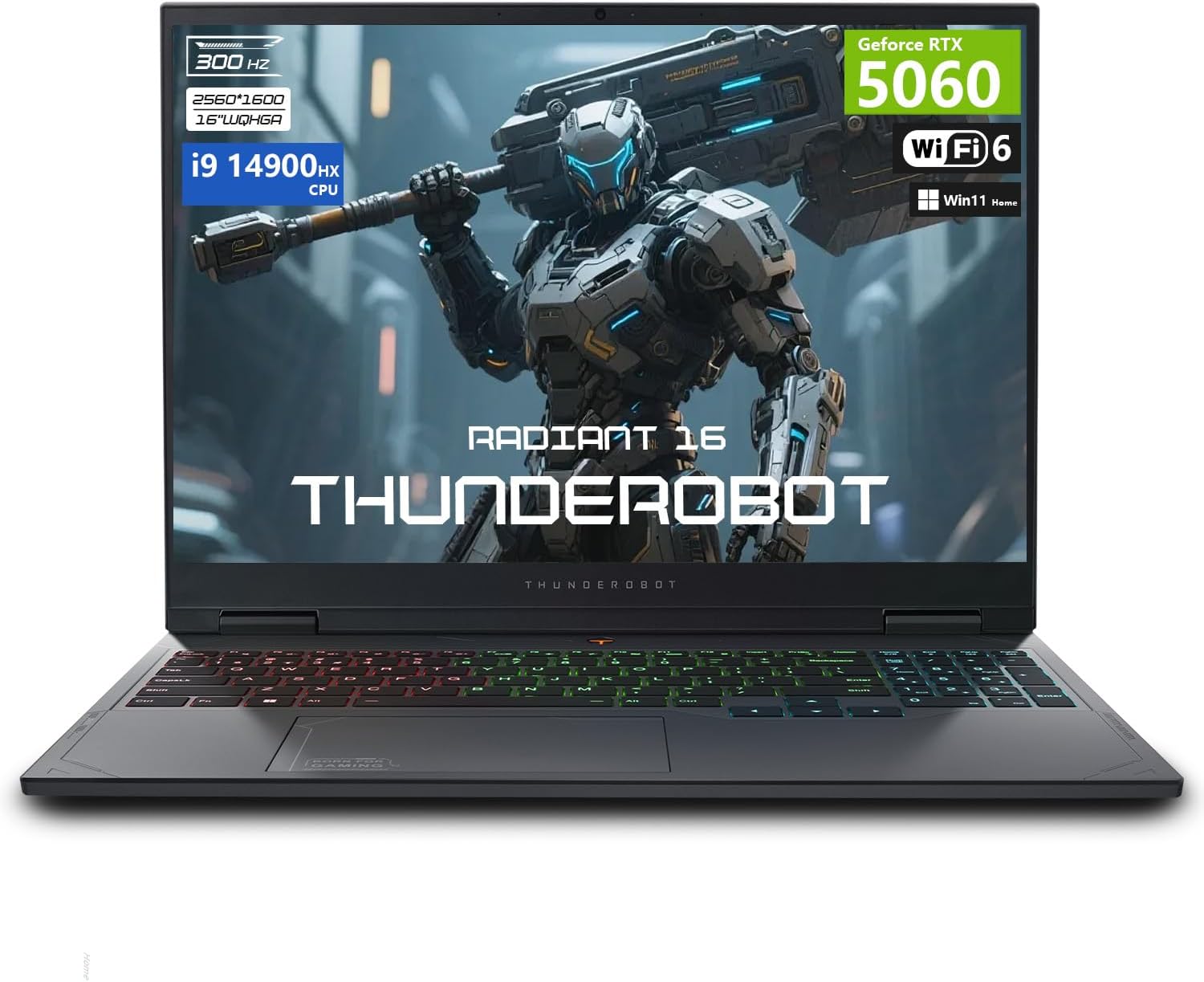
Image: The Thunderobot Radiant 16 Gaming Laptop, showcasing its design and RGB keyboard.
2. X'hemm fil-Kaxxa
Upon unboxing your Thunderobot Radiant 16, ensure all components are present:
- THUNDEROBOT Radiant Laptop
- Adapter tal-Enerġija
- Manwal għall-Utent
- Karta ta' Garanzija
Video: An unboxing video of the Thunderobot Radiant 16 Gaming Laptop, demonstrating the contents and initial setup.
3. Setup Inizjali
3.1 Qawwa tal-Konnessjoni
- Connect the power adapter to the laptop's AC power supply port.
- Ipplaggja l-kejbil tad-dawl f'iżbokk tal-ħajt.
- The laptop is designed to operate on AC power and battery.
3.2 L-Ewwel Boot u s-Setup tal-Windows
- Iftaħ l-għatu tal-laptop u agħfas il-buttuna tal-qawwa.
- Follow the on-screen instructions to complete the Windows 11 Home setup. This includes setting up your region, keyboard layout, network connection, and user account.
Video: A user demonstrating the initial boot-up and setup process of the Thunderobot Radiant 16 laptop, including the RGB keyboard illumination.
4. It-Tħaddim tal-Laptop Tiegħek
4.1 Karatteristiċi tat-Tastiera
The Thunderobot Radiant 16 features an RGB backlit keyboard with a numeric keypad.
- Dawl ta' wara RGB: Customize keyboard lighting effects and colors via the Control Center software.
- Tastiera numerika: Provides dedicated keys for numerical input.
- Ċwievet tal-Funzjoni: Utilize Fn key combinations for quick access to system functions like volume, brightness, and display modes.
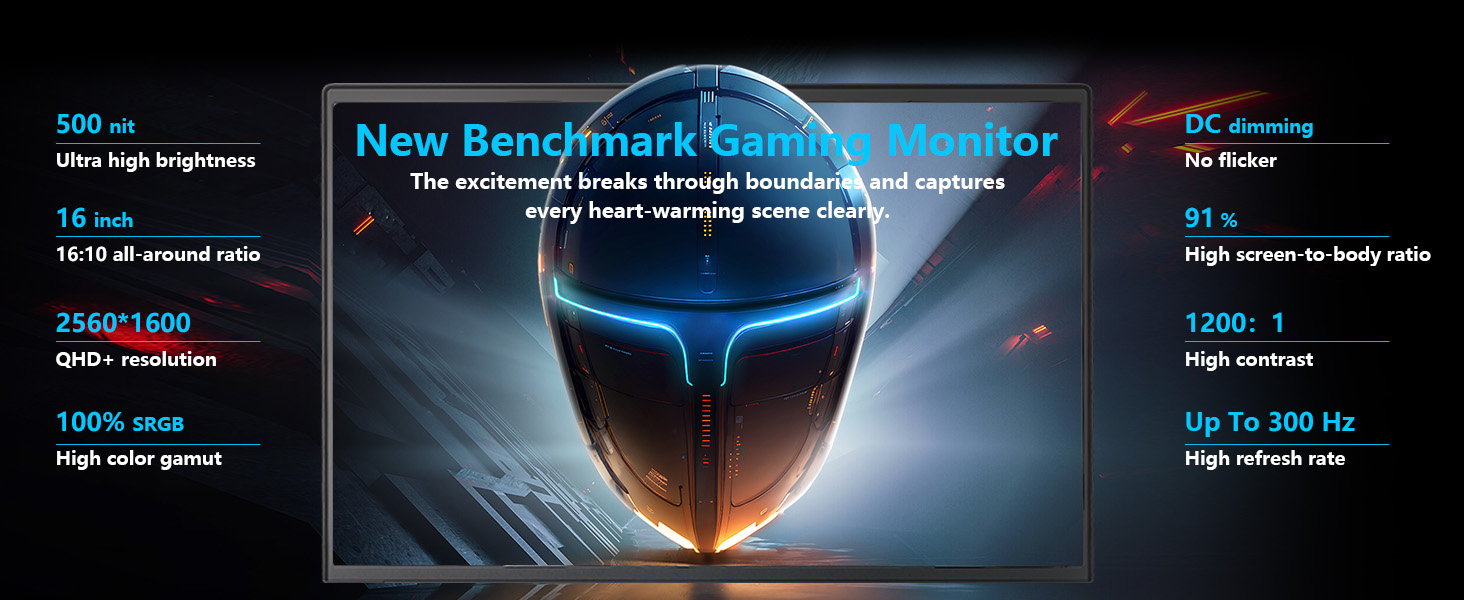
Image: Close-up of the Thunderobot Radiant 16's full-score RGB backlit keyboard with independent numeric keypad.
4.2 Settings tal-wiri
Your laptop is equipped with a 16-inch QHD+ (2560x1600) display with a refresh rate of up to 300Hz.
- Rata ta' Aġġornar: To utilize the highest refresh rate (300Hz), ensure the dedicated graphics direct connection mode is enabled in the Control Center.
- Riżoluzzjoni: The native resolution is 2560x1600 pixels. Adjust display scaling in Windows settings for optimal viewing.

Image: The 16-inch QHD+ 2.5K display of the Thunderobot Radiant 16, highlighting its 300Hz refresh rate and color accuracy.
4.3 Ċentru ta 'Kontroll
The Control Center software allows you to manage various performance and system settings:
- Modi ta' Prestazzjoni: Switch between modes like "Berserk mode" for full performance, "Game mode" for balanced gaming, and "Audio and video office" for power efficiency.
- Aġġustament tal-Fann: Customize fan speeds for optimal cooling.
- Issettjar tad-dawl: Control RGB keyboard backlighting.
- Display Mode Switch: Manage integrated and discrete graphics settings.
Nota: Il-bdil tal-modalità tas-sistema fiċ-Ċentru tal-Kontroll jirrikjedi li l-apparat ikun imqabbad ma' sors ta' enerġija.

Image: Screenshots of the Control Center interface, showing options for performance modes, fan control, and lighting settings.
4.4 Portijiet tal-Konnettività
The laptop offers a variety of ports for external devices:
- 3 x Superspeed USB Type-A
- 1 x Superspeed USB Type-C
- 1 x HDMI 2.1
- 1 x RJ-45 (Ethernet)
- 1 x Audio Port

Image: Diagram illustrating the various ports and slots available on the Thunderobot Radiant 16 laptop.
5. Manutenzjoni
5.1 Sistema tat-tkessiħ
The Thunderobot Radiant 16 features an advanced cooling system to maintain performance:
- Copper Fins: Ultra-thin 0.2mm copper fins (245pcs) for efficient heat dissipation.
- Turbofans: Dual 12V turbofans (60mm, 164 LCP blades, 19.8CFM) for rapid cooling.
- Fluss tal-arja: Four omnidirectional outlets and a dual-zone air duct design ensure comprehensive cooling.
- Tkessiħ Sfurzat: Use the one-click forced cooling function in the Control Center during heavy loads.
Regularly clean dust from the vents to ensure optimal airflow and prevent overheating.

Image: Illustration of the Thunderobot Radiant 16's "Wind-Driven Thermal Mastery" cooling system, showing copper tubes, heat pipes, and cooling fans.
6 Issolvi l-problemi
6.1 Kwistjonijiet Komuni u Soluzzjonijiet
| Ħruġ | Kawża Possibbli | Soluzzjoni |
|---|---|---|
| Il-laptop ma jixgħelx | Bla enerġija, batterija skarikata | Ensure power adapter is securely connected and plugged into a working outlet. Charge the battery for at least 30 minutes before attempting to power on. |
| L-iskrin huwa vojt | Display output issue, sleep mode | Press any key or move the mouse to wake from sleep. Check external display connections if applicable. Ensure dedicated graphics mode is active if using a high refresh rate. |
| Il-backlight tat-tastiera mhux qed jaħdem | Backlight disabled, software issue | Adjust backlight settings using Fn keys (e.g., Fn+Space) or through the Control Center software. Restart the laptop. |
| Poor performance during gaming | Incorrect power mode, overheating, outdated drivers | Ensure laptop is plugged in and "Berserk mode" or "Game mode" is selected in Control Center. Clean cooling vents. Update graphics drivers. |
7. Speċifikazzjonijiet
| Karatteristika | Dettall |
|---|---|
| Isem tal-Mudell | Radjanti 16 |
| Proċessur | Intel Core i9-14900HX (24 Cores, 32 Threads, up to 5.8 GHz) |
| Koproċessur tal-Grafika | GPU tal-laptop NVIDIA GeForce RTX 5060 |
| RAM | 16 GB DDR5 (expandable up to 64 GB) |
| Ħażna | 1 TB PCIe M.2 SSD (expandable up to 4 TB) |
| Wiri | 16-inch QHD+ (2560x1600) IPS, 300Hz refresh rate |
| Sistema Operattiva | Windows 11 Home |
| Konnettività | Wi-Fi 6, Bluetooth, 3x USB Type-A, 1x USB Type-C, 1x HDMI 2.1, 1x RJ-45, 1x Audio Port |
| Tastiera | RGB Backlit Keyboard, Numeric Keypad |
| Dimensjonijiet (LxWxH) | 14.09 x 10 x 0.82 pulzieri |
| Piż tal-oġġett | 12 liri |
8. Garanzija u Appoġġ
Every Thunderobot laptop includes a 12-month warranty, offering expert support, thorough diagnostics, and genuine parts if a repair is needed. We also provide a 90-day warranty on all warranty replacement parts, ensuring hassle-free repairs. Your complete satisfaction is our commitment.
For further assistance, please refer to the official Thunderobot support channels or visit their websit.

Image: An image detailing Thunderobot's warranty and service commitment.


