1. Prodott Aktarview
The RENPHO Elis Evo Smart Scale is designed to provide comprehensive body composition analysis. It features a vibrant TFT display that shows key health metrics directly on the scale. With Wi-Fi and Bluetooth connectivity, it seamlessly integrates with the RENPHO Health App to track 18 body metrics, including weight, BMI, body fat, and muscle mass. The scale also offers specialized modes for various user needs.
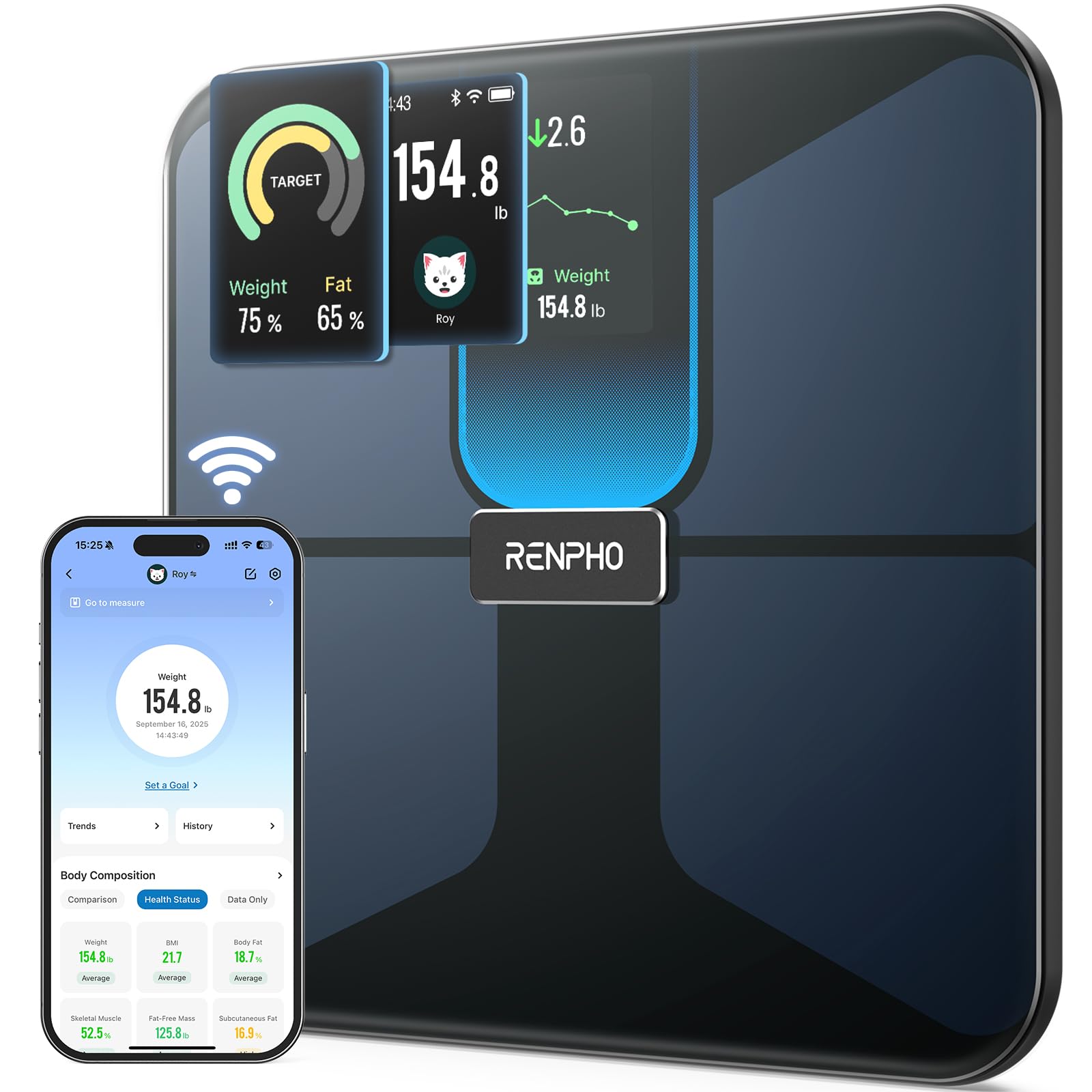
Image: RENPHO Elis Evo Smart Scale displaying weight, BMI, and other metrics.
2. Gwida ta' Setup
2.1 Il-Ftuħ tal-Kaxxa u l-Iċċarġjar Inizjali
Carefully remove the scale from its packaging. The RENPHO Elis Evo scale is rechargeable via a USB-C port. Before first use, ensure the scale is fully charged for optimal performance.

Image: The RENPHO Elis Evo Smart Scale as it appears in its retail packaging.

Image: A hand plugging a USB-C cable into the charging port of the scale.

Image: The scale's display indicating a 100% charge status.
2.2 Tniżżil u Tqabbil tal-App
Download the RENPHO Health App from your device's app store (available on iOS and Android). Ensure Bluetooth and Wi-Fi are enabled on your smartphone. Open the app and follow the on-screen instructions to pair your scale. The app will guide you through creating a profile and connecting the device.
Video: A user demonstrating the unboxing, initial charging, and app pairing process for the RENPHO Elis Evo Smart Scale.
3. Istruzzjonijiet Operattivi
3.1 Teħid tal-Kejl
For accurate body composition readings, place the scale on a hard, flat surface. Step onto the scale barefoot, ensuring your feet are positioned on the ITO-coated sensors. The scale will automatically measure your weight and other body metrics, displaying them on its TFT screen and syncing them to the RENPHO Health App.
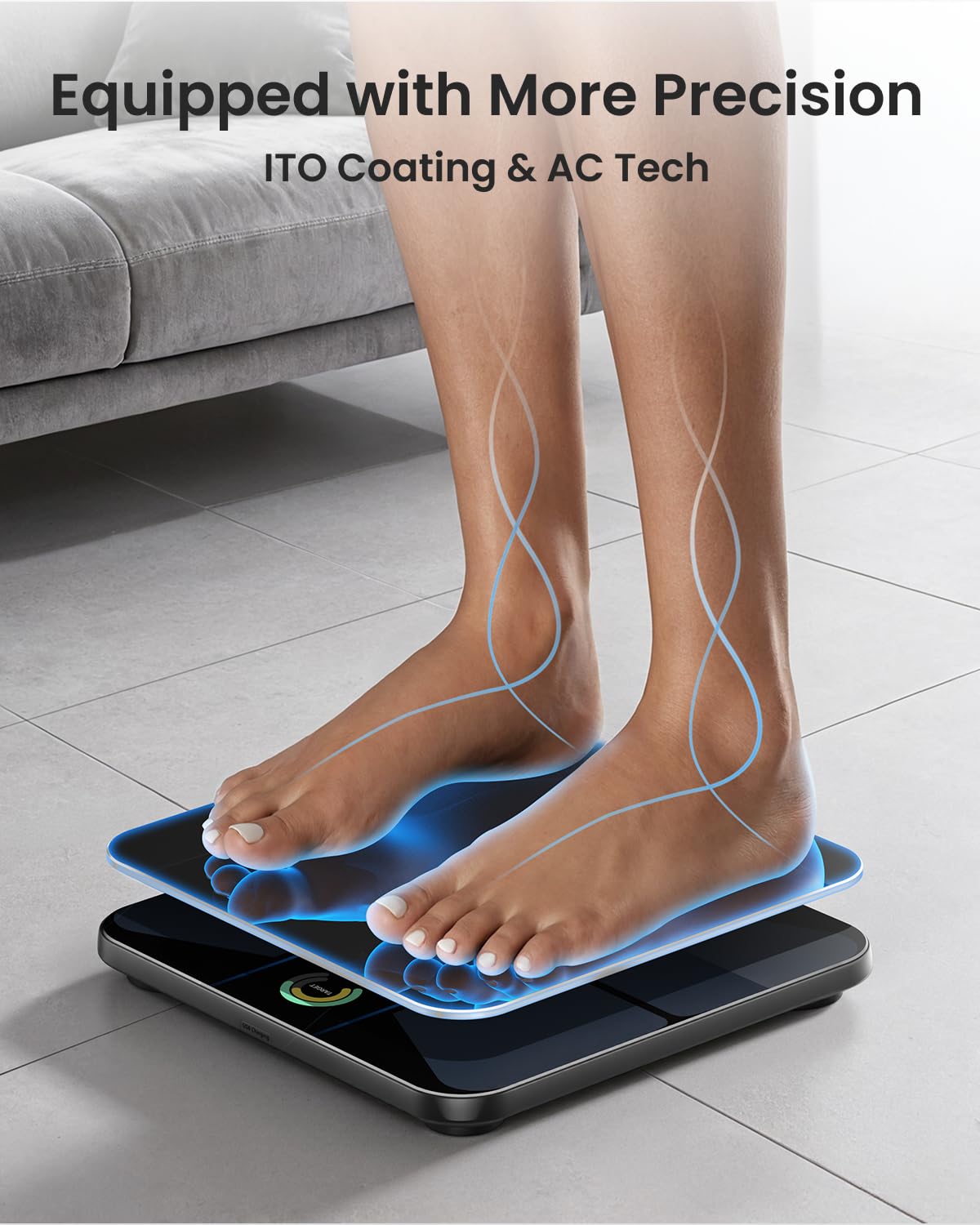
Image: A person standing barefoot on the RENPHO Elis Evo Smart Scale to take a measurement.
3.2 Understanding Display Metrics
The vibrant TFT display shows up to 7 customizable health metrics at a glance, including weight, BMI, and body fat. You can configure which metrics are shown via the RENPHO Health App.
Video: Demonstration of the RENPHO Elis Evo Scale's display showing various body metrics.
4. Features and App Integration
4.1 18-Metric Body Analysis
The RENPHO Elis Evo provides 14 body composition metrics and 4 target metrics for a comprehensive understanding of your body. These include:
- Piż
- BMI (Indiċi tal-Massa tal-Ġisem)
- Xaħam tal-ġisem Perċentage
- Muskolu Skeletriku
- Fat-Free Mass
- Xaħam taħt il-ġilda
- Xaħam vixxerali
- Ilma tal-Korp
- Quddiesa tal-Muskoli
- Quddiesa tal-għadam
- Proteina
- BMR (Rata Metabolika Bażali)
- Età metabolika
- Tip ta' Korp
- Optimal Fat Mass (Target Metric)
- Optimal Weight (Target Metric)
- Target to Optimal Muscle Mass (Target Metric)
- Target to Optimal Weight (Target Metric)

Image: A visual representation of the 18 body metrics measured by the scale.
Vidjo: Aktar dettaljataview of the 18 health metrics tracked by the RENPHO Smart Scale.
4.2 Wi-Fi & Bluetooth Connectivity
The scale offers both Wi-Fi and Bluetooth connectivity for instant data upload to the cloud and easy access via the RENPHO Health App. This allows for seamless tracking and analysis of your health data anywhere.

Image: A smartphone screen showing the RENPHO Health App, illustrating data synchronization.
4.3 Specialized Modes
The scale includes three specialized modes to cater to different user needs:
- Pregnancy Mode: Safe for pregnant women and individuals with medical implants.
- Modalità tat-trabi: Designed for weighing babies and pets by holding them while stepping on the scale.
- Modalità Atleta: Calibrated for individuals with active lifestyles, typically those engaging in over 6 hours of intense weekly cardio.
5. Manutenzjoni
To ensure the longevity and accuracy of your RENPHO Elis Evo Smart Scale, follow these maintenance guidelines:
- Tindif: Imsaħ il-wiċċ tal-iskala b'ċarruta ratba u damp drapp. Evita prodotti tat-tindif li joborxu jew kimiċi ħarxa.
- Ħażna: Aħżen l-iskala f'post frisk u niexef. Evita temperaturi estremi u dawl tax-xemx dirett.
- Pjazzament: Always use the scale on a hard, flat surface to ensure accurate readings. Avoid carpets or uneven floors.
- Iċċarġjar: Recharge the scale when the battery indicator is low. Use the provided USB-C cable.
6 Issolvi l-problemi
If you encounter issues with your RENPHO Elis Evo Smart Scale, consider the following:
- Ebda Wiri/Qawwa: Ensure the scale is fully charged. Connect it to a power source using the USB-C cable.
- Qari mhux eżatt: Verify the scale is on a hard, flat surface. Ensure you are stepping on it barefoot. Recalibrate the scale by stepping on it briefly, then stepping off until it shows '0.0'.
- Kwistjonijiet ta' Konnettività tal-App: Check that Bluetooth and Wi-Fi are enabled on your phone. Ensure the RENPHO Health App is updated to the latest version. Try restarting both the scale and your phone.
- Id-Data Mhux Sinkronizzata: Confirm the scale is connected to the app via Bluetooth or Wi-Fi. Check your internet connection.
- Multiple User Recognition: Ensure each user has a distinct profile in the app. The scale is designed to automatically recognize users based on their weight history.
7. Speċifikazzjonijiet
| Karatteristika | Dettall |
|---|---|
| Brand | RENPHO |
| Numru tal-Mudell | PUK-R-MSB05-BK |
| Kulur | Iswed |
| Użi Rakkomandati | Adults, Fitness |
| Karatteristiċi Speċjali | Auto Shut Off, Body Fat, Body Mass Index, Large Display, Smart |
| Tip ta 'Wiri | TFT |
| Limitu tal-Piż | 400 Lira (180 kg) |
| Fattur tal-Formola | Skala tal-Art |
| Konnettività | Wi-Fi, Bluetooth |
| Sors tal-Enerġija | Rikargabbli (USB-C) |
| Piż tal-oġġett | 3.87 liri |
| Dimensjonijiet tal-Pakkett | 14.17 x 13.58 x 2.05 pulzieri |
| UPC | 840191400810 |

Image: The RENPHO Elis Evo Smart Scale showcasing its dimensions and USB-C charging feature.
8. Garanzija u Appoġġ
For warranty information, technical support, or any inquiries regarding your RENPHO Elis Evo Smart Scale, please refer to the official RENPHO website or contact their customer service directly. Details can typically be found in the user manual included in the product packaging or on the brand's support pages online.


