Introduzzjoni
This manual provides comprehensive instructions for the setup, operation, and maintenance of your memzuoix WM125B Wireless Mouse. Designed for comfort and precision, this 2.4GHz wireless mouse offers adjustable DPI settings and broad compatibility for various computing needs.
Karatteristiċi ewlenin:
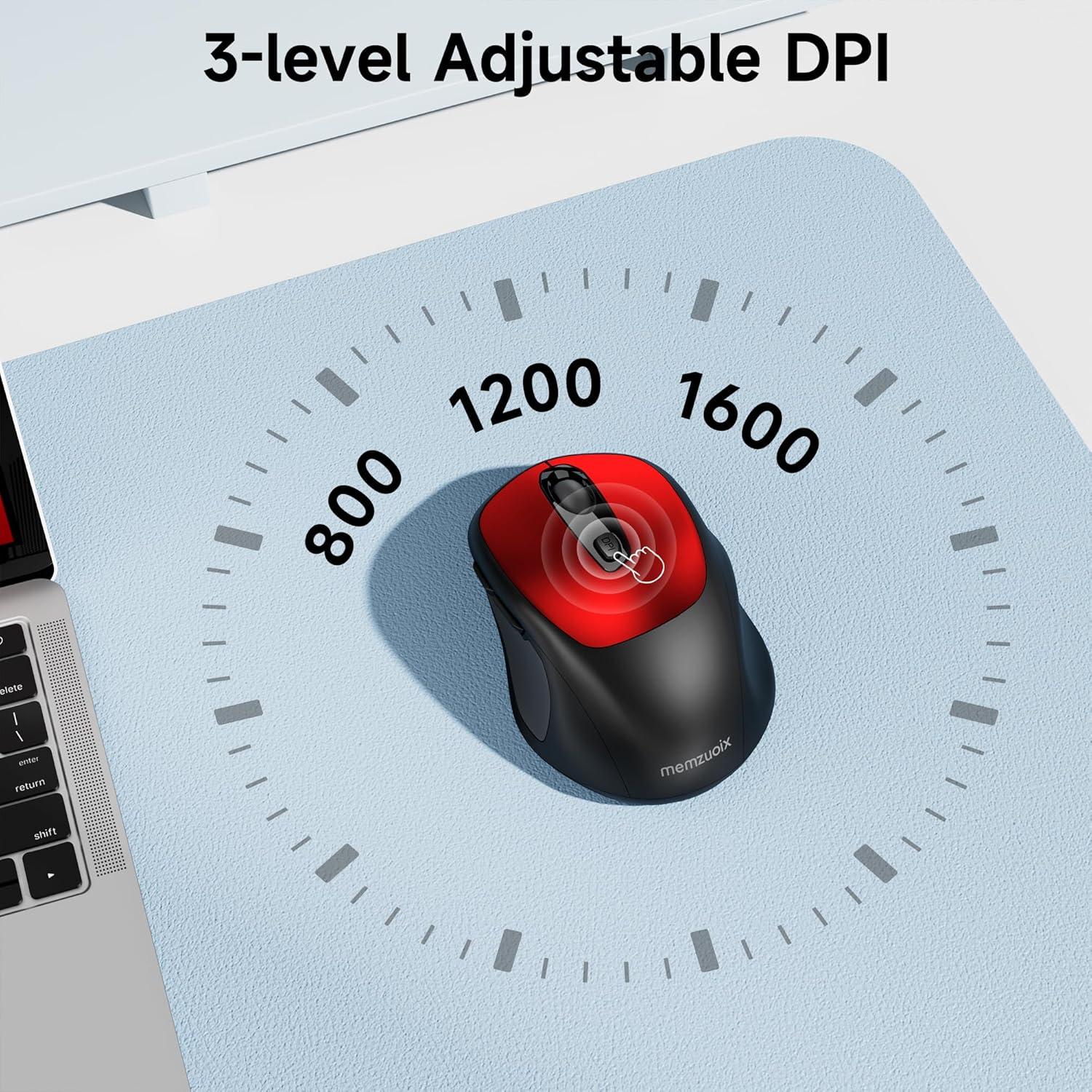
- 3 Adjustable DPI Levels: Easily switch between 800, 1200, and 1600 DPI for optimal control.
- Ergonomic & Ambidextrous Design: Contoured shape with rubberized side grips for comfortable use by both left and right-handed users.
- Plug & Play 2.4GHz Nano Receiver: Instant connectivity without software installation, offering a reliable 33ft range.
- Bini Durabbli: Buttons and scroll wheel tested for 10 million clicks, ensuring long-term reliability.
- Kompatibilità Universali: Works seamlessly with Windows, macOS, Linux, and ChromeOS devices.
- Disinn portabbli: Lightweight and compact, ideal for travel and on-the-go use.
Gwida ta' Setup
1. Installa Batteriji
- Sib l-għatu tal-kompartiment tal-batterija fuq in-naħa ta’ taħt tal-maws.
- Żerżaq jew erfa' l-għatu bil-mod biex tiftaħ il-kompartiment.
- Daħħal żewġ batteriji AAA, waqt li tiżgura l-polarità korretta (+/-).
- Erġa’ poġġi l-għatu tal-kompartiment tal-batterija sakemm tikklikkja sew f’postu.

2. Qabbad ir-Riċevitur USB
- Locate the nano USB receiver, typically stored within the battery compartment of the mouse.
- Plug the USB receiver into an available USB port on your computer (PC, Mac, laptop, etc.).
- Il-kompjuter għandu jiskopri u jinstalla awtomatikament id-drajvers meħtieġa. Mhi meħtieġa l-ebda installazzjoni addizzjonali ta' softwer.

Istruzzjonijiet Operattivi
1. Power On/Off
Locate the ON/OFF switch on the underside of the mouse. Slide the switch to the 'ON' position to activate the mouse. Slide it to 'OFF' when not in use to conserve battery life.
2. Funzjonijiet tal-buttuna
- Buttuna tax-Xellug: Funzjoni tal-ikklikkja primarja.
- Buttuna tal-lemin: Secondary click function (context menu).
- Scroll Wheel: Skrollja 'l fuq/'l isfel mid-dokumenti u web pages. Can also be clicked for middle-button functionality.
- Buttuna DPI: Cycles through DPI settings (800/1200/1600).
- Buttuna 'l quddiem: Jinnaviga 'l quddiem ġewwa web browsers jew file esploraturi.
- Buttuna b'lura: Jinnaviga lura ġewwa web browsers jew file esploraturi.
3. Adjusting DPI Sensitivity
Agħfas il- buttuna DPI located below the scroll wheel to cycle through the available sensitivity settings: 800 DPI (for precise control), 1200 DPI (standard use), and 1600 DPI (for faster cursor movement). The mouse will indicate the change, often with a brief LED flash.
Manutenzjoni
1. Tindif
Biex iżżomm prestazzjoni ottimali, naddaf il-maws tiegħek regolarment. Uża drapp artab u mingħajr suf imnixxef ftit.ampened with water or a mild cleaning solution. Avoid harsh chemicals or abrasive materials. Ensure no liquid enters the mouse's internal components.
2. Sostituzzjoni tal-batterija
When the mouse's performance degrades or it stops responding, it may be time to replace the batteries. Follow the steps in the 'Install Batteries' section of this manual to replace the two AAA batteries. Dispose of old batteries responsibly according to local regulations.
Issolvi l-problemi
- Il-maws ma jirrispondix:
- Ensure the mouse is switched 'ON' using the power switch on the underside.
- Iċċekkja jekk il-batteriji humiex installati sew u għandhomx biżżejjed ċarġ. Ibdelhom jekk meħtieġ.
- Verify that the USB receiver is securely plugged into a working USB port on your computer. Try a different USB port.
- Ibda mill-ġdid il-kompjuter tiegħek.
- Cursor movement is erratic or inaccurate:
- Ensure the mouse is used on a clean, non-reflective surface. Avoid glass or highly reflective surfaces.
- Clean the optical sensor on the underside of the mouse with a soft cloth.
- Try adjusting the DPI setting using the DPI button.
- Connection issues or frequent disconnections:
- Ensure the mouse is within the effective operating range (approximately 33 feet) of the USB receiver.
- Avoid using the mouse near strong electromagnetic interference sources (e.g., other wireless devices, large metal objects).
- Re-pair the mouse with the receiver if possible (refer to manufacturer's website for specific pairing instructions if needed, as this model is typically plug-and-play).
Speċifikazzjonijiet
| Karatteristika | Dettall |
|---|---|
| Brand | memzuoix |
| Numru tal-Mudell | WM125B |
| Teknoloġija tal-Konnettività | 2.4GHz Wireless (Riċevitur Nano USB) |
| Livelli DPI | 800 / 1200 / 1600 |
| Numru ta' Buttuni | 6 (Xellug, Lemin, Rota tal-Iskrolljar, DPI, 'Il Quddiem, Lura) |
| Teknoloġija ta 'Sejbien tal-Moviment | Ottiċi |
| Sors tal-Enerġija | 2 x Batteriji AAA (Mhux Inklużi) |
| Piż tal-oġġett | 3.2 uqija |
| Dimensjonijiet tal-Pakkett | 4.8 x 3.23 x 1.85 pulzieri |
| Kulur | Aħmar |
| Kompatibilità | PC, Mac, Laptop (Windows, macOS, Linux, ChromeOS) |
Garanzija u Appoġġ
The memzuoix WM125B Wireless Mouse comes with a standard manufacturer's warranty. For specific warranty details, return policies, or technical support, please refer to the product packaging or contact memzuoix customer service directly through their official websit jew il-bejjiegħ bl-imnut minn fejn inxtara l-prodott.
Għal aktar għajnuna, jekk jogħġbok żur il- memzuoix Store on Amazon.
