Prodott Overview
The ASTRO Gaming A20 Gen 2 Wireless Headset provides a high-quality audio experience for gaming across multiple platforms. Designed for comfort and performance, it features low-latency wireless connectivity and a convenient flip-to-mute microphone.
Karatteristiċi ewlenin:
- Next-Gen Compatibility: Seamlessly works with PlayStation 5, PlayStation 4, Windows, and Mac OS.
- Lag-Free Wireless Audio: 2.4GHz USB wireless transmitter ensures low-latency, high-quality sound.
- Batterija fit-tul: Up to 15 hours of wireless gaming on a single charge.
- Mikrofonu Flip-to-Mute: Flexible boom mic with an intuitive flip-to-mute function for instant control.
- Kumdità matul il-ġurnata kollha: Lightweight design with padded headband and ear cushions for extended wear.
X'hemm fil-Kaxxa
- A20 Headset bla fili
- Trasmettitur USB
- Kejbil għall-iċċarġjar USB-C għal USB-A
Setup Istruzzjonijiet
Follow these steps to set up your ASTRO Gaming A20 Gen 2 Wireless Headset:
- Iċċarġja l-Headset: Connect the headset to a power source using the provided USB-C to USB-A charging cable. Ensure the headset is fully charged before first use for optimal battery life.
- Connect the USB Transmitter: Plug the USB transmitter into an available USB port on your PlayStation console (PS5 or PS4) or your Windows/Mac computer. The transmitter facilitates the 2.4GHz wireless connection.
- Qawwa Mixgħul: Turn on your ASTRO Gaming A20 Gen 2 Wireless Headset. The headset should automatically pair with the USB transmitter. Refer to your device's audio settings to ensure the headset is selected as the input and output device.
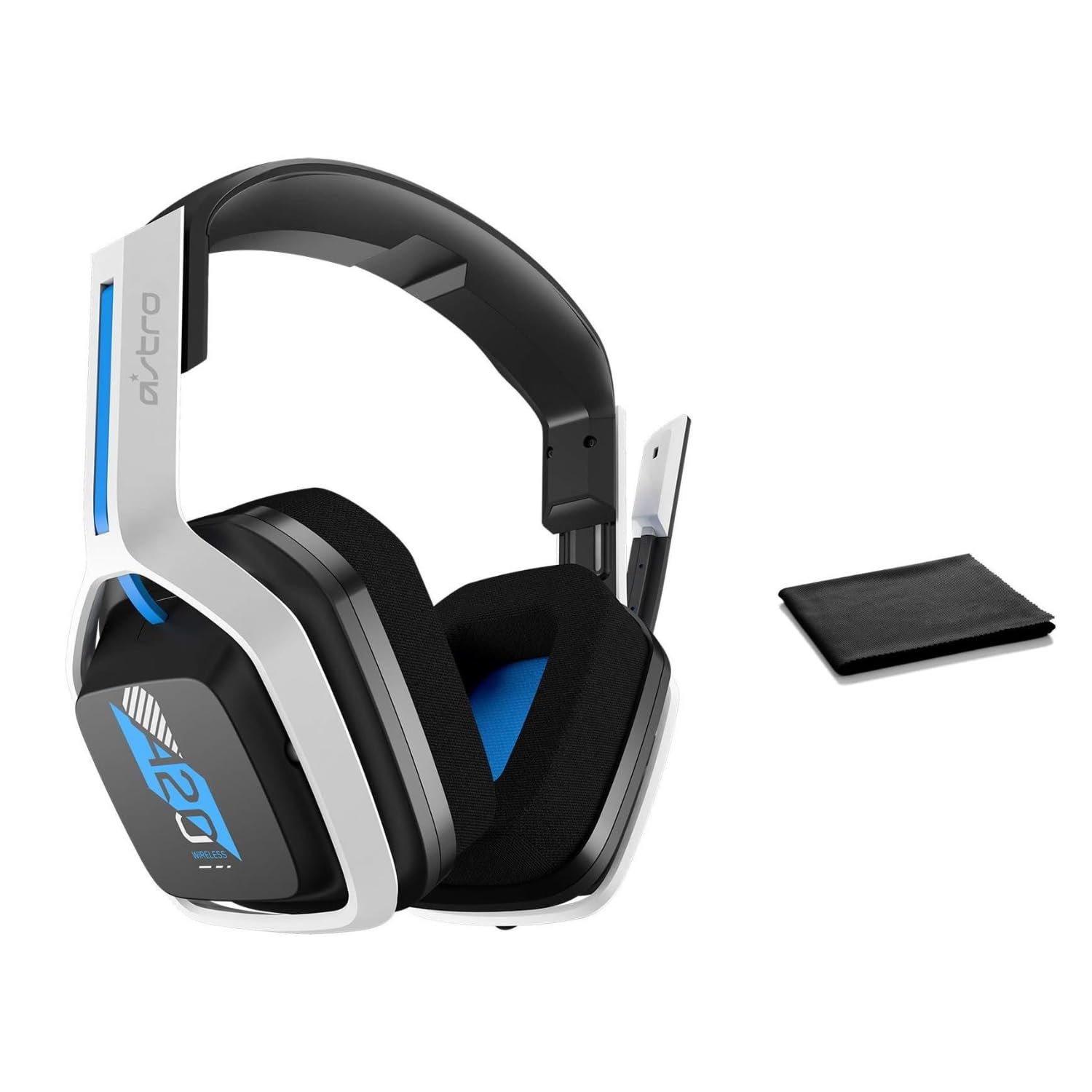
Image: The ASTRO Gaming A20 Gen 2 Wireless Headset, ready for use.
Istruzzjonijiet Operattivi
Funzjonalità tal-mikrofonu
The headset features a flexible boom microphone with a flip-to-mute function. To mute your microphone, simply flip the boom arm upwards. To unmute and activate the microphone, flip the boom arm back down to its original position.
Kontroll tal-Volum
Adjust the audio volume using the dedicated volume control located on the headset. Rotate the dial or press the buttons (depending on the specific model variant) to increase or decrease the sound output.
Manutenzjoni
Biex tiżgura l-lonġevità u l-prestazzjoni ottimali tal-headset tiegħek:
- Tindif: Use the included premium microfiber cloth to gently wipe down the headset and accessories. This helps keep your headset dust-free and smudge-free.
- Ħażna: Aħżen il-headset f'post nadif u niexef 'il bogħod minn temperaturi estremi u dawl tax-xemx dirett meta ma tkunx qed tużah.
- Kura tal-batterija: For best battery health, avoid fully discharging the headset frequently. Charge it regularly.
Issolvi l-problemi
If you encounter issues with your ASTRO Gaming A20 Gen 2 Wireless Headset, consider the following:
- L-ebda Awdjo/Mikrofonu Mhux Jaħdem: Ensure the USB transmitter is securely plugged into your device and the headset is powered on and paired. Check your device's audio settings to confirm the headset is selected as the default input/output. For the microphone, ensure it is not in the 'flipped-up' (muted) position.
- Kwistjonijiet ta' Konnessjoni: Try unplugging and re-plugging the USB transmitter. If issues persist, try connecting to a different USB port.
- Batterija Mhux Iċċarġja: Verify the charging cable is properly connected to both the headset and the power source. Try a different USB port or power adapter.
- Aġġornament tal-Firmware: Visit the official ASTRO Gaming support website for any available firmware updates for your headset, as these can resolve various performance issues.
Speċifikazzjonijiet
| Karatteristika | Dettall |
|---|---|
| Isem tal-Mudell | 939-001876 |
| Brand | ASTRO Gaming |
| Teknoloġija tal-Konnettività | Wireless |
| Komunikazzjoni bla fili | Wireless 2.4GHz |
| Apparati Kompatibbli | Mac OS, PlayStation 4, Playstation 5, Windows |
| Ħajja tal-batterija | 15 Sigħat |
| Ħin tal-Iċċarġjar | 15 Sigħat |
| Mikrofonu | Flip-to-Mute |
| Tqegħid tal-widnejn | Fuq il-widnejn |
| Piż tal-oġġett | 11.2 uqija (318 Grammi) |
| Materjal | Plastik |
| Komponenti Inklużi | A20 Wireless Headset, USB transmitter, USB-C to USB-A charging cable |
Garanzija u Appoġġ
For detailed warranty information and technical support, please refer to the official ASTRO Gaming webis-sit jew ikkuntattja s-servizz tal-konsumatur tagħhom. Żomm il-prova tax-xiri tiegħek għal talbiet ta’ garanzija.


