Introduzzjoni
Thank you for choosing the Maxfree Dual Portable Monitor M4. This manual provides essential information for setting up, operating, and maintaining your new dual monitor system. Please read this manual thoroughly before use to ensure optimal performance and longevity of your device.
Prodott Overview
The Maxfree Dual Portable Monitor M4 is designed to expand your workspace with two 15.6-inch 1080P FHD IPS displays. Its folding design enhances portability, making it ideal for travel and various work environments.

Image: The Maxfree Dual Portable Monitor M4, featuring two 15.6-inch screens in an open, stacked configuration, ready for use.
Karatteristiċi ewlenin:
- Dual 15.6-inch 1080P FHD IPS Displays
- Plug & Play USB-C Connectivity
- Folding Design for Portability
- Matte Screen with Anti-glare, No Flicker, and Eye Care Functions
- Gamut tal-Kulur 100% sRGB
- Multiple Display Modes and 330° Rotation
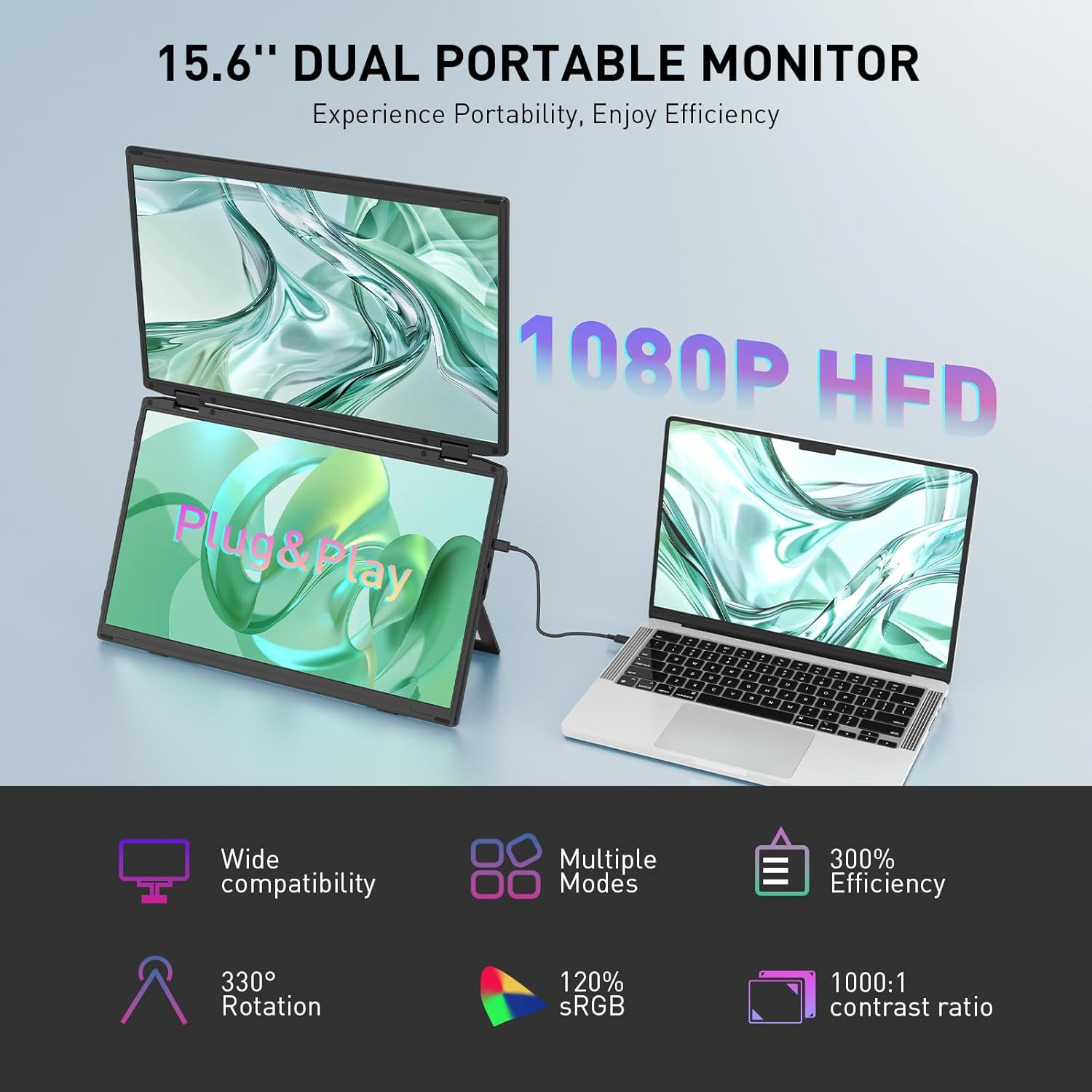
Image: The Maxfree Dual Portable Monitor M4 connected to a laptop, illustrating its plug-and-play functionality and various display modes.
Setup Istruzzjonijiet
- Ħoll il-Monitor: Oħroġ il-monitor u l-aċċessorji kollha mill-imballaġġ bir-reqqa.
- Pożizzjona l-Monitor: Place the monitor on a stable, flat surface. Adjust the integrated stand to your desired viewangolu tal-ing.
- Connect to Power (Recommended): For optimal performance, connect the monitor to a power source using the provided USB-C power adapter (if included) or a compatible USB-C port on your device that supports power delivery.
- Qabbad mal-Apparat:
- Konnessjoni USB-C: Connect one end of the provided USB-C cable to the monitor's USB-C port and the other end to a full-featured USB-C port on your laptop or PC. This single cable can transmit video, audio, and power.
- HDMI + USB-A Connection (if applicable): If your device does not have a full-featured USB-C port, you may need to use an HDMI cable for video and a USB-A to USB-C cable for power and touch functionality (if supported by your model). Refer to your device's manual for specific port requirements.
- Qawwa Mixgħul: Press the power button on the monitor. Your device should automatically detect and extend the display.
- Aġġusta Settings tal-Wiri: On your computer, navigate to Display Settings to configure the dual monitors (e.g., extend, duplicate, arrange displays).
Istruzzjonijiet Operattivi
Modi tal-Wiri:
The Maxfree Dual Portable Monitor supports various display modes to enhance productivity:
- Modalità Estiża: Expands your desktop across both screens, providing a larger workspace. This is ideal for multitasking.
- Modalità Duplikata: Mirrors your primary display onto the portable monitors. Useful for presentations or sharing content.
- Tqassim Vertikali: The unique vertical stacking design minimizes scrolling and page switching, reducing eye and neck fatigue, especially for document review or coding.
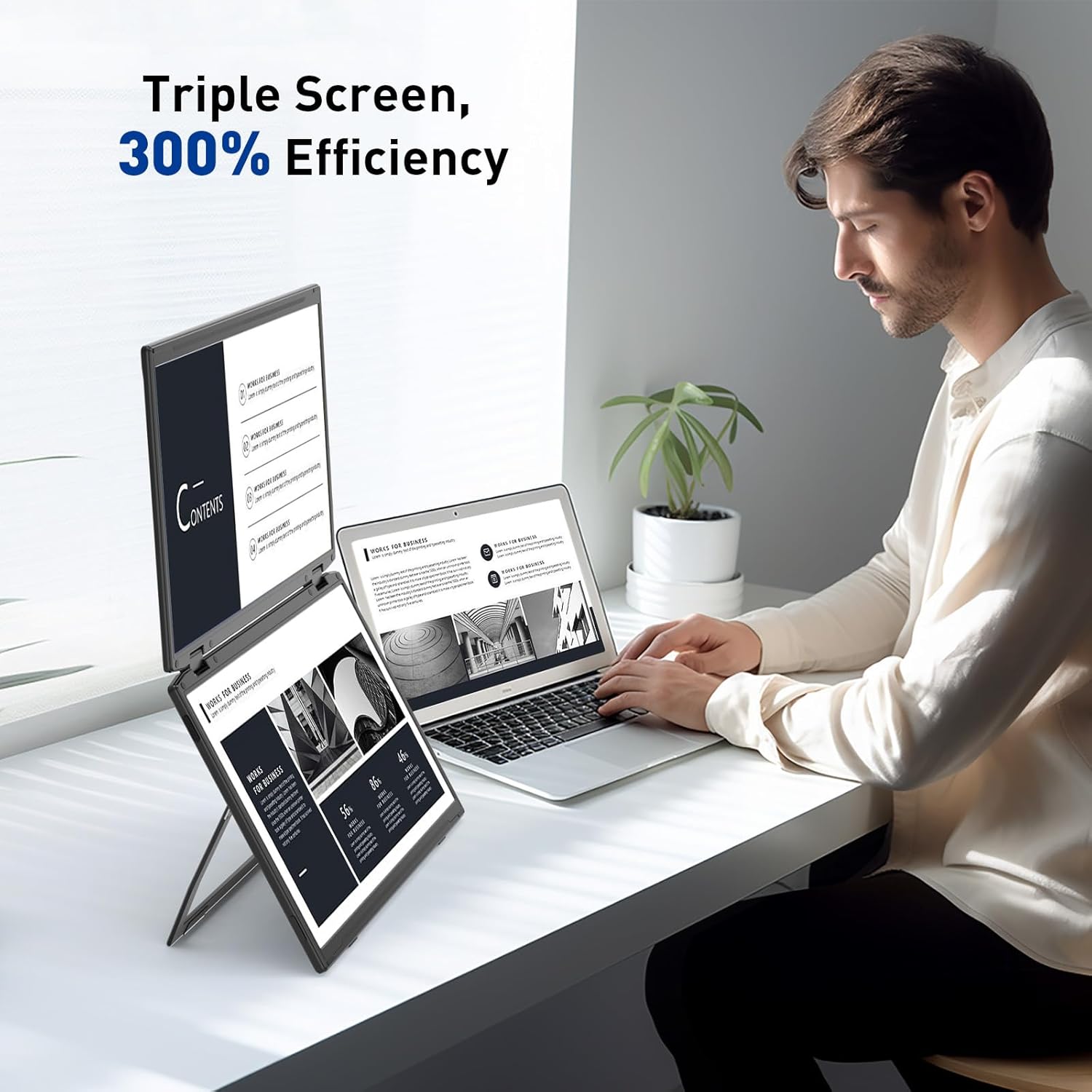
Image: A user demonstrating the Maxfree Dual Portable Monitor M4 in a vertical stacked setup, illustrating how it creates an efficient triple-screen workspace.
Menu tad-Displej fuq l-Iskrin (OSD):
Use the buttons on the side of the monitor to access and navigate the OSD menu. This menu allows you to adjust settings such as:
- Luminożità u Kuntrast
- Color Settings (e.g., sRGB, color temperature)
- Għażla tas-Sors tal-Input
- Proporzjon ta' l-aspett
- Volume (if applicable)
Refer to the on-screen prompts for specific button functions (e.g., Menu, Up, Down, Exit).
Speċifikazzjonijiet
| Karatteristika | Dettall |
|---|---|
| Daqs tal-Iskrin | Doppju ta' 15.6 pulzieri |
| Riżoluzzjoni | 1920 x 1080 (FHD 1080p) |
| Tip ta' Panel | IPS |
| Proporzjon ta' l-aspett | 16:9 |
| Wiċċ tal-Iskrin | Matte |
| Luminożità tal-Immaġni | 300 Kandela |
| Gamut tal-Kulur | 100% sRGB |
| Konnettività | USB-C (Full-featured), HDMI (if applicable) |
| Portijiet USB totali | 1 (USB-C for main connection) |
| Voltage | 5 Volts |
| Dimensjonijiet tal-Prodott | 0.5 x 14 x 9 pulzieri |
| Piż tal-oġġett | 3.5 liri |
| Numru tal-Mudell | M4 |
Issolvi l-problemi
- Ebda Display:
- Ensure the USB-C cable is securely connected to both the monitor and your device.
- Verify that your device's USB-C port supports video output (DisplayPort Alternate Mode).
- Connect the monitor to an external power source if your device cannot provide sufficient power.
- Iċċekkja s-settings tad-displej tal-kompjuter tiegħek biex tiżgura li l-monitor estern jiġi skopert u attivat.
- Skrin li jteptep:
- Ensure the cable connections are secure.
- Ipprova kejbil USB-C differenti.
- Reduce the display resolution or refresh rate on your computer.
- Kwistjonijiet ta' Kwalità tal-Immaġni (Imċajpra, Kuluri Mhux Skorretti):
- Aġġusta s-settings tal-luminożità, il-kuntrast, u l-kulur permezz tal-menù OSD.
- Ensure your computer's display resolution matches the monitor's native resolution (1920x1080).
- Monitor Not Powering On:
- Confirm the power cable is properly connected and the power outlet is functional.
- Agħfas il-buttuna tal-qawwa b'mod sod.
Manutenzjoni
- Tindif tal-Iskrin: Imsaħ l-iskrin bil-mod b'ċarruta ratba u mingħajr suf. Għal marki persistenti, nixxef ftit.ampLaħlaħ id-drapp bl-ilma jew b'soluzzjoni għat-tindif tal-iskrin. Evita kimiċi ħarxa jew materjali li joborxu.
- Tindif tas-Casing: Uża drapp artab u niexef biex timsaħ il-parti ta' fuq tal-monitor.asing.
- Ħażna: When not in use, fold the monitor and store it in a cool, dry place, preferably in its original packaging or a protective case to prevent damage.
- Evita Kundizzjonijiet Estremi: Tesponix il-monitor għal temperaturi estremi, umdità, jew dawl tax-xemx dirett.
Garanzija u Appoġġ
For warranty information, technical support, or service inquiries, please refer to the warranty card included with your product or visit the official Maxfree websit.
Manifattur: Shenzhen Baijiayoupu Technology CO., Ltd.


