Manwal tal-Utent tal-Maws tal-Logħob Wireless DIERYA M1
Mudell: M1
Introduzzjoni
Grazzi talli għażilt il-DIERYA M1 Wireless Gaming Mouse. Dan il-manwal jipprovdi struzzjonijiet dettaljati dwar kif twaqqaf, tħaddem, iżżomm, u s-soluzzjoni tal-problemi tal-maws il-ġdid tiegħek. L-M1 joffri konnettività tri-mode flessibbli, sensur ottiku ta' preċiżjoni għolja, dawl RGB personalizzabbli, u disinn ergonomiku għal prestazzjoni ottimali kemm f'ambjenti tal-logħob kif ukoll professjonali.
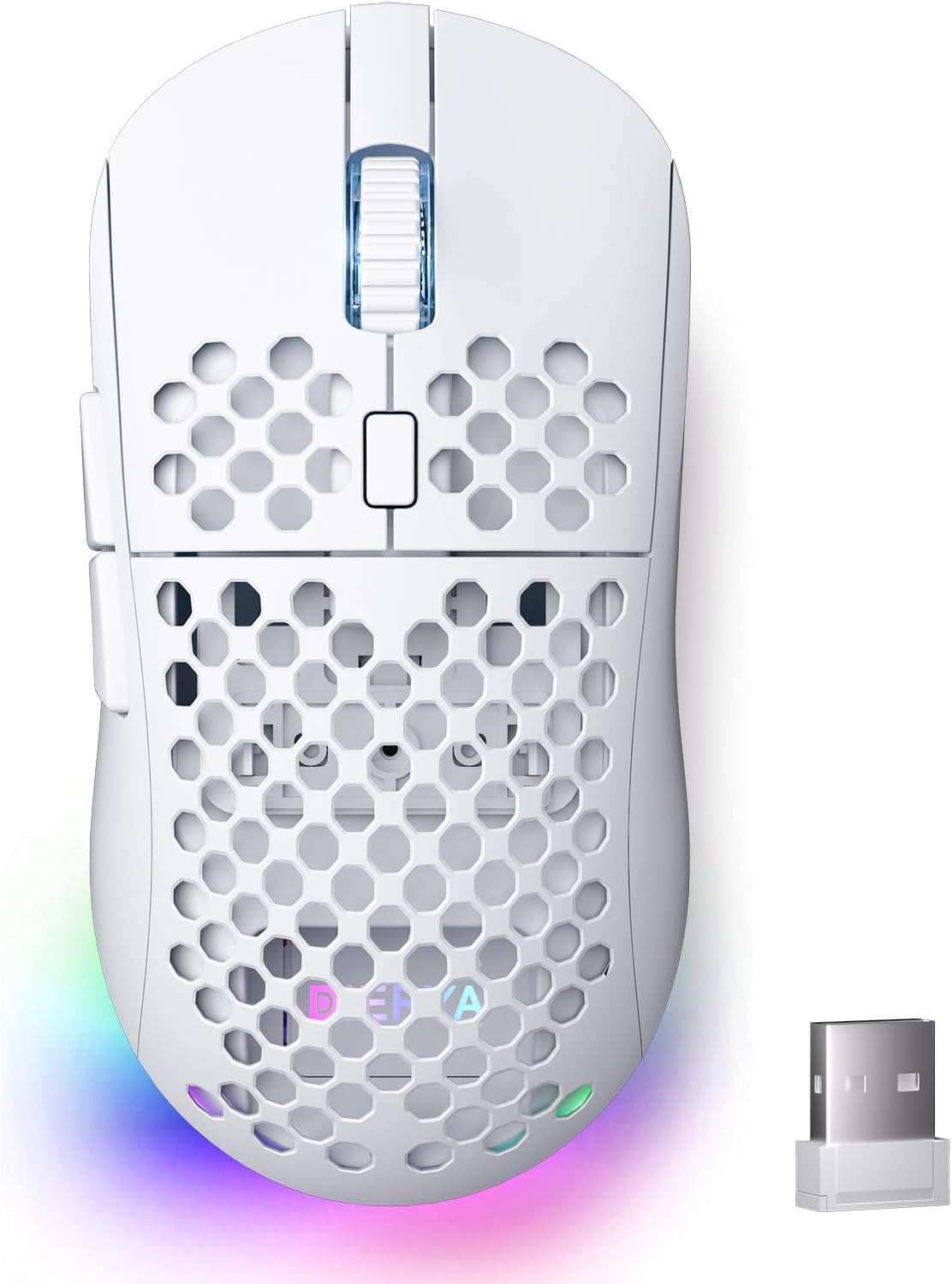
Figura 1: Maws tal-Logħob Wireless DIERYA M1
Kontenut tal-Pakkett
- Maws bla fili M1 x1
- Kejbil tan-najlon USB-A għal C x1
- Manwal għall-Utent x1
Prodott Overview
Iffamiljarizza ruħek mad-diversi komponenti tal-maws DIERYA M1 tiegħek:
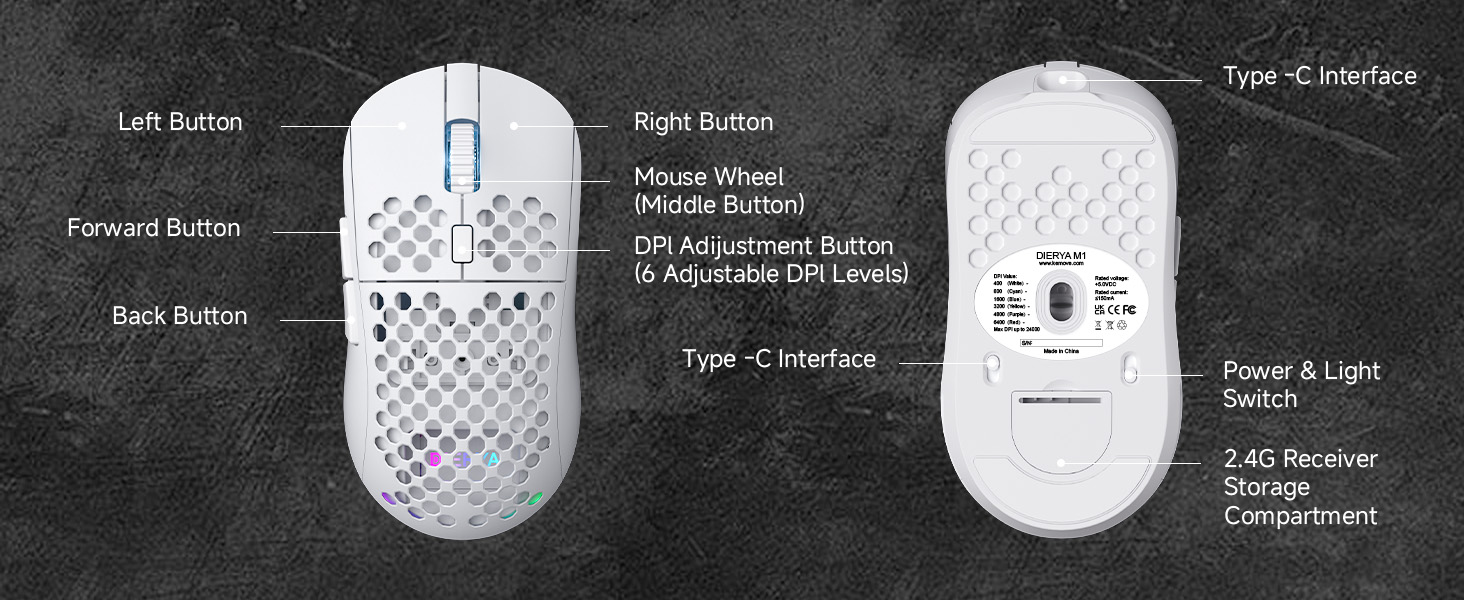
Figura 2: Komponenti tal-Maws DIERYA M1
- Buttuna tax-Xellug: Funzjoni standard tal-ikklikkjar tax-xellug.
- Buttuna tal-lemin: Funzjoni standard tal-ikklikkjar tal-lemin.
- Rota tal-Maws (Buttuna tan-Nofs): Skrollja 'l fuq/'l isfel, ikklikkja għall-funzjoni tal-buttuna tan-nofs.
- Buttuna tal-Aġġustament tad-DPI: Jiċċikla permezz ta' livelli ta' DPI stabbiliti minn qabel.
- Buttuna 'l quddiem: Jinnaviga 'l quddiem ġewwa web browsers jew applikazzjonijiet.
- Buttuna Lura: Jinnaviga lura ġewwa web browsers jew applikazzjonijiet.
- Interface tat-Tip C: Għal konnessjoni bil-fili u ċċarġjar.
- Swiċċ tal-Enerġija u tad-Dawl: Jixgħel/jitfi l-maws u jikkontrolla d-dawl RGB.
- Kompartiment tal-Ħażna tar-Riċevitur 2.4G: Jaħżen ir-riċevitur USB meta ma jkunx qed jintuża.
Setup
Iċċarġjar tal-Maws
Qabbad il-kejbil USB-A għal C provdut mal-interfaċċja tat-Tip C tal-maws u sors ta' enerġija USB (eż., port USB tal-kompjuter, adapter tal-ħajt). Il-maws għandu batterija rikarikabbli ta' 1000mAh. Iċċarġjar sħiħ jieħu madwar siegħa.
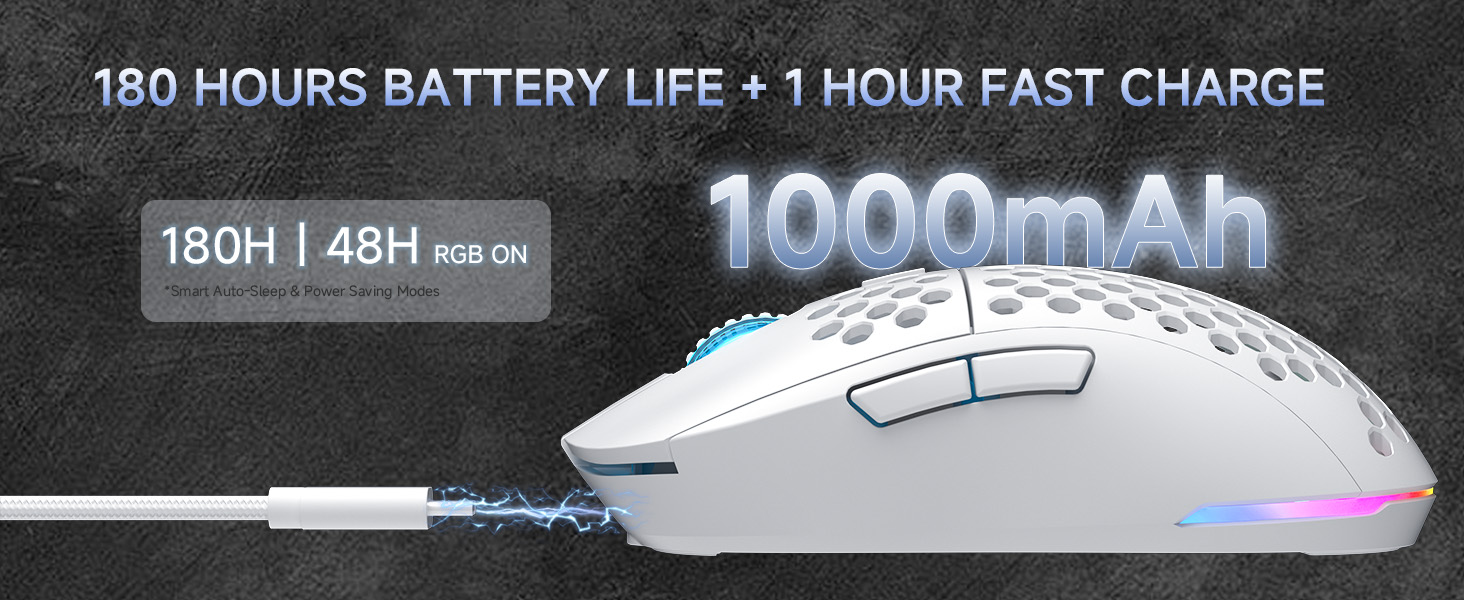
Figura 3: Iċċarġjar u Ħajja tal-Batterija
Konnessjoni tal-Maws (Konnettività Tri-Mode)
Il-maws DIERYA M1 jappoġġja tliet modi ta' konnessjoni: 2.4GHz mingħajr fili, Bluetooth 5.2, u USB-C bil-fili. Uża s-swiċċ fil-qiegħ tal-maws biex tagħżel il-modalità mixtieqa tiegħek.
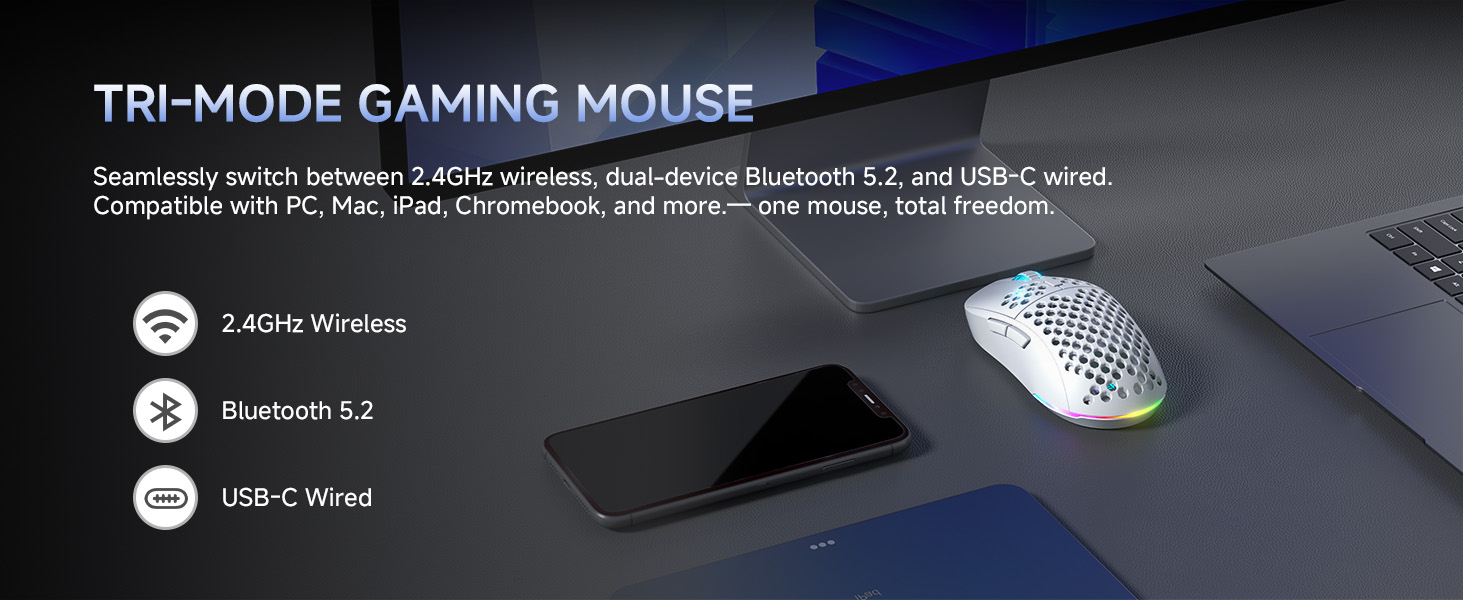
Figura 4: Għażliet ta' Konnettività Tri-Mode
Modalità Wireless 2.4GHz
- Oħroġ ir-riċevitur USB 2.4G mill-kompartiment tal-ħażna fil-qiegħ tal-maws.
- Ipplaggja r-riċevitur USB f'port USB disponibbli fuq il-kompjuter tiegħek.
- Issettja s-swiċċ fil-qiegħ tal-maws għall-pożizzjoni '2.4G'.
- Il-maws jikkonnettja awtomatikament mal-kompjuter tiegħek.
Modalità Bluetooth 5.2
- Issettja s-swiċċ fil-qiegħ tal-maws għall-pożizzjoni 'BT'.
- Fuq il-kompjuter jew l-apparat tiegħek, iftaħ is-settings tal-Bluetooth u fittex apparati ġodda.
- Agħżel 'DIERYA M1' mil-lista ta' apparati disponibbli biex tqabbadhom. Il-maws jappoġġja t-tqabbil ta' żewġ apparati fil-modalità Bluetooth.
Modalità bil-fili USB-C
- Qabbad il-kejbil USB-A għal C provdut mal-interfaċċja tat-Tip C tal-maws u ma' port USB fuq il-kompjuter tiegħek.
- Il-maws awtomatikament jaqleb għall-modalità bil-fili u jibda jiċċarġja.
Istruzzjonijiet Operattivi
Aġġustament DPI
Il-maws għandu sensur ta' 24,000 DPI b'sitt livelli stabbiliti minn qabel. Agħfas il-buttuna tal-aġġustament tad-DPI (li tinsab wara r-rota tal-iscrolljar) biex tgħaddi mis-settings tad-DPI li ġejjin:
- 400 DPI
- 800 DPI
- 1600 DPI
- 3200 DPI
- 4800 DPI
- 6400 DPI
L-LED tar-rota tal-iscrolljar u l-istrixxa tad-dawl RGB jipprovdu feedback immedjat ikkodifikat bil-kulur biex jindikaw il-livell attwali tad-DPI.
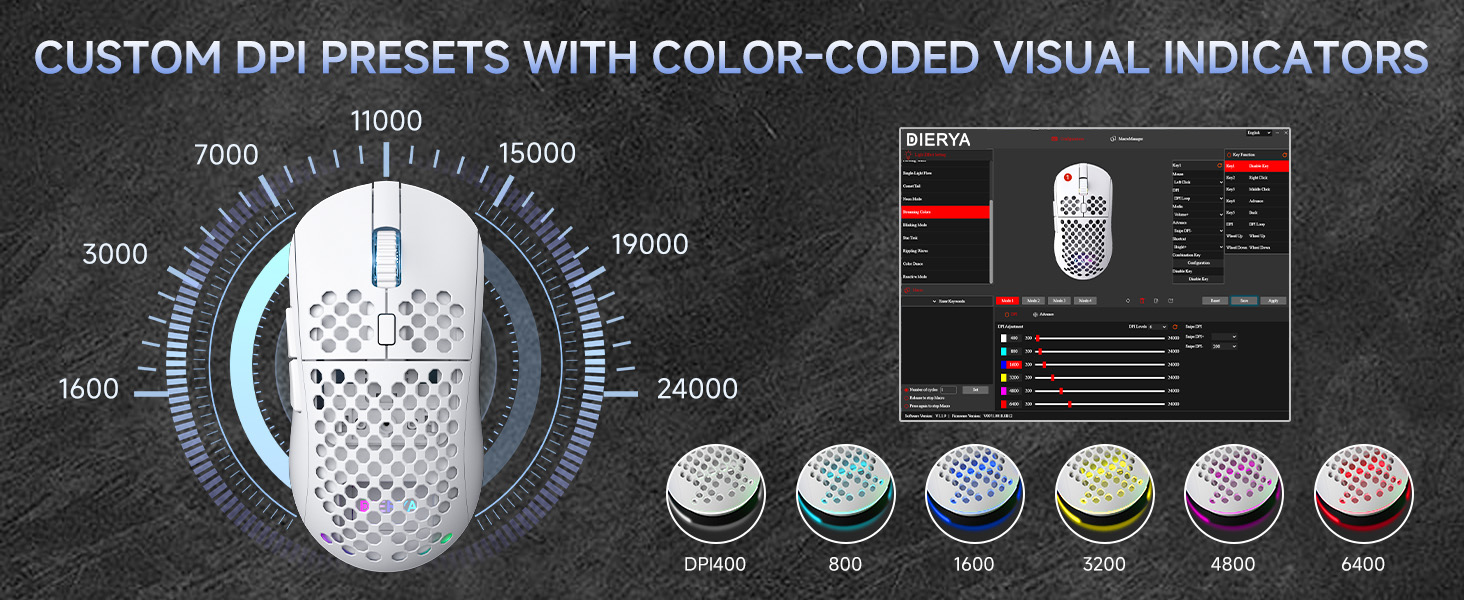
Figura 5: Presets tad-DPI Personalizzati u Indikaturi tal-Kulur
Buttuni programmabbli
Il-maws DIERYA M1 għandu 6 buttuni programmabbli. Biex tippersonalizza l-funzjonijiet tal-buttuni, toħloq macros, jew timmappa mill-ġdid il-kontrolli, niżżel u installa s-softwer tas-sewwieq dedikat mid-DIERYA uffiċjali. websit.
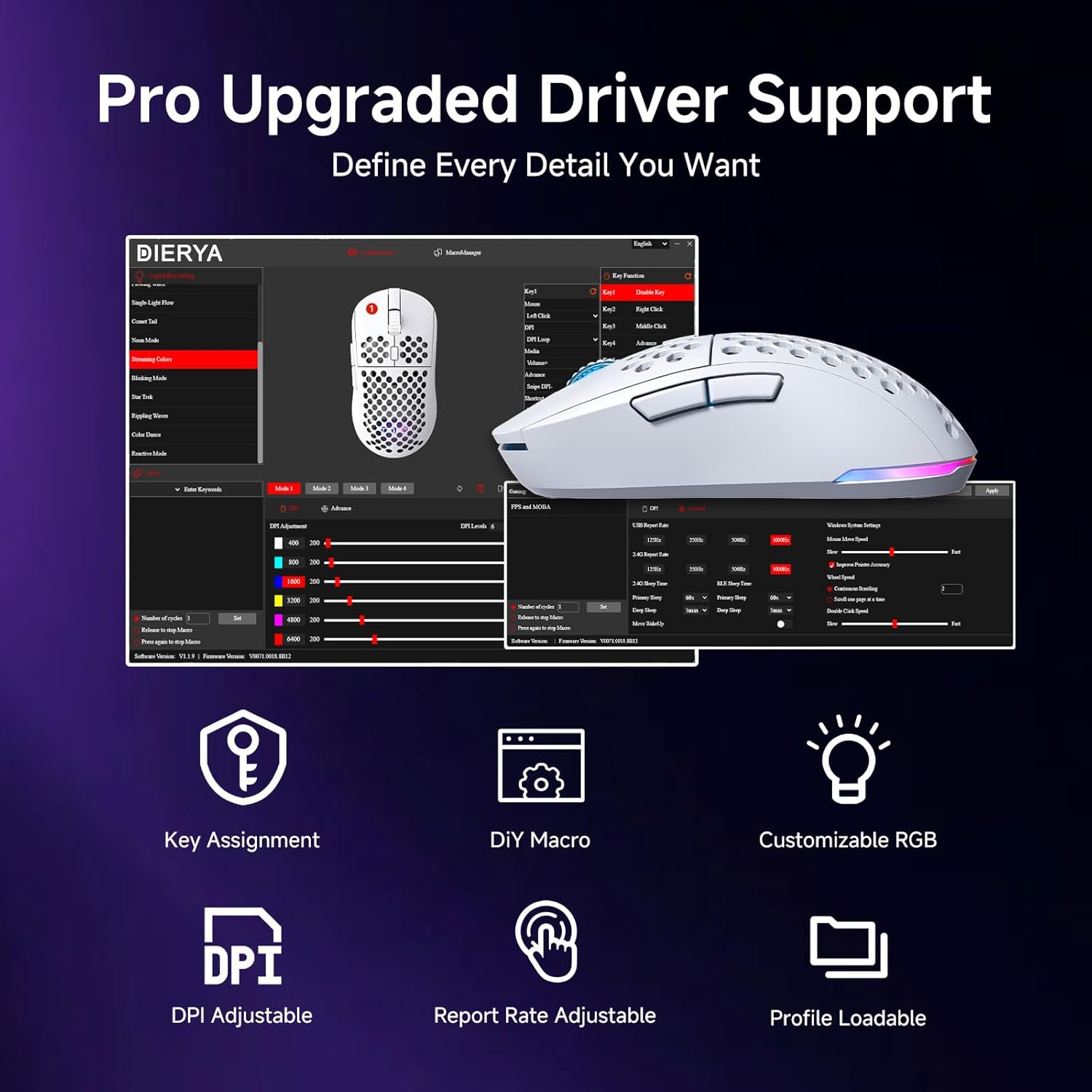
Figura 6: Interfaċċja tas-Softwer tas-Sewwieq għall-Personalizzazzjoni
Kontroll tad-Dawl RGB
Il-maws għandu dawl RGB vibranti ta’ 16.8 miljun kulur bi 13-il effett differenti (eż., Nifs, Statiku, Fluss, Dawl tal-Kwiekeb). L-effetti tad-dawl jistgħu jiġu personalizzati u kkontrollati permezz tas-softwer tad-drajver dedikat.
Ġestjoni tal-Enerġija
Il-maws M1 huwa ddisinjat għal konsum effiċjenti tal-enerġija. Għandu modi ta' rqad intelliġenti li jattivaw wara minuta u ħames minuti ta' inattività biex jikkonservaw il-ħajja tal-batterija. Tista' terġa' tibda tużah malajr billi ċċaqlaq jew tikklikkja l-maws. It-tajmers tal-irqad jistgħu jiġu personalizzati permezz tas-softwer tas-sewwieq.
Manutenzjoni
- Tindif: Uża drapp artab u niexef biex timsaħ il-maws. Għal ħmieġ iebes, nixxef ftit.ampLaħlaħ id-drapp bl-ilma jew b'soluzzjoni ħafifa tat-tindif. Evita kimiċi ħarxa jew materjali li joborxu.
- Ħażna: Aħżen il-maws f'post frisk u niexef 'il bogħod mix-xemx diretta u minn temperaturi estremi.
- Kura tal-batterija: Biex ittawwal il-ħajja tal-batterija, evita li tiċċarġja l-maws kompletament ta' spiss. Iċċarġjah meta l-indikatur tal-batterija jkun baxx.
Issolvi l-problemi
- Il-maws ma jirrispondix: Kun żgur li l-maws huwa ċċarġjat. Iċċekkja s-swiċċ tal-enerġija fil-qiegħ tal-maws. Erġa' pplaggja r-riċevitur USB (għal 2.4GHz) jew erġa' qabbad il-Bluetooth. Ipprova l-modalità bil-fili biex tikkonferma l-funzjonalità.
- Id-DPI mhux qed jinbidel: Kun żgur li l-maws huwa mixgħul. Agħfas il-buttuna DPI sew. Jekk qed tuża pro personalizzatfiles, iċċekkja s-settings fis-softwer tas-sewwieq.
- Id-dawl RGB mhux qed jaħdem: Iċċekkja s-swiċċ tal-qawwa u tad-dawl fil-qiegħ tal-maws. Kun żgur li l-maws mhuwiex fil-modalità ECO (li tista' tiddiżattiva l-RGB). Aġġusta s-settings fis-softwer tas-sewwieq.
- Dewmien jew skonnessjonijiet fil-modalità mingħajr fili: Kun żgur li r-riċevitur tal-USB mhuwiex ostakolat u li huwa qrib il-maws. Evita interferenza minn apparati oħra mingħajr fili. Ipprova port USB differenti.
- Il-buttuni mhux qed jaħdmu kif mistenni: Iċċekkja l-assenjazzjonijiet tal-buttuni fis-softwer tas-sewwieq. Irrisettja għas-settings default jekk meħtieġ.
Speċifikazzjonijiet
| Karatteristika | Dettall |
|---|---|
| Dimensjonijiet tal-Prodott | 4.39 x 2.48 x 0.1 pulzieri (125 x 63 x 41mm) |
| Piż tal-oġġett | 5.6 uqija (90 gramma) |
| Teknoloġija tal-Konnettività | 2.4GHz bla fili, Bluetooth 5.2, USB-C bil-fili |
| Firxa tad-DPI | 200 - 24,000 DPI (6 livelli predefiniti: 400/800/1600/3200/4800/6400) |
| Ir-Rata tal-Votazzjoni | 125-1000Hz (2.4G/USB-C), 125Hz (Bluetooth) |
| Veloċità tat-Traċċar | 300 FPS |
| Aċċelerazzjoni | 35G |
| Kapaċità tal-batterija | 1000mAh |
| Ħajja tal-batterija | Sa 180 siegħa (modalità ECO), 48 siegħa (RGB mixgħul) |
| Swiċċijiet | Swiċċijiet Mikro Huano (20 miljun klikk) |
| Buttuni programmabbli | 6 |
| Dawl RGB | 16.8 Miljun Kulur, 13 Effetti |
| Sistemi Kompatibbli | PC, Mac, Laptop (Windows, macOS, Chrome OS, iPadOS) |
Garanzija u Appoġġ
Għal informazzjoni dwar il-garanzija u appoġġ tekniku, jekk jogħġbok irreferi għall-karta tal-garanzija inkluża fl-imballaġġ tal-prodott tiegħek jew żur is-sit uffiċjali tad-DIERYA. websit. Tista' wkoll tikkuntattja lis-servizz tal-klijenti ta' DIERYA għal assistenza bi kwalunkwe mistoqsija jew kwistjoni relatata mal-prodott.


