1. Introduzzjoni
This manual provides detailed instructions for the setup, operation, and maintenance of your Cillso IDW26 Smart Watch. Please read this manual thoroughly before using your device to ensure proper functionality and to maximize your user experience.

Image: The Cillso IDW26 Smart Watch, showcasing its main display with various metrics and a separate screen illustrating an incoming call.
2. X'hemm fil-Kaxxa
- 1x Cillso IDW26 Smart Watch
- 1x Type-C Magnetic Charging Cable
- 1x Manwal għall-Utent
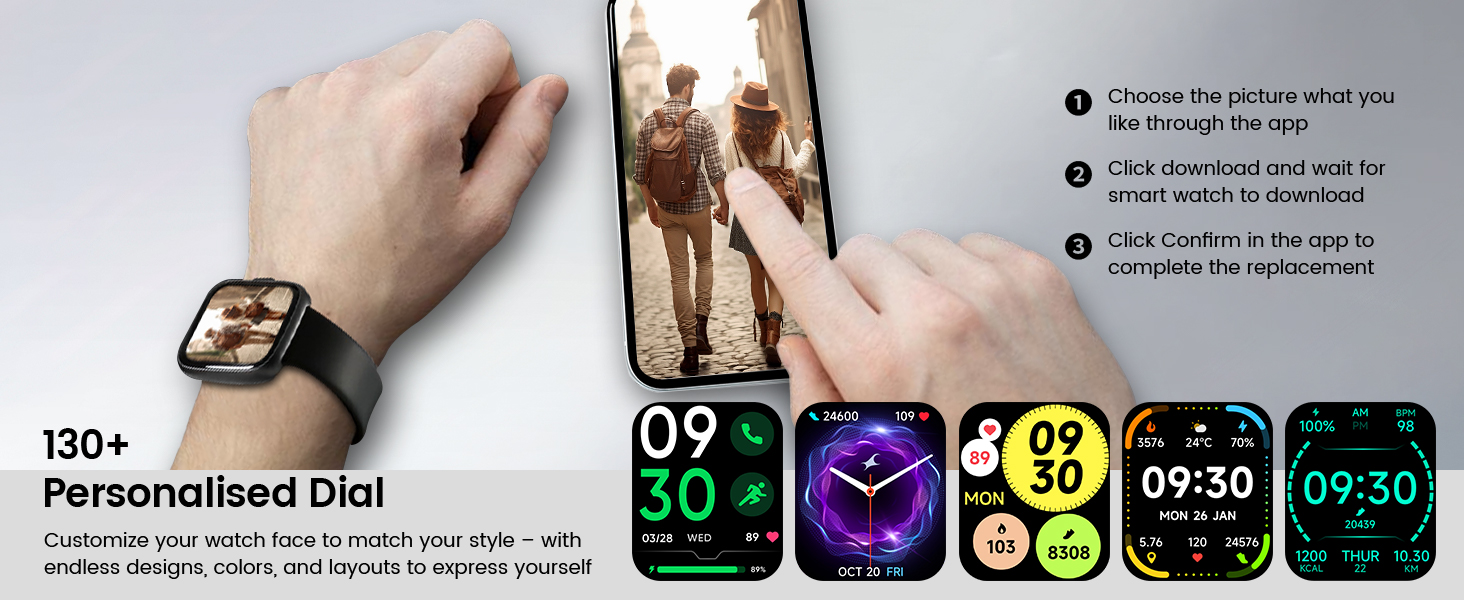
Image: A visual representation of the Cillso IDW26 Smart Watch packaging contents, showing the watch, its magnetic charging cable, and the included user manual.
3. Twaqqif u Użu Inizjali
3.1 Iċċarġjar tal-Apparat
Before first use, fully charge your Cillso IDW26 Smart Watch. Connect the magnetic charging cable to the charging points on the back of the watch and plug the USB end into a power adapter (not included) or a computer's USB port. A full charge typically takes approximately 1.5 to 2 hours.

Immaġni: In-naħa ta' wara view of the Cillso IDW26 Smart Watch, highlighting the optical sensor for health monitoring and the two metallic contacts for magnetic charging.
3.2 Installazzjoni u Tqabbil tal-App
To unlock the full functionality of your Cillso IDW26 Smart Watch, you need to install the companion application on your smartphone. The watch is compatible with smartphones running iOS 9.0+ and Android 5.0+ (or later versions).
- Niżżel l-App: Scan the QR code provided in the watch's packaging or search for "VeryFit" in your smartphone's app store (App Store for iOS, Google Play Store for Android).
- Ippermetti Bluetooth: Kun żgur li l-Bluetooth huwa attivat fuq l-ismartphone tiegħek.
- Iftaħ l-App: Launch the "VeryFit" app and follow the on-screen instructions to create an account or log in.
- Żid Apparat: Within the app, navigate to the "Add Device" section. The app will search for nearby devices.
- Agħżel l-Arloġġ Tiegħek: Select "IDW26" from the list of found devices.
- Ikkonferma l-Imqabbad: A pairing request will appear on your phone and watch. Confirm the pairing on both devices.
- Ħalli Notifiki: Grant the app necessary permissions, especially for notifications, to ensure messages and calls are displayed on your smartwatch.
For certain message notifications, the "GloryFit" app may also be mentioned in some contexts. If you encounter issues with specific message types, verify settings within both "VeryFit" and "GloryFit" if both are installed, or consult the app's help section.

Image: A visual guide demonstrating the pairing process for the Cillso IDW26 Smart Watch, from enabling Bluetooth to confirming the connection and allowing notifications.
For further assistance with app installation and pairing, you can visit the official support page: https://t.ido.ink/eAriqu
4. Tħaddim tal-Arloġġ Intelliġenti
4.1 Navigazzjoni bit-Touchscreen
- Swipe 'l fuq/'l isfel: Skrollja fil-menus u n-notifiki.
- Swipe Xellug/Lemin: Access quick widgets or different feature screens.
- Tektek: Agħżel oġġett jew ikkonferma azzjoni.
- Agħfas u żomm: Ippersonalizza l-uċuħ tal-arloġġ (fuq l-iskrin tad-dar).
4.2 Side Button Functionality
The physical button on the side of the watch typically serves the following functions:
- Stampa qasira: Wake up the screen, return to the previous screen, or go back to the home screen.
- Stampa Twila: Power on/off the device, or access a quick menu (e.g., restart, power off).
5. Karatteristiċi ewlenin
5.1 Bluetooth Calling and Message Notifications
The Cillso IDW26 Smart Watch features Bluetooth 5.3 for stable connectivity, allowing you to make and answer calls directly from your wrist. It includes a sensitive microphone and speaker for clear communication. Once paired with the "GloryFit" or "VeryFit" app, you will receive notifications for incoming calls, SMS messages, and alerts from various social media applications (e.g., Facebook, Twitter, WhatsApp, Instagram). Notifications are delivered via intuitive customizable vibrations.

Image: The Cillso IDW26 Smart Watch showing a message notification from WeChat and an incoming call interface with options to answer or decline.
5.2 Built-in Alexa Voice Control
Access Amazon Alexa's intelligent voice assistant directly from your wrist. Speak commands to check news, weather, calendar updates, set reminders, control smart home devices, and manage music playback. This feature enhances hands-free operation and daily efficiency.

Image: A user interacting with the Cillso IDW26 Smart Watch's built-in AI voice assistant, asking questions like "What time is it?" and "Weather today?".
5.3 1.83" HD Display and Customization
The smartwatch features a 1.83-inch HD display with 3D tempered glass, offering a resolution of 320x385 pixels for clear visuals and high touch sensitivity. The 4-level adjustable brightness ensures readability in various lighting conditions. Through the "VeryFit" app, you can choose from over 130 watch faces or create custom designs using your own photos.

Immaġni: Dettaljata view of the Cillso IDW26 Smart Watch's 1.83-inch HD screen, emphasizing its clarity and display technology.

Image: A demonstration of the Cillso IDW26 Smart Watch's customization options, showing multiple watch face designs and the process of selecting or creating a personalized dial through the app.
5.4 Monitoraġġ tas-Saħħa 24/7
Equipped with a high-precision optical sensor, the IDW26 Smart Watch provides continuous health monitoring:
- Monitoraġġ tar-Rata tal-Qalb: Isegwi r-rata tal-qalb tiegħek f'ħin reali, u jipprovdi tagħrif dwar is-saħħa kardjovaskulari tiegħek.
- Monitoraġġ tal-irqad: Analyzes sleep quality by identifying deep sleep, light sleep, and awake phases, offering suggestions for improved sleep habits.
- Traċċar tal-Ossiġnu fid-Demm (SpO2): Monitors your blood oxygen levels for essential wellness insights.
- Taħriġ tan-nifs: Guides you through breathing exercises with gentle vibrations and visual cues to help calm your mind and body.

Image: A composite image illustrating the 24/7 health monitoring capabilities of the Cillso IDW26 Smart Watch, including heart rate, sleep tracking, blood oxygen measurement, and guided breath training.
5.5 120+ Sports Modes
The fitness tracker supports over 120 professional sport modes, covering a wide range of indoor and outdoor activities such as running, cycling, soccer, and more. High-precision sensors accurately track steps, distance, calories burned, and workout duration, assisting in performance analysis and training plan optimization.

Image: A person hiking with the Cillso IDW26 Smart Watch, alongside graphics illustrating the watch's 24-hour activity tracking and icons representing over 120 sports modes.
5.6 Klassifikazzjoni tal-Ilma IP68
With an IP68 rating, the smartwatch is resistant to sweat, rain, and can be worn during handwashing. It is not suitable for swimming or hot showers.

Image: The Cillso IDW26 Smart Watch shown with water droplets, visually representing its IP68 waterproof capabilities for daily activities like hand washing, exposure to rain, and perspiration.
5.7 Funzjonijiet Addizzjonali
The Cillso IDW26 Smart Watch includes several practical features to enhance daily convenience:
- Arloġġ ta 'allarm: Issettja diversi allarmi.
- Stopwatch u Timer: For precise timekeeping during activities.
- Lokatur tat-Telefon: Helps find your paired smartphone.
- Kontroll tal-Kamera: Ikkontrolla l-kamera tat-telefon tiegħek mill-bogħod.
- Kontroll tal-Mużika: Immaniġġja d-daqq tal-mużika fuq l-ismartphone tiegħek.
- Tbassir tat-Temp: Ikseb aġġornamenti tat-temp f'ħin reali.
- Tifkira Sedentarja: Iħeġġiġek biex tiċċaqlaq wara perjodi ta' inattività.

Image: A collage of images depicting various practical functions of the Cillso IDW26 Smart Watch, including stopwatch, alarm clock, camera control, music control, weather forecast, and sedentary reminder.
6. Ħajja tal-Batterija u Iċċarġjar
The Cillso IDW26 Smart Watch is powered by a 300mAh battery designed for low power consumption.
- Ħin ta' Użu: Up to 5-7 days with typical use.
- Ħin ta' Standby: Sa 30 ijiem.
- Ħin tal-Iċċarġjar: Madwar sagħtejn għal ħlas sħiħ.
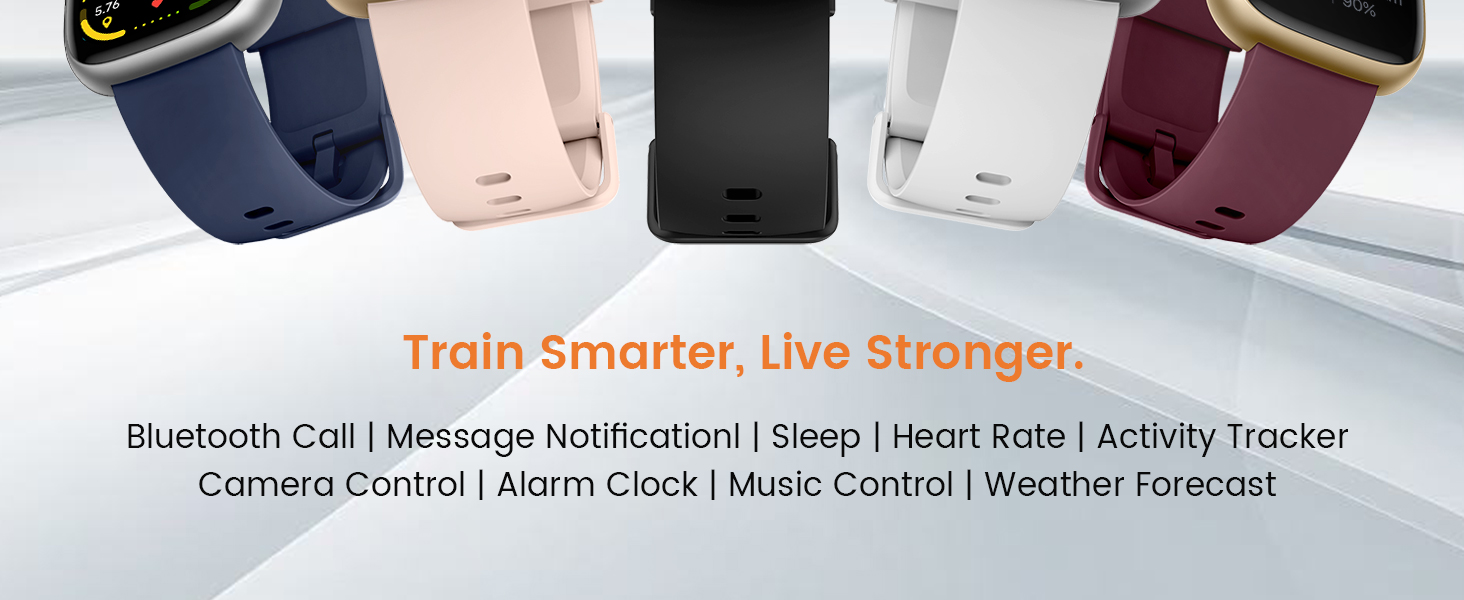
Image: A graphic illustrating the battery performance of the Cillso IDW26 Smart Watch, detailing its 2-hour charging time, 7 days of normal use, and 30 days of standby time.
7. Manutenzjoni u Kura
- Tindif: Imsaħ l-arloġġ u ċ-ċinga regolarment b'ċarruta ratba u niexfa. Jekk meħtieġ, uża drapp kemmxejn niexef.amp drapp u mbagħad nixxef sewwa.
- Evita kimiċi: Tużax kimiċi ħarxa, solventi tat-tindif, jew deterġenti qawwija, għax dawn jistgħu jagħmlu ħsara lill-finitura u s-siġilli tal-arloġġ.
- Espożizzjoni għall-Ilma: While IP68 rated, avoid prolonged submersion, hot water, or steam. Dry the watch thoroughly if it gets wet.
- Temperatura: Avoid exposing the watch to extreme temperatures (very hot or very cold) or direct sunlight for extended periods.
- Impatt: Ipproteġi l-arloġġ minn impatti jew waqgħat qawwija.
8 Issolvi l-problemi
If you encounter issues with your Cillso IDW26 Smart Watch, please refer to the following common solutions:
- L-arloġġ ma jixgħelx: Kun żgur li l-arloġġ ikun iċċarġjat kompletament. Qabbad mal-ċarġer għal mill-inqas 10 minuti.
- Ma tistax tqabbad mat-telefon:
- Kun żgur li l-Bluetooth huwa attivat fuq it-telefon u l-arloġġ tiegħek.
- Kun żgur li l-arloġġ jinsab fil-firxa tat-telefon tiegħek.
- Erġa' ibda kemm it-telefon kif ukoll l-arloġġ tiegħek.
- Try unpairing and re-pairing the device through the "VeryFit" app.
- Check if the "VeryFit" app has all necessary permissions enabled on your phone.
- Notifiki li ma jidhrux:
- Ensure the watch is successfully paired and connected to the app.
- Verify that notification permissions are granted to the "VeryFit" app in your phone's settings.
- Check the notification settings within the "VeryFit" app to ensure specific app notifications are enabled.
- Ensure your phone's notification bar displays the messages; if not, the watch cannot receive them.
- Dejta dwar is-saħħa mhux preċiża:
- Kun żgur li l-arloġġ jintlibes sew fuq il-polz tiegħek, la issikkat wisq u lanqas maħlul wisq.
- Naddaf is-sensor fuq wara tal-arloġġ.
- Evita moviment eċċessiv waqt il-kejl.
- Ħajja qasira tal-batterija:
- Naqqas il-luminożità tal-iskrin.
- Iddiżattiva l-monitoraġġ kontinwu tar-rata tal-qalb jekk mhux meħtieġ.
- Limita n-numru ta' apps li jibagħtu notifiki lill-arloġġ.
- Kun żgur li l-arloġġ ikun iċċarġjat kompletament kull darba.
If these steps do not resolve your issue, please contact Cillso customer support.
9. Speċifikazzjonijiet
| Karatteristika | Dettall |
|---|---|
| Isem tal-Mudell | IDW26 |
| Brand | Cillso |
| Daqs tal-Iskrin | 1.83 Pulzier |
| Riżoluzzjoni tal-Iskrin | 320x385 pixel |
| Forma | Pjazza |
| GPS | GPS Via Smartphone |
| Kompożizzjoni taċ-Ċellola tal-Batterija | Polimeru tal-litju |
| Teknoloġija tal-Konnettività | Bluetooth 5.3 |
| Kapaċità tal-batterija | 300 Milliamp Sigħat |
| Karatteristiċi Speċjali | Activity Tracker, Alarm Clock, Camera Control, Touchscreen, Weather Forecast, Alexa Built-in, Bluetooth Calling, Heart Rate/Sleep Monitor, 120+ Sports Modes, IP68 Waterproof |
| Kompatibilità tas-Sistema Operattiva | iOS 9.0+, Android 5.0+ |
| Piż tal-oġġett | 10 Gram (0.353 uqija) |
| Reżistenza għall-Ilma | IP68 (Resistant to sweat, rain, handwashing) |
10. Garanzija u Appoġġ
Cillso is committed to providing quality products and customer service.
10.1 Appoġġ għall-Klijent
If you have any questions about the product, encounter problems, or require assistance, please contact Cillso customer service through the platform where you purchased the product (e.g., Amazon). Cillso offers 24-hour customer service to help resolve any issues promptly.

Image: A graphic indicating customer support availability, prompting users to contact for assistance with product issues.


