1. Introduzzjoni
Thank you for choosing the Monster Persona 6th ANC Wireless Headphones. These headphones are designed to provide a superior audio experience with Active Noise Cancellation, long battery life, and comfortable wear. This manual will guide you through the setup, operation, and maintenance of your new headphones to ensure optimal performance.

Image: Monster Persona 6th ANC Wireless Headphones, showcasing the sleek black design with subtle gold accents.
2. X'hemm fil-Kaxxa
Jekk jogħġbok iċċekkja l-kontenut tal-pakkett biex tiżgura li l-oġġetti kollha huma preżenti:
- Monster Persona 6th ANC Headphones × 1
- Kejbil tal-Iċċarġjar tat-Tip C × 1
- Aux Cable × 1
- Manwal għall-Utent × 1

Image: A visual representation of all items included in the Monster Persona 6th ANC headphone package.
3. Prodott Aktarview
Familiarize yourself with the various parts and controls of your Monster Persona 6th ANC headphones.

Image: Detailed diagram illustrating the location and function of each button and port on the headphones for easy operation.
- Buttuna ANC: Activates/deactivates Active Noise Cancellation and switches between sound modes.
- Volume - / Previous Song: Press to decrease volume; long press to go to the previous song.
- On/Off / Play/Pause / Answer/Hang Up: Long press for 3 seconds to power on/off; press once to play/pause music or answer/hang up calls. Long press for 2 seconds to reject calls. Long press for 2 seconds to activate voice assistant.
- Volume + / Next Song: Press to increase volume; long press to go to the next song.
- Port tal-Iċċarġjar tat-Tip C: Għall-iċċarġjar tal-headphones.
- Jack Awdjo 3.5mm: For wired connection using the Aux Cable.
4. Setup
4.1 Iċċarġjar tal-Headphones
Qabel l-ewwel użu, iċċarġja l-headphones tiegħek kompletament. Iċċarġjar sħiħ jieħu madwar 2 sigħat.
- Connect the Type-C charging cable to the charging port on the headphones.
- Qabbad it-tarf l-ieħor tal-kejbil ma' adapter tal-enerġija USB (mhux inkluż) jew mal-port USB tal-kompjuter.
- The indicator light will show charging status (refer to the specific light behavior in your included manual for details).
- Once fully charged, the indicator light will change (e.g., turn off or change color).
A 10-minute charge provides approximately 5 hours of playback. A full charge offers up to 60 hours of playtime (ANC off) or 40 hours (ANC on).

Image: The headphones highlighting their extended battery life and rapid charging feature.
4.2 Power On/Off
- Biex Tixgħel: Long press the On/Off button for 3 seconds. The indicator light will flash, and you will hear a power-on prompt.
- Biex Tifi: Long press the On/Off button for 3 seconds. The indicator light will turn off, and you will hear a power-off prompt.
4.3 Tqabbil tal-Bluetooth
The Monster Persona 6th ANC headphones utilize Bluetooth 6.0 for stable and efficient wireless connection.
- Kun żgur li l-headphones huma mitfija.
- Long press the On/Off button for 3 seconds until the indicator light flashes rapidly (usually blue and red alternately), indicating pairing mode.
- Fuq l-apparat tiegħek (smartphone, tablet, kompjuter), attiva l-Bluetooth u fittex apparati disponibbli.
- Select "Monster Persona 6th ANC" from the list of devices.
- Once connected, the indicator light will stop flashing rapidly and may show a steady blue light, and you will hear a connection prompt.
The headphones support dual device connection, allowing you to seamlessly switch between two paired devices.
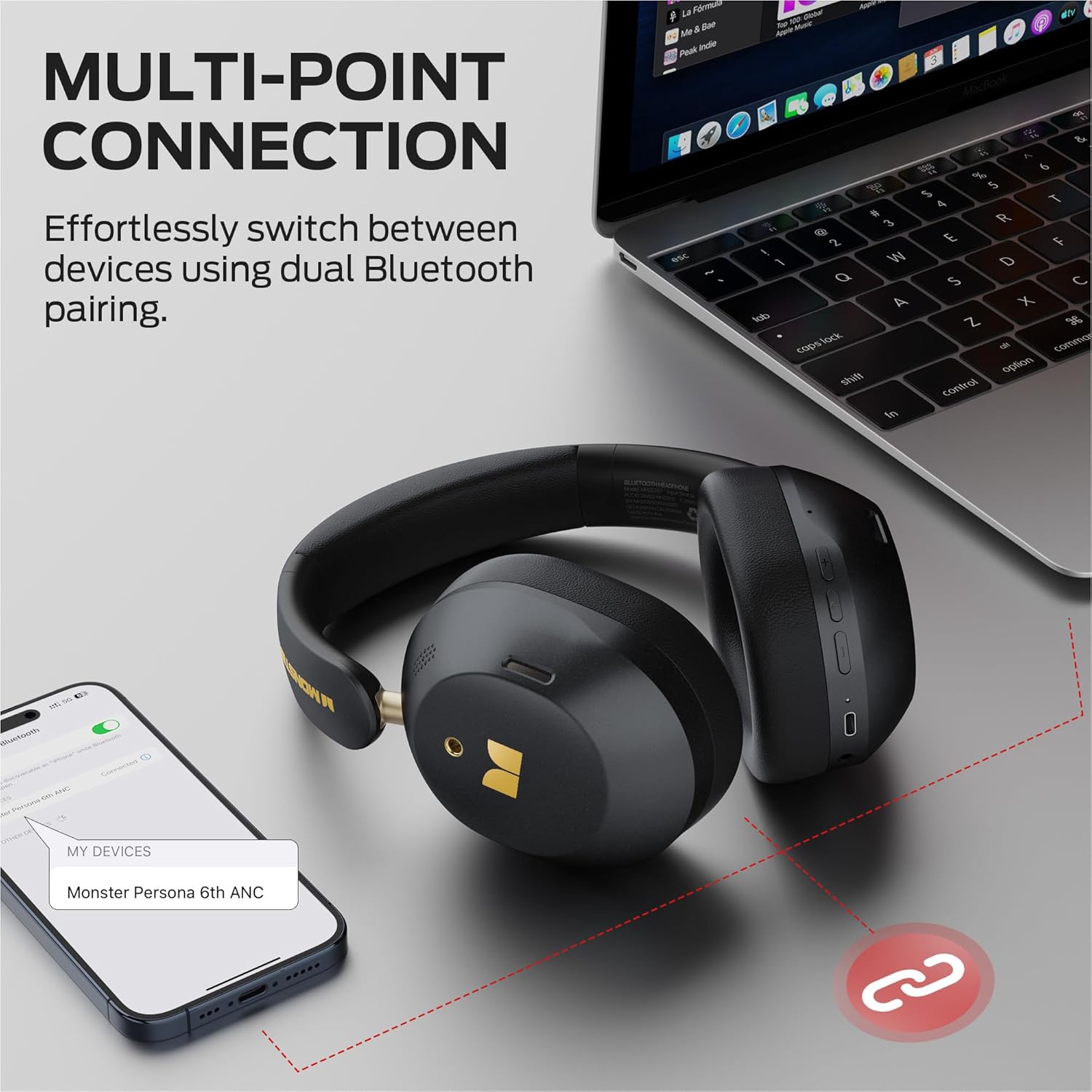
Image: Illustration of the multi-point connection feature, showing the headphones paired with both a phone and a laptop.
5. It-Tħaddim tal-Headphones
5.1 Kontrolli Bażiċi
| Funzjoni | Azzjoni |
|---|---|
| Qawwa mixgħul/mitfi | Long press On/Off button (3s) |
| Ilgħab/Pawża Mużika | Press On/Off button (1x) |
| Volum Up | Press Vol+ button (1x) |
| Volum 'l isfel | Press Vol- button (1x) |
| Kanzunetta li jmiss | Long press Vol+ button (2s) |
| Kanzunetta Preċedenti | Long press Vol- button (2s) |
| Tweġiba/Hang Up Call | Press On/Off button (1x) |
| Irrifjuta Sejħa | Long press On/Off button (2s) |
| Attiva l-Assistent tal-Vuċi | Long press On/Off button (2s) |
5.2 Sound Modes (ANC, Transparency, Standard)
The headphones offer three distinct sound modes to adapt to your environment:
- Modalità ta' Kanċellazzjoni Attiva tal-Ħoss (ANC): Reduces ambient noise, providing an immersive listening experience. Ideal for travel or noisy environments.
- Modalità ta' Trasparenza: Allows you to hear your surroundings while still enjoying your audio. Useful for commutes or when you need to be aware of your environment.
- Modalità Standard: Provides a balanced audio experience without active noise cancellation or transparency features.
Biex taqleb il-Modi: Press the ANC button once to cycle through the modes (ANC > Transparency > Standard).
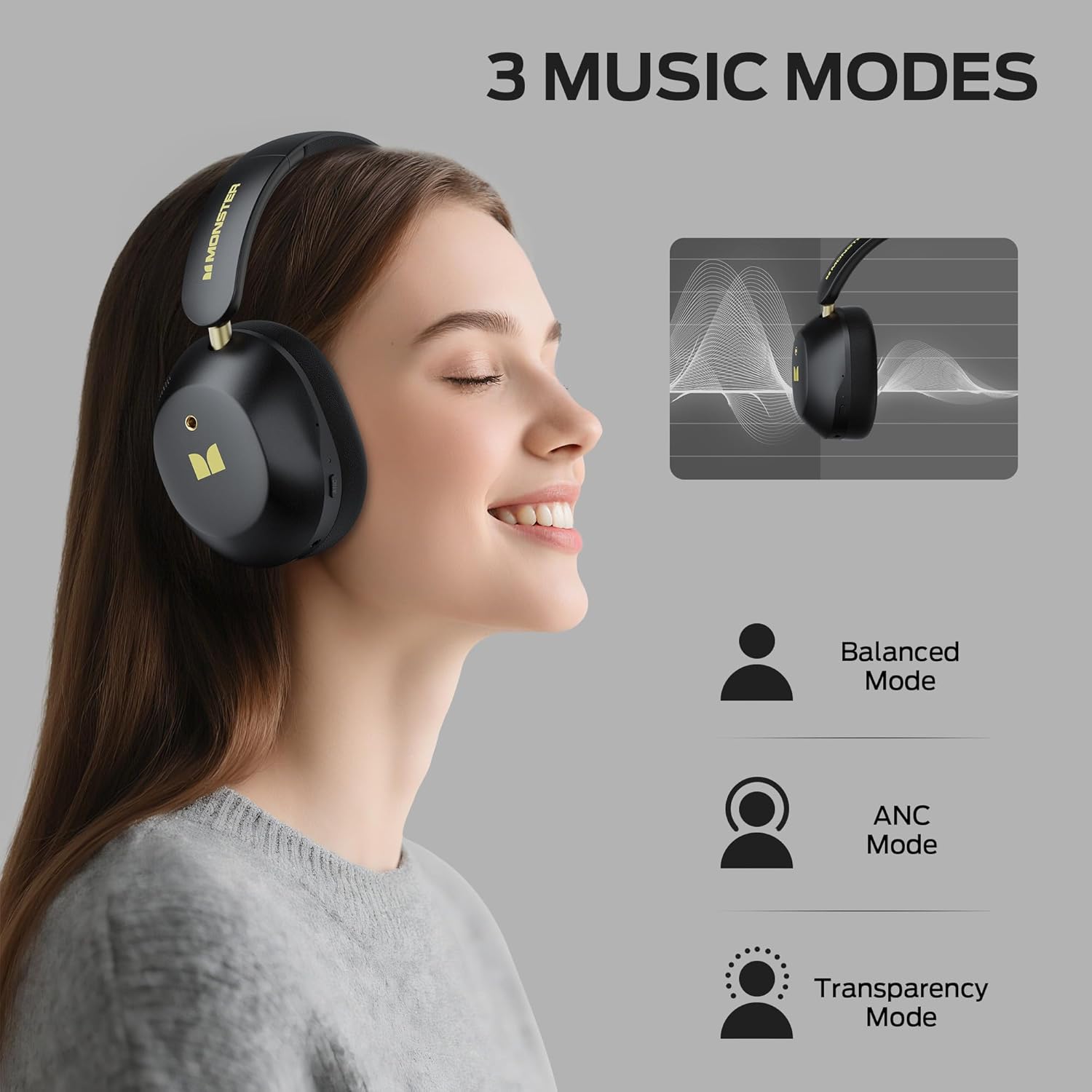
Image: Visual explanation of the three available sound modes and their respective icons.
5.3 Konnessjoni bil-Fili
You can use the included 3.5mm Aux Cable for a wired connection, which is useful when the battery is depleted or for devices without Bluetooth connectivity.
- Plug one end of the 3.5mm Aux Cable into the audio jack on the headphones.
- Ipplaggja t-tarf l-ieħor fl-output tal-awdjo ta' 3.5mm tat-tagħmir tiegħek.
- The headphones will operate in passive mode, and Bluetooth functions will be disabled.

Image: Demonstrating both wired (3.5mm) and wireless (Bluetooth) connection options for the headphones.
6. Manutenzjoni
To ensure the longevity and optimal performance of your Monster Persona 6th ANC headphones, follow these maintenance guidelines:
- Tindif: Uża drapp artab u niexef biex tnaddaf il-headphones. Tużax prodotti tat-tindif li joborxu, solventi, jew kimiċi ħarxa.
- Ħażna: When not in use, store the headphones in a cool, dry place, away from direct sunlight and extreme temperatures. The headphones feature a practical folding design for effortless portability and storage.
- Evita l-Ilma: Dawn il-headphones mhumiex reżistenti għall-ilma. Evita l-espożizzjoni għall-ilma, l-umdità, jew ix-xita.
- Immaniġġja b'Kura: Do not drop, disassemble, or attempt to repair the headphones yourself. This may void the warranty and cause damage.
- Iċċarġjar: Iċċarġja l-headphones regolarment, anke jekk ma jintużawx ta’ spiss, biex iżżomm il-batterija f’saħħitha.
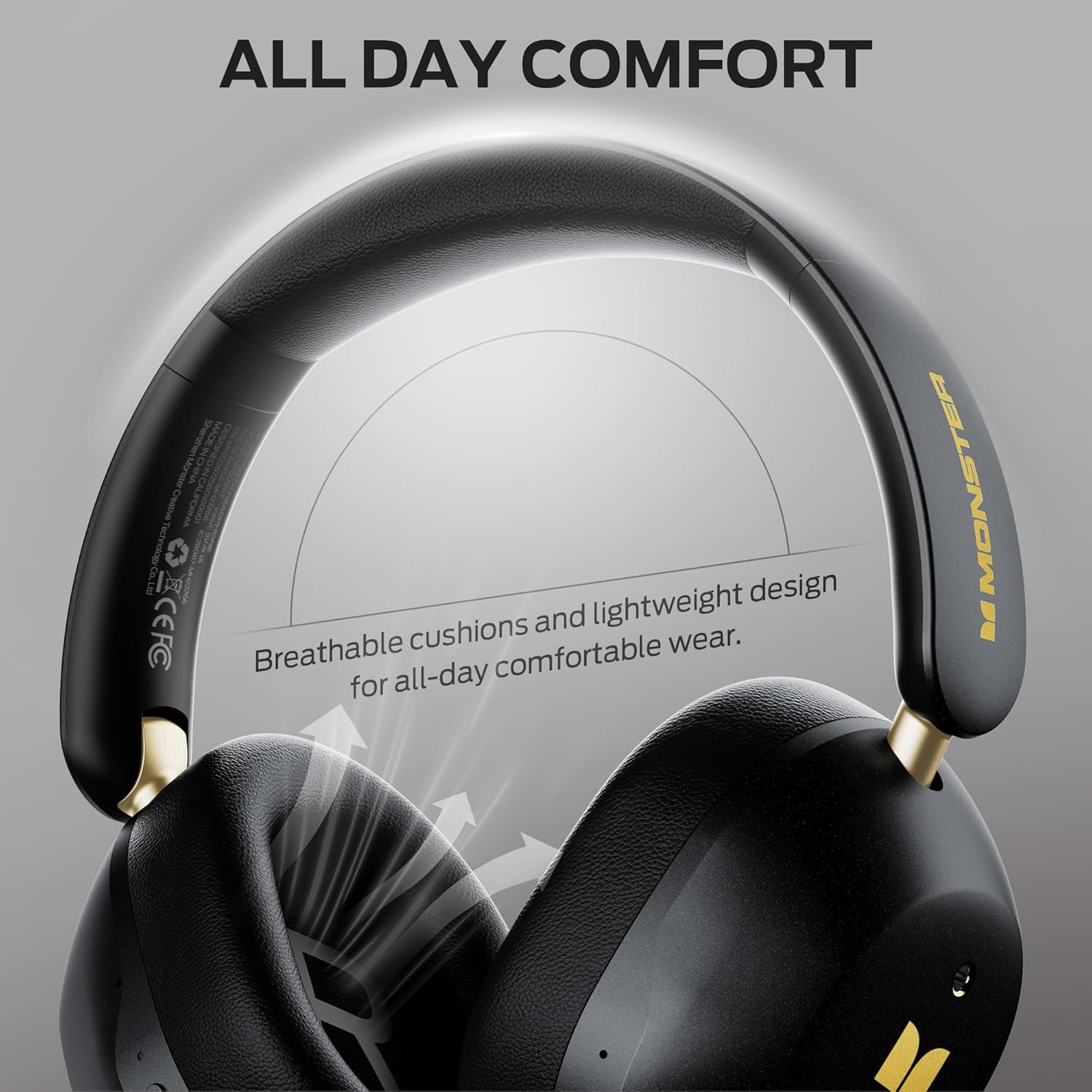
Image: Highlighting the comfortable design elements, such as breathable cushions and an adjustable headband, which also contribute to ease of maintenance.
7 Issolvi l-problemi
Jekk tiltaqa' ma' xi problemi bil-headphones tiegħek, irreferi għall-problemi u s-soluzzjonijiet komuni li ġejjin:
| Problema | Soluzzjoni Possibbli |
|---|---|
| Il-headphones ma jixegħlux | Kun żgur li l-headphones huma ċċarġjati. Qabbadhom ma' sors ta' enerġija u erġa' pprova. |
| Ma nistax nqabbad permezz tal-Bluetooth | Ensure headphones are in pairing mode (flashing indicator light). Turn off and on Bluetooth on your device. Move closer to the device (within 33 feet). Forget the device in your phone's Bluetooth settings and re-pair. |
| L-ebda ħoss jew volum baxx | Check volume levels on both headphones and connected device. Ensure headphones are properly paired. If using wired connection, ensure cable is fully inserted. |
| L-ANC mhux qed jaħdem b'mod effettiv | Ensure ANC mode is activated (press the ANC button). Adjust headphone fit to ensure a good seal around your ears. |
| Konnessjoni intermittenti | Move closer to your device. Avoid obstacles between headphones and device. Disconnect from other Bluetooth devices if using multi-point connection. |
8. Speċifikazzjonijiet
| Karatteristika | Dettall |
|---|---|
| Isem tal-Mudell | Monster Persona 6th ANC |
| Teknoloġija tal-Konnettività | Wireless (Bluetooth), Wired (3.5mm Aux) |
| Verżjoni Bluetooth | 6.0 |
| Medda Bluetooth | 33 pied (10 metru) |
| Kontroll tal-Ħoss | Kanċellazzjoni Attiva tal-Ħoss |
| Daqs tas-Sewwieq tal-Awdjo | 40 Millimetru |
| Ħajja tal-batterija | Sa 60 Siegħa (ANC mitfi) |
| Ħin tal-Iċċarġjar | Madwar 2 Sigħat |
| Iċċarġjar Mgħaġġel | 10 minuti ta' ħlas għal sagħtejn ta' daqq |
| Tip ta' Kontroll | Kontroll tal-buttuna |
| Tqegħid tal-widnejn | Fuq il-widnejn |
| Materjal | Plastik |
| Piż tal-oġġett | 13.7 uqija |
| Apparati Kompatibbli | Bluetooth-enabled devices (smartphones, tablets, computers, MP3 players, TVs, laptops) |
9. Garanzija u Appoġġ
Monster products are built with quality and reliability in mind. For specific warranty information, please refer to the warranty card included in your product packaging or visit the official Monster websit. Żomm l-irċevuta tax-xiri tiegħek bħala prova tax-xiri.
For technical support, troubleshooting assistance, or service inquiries, please contact Monster customer support through their official channels. You can often find contact information on the manufacturer's webis-sit jew fid-dokumentazzjoni pprovduta mal-prodott tiegħek.
Riżorsi onlajn: For additional information, FAQs, and support, please visit the Ħanut tal-Monster fuq Amazon.


