Introduzzjoni
This manual provides essential information for setting up, operating, maintaining, and troubleshooting your new RCA 8-inch Tablet. Please read this guide thoroughly to ensure optimal performance and longevity of your device. This tablet features a MediaTek MT8781/G99 Octa-Core processor, 4GB RAM, 64GB storage, and runs on Android 14.
1. Setup
1.1 Kontenut tal-Pakkett
- RCA 8-inch Tablet
- Cable tal-Iċċarġjar tal-USB
- Adapter tal-Enerġija
- Gwida Quick Start
1.2 Iċċarġjar tat-Tablet
Before first use, fully charge your tablet. Connect the USB charging cable to the tablet's charging port and the power adapter, then plug the adapter into a wall outlet. The battery indicator on the screen will show charging status.
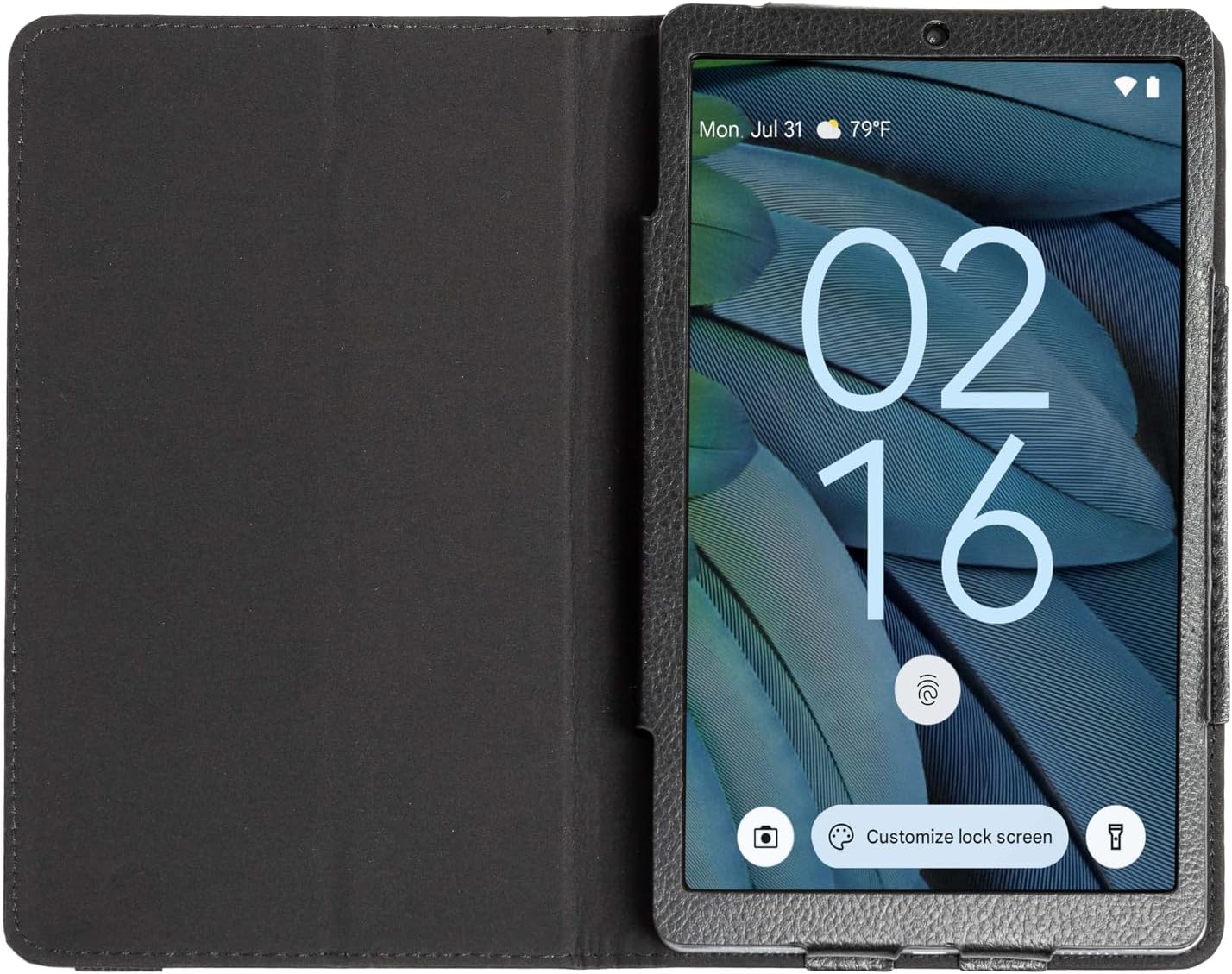
Image: The RCA 8-inch Tablet shown within its black folio case, displaying the lock screen. This illustrates the device's appearance during initial setup or general use.
1.3 Tixgħel/Jitfi
- Biex Tixgħel: Press and hold the Power button until the RCA logo appears.
- Biex Tifi: Agħfas u żomm il-buttuna tal-Power, imbagħad agħżel 'Power off' mill-għażliet fuq l-iskrin.
1.4 Wizard tas-Setup Inizjali
Malli tixgħelha għall-ewwel darba, it-tablet jiggwidak permezz ta' proċess inizjali ta' setup. Dan jinkludi:
- Għażla tal-Lingwa: Agħżel il-lingwa ppreferuta tiegħek.
- Konnessjoni Wi-Fi: Agħżel in-netwerk Wi-Fi tiegħek u daħħal il-password biex tikkonnettja mal-internet.
- Kont Google: Sign in with your Google account or create a new one. This is necessary for downloading apps from the Google Play Store and accessing Google services.
- Data u Ħin: Issettja d-data u l-ħin korretti, jew ħalli n-netwerk jissettjahom awtomatikament.
- Sigurtà: Issettja lock tal-iskrin (PIN, mudell, jew password) għas-sigurtà tal-apparat.
1.5 Daħħal Karta MicroSD (Mhux obbligatorja)
The tablet supports storage expansion up to 512GB via a microSD card. Locate the microSD card slot on the side of the tablet. Gently insert the card with the gold contacts facing down until it clicks into place.
2. Tħaddim tat-Tablet
2.1 Navigazzjoni Bażika
The RCA 8-inch Tablet uses a capacitive touchscreen for navigation:
- Tektek: Biex tiftaħ app, agħżel oġġett, jew agħfas buttuna.
- Tmiss u Żomm: Biex taċċessa menus kuntestwali jew iċċaqlaq oġġetti.
- Swipe: To scroll through lists, switch between home screens, or navigate within apps.
- Oqros: Biex tkabbar jew tkabbar l-immaġnijiet u web paġni.

Image: A user interacting with the RCA 8-inch Tablet, demonstrating typical handheld use and touchscreen interaction.
2.2 Użu tal-Kameras
Your tablet is equipped with a 5 MP rear camera and a 2 MP front camera for photos and video calls.
- Iftaħ l-app tal-Kamera mill-iskrin tad-dar jew mill-kexxun tal-app.
- Tektek l-ikona tal-kamera biex taqleb bejn il-kameras ta' quddiem u ta' wara.
- Tektek il-buttuna tax-shutter biex tieħu ritratt jew tibda/twaqqaf ir-reġistrazzjoni tal-vidjow.
- Access settings within the app to adjust modes, filters, and other camera options.

Immaġni: Dettaljata view of the tablet's rear camera, highlighting its placement and design.
2.3 Karatteristiċi ta' Android 14
The tablet runs on Android 14, offering enhanced features:
- Dashboard tal-Privatezza: Monitor and manage app permissions for your data.
- Notification Controls: Customize how and when you receive notifications.
- AI-Driven Optimizations: The system intelligently manages background processes and battery usage for improved performance.
2.4 Google Assistant Integration
Your tablet seamlessly integrates with Google Assistant. Say "Hey Google" or "Ok Google" to activate the assistant and use voice commands for tasks such as:
- Getting information (weather, news).
- Setting alarms and reminders.
- Controlling smart home devices.
- Making calls or sending messages.
3. Manutenzjoni
3.1 Tindif tat-Tablet
Biex tnaddaf it-tablet tiegħek, itfih u uża drapp artab u mingħajr suf. Għal tbajja' persistenti, nixxef ftit.ampLaħlaħ id-drapp bl-ilma jew b'prodott tat-tindif tal-iskrin iddisinjat speċifikament għall-elettronika. Evita kimiċi ħarxa jew materjali li joborxu.
3.2 Kura tal-Batterija
- Evita temperaturi estremi, li jistgħu jnaqqsu l-ħajja tal-batterija.
- Tħallix il-pillola skarikata għalkollox għal perjodi twal.
- Uża biss il-ċarġer provdut jew ċarġer kompatibbli ċċertifikat.
3.3 Aġġornamenti tas-Software
Iċċekkja perjodikament għal aġġornamenti tas-sistema biex tiżgura li t-tablet tiegħek għandu l-aħħar karatteristiċi u irqajja tas-sigurtà. Mur fuq Settings > Sistema > Aġġornament tas-sistema biex tiċċekkja u tinstalla aġġornamenti disponibbli.
3.4 Backup tad-Dejta
Regularly back up important data to a cloud service (like Google Drive) or a computer to prevent data loss.
4 Issolvi l-problemi
4.1 L-Apparat Mhux Qed Jinxtegħel
- Ensure the battery is charged. Connect the tablet to its charger for at least 30 minutes.
- Agħfas u żomm il-buttuna tal-Qawwa għal 10-15-il sekonda biex twettaq restart furzat.
4.2 Kwistjonijiet ta' Konnessjoni tal-Wi-Fi
- Erġa' ibda r-router Wi-Fi tiegħek u t-tablet.
- Insieh in-netwerk fis-settings tal-Wi-Fi u erġa' qabbad.
- Kun żgur li tinsab fil-firxa tas-sinjal tal-Wi-Fi.
4.3 Prestazzjoni bil-mod
- Agħlaq l-applikazzjonijiet mhux użati li jkunu qed jaħdmu fl-isfond.
- Clear cache data for frequently used apps (Settings > Apps > [App Name] > Storage > Clear cache).
- Kun żgur li hemm biżżejjed spazju għall-ħażna disponibbli. Ħassar dak li mhux meħtieġ files or move them to a microSD card.
- Erġa’ ibda l-pillola perjodikament.
4.4 Irrisettjar tal-Fabbrika (L-Aħħar Soluzzjoni)
Jekk il-problemi jippersistu, reset tal-fabbrika jista' jsolvi ħafna problemi relatati mas-softwer. Twissija: Dan se jħassar id-dejta kollha fuq it-tablet tiegħek. Agħmel backup tad-dejta importanti qabel ma tipproċedi.
- Mur fuq Settings > Sistema > Irrisettja l-għażliet > Ħassar id-dejta kollha (reset tal-fabbrika).
- Segwi l-istruzzjonijiet fuq l-iskrin biex tikkonferma r-reset.
5. Speċifikazzjonijiet
Below are the key technical specifications for the RCA 8-inch Tablet:

Image: An infographic summarizing the main technical specifications and features of the RCA 8-inch Tablet.
| Karatteristika | Speċifikazzjoni |
|---|---|
| Proċessur | MediaTek MT8781/G99 Octa-Core |
| Sistema Operattiva | Android 14 |
| Daqs tal-Wiri | 8 Pulzier |
| Riżoluzzjoni Massima tal-Iskrin | 800x1340 Pixel |
| RAM | 4GB |
| Ħażna Interna | 64GB |
| Ħażna espansibbli | Up to 512GB via MicroSD (card not included) |
| Kamera ta' wara | 5 MP |
| Kamera ta' Quddiem | 2 MP |
| Ħajja Medja tal-Batterija | 10 Sigħat |
| Piż tal-oġġett | 1.71 liri |
| Dimensjonijiet tal-Prodott | 8.68 x 5 x 0.39 pulzieri |
| Kulur | Griż |
6. Garanzija u Appoġġ
6.1 Informazzjoni dwar Garanzija
Your RCA 8-inch Tablet is covered by a limited manufacturer's warranty. Please refer to the warranty card included in your product packaging for specific terms and conditions. Keep your proof of purchase for warranty claims.
6.2 Appoġġ għall-Klijent
For technical assistance, troubleshooting beyond this manual, or warranty inquiries, please visit the official RCA support website or contact their customer service. Contact details can typically be found on the RCA brand webis-sit jew fid-dokumentazzjoni tal-prodott tiegħek.


