1. Introduzzjoni
The Perixx PERIBOARD-832RGB is a compact, wireless mini keyboard featuring RGB backlighting and multi-device Bluetooth connectivity. This manual provides instructions for setting up, operating, and maintaining your keyboard to ensure optimal performance.

Image 1.1: The Perixx PERIBOARD-832RGB keyboard in use, showcasing its compact design and backlit keys.
2. Kontenut tal-Pakkett
Jekk jogħġbok iċċekkja l-pakkett għall-oġġetti li ġejjin:
- Perixx PERIBOARD-832RGB Wireless RGB Backlit Mini Keyboard
- USB-C to A Charging Cable
- Manwal għall-Utent (dan id-dokument)

Image 2.1: Contents of the Perixx PERIBOARD-832RGB package, including the keyboard, USB-C cable, and manual.
3. Setup u Konnessjoni
3.1 Iċċarġjar tat-Tastiera
Before first use, fully charge the keyboard. Connect the provided USB-C to A cable to the keyboard's USB-C charging port and the other end to a USB power source (e.g., computer USB port, USB wall adapter).
- Id-dawl indikatur tal-iċċarġjar se jixgħel waqt l-iċċarġjar.
- The indicator will change or turn off once charging is complete.

Image 3.1: Location of the USB-C charging port and power ON/OFF switch on the keyboard.
3.2 Power On/Off
Locate the power switch on the side or back of the keyboard. Slide it to the 'ON' position to power on the keyboard. Slide it to 'OFF' when not in use to conserve battery.
3.3 Bluetooth Pairing (Multi-Device Connection)
The PERIBOARD-832RGB supports connection to up to three devices via Bluetooth. Follow these steps to pair your keyboard:
- Kun żgur li t-tastiera tkun mixgħula.
- Agħfas u żomm il- Fn ċavetta u waħda miċ-ċwievet tal-kanal Bluetooth (Q for BT1, W for BT2, or E for BT3) for 3-5 seconds until the corresponding indicator light (usually above the key) starts blinking rapidly. This indicates the keyboard is in pairing mode.
- Fuq l-apparat tiegħek (PC, laptop, tablet, smartphone), attiva l-Bluetooth u fittex apparati ġodda.
- Select "PERIBOARD-832RGB" from the list of available devices.
- Jekk tintalab, daħħal il-kodiċi ta' tqabbil muri fuq l-iskrin tiegħek billi tuża t-tastiera u agħfas Daħħal.
- Once paired, the indicator light will stop blinking and remain solid for a few seconds before turning off. The keyboard is now connected.
To connect to additional devices, repeat the process using a different Bluetooth channel key (Fn+W or Fn+E).

Image 3.2: Visual guide for connecting the keyboard to up to three devices using Fn+Q/W/E keys.
4. Operazzjoni
4.1 Tibdil bejn Apparati Konnessi
To switch between your paired devices, simply press the Fn ċavetta flimkien maċ-ċavetta tal-kanal Bluetooth korrispondenti (Q, W, jew E) for the desired device. The keyboard will automatically connect to the selected device.
4.2 Kontroll tad-dawl ta' wara
The PERIBOARD-832RGB features RGB backlighting with multiple color options.
- Ixgħel/Itfi d-Dawl ta' Wara: Agħfas Fn + F11 (RGB) to toggle the backlight on or off.
- Ibdel il-Kulur tad-Dawl ta' Wara: Agħfas Fn + F12 (RGB) to cycle through the available RGB colors (7 colors).
- Aġġusta l-luminożità: Użu Fn + Paġna Fuq biex tiżdied il-luminożità u Fn + Paġna 'l isfel biex tnaqqas il-luminożità.
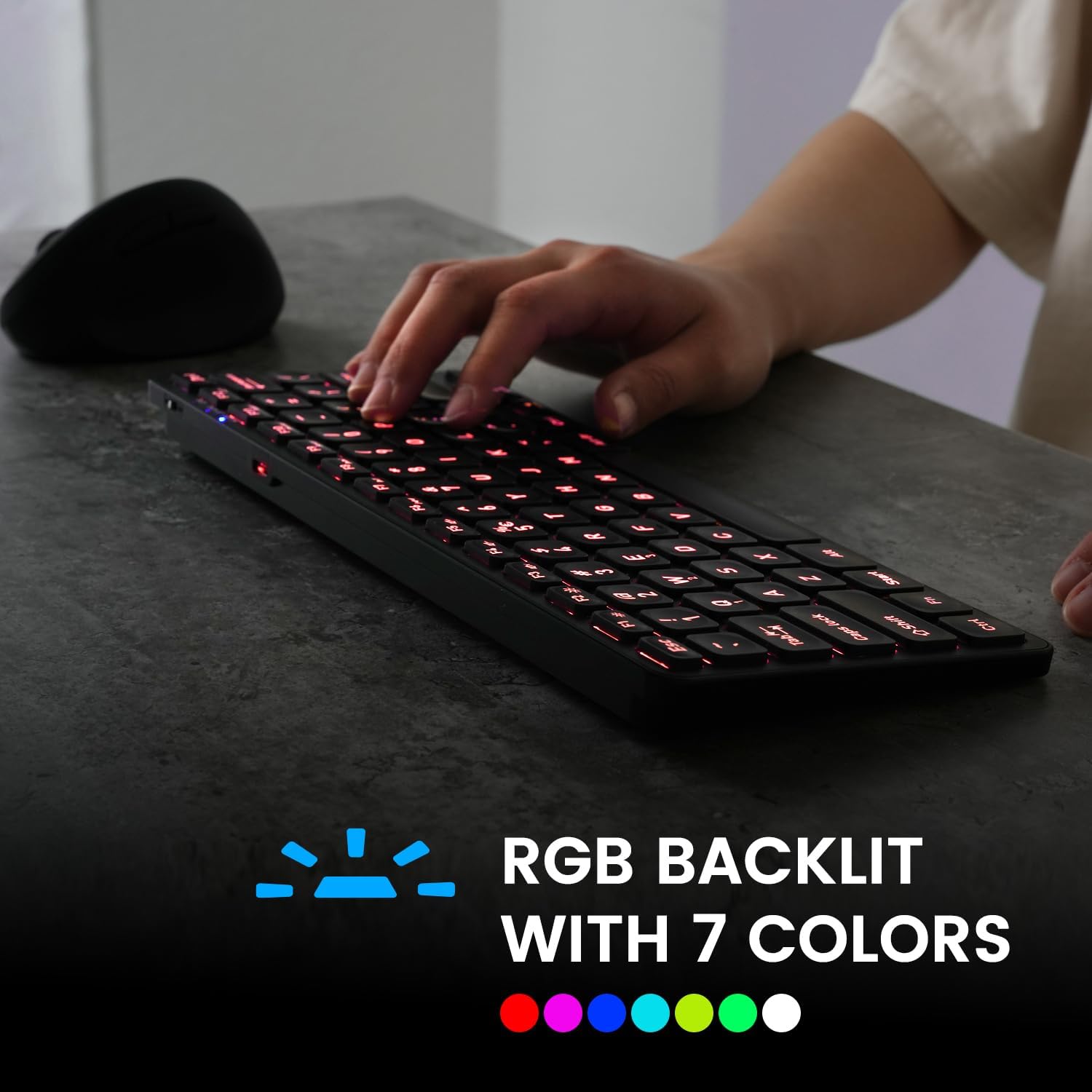
Image 4.1: The keyboard illuminated with RGB backlighting, demonstrating visibility in low-light conditions.
4.3 Ċwievet tal-Funzjoni (Kombinazzjonijiet Fn)
Many keys have secondary functions accessible by holding the Fn key and pressing the desired function key. These include media controls, volume adjustments, and other system shortcuts.
| Kombinazzjoni taċ-ċavetta | Funzjoni |
|---|---|
| Fn+Q | Aqleb għall-Apparat Bluetooth 1 |
| Fn + W | Aqleb għall-Apparat Bluetooth 2 |
| Fn+E | Aqleb għall-Apparat Bluetooth 3 |
| Fn + F1 | Media Player |
| Fn + F2 | Volum 'l isfel |
| Fn + F3 | Volum Up |
| Fn + F4 | Mute |
| Fn + F5 | Track Preċedenti |
| Fn + F6 | Play/Pawsa |
| Fn + F7 | Track li jmiss |
| Fn + F8 | Waqqaf |
| Fn + F9 | Web Browser |
| Fn + F10 | |
| Fn + F11 (RGB) | Dawl ta 'wara mixgħul / mitfi |
| Fn + F12 (RGB) | Cycle Backlight Colors |
| Fn + Paġna Fuq | Żid il-luminożità tad-dawl ta 'wara |
| Fn + Paġna 'l isfel | Naqqas il-luminożità tad-dawl ta' wara |

Immaġni 4.2: Dettaljata view of the keyboard keys, highlighting the primary and secondary (Fn) functions.
5. Manutenzjoni
Biex tiżgura l-lonġevità u l-prestazzjoni ottimali tat-tastiera tiegħek, segwi dawn il-linji gwida ta' manutenzjoni:
- Tindif: Uża drapp ratba u mingħajr ħelu ftit dampImsaħ il-wiċċ tat-tastiera b'ilma jew b'soluzzjoni ħafifa tat-tindif. Evita kimiċi ħarxa jew materjali li joborxu.
- Tneħħija tat-Trab: Uża arja kkompressata biex tneħħi t-trab u l-fdalijiet minn bejn iċ-ċwievet.
- Kura tal-batterija: Avoid fully discharging the battery frequently. Charge the keyboard regularly, especially if it will not be used for an extended period.
- Ħażna: Aħżen it-tastiera f'post frisk u niexef 'il bogħod mix-xemx diretta u minn temperaturi estremi.
6 Issolvi l-problemi
If you encounter issues with your PERIBOARD-832RGB, refer to the following common solutions:
| Problema | Soluzzjoni Possibbli |
|---|---|
| It-tastiera ma tixgħelx. | Ensure the power switch is in the 'ON' position. Charge the keyboard fully using the provided USB-C cable. |
| Ma nistax nikkonnettja permezz tal-Bluetooth. | Make sure the keyboard is in pairing mode (Fn + Q/W/E, indicator blinking). Ensure Bluetooth is enabled on your device. Try unpairing and re-pairing the keyboard. Move the keyboard closer to your device. |
| Iċ-ċwievet mhux qed jirrispondu jew qed jittajpjaw ħażin. | Check battery level and charge if necessary. Ensure the keyboard is connected to the correct device. Restart the keyboard and your device. |
| Id-dawl ta' wara mhux qed jaħdem. | Press Fn + F11 to toggle the backlight. Ensure the keyboard has sufficient battery charge. |
| It-tastiera tiskonnettja spiss. | Ensure the keyboard is within the effective Bluetooth range (typically 10 meters). Reduce interference from other wireless devices. Charge the keyboard. |
7. Speċifikazzjonijiet
| Karatteristika | Dettall |
|---|---|
| Brand | Perixx |
| Mudell | PERIBOARD-832RGB |
| Teknoloġija tal-Konnettività | Bluetooth |
| Deskrizzjoni tat-Tastiera | Mechanical (Scissor-switch type) |
| Karatteristika Speċjali | RGB Backlit (7 colors) |
| Apparati Kompatibbli | PC, Laptop, Tablet, Smartphone |
| Dimensjonijiet tal-Prodott | 11.06"T x 4.53"W x 0.87"Għ (28.09 x 11.51 x 2.21 ċm) |
| Piż tal-oġġett | 1.06 liri (0.48 kg) |
| Materjal | Plastik |
| Sors tal-Enerġija | USB Powered (Rechargeable Battery) |
| Komponenti Inklużi | Cable USB-C għal A |
8. Garanzija u Appoġġ
Perixx products are covered by a limited warranty. For detailed warranty information, technical support, or customer service, please refer to the official Perixx webis-sit jew ikkuntattja l-appoġġ għall-klijenti tagħhom direttament. Żomm l-irċevuta tax-xiri tiegħek għal talbiet ta' garanzija.


