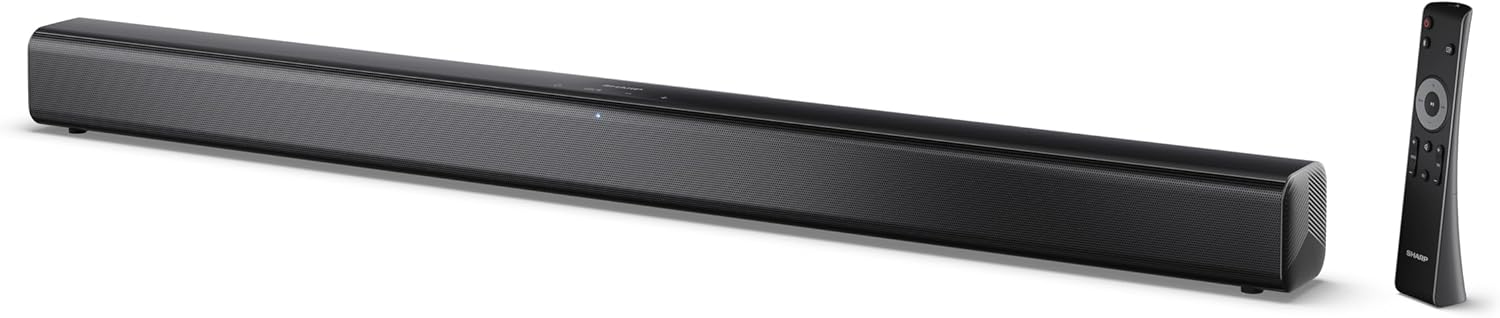
Image 0.1: The SHARP HT-SB145 2.0 Channel Soundbar shown alongside its remote control.
1. Introduzzjoni
This manual provides essential instructions for the safe and efficient operation of your SHARP HT-SB145 2.0 Channel Soundbar. Please read this manual thoroughly before use and retain it for future reference.
2. Informazzjoni dwar is-Sigurtà
Osserva l-prekawzjonijiet ta' sigurtà li ġejjin biex tevita xokk elettriku, nar, jew ħsara lill-unità:
- Tesponix dan l-apparat għal taqtir jew titjir ta' ilma.
- Tpoġġix oġġetti mimlija bil-likwidi, bħal vażuni, fuq l-apparat.
- Aċċerta ruħek li jkun hemm ventilazzjoni adegwata. Timblokkax il-fetħiet tal-ventilazzjoni.
- Tinstallax ħdejn xi sorsi tas-sħana bħal radjaturi, reġistri tas-sħana, stufi, jew apparat ieħor (inkluż amplifiers) li jipproduċu sħana.
- Ipproteġi l-korda tad-dawl milli jimxi fuqu jew maqrusa.
- Uża biss aċċessorji/aċċessorji speċifikati mill-manifattur.
- Spluggja dan l-apparat waqt maltempati tas-sajjetti jew meta ma jintużax għal perjodi twal.
- Irreferi l-manutenzjoni kollha lil persunal tas-servizz kwalifikat.
3. Kontenut tal-Pakkett
Iċċekkja li l-oġġetti kollha elenkati hawn taħt huma inklużi fil-pakkett tiegħek:
- Soundbar SHARP HT-SB145
- Kontroll mill-bogħod
- Kejbil tal-Enerġija
- Parentesi tal-Immonta fuq il-Ħajt (2)
- Screws and Wall Plugs (for mounting)
- Batteriji AAA (2)
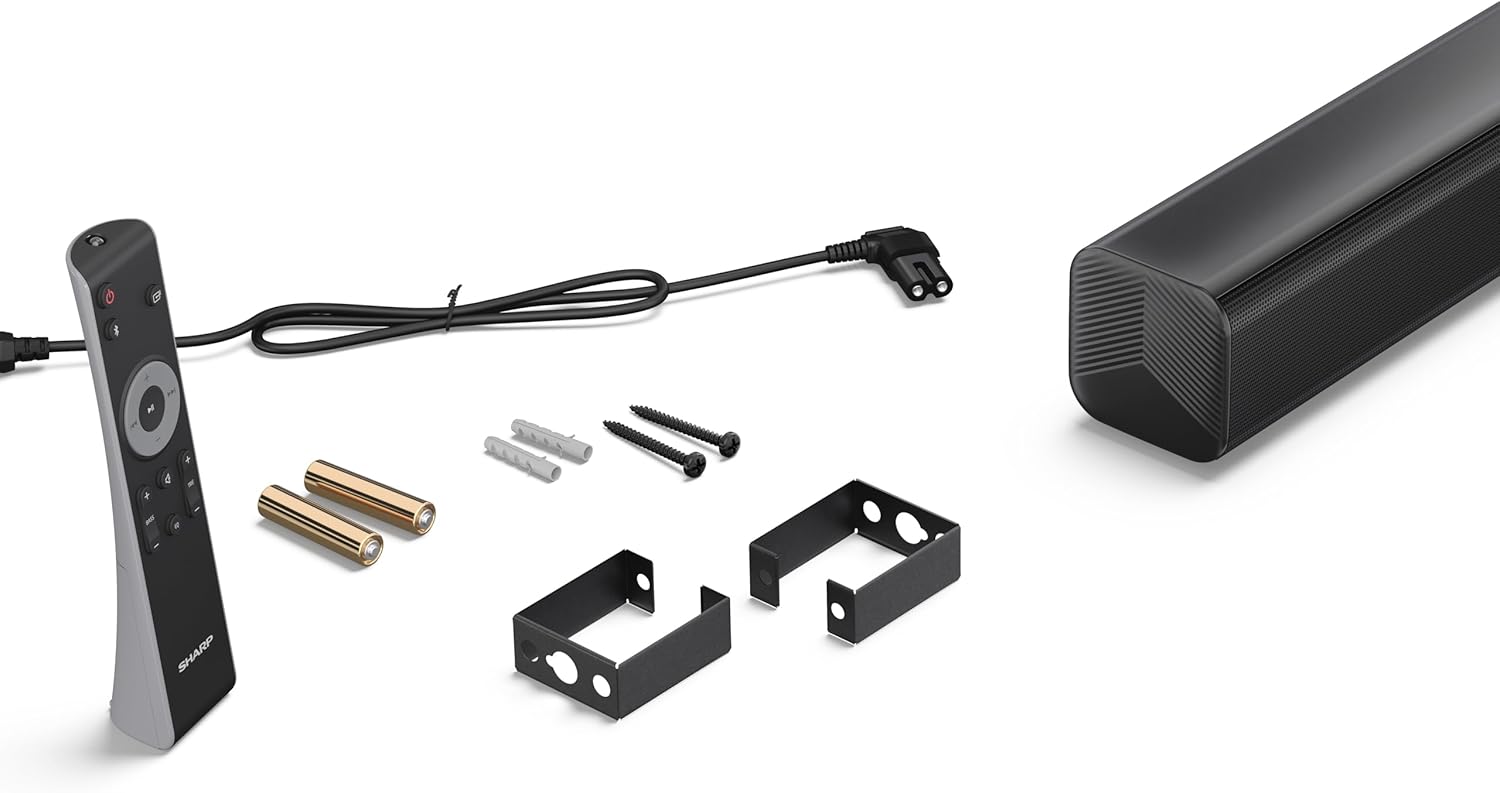
Image 3.1: Contents of the SHARP HT-SB145 Soundbar package, including the soundbar, remote control, power cable, wall mount brackets, screws, and two AAA batteries.
4. Prodott Aktarview
4.1 Quddiem u Fuq View

Stampa 4.1: Quddiem view of the SHARP HT-SB145 Soundbar, showcasing the speaker grille and the central LED indicator.
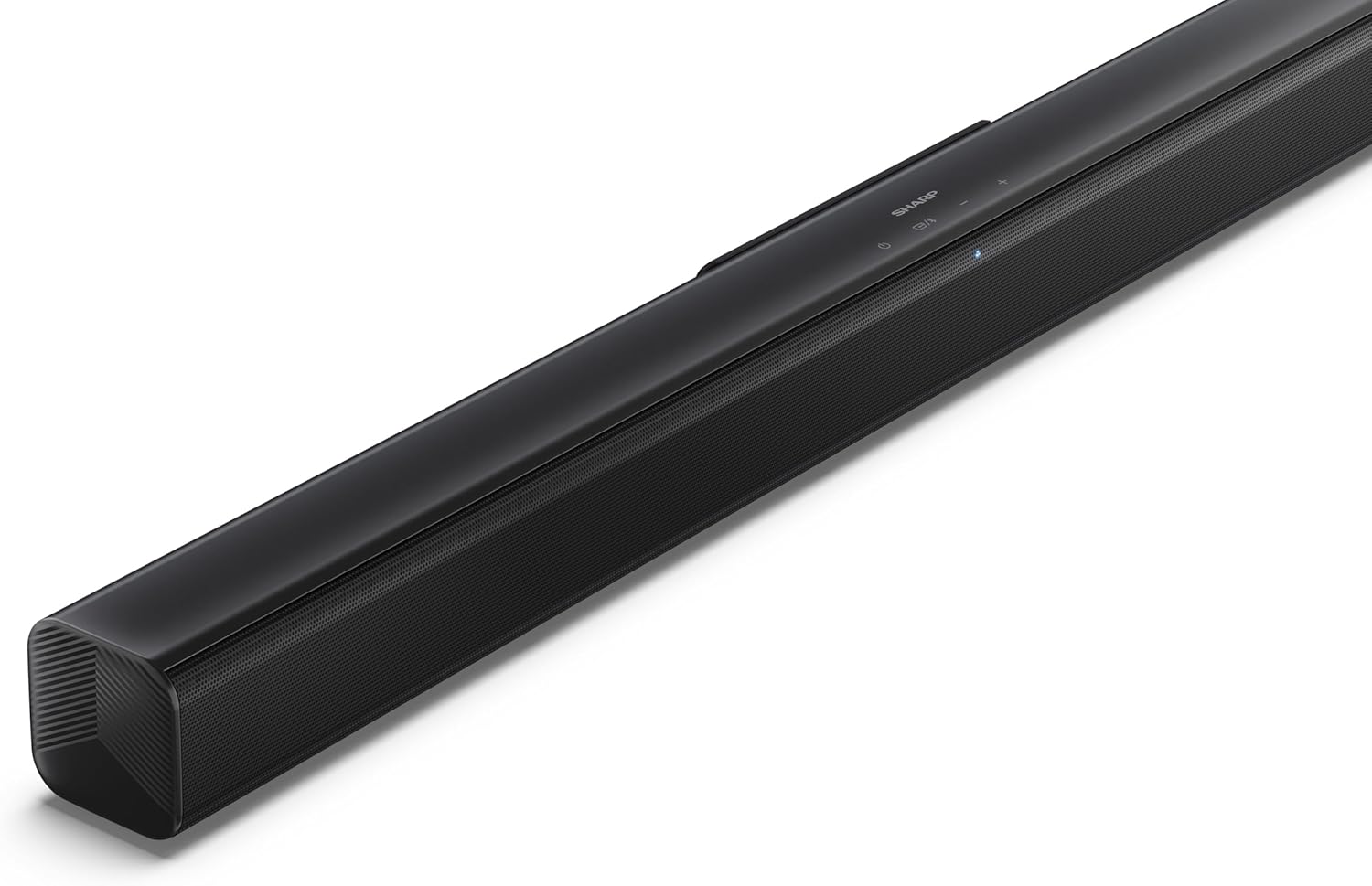
Immaġni 4.2: Il-parti ta' fuq angolata view of the soundbar, highlighting the integrated control buttons for power, source selection, and volume adjustment, along with the SHARP logo.

Image 4.3: Close-up of the top-mounted control panel, showing the power button, source/Bluetooth button, and volume up/down buttons.
4.2 Konnessjonijiet tal-Panew ta' wara

Stampa 4.4: Wara view of the soundbar, displaying the various input ports and power connection.

Immaġni 4.5: Dettaljata view of the rear panel connections, including OPTICAL input, USB port (5V 500mA), AUX input, and HDMI ARC (TV) port.
5. Setup
5.1 Għażliet ta' Tqegħid
The SHARP HT-SB145 Soundbar offers flexible placement options:
- Poġġiment fuq il-mejda: Place the soundbar on a stable, flat surface in front of your TV. Ensure it does not obstruct the TV's remote sensor.
- Immuntar tal-ħajt: Use the provided wall mount brackets to attach the soundbar to a wall below your TV. Refer to section 5.4 for detailed wall mounting instructions.

Image 5.1: The soundbar positioned on a media console beneath a television, demonstrating a typical tabletop setup.
5.2 Konnessjoni mal-Enerġija
- Connect the power cable to the AC IN port on the rear of the soundbar.
- Ipplaggja t-tarf l-ieħor tal-kejbil tal-enerġija f'sokit tal-ħajt.
5.3 Konnessjonijiet tal-Awdjo
Choose one of the following methods to connect the soundbar to your TV or other audio source:
- HDMI ARC/CEC (Recommended):
Connect an HDMI cable (not included) from the HDMI ARC port on the soundbar to the HDMI ARC port on your TV. This connection allows for audio return and control via your TV remote.
- Ottiċi:
Connect an optical cable (not included) from the OPTICAL port on the soundbar to the optical digital output on your TV or audio source.
- AUX:
Connect a 3.5mm audio cable (not included) from the AUX port on the soundbar to the headphone jack or audio output on your TV or audio source.
5.4 Immuntar tal-ħajt
Follow these steps for secure wall mounting:
- Determine the desired mounting location on the wall, ensuring it is level and within reach of power and audio cables.
- Mark the positions for the two wall mount brackets using a pencil. The distance between the brackets should match the mounting points on the soundbar.
- Drill pilot holes at the marked positions. Insert the wall plugs if mounting into drywall or plaster.
- Waħħal il-parentesi tal-immuntar mal-ħajt billi tuża l-viti pprovduti.
- Carefully attach the soundbar to the mounted brackets. Ensure it is securely seated.
6. Istruzzjonijiet Operattivi
6.1 Power On/Off
- Agħfas il- Qawwa buttuna fuq is-soundbar jew ir-remote control biex tixgħel jew titfi l-unità.
6.2 Għażla tas-Sors
Agħfas il- Sors button on the soundbar or remote control repeatedly to cycle through the available input sources:
- HDMI ARC: For audio from a TV connected via HDMI ARC.
- OTTIKU: For audio from a device connected via optical cable.
- AUX: For audio from a device connected via 3.5mm audio cable.
- BLUETOOTH: Għal streaming tal-awdjo mingħajr fili.
- USB: For audio playback from a USB drive.
6.3 Kontroll tal-Volum
- Agħfas il- Volum + buttuna biex iżżid il-volum.
- Agħfas il- Volum - buttuna biex tnaqqas il-volum.
6.4 Tqabbil tal-Bluetooth
- Turn on the soundbar and select the Bluetooth source. The LED indicator will flash, indicating pairing mode.
- Ippermetti l-Bluetooth fuq l-ismartphone, it-tablet, jew apparat ieħor tiegħek.
- Fittex għal "SHARP HT-SB145" in your device's Bluetooth list and select it to pair.
- Once paired, the LED indicator on the soundbar will glow steadily. You can now stream audio wirelessly.
6.5 Daqq tal-USB
The soundbar supports MP3/WAV audio playback from a USB drive.
- Insert a USB drive containing MP3/WAV audio files into the USB port on the rear of the soundbar.
- Select the USB source using the Source button.
- Playback will begin automatically. Use the remote control to navigate tracks (if supported).
The USB port also provides 5V 500mA for charging compatible devices.
7. Manutenzjoni
- Tindif: Uża drapp artab u niexef biex tnaddaf il-wiċċ tas-soundbar. Tużax prodotti tat-tindif likwidi jew materjali li joborxu.
- Ħażna: Jekk taħżen l-unità għal perjodu estiż, aqlagħha mill-plagg tal-elettriku u aħżenha f'post frisk u niexef.
8 Issolvi l-problemi
| Problema | Kawża Possibbli | Soluzzjoni |
|---|---|---|
| Ebda qawwa | Power cable not connected or outlet not active. | Kun żgur li l-kejbil tal-enerġija huwa konness sew u li s-sokit jaħdem. |
| L-ebda ħoss | Incorrect input source selected, volume too low, or cable connection issue. | Select the correct input source. Increase volume. Check audio cable connections. |
| Tqabbil Bluetooth ifalli | Soundbar not in pairing mode, or device too far. | Ensure soundbar is in Bluetooth pairing mode (flashing LED). Move device closer. Try re-pairing. |
| Il-kontroll mill-bogħod ma jaħdimx | Batteries depleted or obstructed signal. | Ibdel il-batteriji. Kun żgur li ma jkunx hemm ostakli bejn ir-remote u s-soundbar. |
9. Speċifikazzjonijiet
| Karatteristika | Dettall |
|---|---|
| Isem tal-Mudell | HT-SB145 |
| Tip ta' Kelliem | Soundbar |
| Kanali | 2.0 Kanal |
| Max Output Power | 150 Watts |
| Verżjoni Bluetooth | 5.3 |
| Konnettività | HDMI ARC/CEC, Optical, AUX, Bluetooth, USB |
| Daqq USB | MP3 / WAV |
| Output tal-Iċċarġjar tal-USB | 5V 500mA |
| Dimensjonijiet tal-Prodott (L x W x H) | 80 ċm x 6.2 ċm x 6.3 ċm (31.5 pulzieri x 2.4 pulzieri x 2.5 pulzieri) |
| Piż tal-oġġett | 1.4 Kilogramma (3.1 lbs) |
| Komponenti Inklużi | Remote Control, Power Cable, Wall Mount Brackets, AAA Batteries |

Image 9.1: Diagram illustrating the dimensions of the SHARP HT-SB145 Soundbar: 800mm length, 63mm height, and 63mm depth.
10. Garanzija u Appoġġ
For warranty information and technical support, please refer to the warranty card included with your product or visit the official Sharp websit. Żomm il-prova tax-xiri tiegħek għal talbiet ta' garanzija.
For further assistance, contact Sharp customer service.


