1. Introduzzjoni
This manual provides detailed instructions for the proper use, setup, and maintenance of your WIWU OWS O300 Wireless Earbuds. Please read this manual thoroughly before using the product to ensure optimal performance and longevity.
2. Kontenut tal-Pakkett
Iċċekkja li l-oġġetti kollha elenkati hawn taħt huma preżenti fil-pakkett tal-prodott tiegħek:
- WIWU OWS O300 Wireless Earbuds (Left and Right)
- Kawża tal-Iċċarġjar
- Cable tal-Iċċarġjar tal-USB-C
- Manwal għall-Utent
3. Prodott Aktarview
The WIWU OWS O300 earbuds feature an open-ear design for comfort and situational awareness, paired with a compact charging case.

Figure 3.1: WIWU OWS O300 Wireless Earbuds and Charging Case

Figure 3.2: WIWU OWS O300 Charging Case open with earbuds inside
Komponenti tal-Earbuds
- Ganċ tal-widna: Jipprovdi tajbin sikuri fuq il-widna.
- Unità tal-Ispeaker: Delivers audio.
- Żona tal-Kontroll tal-Messi: For managing playback, calls, and other functions.
- Mikrofonu: Għal sejħiet bil-vuċi.
- Kuntatti tal-Iċċarġjar: Jikkonnettja mal-kaxxa tal-iċċarġjar.
Komponenti tal-Kaxxa tal-Iċċarġjar
- Slots għall-Earbuds: Iżomm u tiċċarġja l-earbuds.
- Port tal-Iċċarġjar USB-C: Għall-iċċarġjar tal-każ.
- Indikatur LED: Juri l-istatus tal-iċċarġjar u l-livell tal-batterija.
4. Setup
4.1 Iċċarġjar tal-Earbuds u l-Kaxxa
Qabel l-ewwel użu, iċċarġja kompletament kemm il-earbuds kif ukoll il-kaxxa tal-iċċarġjar.
- Place the earbuds into the charging case, ensuring the charging contacts align.
- Qabbad il-kejbil tal-iċċarġjar USB-C mal-port tal-iċċarġjar fuq il-kaxxa u t-tarf l-ieħor ma' sors tal-enerġija (eż., adapter tal-ħajt USB, port USB tal-kompjuter).
- The LED indicator on the case will show the charging status. A full charge typically takes approximately 1.5 hours.
- Ladarba tkun iċċarġjata kompletament, skonnettja l-kejbil tal-iċċarġjar.
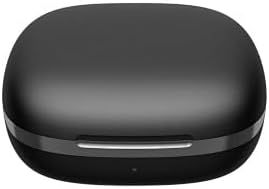
Figure 4.1: WIWU OWS O300 Charging Case in closed state
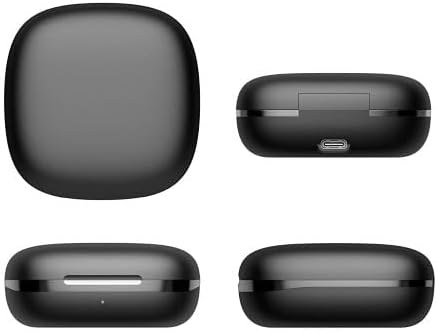
Figura 4.2: Diversi views of the WIWU OWS O300 charging case, highlighting its design and USB-C charging port
4.2 Tqabbil ma' Apparat
- Ensure the earbuds are charged. Open the charging case; the earbuds will automatically enter pairing mode. The LED indicator on the earbuds may flash to indicate pairing readiness.
- Fuq l-apparat tiegħek (smartphone, tablet, eċċ.), attiva l-Bluetooth.
- Fittex għal available Bluetooth devices and select "WIWU OWS O300" from the list.
- Once connected, a voice prompt will confirm successful pairing, and the earbud LED indicators will turn off or show a steady light.
- Jekk l-akkoppjar ifalli, poġġi l-earbuds lura fil-kaxxa, agħlaqha, u rrepeti l-passi.
5. Istruzzjonijiet Operattivi
5.1 Power On/Off
- Qawwa Mixgħul: Iftaħ il-każ tal-iċċarġjar, u l-earbuds jinxtegħlu awtomatikament.
- Itfi: Poġġi l-earbuds lura fil-kaxxa tal-iċċarġjar u agħlaq l-għatu. Dawn jintfew awtomatikament u jibdew jiċċarġjaw.
5.2 Daqq tal-Mużika
- Play/Pawsa: Tektek iż-żona tal-kontroll tat-touch fuq kwalunkwe earbud darba.
- Track li jmiss: Tektek darbtejn iż-żona tal-kontroll tat-touch fuq il-earbud tal-lemin.
- Track preċedenti: Tektek darbtejn iż-żona tal-kontroll tat-touch fuq il-earbud tax-xellug.
- Volum 'il fuq: Tektek tliet darbiet iż-żona tal-kontroll tat-touch fuq il-earbud tal-lemin.
- Volum 'l isfel: Tektek tliet darbiet iż-żona tal-kontroll tat-touch fuq il-earbud tax-xellug.
5.3 Ġestjoni tas-Sejħiet
- Tweġiba/Tmiem Sejħa: Tektek iż-żona tal-kontroll tat-touch fuq kwalunkwe earbud darba.
- Irrifjuta Sejħa: Agħfas u żomm iż-żona tal-kontroll tat-touch fuq kull earbud għal żewġ sekondi.
5.4 Assistent tal-Vuċi
- Attiva l-Assistent tal-Vuċi: Agħfas u żomm iż-żona tal-kontroll tat-touch fuq kull earbud għal żewġ sekondi (meta ma tkunx fuq telefonata).

Figure 5.1: The open-ear design of the WIWU OWS O300 earbuds allows for situational awareness while listening.

Figure 5.2: Ergonomic design of the WIWU OWS O300 earbuds for a secure and comfortable fit.

Figure 5.3: The WIWU OWS O300 earbuds are suitable for various activities and environments, including outdoor use, office work, leisure, and sports.
6. Manutenzjoni
Manutenzjoni xierqa tiżgura l-lonġevità u l-prestazzjoni tal-earbuds tiegħek.
- Tindif: Uża drapp artab, niexef u mingħajr suf biex tnaddaf il-earbuds u l-kaxxa tal-iċċarġjar. Tużax kimiċi ħarxa jew materjali li joborxu.
- Kuntatti tal-Iċċarġjar: Periodically clean the charging contacts on both the earbuds and the case with a dry cotton swab to ensure a good connection.
- Ħażna: Meta ma tkunx qed tużahom, aħżen il-earbuds fil-kaxxa tal-iċċarġjar tagħhom biex tipproteġihom mit-trab u l-ħsara. Aħżen f'post frisk u niexef 'il bogħod minn temperaturi estremi.
- Espożizzjoni għall-Ilma: Avoid exposing the earbuds or case to water or excessive moisture.
7 Issolvi l-problemi
If you encounter issues with your WIWU OWS O300 earbuds, refer to the following table for common problems and solutions.
| Problema | Soluzzjoni |
|---|---|
| Il-earbuds ma jixegħlux. | Kun żgur li l-earbuds u l-kaxxa tal-iċċarġjar huma ċċarġjati kompletament. Poġġi l-earbuds fil-kaxxa u agħlaq l-għatu, imbagħad iftaħ mill-ġdid. |
| Il-earbuds ma jingħaqdux mat-tagħmir. | Make sure Bluetooth is enabled on your device. Place earbuds back in the case, close, then open to re-enter pairing mode. Forget "WIWU OWS O300" from your device's Bluetooth list and try pairing again. |
| L-ebda ħoss jew volum baxx. | Check the volume level on both your device and the earbuds. Ensure earbuds are properly connected. Try playing different audio. |
| Il-kaxxa tal-iċċarġjar mhux qed tiċċarġja. | Verify the USB-C cable is securely connected to both the case and the power source. Try a different cable or power adapter. |
| Earbud wieħed ma jagħmel l-ebda ħoss. | Ensure both earbuds are charged. Try placing both earbuds back into the case, closing it, and then taking them out again to re-establish connection. |
8. Speċifikazzjonijiet
Technical specifications for the WIWU OWS O300 Wireless Earbuds:
| Karatteristika | Dettall |
|---|---|
| Mudell | O300 |
| Verżjoni Bluetooth | V5.3 |
| Chipset Bluetooth | Airohia AB1562M |
| Kapaċità tal-Batterija tal-Earbud | 50mAh (għal kull earbud) |
| Kawża tal-Iċċarġjar Kapaċità tal-Batterija | 400mAh |
| Port tal-Iċċarġjar | USB-C |
| Ħin tal-Iċċarġjar | Appross. 1.5 sigħat |
| Ħin tas-Sejħa | Sa 5 sigħat |
| Ħin ta 'Daqq tal-Mużika | Sa 8 sigħat |
| Ħin ta' Standby | Sa 12 xhur |
| Piż nett tal-Earbud | 7.5g ± 0.2g (per earbud) |
| Charging Case Net Weight | 52.6g |
| Dimensjonijiet tal-Earbud | 16.10mm x 41.51mm x 49.60mm |
| Dimensjonijiet tal-Każ tal-Iċċarġjar | 66.71mm x 66.28mm x 28.97mm |
| Teknoloġija tal-Konnettività | Wireless |
| Tqegħid tal-widnejn | In Ear (Open-Ear Design) |
| Għażliet tal-Kulur | Iswed, Abjad |

Figure 8.1: The WIWU OWS O300 earbuds offer extended battery life for music playback, with additional charge provided by the charging case.
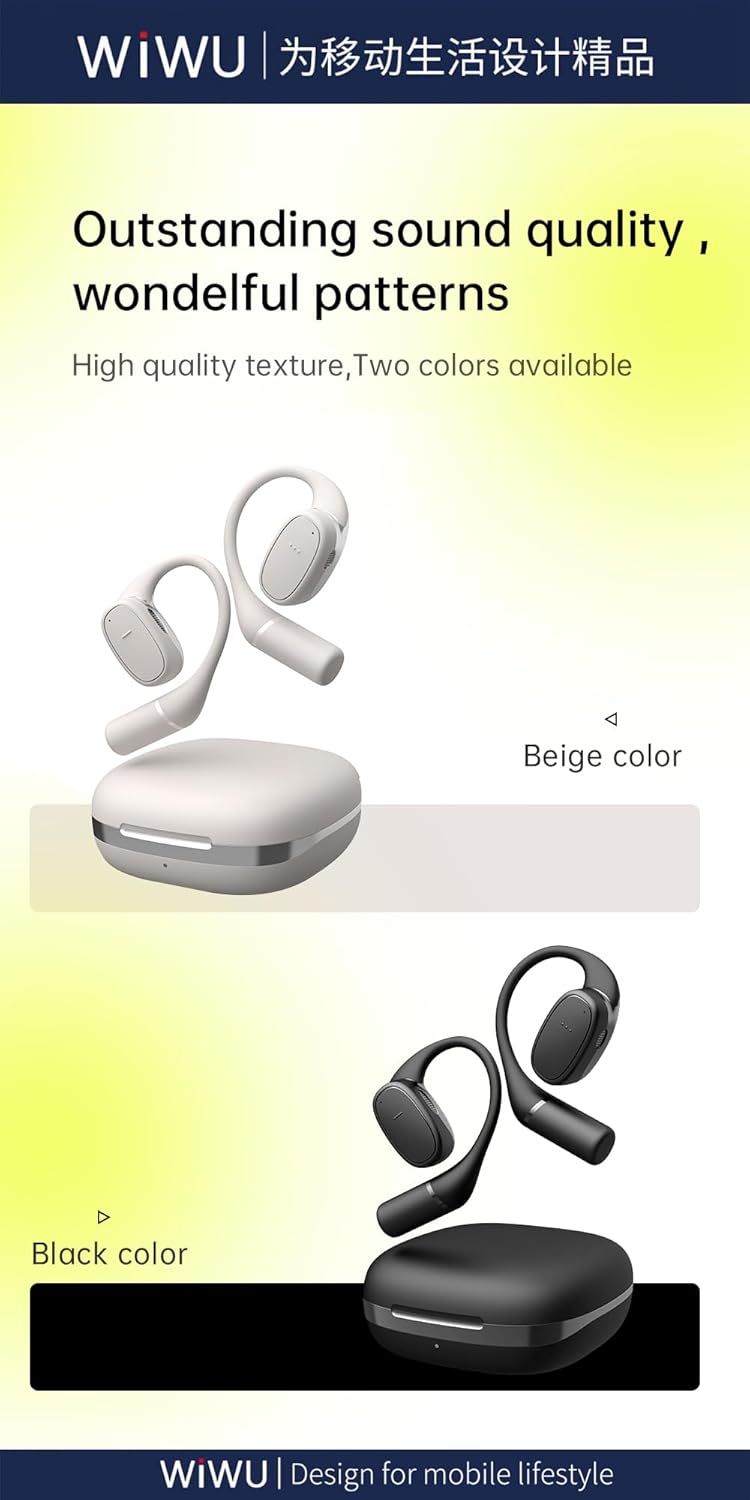
Figure 8.2: Available color options for the WIWU OWS O300 earbuds, including Black and White.
9. Informazzjoni dwar Garanzija
WIWU products are covered by a limited warranty from the date of purchase. Please refer to the warranty card included in your package or visit the official WIWU website for detailed warranty terms and conditions. This warranty typically covers manufacturing defects but does not cover damage caused by misuse, accidents, or unauthorized modifications.
10. Appoġġ
For further assistance, technical support, or inquiries regarding your WIWU OWS O300 Wireless Earbuds, please contact WIWU customer service through their official webis-sit jew l-informazzjoni ta' kuntatt ipprovduta fl-imballaġġ tal-prodott tiegħek.


