Introduzzjoni
Thank you for choosing the JOOAN W3-Dual Lens Outdoor Security Camera. This camera features a unique dual-lens design, providing comprehensive surveillance with 2K HD resolution. It supports both 2.4Ghz and 5Ghz dual-band WiFi, wired connectivity, PTZ rotation, two-way audio, and advanced motion detection with various alert options. This manual provides detailed instructions for installation, operation, and maintenance to ensure optimal performance and security.
Informazzjoni dwar is-Sigurtà
- Ensure the camera is powered by the provided adapter and power cord. This device is not battery-powered.
- Install the camera in a location with stable WiFi signal for optimal performance.
- Evita li tpoġġi l-kamera ħdejn sorsi qawwija ta' interferenza elettromanjetika.
- Tippruvax tiżżarma jew timmodifika l-kamera, għax dan jannulla l-garanzija u jista' jikkawża ħsara.
- Ensure all cables are properly secured and protected from environmental elements.
- For outdoor installation, ensure the camera is securely mounted to prevent accidental falls.
Kontenut tal-Pakkett
Ivverifika li l-oġġetti kollha huma preżenti fil-pakkett tiegħek:
- JOOAN W3-Dual Lens Security Camera (x1)
- Adapter tal-Enerġija (x1)
- Korda tal-Enerġija (x1)
- Screws Bag (x1)
- Manwal għall-Utent (x1)

Image: Contents of the JOOAN W3-Dual Lens Security Camera package, including the camera, power adapter, power cord, mounting screws, and user manual.
Prodott Overview
The JOOAN W3-Dual Lens camera features two independent lenses for comprehensive coverage. The upper lens is fixed, while the lower lens offers Pan-Tilt-Zoom (PTZ) functionality. It is designed for outdoor use with IP66 weather resistance.
Immaġni: Quddiem view of the JOOAN W3-Dual Lens Security Camera, showing both lenses, LED lights, and antennas.

Immaġni: Close-up view highlighting the MicroSD card slot and the reset button on the camera body.
Setup
1. Immuntar tal-Kamera
Il-kamera tappoġġja kemm l-immuntar fis-saqaf kif ukoll mal-ħajt. Agħżel post li jipprovdi l-kwalità mixtieqa viewing angle and has a stable WiFi signal. The camera is IP66 weatherproof, suitable for outdoor installation.
- Use the included screws to securely attach the mounting bracket to your chosen surface.
- Waħħal il-kamera mal-bracket tal-immuntar.
- For ceiling mounting, the image can be flipped in the app settings if needed.

Immaġni: Eżamples of the camera installed on a wall and mounted on a ceiling, demonstrating its versatility.
2. Konnessjoni tal-Enerġija
Connect the provided power adapter to the camera's power input and plug it into a standard electrical outlet. The camera requires a continuous power supply and is not battery-operated.

Image: The camera connected to a power outlet via its power cable and adapter.
3. Konnessjoni tan-Netwerk
The camera supports dual-band WiFi (2.4Ghz and 5Ghz) and wired Ethernet connection. Follow the in-app instructions to connect your camera to your home network.
- Konnessjoni WiFi: Open the app, select 'Add Device', and follow the prompts to connect to your WiFi network. Ensure your phone is connected to the same WiFi network during setup.
- Konnessjoni bil-fili: Connect an Ethernet cable from your router to the camera's Ethernet port. The camera will automatically attempt to connect to the network.
- Modalità AP: If direct connection fails, the camera may enter AP (Access Point) mode, allowing you to connect directly to its WiFi hotspot for initial configuration.

Image: Illustrates the camera's support for 5G/2.4G WiFi, Bluetooth, and Wired connectivity.
4. Installazzjoni tal-App
Download the official JOOAN camera app from your smartphone's app store (iOS App Store or Google Play Store). Register an account and log in to begin adding your device.

Image: A smartphone displaying the live view from the JOOAN camera app, showing two camera feeds simultaneously.
5. Installazzjoni tal-Kard MicroSD
The camera supports MicroSD cards from 8GB to 256GB for local storage. Power off the camera before inserting or removing the MicroSD card.
- Sib is-slott tal-kard MicroSD fuq il-korp tal-kamera.
- Gently insert the MicroSD card into the slot until it clicks into place.
- Format the MicroSD card through the camera app settings after installation for proper functionality.
Istruzzjonijiet Operattivi
1. Ħaj View & Dual Lens Monitoring
Access the live feed from both lenses simultaneously through the app. The dual-lens design allows you to monitor two different areas at once, eliminating blind spots.
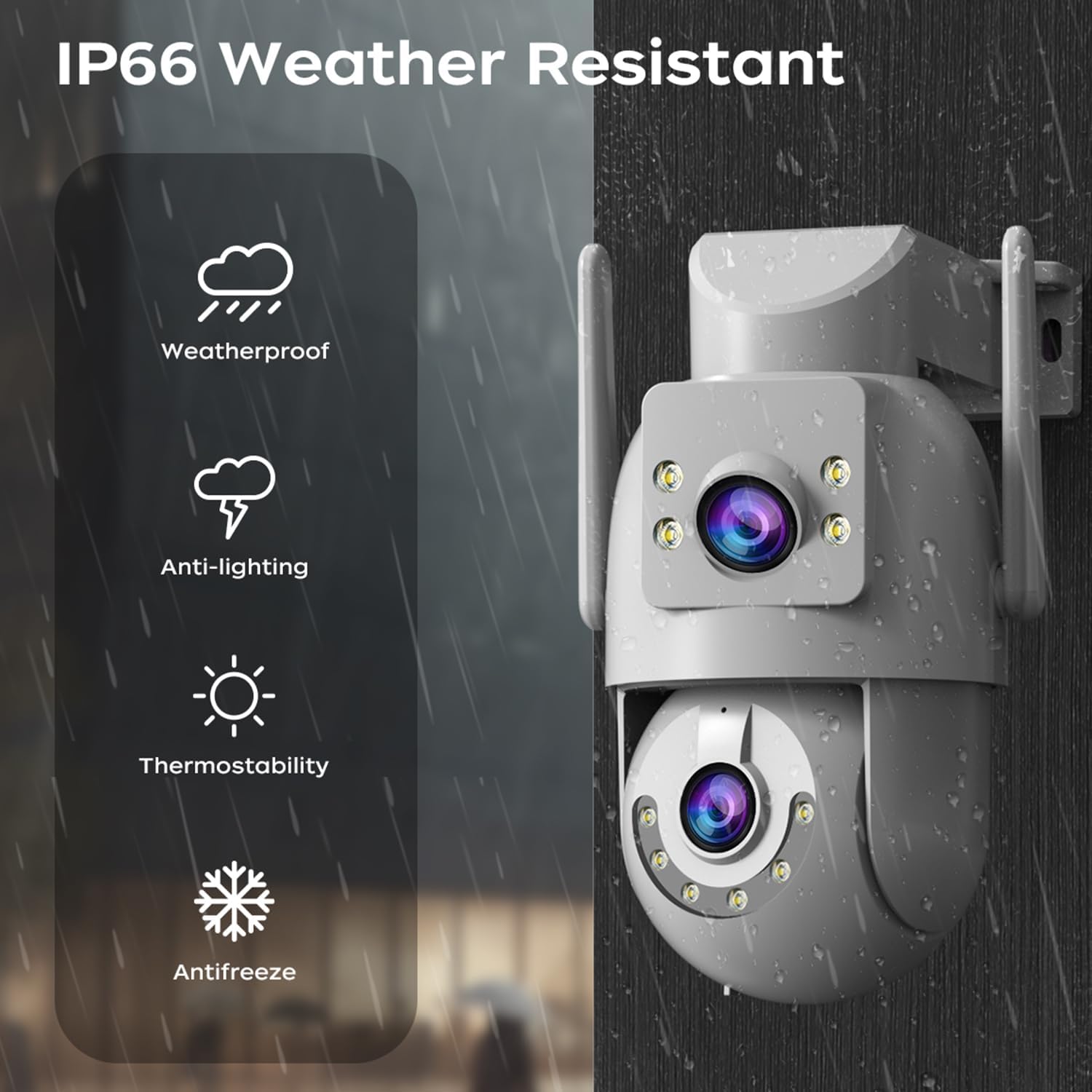
Image: A visual representation of the dual-lens camera monitoring two distinct areas simultaneously, displayed on a smartphone screen.
2. Kontroll PTZ
The lower lens offers Pan-Tilt-Zoom (PTZ) capabilities. Use the controls within the app to remotely adjust the camera's viewangolu tal-ing.
- Ħobż: Dawwar il-kamera orizzontalment sa 355 grad.
- Mejjel: Aġġusta l-kamera vertikalment sa 90 grad.
- Żum diġitali: Pinch to zoom on the live feed for closer inspection.

Image: A smartphone screen showing PTZ controls, with arrows indicating the camera's pan and tilt movement.
3. Awdjo b'żewġ direzzjonijiet
Utilize the built-in microphone and speaker for two-way communication. This allows you to speak to visitors or deter intruders directly through the camera.
- Tap the microphone icon in the app to speak.
- Adjust audio volume as needed within the app.

Image: A person speaking into a smartphone, with a delivery person at the door, illustrating the two-way audio communication feature.
4. Modi ta' Viżjoni bil-Lejl
The camera offers three night vision modes to suit different lighting conditions:
- Infrared Night Vision (B/W): Provides clear black and white images in complete darkness using infrared LEDs.
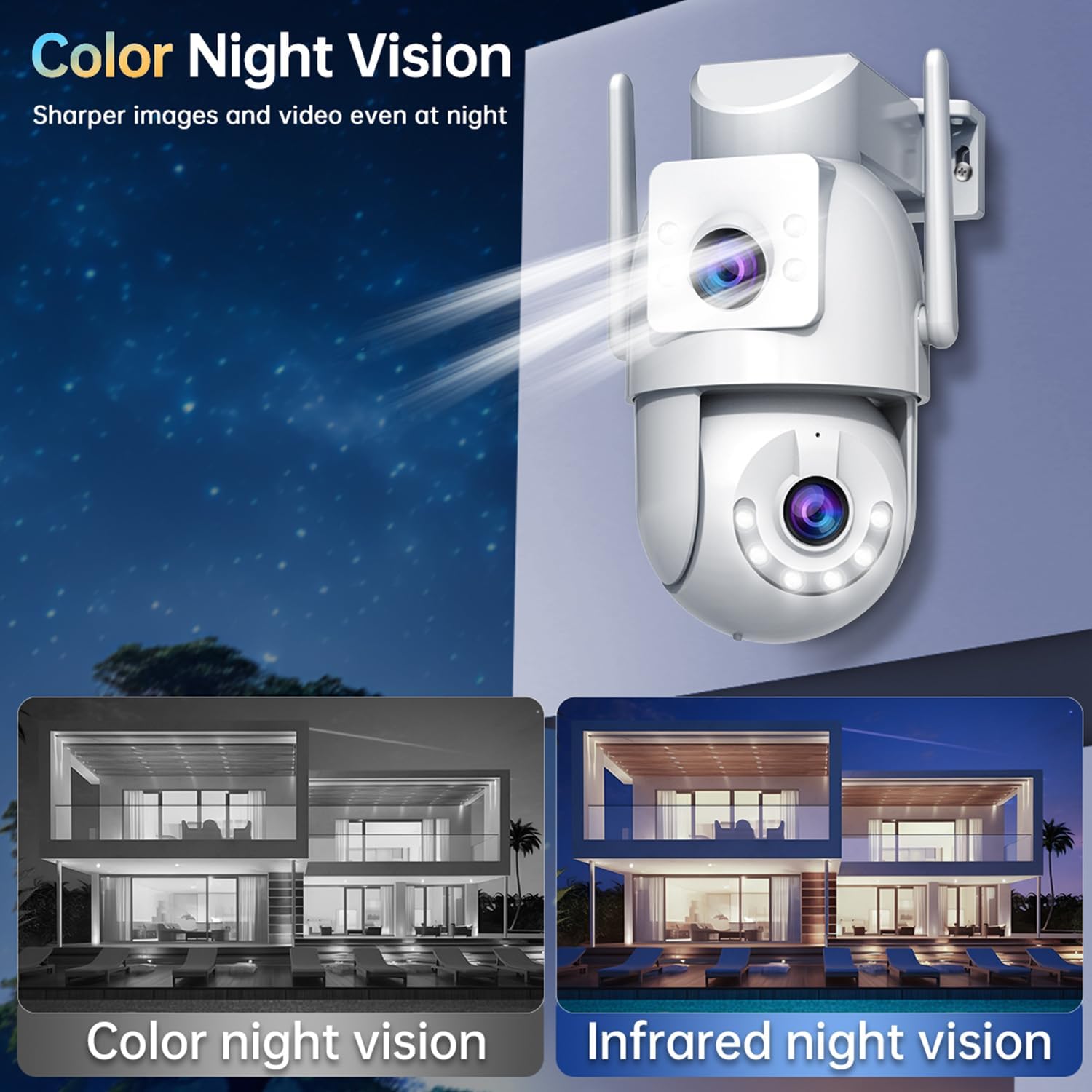
- Viżjoni bil-Lejl bil-Kulur Sħiħ: Utilizes white LEDs to provide full-color images at night.
- Viżjoni bil-Lejl bil-Kulur Intelliġenti: The camera automatically switches from infrared to full-color vision when motion is detected, providing detailed color footage when needed.
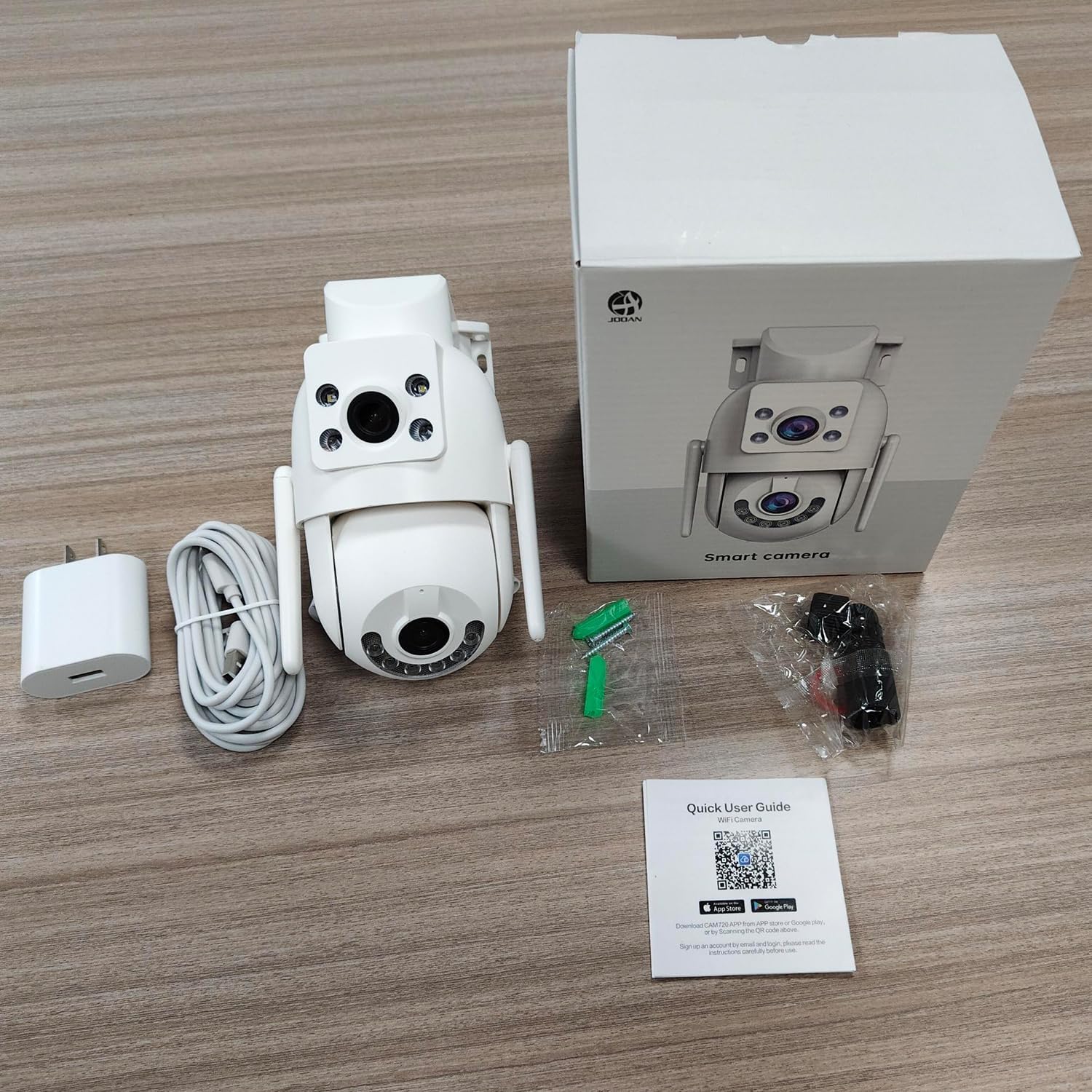
Image: Comparison of color night vision and infrared night vision, showing sharper and more detailed images in color at night.

Immaġni: Eżempju viżwaliamples of Infrared Night Vision, Full Color Night Vision, and Smart Color Night Vision modes.
5. Sejbien tal-Mozzjoni u Twissijiet
The camera features advanced motion and sound detection capabilities. Customize detection zones, sensitivity, and alert types within the app.
- Sejbien tal-Moviment: Receive instant push notifications to your phone when motion is detected.
- Sejbien tal-biki: Alerts you to unusual sounds, such as crying, in the monitored area.
- Light & Sound Alarm: Configure the camera to activate a floodlight and/or siren upon detection to deter intruders.
- Customized Setup: Adjust detection methods, sensitivity levels, specific detection areas, and alert schedules.

Image: An illustration showing motion detection in action, with an alert notification on a smartphone.

Image: Depicts the camera's motion detection triggering a floodlight and siren, with a notification appearing on a phone.
6. Auto Tracking
Enable auto-tracking for the PTZ lens. When motion is detected, the camera will automatically pan to follow the moving object within its field of view.

Image: A visual demonstration of the auto-tracking feature, showing the camera panning to follow a moving person.
7. Għażliet ta 'Ħażna
Il-kamera tappoġġja żewġ metodi primarji ta' ħażna għal ikel irreġistrattage:
- Ħażna tal-Kard MicroSD: Records continuously or based on events to a locally installed MicroSD card (8-256GB, not included).
- Ħażna Cloud: Offers secure cloud storage for alarm records. This allows you to access footage even if the camera is lost or damaged. Cloud storage typically requires a subscription.

Image: Icons representing cloud storage and MicroSD card storage, with a visual of the MicroSD card slot on the camera.

Image: Illustrates MicroSD card storage and cloud storage options for recording and playback.
8. Sharing Access
You can share camera access with family members or trusted individuals through the app, allowing multiple users to view the live feed and receive alerts.

Immaġni: Individwi multipli viewing the camera feed on their smartphones, demonstrating the sharing feature.
9. Smart Home Integrazzjoni
The JOOAN W3-Dual Lens camera is compatible with smart home platforms like Amazon Alexa, allowing for voice control and integration into your smart home ecosystem.
- Follow the instructions in the app to link your camera with your Alexa account.
- Uża kmandi tal-vuċi biex view il-feed tal-kamera fuq displays intelliġenti kompatibbli.

Image: A person interacting with an Alexa-enabled device to view the camera feed, indicating smart home compatibility.
Manutenzjoni
- Tindif: Regularly wipe the camera lenses with a soft, dry cloth to ensure clear image quality. Do not use harsh chemicals.
- Aġġornamenti tal-Firmware: Check the app periodically for firmware updates. Keeping your camera's firmware up-to-date ensures optimal performance, security, and access to new features.
- Provvista tal-Enerġija: Ensure the power connection remains secure and free from damage.
Issolvi l-problemi
| Ħruġ | Soluzzjoni Possibbli |
|---|---|
| Kamera offline | Check WiFi signal strength, ensure power supply is connected, restart camera and router. |
| Ma tistax tikkonnettja mal-WiFi | Ensure correct WiFi password, try 2.4Ghz network if 5Ghz fails, move camera closer to router, reset camera. |
| Kwalità ta 'immaġni fqira | Clean the camera lenses, check network bandwidth, ensure adequate lighting for night vision. |
| Ebda twissijiet ta 'skoperta ta' moviment | Verify motion detection is enabled in app settings, adjust sensitivity, check alert schedule. |
| Il-karta MicroSD mhux qed tirrekordja | Ensure card is inserted correctly, format card in app, check card capacity and health. |
Speċifikazzjonijiet
| Karatteristika | Dettall |
|---|---|
| Numru tal-Mudell | W3-U |
| Riżoluzzjoni tal-Qbid tal-Vidjo | 3 MP (2K*2) |
| Teknoloġija tal-Konnettività | Wi-Fi (2.4Ghz/5Ghz), Wired (Powerline) |
| Sors tal-Enerġija | Elettriku bil-Fili (5V, 7.5W) |
| Tip ta 'Immuntar | Muntatura tal-Limitu, Muntatura tal-Ħajt |
| ViewIng Angolu | 360 Grad (PTZ) |
| Karatteristiċi Speċjali | Dual Lens, 2-Way Audio, Motion Detection, Auto Tracking, Color Night Vision, IP66 Weatherproof |
| Ħażna | MicroSD Card (8-256GB), Cloud Storage |
| Apparati Kompatibbli | Smartphone (Android/iOS) |
| Piż tal-oġġett | 1.15 liri |
| Dimensjonijiet | 6.93 x 5.79 x 4.29 pulzieri |
Garanzija u Appoġġ
JOOAN products come with a standard manufacturer's warranty. For specific warranty details, please refer to the warranty card included in your package or contact JOOAN customer support.
If you encounter any issues or have questions regarding your JOOAN W3-Dual Lens Security Camera, please contact our customer support team. Contact information can typically be found on our official website or within the camera app's 'About Us' section.


