1. Introduzzjoni
The EDIFIER MP330 is a portable Bluetooth speaker designed to deliver a high-quality audio experience with its retro aesthetic and advanced features. It supports Hi-Res audio and offers versatile connectivity options.

Image: The EDIFIER MP330 portable Bluetooth speaker, showcasing its brown finish and integrated leather handle.
2. Kontenut tal-Pakkett
Jekk jogħġbok immarka l-kaxxa għall-oġġetti li ġejjin:
- EDIFIER MP330 Speaker x 1
- Kejbil USB-C għal USB-C x 1
- Gwida għall-Bidu Mgħaġġel x 1
- Important Safety Information x 1

Image: A visual representation of the EDIFIER MP330 speaker and its included accessories: USB-C cable, quick start guide, and safety information.
3. Prodott Aktarview
3.1 Kontrolli u Portijiet
The EDIFIER MP330 features intuitive controls and essential ports for various audio sources.
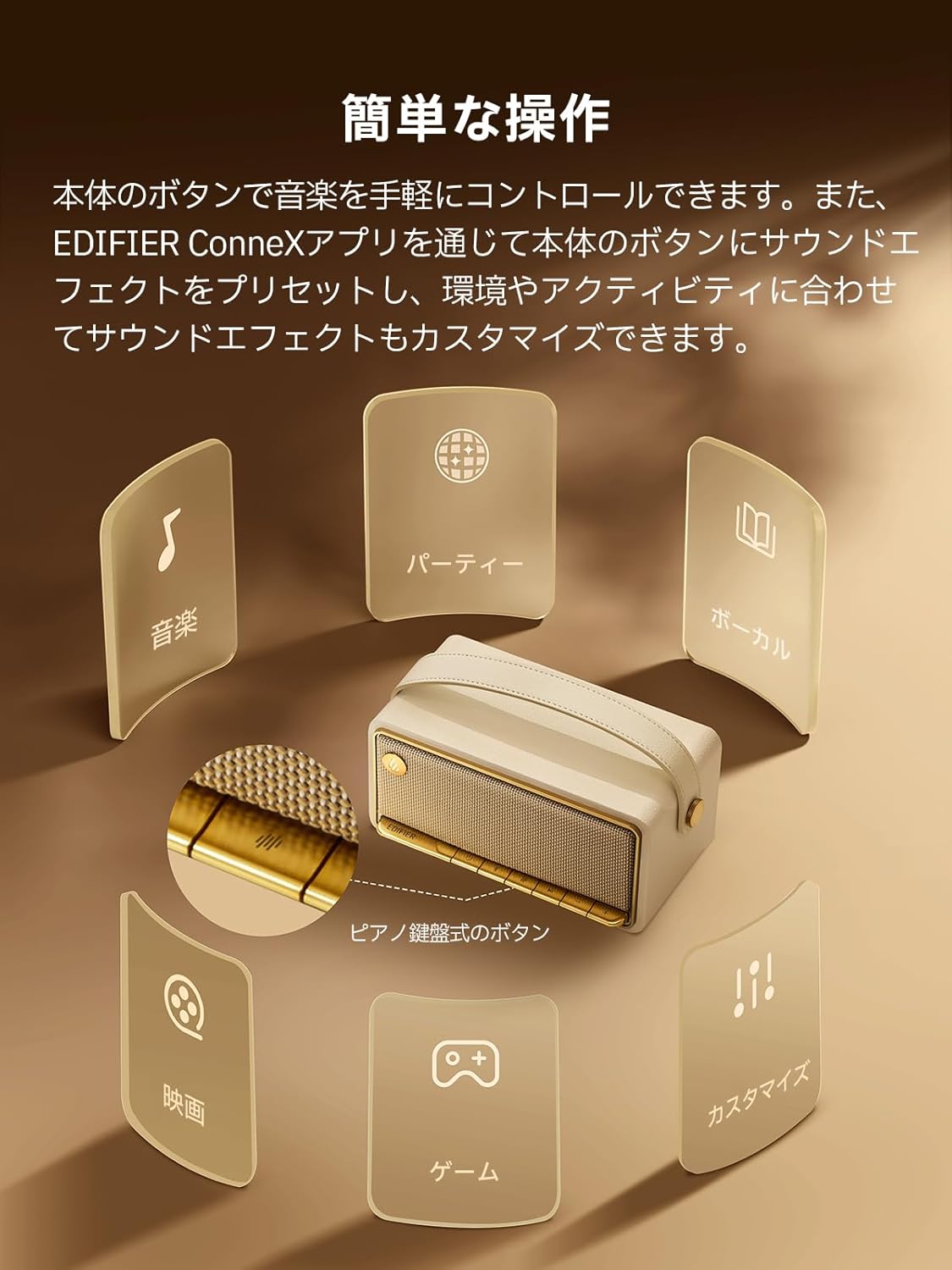
Image: A diagram illustrating the control buttons and indicator lights on the EDIFIER MP330 speaker, showing their functions for power, mode selection, playback, and volume.
- Buttuna tal-Qawwa: Agħfas u żomm biex tixgħel/itfi.
- Buttuna tal-Modalità: Short press to cycle through Bluetooth, USB-C, and microSD card input modes.
- Buttuna Play/Pause: Agħfas qasir biex tilgħab jew twaqqaf l-awdjo.
- Buttuna tal-Volum 'il Fuq/Trakka li Jmiss: Agħfas qasir biex tgħolli l-volum, agħfas twil għat-trakka li jmiss.
- Buttuna għat-Tnaqqis tal-Volum/Trakka Preċedenti: Agħfas qasir biex tnaqqas il-volum, agħfas twil għat-trakka ta' qabel.
- Port USB-C: For charging and audio input.
- Slot tal-Kard microSD: Għad-daqq tal-awdjo files directly from a microSD card.
4. Setup
4.1 Iċċarġjar tal-Ispeaker
Before first use, fully charge the speaker using the provided USB-C cable and a compatible power adapter (not included). The indicator light will show charging status.
4.2 Power On/Off
- Biex tixgħel: Agħfas u żomm il-buttuna tal-Enerġija sakemm id-dawl indikatur jixgħel.
- Biex titfi: Agħfas u żomm il-buttuna tal-Enerġija sakemm id-dawl indikatur jintefa.
4.3 Tqabbil tal-Bluetooth
Biex tikkonnettja t-tagħmir tiegħek permezz tal-Bluetooth:
- Power on the MP330 speaker. The Bluetooth indicator will flash, indicating it is in pairing mode.
- Fuq l-apparat tiegħek (smartphone, tablet, eċċ.), attiva l-Bluetooth u fittex apparati disponibbli.
- Select "EDIFIER MP330" from the list of devices.
- Ladarba jkun konness, l-indikatur tal-Bluetooth jibqa' mixgħul solidu.
4.4 Konnessjoni b'ħafna punti
The MP330 supports connecting to two Bluetooth devices simultaneously. After connecting the first device, put the speaker back into pairing mode and connect the second device. You can then switch between audio sources by pausing playback on one device and starting it on the other.

Image: Two mobile phones displaying music playback interfaces, indicating a multipoint Bluetooth connection to the EDIFIER MP330 speaker.
4.5 Stereo Pairing (TWS)
For an enhanced stereo sound experience, you can pair two MP330 speakers together:
- Ensure both MP330 speakers are powered on and not connected to any Bluetooth device.
- On one speaker, press and hold the Bluetooth button until it enters TWS pairing mode (indicator light will flash a specific pattern).
- The two speakers will automatically connect to each other. One speaker will become the left channel and the other the right.
- Once paired, connect your device to the primary speaker via Bluetooth as described in section 4.3.

Image: Two EDIFIER MP330 speakers, one black and one ivory, positioned to illustrate stereo pairing, with a Bluetooth logo and arrows indicating connection.
5. Istruzzjonijiet Operattivi
5.1 Tibdil tal-Modalitajiet ta' Input
Short press the Mode button to switch between Bluetooth, USB-C, and microSD card input modes. The indicator light will change color to reflect the active mode.
Daqq tal-Awdjo USB-C 5.2
Connect the MP330 to your computer using the provided USB-C cable. The speaker will automatically switch to USB-C audio mode. Select "EDIFIER MP330" as the audio output device on your computer.

Image: A diagram showing the EDIFIER MP330 speaker connected to a computer via a USB-C cable, indicating USB-C audio playback.
5.3 microSD Card Playback
Daħħal karta microSD li fiha l-awdjo files into the microSD card slot. The MP330 will automatically switch to microSD card mode and begin playback.

Image: A diagram illustrating how to insert a microSD card into the dedicated slot on the EDIFIER MP330 speaker.
5.4 Using the EDIFIER Connex App
Download the EDIFIER Connex app to unlock extended features and customize your listening experience. The app allows you to:
- Aqleb is-sorsi tad-dħul.
- Ikkontrolla l-plejbek.
- Customize sound effects (equalizer presets or custom settings).
- Access the electronic user manual and other settings.

Image: Multiple smartphone screens displaying the EDIFIER Connex app interface, highlighting various control and customization options for the speaker.
6. Manutenzjoni
To ensure the longevity and optimal performance of your EDIFIER MP330 speaker, follow these maintenance guidelines:
- Tindif: Use a soft, dry cloth to clean the speaker's surface. Avoid using abrasive cleaners, solvents, or strong chemicals, as they may damage the finish.
- Ħażna: Aħżen l-ispiker f'post frisk u niexef 'il bogħod mix-xemx diretta, temperaturi estremi, u umdità għolja.
- Espożizzjoni għall-Ilma: The speaker is not waterproof. Avoid exposing it to water, rain, or excessive moisture.
- Immaniġġjar: Immaniġġja l-ispiker b'attenzjoni. Evita li twaqqgħu jew li tissottomettih għal impatti qawwija.
- Kura tal-batterija: Għal ħajja ottimali tal-batterija, evita li tiċċarġja kompletament il-batterija ta' spiss. Jekk taħżinha għal perjodu estiż, iċċarġja l-batterija għal madwar 50% kull ftit xhur.
7 Issolvi l-problemi
If you encounter issues with your EDIFIER MP330 speaker, refer to the following common troubleshooting steps:
- Ebda Qawwa:
- Kun żgur li l-kelliem ikun iċċarġjat kompletament.
- Check if the power button is pressed and held correctly to turn on the device.
- Ebda Ħsejjes:
- Verify the volume level on both the speaker and your connected device.
- Ensure the correct input mode (Bluetooth, USB-C, microSD) is selected.
- If using Bluetooth, ensure the speaker is properly paired and connected to your device.
- If using a microSD card, ensure the card is inserted correctly and contains playable audio files.
- Kwistjonijiet ta' Tqabbil tal-Bluetooth:
- Kun żgur li l-ispiker jinsab fil-modalità ta' tqabbil Bluetooth (dawl indikatur li jteptep).
- Iddiżattiva u erġa' attiva l-Bluetooth fuq l-apparat tiegħek.
- Move the speaker closer to your device and away from potential interference sources.
- Ipprova neħħi l-akkoppjar u erġa' qabbad l-ispiker mis-settings tal-Bluetooth tat-tagħmir tiegħek.
- Stereo Pairing Not Working:
- Ensure both speakers are not connected to any other Bluetooth device before initiating TWS pairing.
- Follow the TWS pairing steps carefully (Section 4.5).
- Kwistjonijiet ta' Konnettività tal-App:
- Ensure Bluetooth is enabled and the speaker is connected to your device.
- Update the EDIFIER Connex app to the latest version.
- Ibda mill-ġdid kemm il-kelliem kif ukoll it-tagħmir tiegħek.
If the problem persists after trying these steps, please contact Edifier customer support for further assistance.
8. Speċifikazzjonijiet
Detailed technical specifications for the EDIFIER MP330 speaker:

Image: A comparison chart highlighting key specifications of the EDIFIER MP330 and MP230 models, including output power, Bluetooth version, battery capacity, playback time, and Hi-Res audio support.
| Karatteristika | Speċifikazzjoni |
|---|---|
| Isem tal-Mudell | MP330 |
| Tip ta' Kelliem | Speaker li jista ’jinġarr |
| Materjal | Injam (MDF) |
| Kulur | Kannella |
| Qawwa tal-Ħruġ | 40W RMS |
| Verżjoni Bluetooth | 6.0 |
| Kapaċità tal-batterija | 4800mAh |
| Ħin tal-daqq | Sa 19 sigħat (b'50% volum) |
| Rispons ta' Frekwenza | 53Hz-40kHz |
| Awdjo Hi-Res | Supported (up to 24bit/96kHz) |
| Konnettività | Bluetooth, USB-C, microSD card |
| Dimensjonijiet (W x D x H) | 20.7 x 11.6 x 10.1 ċm |
| Piż | 1.13 kg |
| Metodu ta' Kontroll | App, Buttuna tal-Imbottatura |
| Proporzjon tas-sinjal għall-istorbju (S/N) | 85 dB |

Image: A technical drawing showing the dimensions (width, depth, height) and weight of the EDIFIER MP330 speaker.
9. Garanzija u Appoġġ
For warranty information, please refer to the warranty card included in your product packaging or visit the official Edifier website. If you require technical support or have questions about your EDIFIER MP330 speaker, please contact Edifier customer service through their official channels.
Uffiċjali tal-Edifier Websit: www.edifier.com


