1. Introduzzjoni
This manual provides detailed instructions for the AULA S99 99-Key Tri-Mode Wireless RGB Gaming Keyboard. Please read this manual thoroughly before use to ensure proper operation and to maximize your experience with the product.
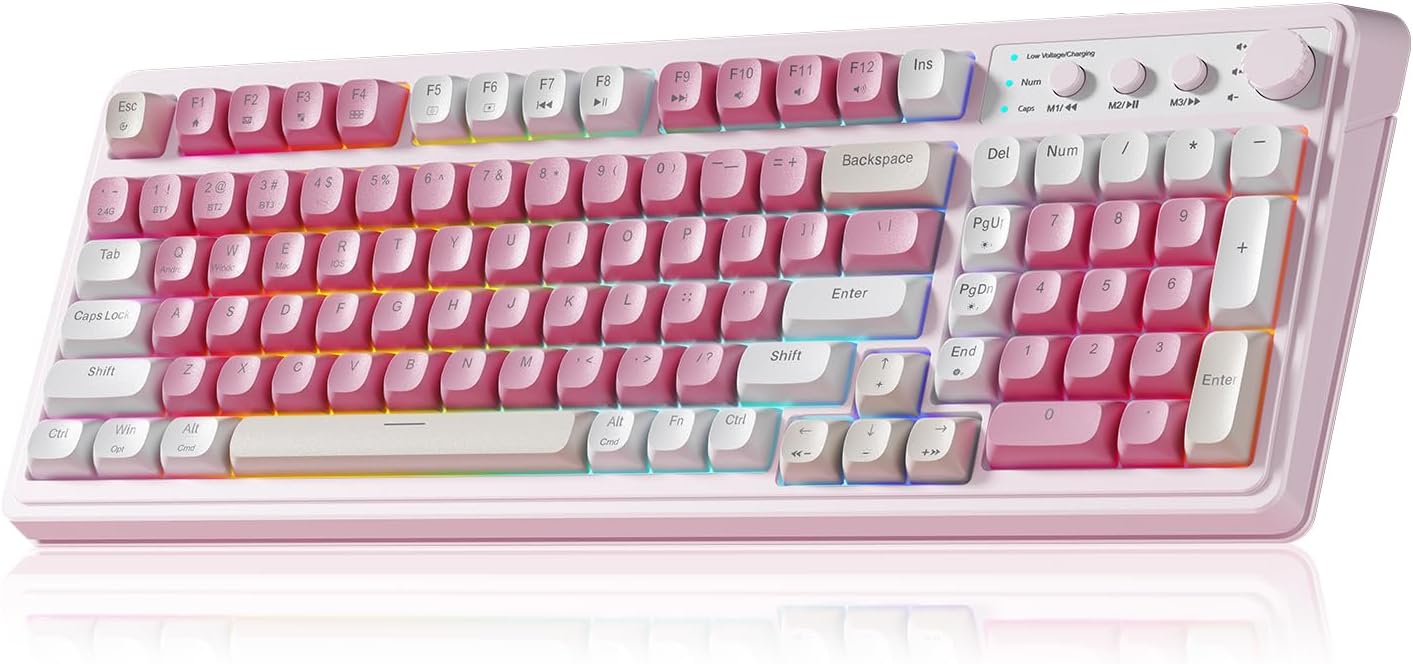
Figure 1: AULA S99 99-Key Tri-Mode Wireless RGB Gaming Keyboard (Pink variant).
2. X'hemm fil-Kaxxa
- 1x AULA S99 99-Key Tri-Mode Wireless RGB Gaming Keyboard - Pink
- 1x Type-C Cable (Please use our original charging cable, otherwise it may damage the keyboard)
- 1x Keycap Puller
- 1x Manwal għall-Utent
3. Prodott Aktarview
The AULA S99 keyboard is designed for versatility and performance, featuring a compact 99-key layout that includes a number pad. It offers multiple connectivity options, vibrant RGB backlighting, and ergonomic considerations for extended use.

Figure 2: Key features of the AULA S99 keyboard.
Karatteristiċi ewlenin:
- Tqassim ta' 99-Ċavetta: Compact design with a dedicated number pad.
- Konnettività Tri-Modalità: Supports Bluetooth 5.0, 2.4GHz wireless, and USB wired connections.
- Dawl ta' wara RGB: 16.8 million colors with 16 pre-set lighting effects, adjustable brightness and speed.
- Ċwievet programmabbli: M1/M2/M3 buttons for macro customization.
- Pum b'ħafna funzjonijiet: Adjusts volume, connection mode, and backlight settings.
- Disinn Ergonomiku: Features a foldable 2-stage kickstand for adjustable tilt angles.
- Batterija fit-tul: Equipped with a 2000mAh battery.
- Nota: This is a membrane keyboard and does not support hot-swapping of switches.
4. Setup
The AULA S99 keyboard offers three connection modes: Bluetooth, 2.4GHz wireless, and USB wired. Follow the instructions below to set up your preferred connection.

Figure 3: Triple Mode Connection options for the AULA S99 keyboard.
4.1. Qlib tal-Modi ta 'Konnessjoni
To restore factory settings, press FN + Esc. Then, quickly switch keyboard modes using FN + ' ~ ! 1(1) / @ 2(#) / # 3($) ċwievet.
4.2. Konnessjoni bla fili ta' 2.4GHz
- Switch the mode button on the keyboard to 2.4G.
- Agħfas FN + 4($). The Num indicator (blue) will flash rapidly.
- Insert the 2.4GHz USB receiver into your device.
- The Num indicator will flash slowly upon successful connection.
4.3. Konnessjoni Bluetooth
- Switch the mode button on the keyboard to BT.
- Agħfas FN + 1(!), FN + 2(@), jew FN + 3(#) to select a Bluetooth channel. The CAP indicator will flash rapidly.
- Fuq l-apparat tiegħek, fittex għal
Dokumenti Relatati - S99

Manwal tal-Utent tal-Maws tal-Logħob Wireless AULA Wolf Spider SC100
Manwal dettaljat għall-utent għall-maws tal-logħob mingħajr fili AULA Wolf Spider SC100, li jkopri t-tqassim taċ-ċwievet, l-ispeċifikazzjonijiet tal-prodott, l-installazzjoni, l-istruzzjonijiet tat-tħaddim, iċ-ċertifikat tal-protezzjoni ambjentali, u informazzjoni dwar il-garanzija.
AULA Mountain S99 Gaming Keyboard User Manual
Discover the features and functions of the AULA Mountain S99 Gaming Keyboard. This manual provides detailed information on connectivity, shortcuts, charging, and mode switching for an optimal gaming experience.
Manwal tal-Utent tat-Tastiera Mekkanika AULA F87
Manwal tal-utent għat-Tastiera Mekkanika AULA F87, li jiddeskrivi l-konnettività bi 3 modi tagħha (USB Type-C, 2.4G, Bluetooth), il-karatteristiċi anti-ghosting, il-proċess manwali ta' tqabbil, l-indikaturi tal-iċċarġjar, u d-dawl RGB.
AULA S99Pro Tri-Mode Gaming Keyboard User Manual
Comprehensive guide for the AULA S99Pro Tri-Mode Gaming Keyboard, covering wired, 2.4G wireless, and Bluetooth connections, key functions, backlight adjustments, and charging instructions.
AULA F98 Pro User Manual: Setup, Features, and Customization
Comprehensive user manual for the AULA F98 Pro wireless mechanical keyboard. Learn how to turn the keyboard on/off, navigate the LCD screen and knob functions, connect via Bluetooth, 2.4GHz, or USB-C, customize RGB lighting, and utilize software features.
AULA F87 3-Mode Mechanical Keyboard Quick Operation Guidelines
A comprehensive guide to operating the AULA F87 3-Mode Mechanical Keyboard, covering 2.4G and Bluetooth connectivity, as well as wired connection.