1. Introduzzjoni
This manual provides essential information for the installation, operation, and maintenance of your ZOTAC Gaming GeForce RTX 5060 Twin Edge OC graphics card. Designed for high-performance gaming, this card features the NVIDIA Blackwell architecture, DLSS 4, 8GB GDDR7 memory, and PCIE 5.0 support, all within a compact, SFF-ready design. Please read this manual thoroughly before installation and use to ensure optimal performance and longevity of your product.
2. X'hemm fil-Kaxxa
Ivverifika li l-oġġetti kollha huma preżenti fil-pakkett:
- ZOTAC GAMING GeForce RTX 5060 Twin Edge OC graphics card
- Manwal għall-Utent (dan id-dokument)
- Gwida Quick Start
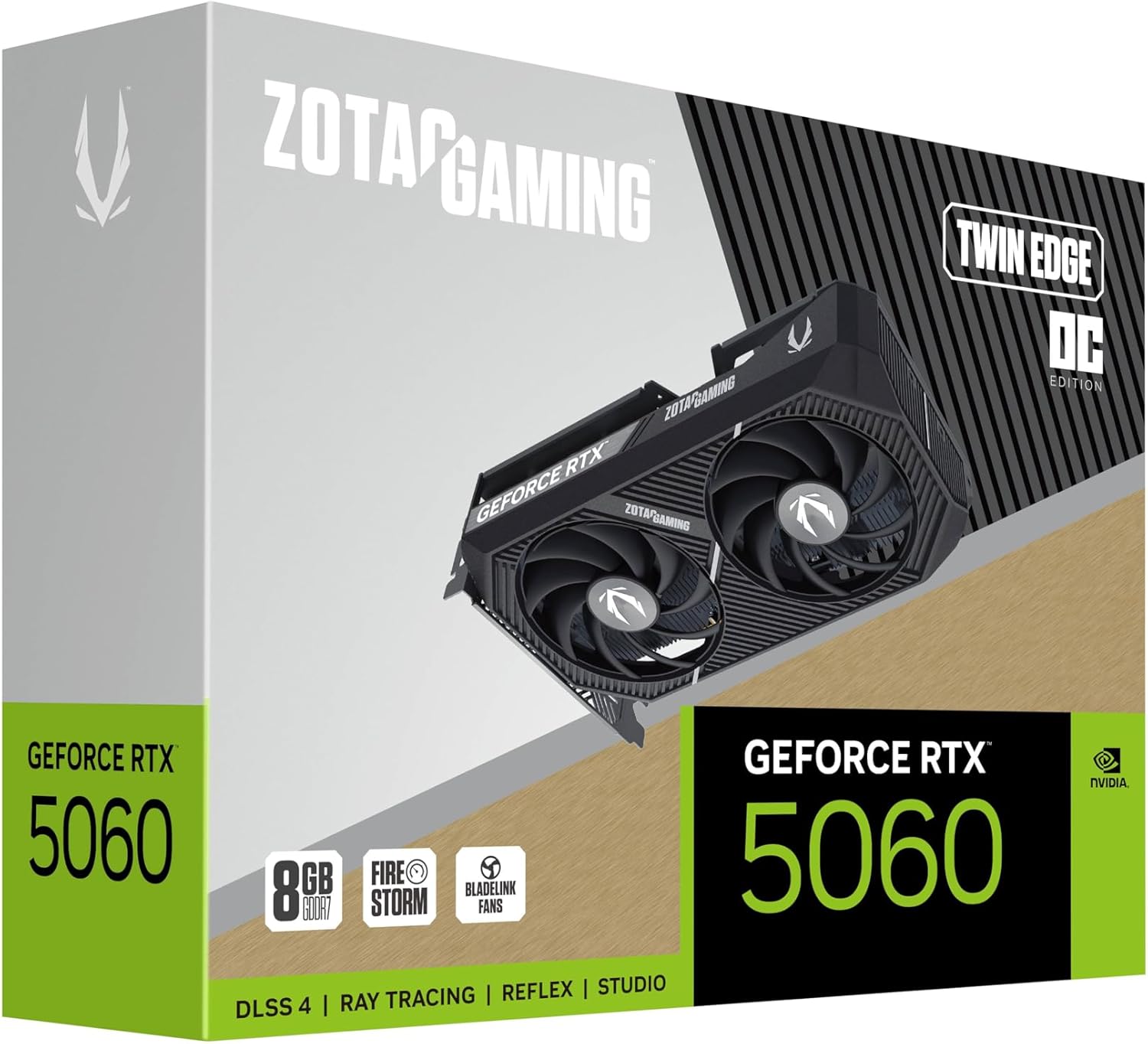
Image: The retail packaging for the ZOTAC Gaming GeForce RTX 5060 Twin Edge OC graphics card.
3. Prodott Aktarview
Familiarize yourself with the physical components of your graphics card.

Immaġni: Quddiem view tal-karta grafika, wirjaasing the dual 90mm BladeLink fans and ZOTAC GAMING branding.

Immaġni: Wara view of the graphics card, showing the 3 DisplayPort 2.1b and 1 HDMI 2.1b output ports.

Immaġni: Ġenb view of the graphics card, highlighting its compact two-slot design.
4. Speċifikazzjonijiet
Key technical specifications of the ZOTAC Gaming GeForce RTX 5060 Twin Edge OC graphics card:
| Karatteristika | Speċifikazzjoni |
|---|---|
| Koproċessur tal-Grafika | GeForce RTX 5060 |
| Chipset Brand | NVIDIA |
| Memorja tal-Vidjo | 8GB GDDR7 |
| Interface tal-memorja | 128-bit |
| Veloċità tal-Memorja | 28 Gbps |
| Interface PCIe | PCIE 5.0 |
| Wiri Outputs | 3 x DisplayPort 2.1b, 1 x HDMI 2.1b |
| Riżoluzzjoni massima | 7680x4320 (8K Ready) |
| Appoġġ għal Wirjiet Multipli | 4 Displays |
| Sistema tat-tkessiħ | Dual 90mm BladeLink fans, Composite Heatpipes, Pass-thru Airflow Design |
| Konnettur tal-Enerġija | PCIe bi 8 pinnijiet |
| Dimensjonijiet (LxWxH) | 8.7 x 1.6 x 0.1 pulzieri (220.5 x 41.6 x 120.25 mm) |
| Piż | 1.57 liri |
5. Setup u Installazzjoni
5.1 Lista ta 'Kontroll ta' Qabel l-Installazzjoni
- Kun żgur li l-unità tal-provvista tal-enerġija (PSU) tiegħek tissodisfa l-qawwa rakkomandatatage for your system, including the new graphics card.
- Itfi l-kompjuter tiegħek u skonnettja l-kejbil tal-enerġija mis-sokit tal-ħajt.
- Ground yourself to discharge any static electricity before handling components.
5.2 Installazzjoni tal-Ħardwer
- Iftaħ il-każ tal-kompjuter tiegħek.
- Sib slott PCI Express 5.0 x16 disponibbli fuq il-motherboard tiegħek.
- Remove any expansion slot covers that correspond to the graphics card's two-slot width.
- Allinja bir-reqqa l-karta grafika mas-slott tal-PCIe u agħfas 'l isfel sew sakemm tkun imwaħħla sew. Kun żgur li l-klipp taż-żamma fuq is-slott tal-PCIe jissakkar f'postu.
- Waħħal il-karta grafika mal-kaxxa bil-viti.
- Connect the 8-pin PCIe power connector from your PSU to the graphics card. Ensure a firm connection.
- Agħlaq il-każ tal-kompjuter tiegħek.
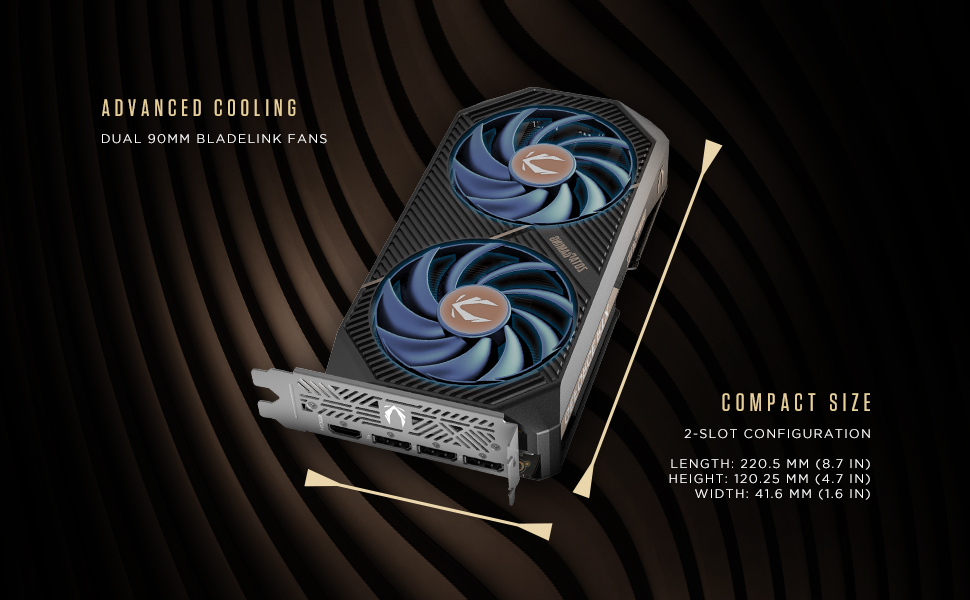
Image: Illustration of the graphics card's compact dimensions and dual fan cooling system, aiding in installation planning.
5.3 Installazzjoni tas-sewwieq
- Erġa' qabbad il-kejbil tal-enerġija u ixgħel il-kompjuter tiegħek.
- Qabbad il-kejbil tad-displej tiegħek (HDMI jew DisplayPort) mill-karta grafika mal-monitor tiegħek.
- Once the operating system loads, download the latest NVIDIA drivers for your GeForce RTX 5060 from the official NVIDIA websit (www.nvidia.com/sewwieqa).
- Segwi l-istruzzjonijiet fuq l-iskrin biex tlesti l-installazzjoni tas-sewwieq. Jista' jkun meħtieġ li terġa' tibda s-sistema.
6. It-Tħaddim tal-Karta Grafika Tiegħek
6.1 Aġġornamenti tas-Sewwieqa
Regularly update your graphics drivers to ensure optimal performance, stability, and access to the latest features and game optimizations. NVIDIA releases new drivers frequently, which can be downloaded from their official website or through the GeForce Experience application.
6.2 ZOTAC GAMING Utilities
ZOTAC provides utility software, such as FireStorm, which allows you to monitor your graphics card's performance, adjust fan speeds, and customize lighting (if applicable). Refer to the ZOTAC websit għal aktar informazzjoni u downloads.
6.3 Konfigurazzjoni tal-Wiri
Utilize the NVIDIA Control Panel to configure display settings, including resolution, refresh rate, and multi-monitor setups. This software is installed with the graphics drivers.
7. Manutenzjoni
7.1 Tindif
- Periodically clean the fans and heatsink of your graphics card to prevent dust buildup, which can impede cooling performance.
- Use compressed air to gently blow dust out of the heatsink fins and fan blades. Hold the fan blades in place to prevent them from spinning excessively during cleaning.
- Ensure your computer is powered off and unplugged before performing any cleaning.
7.2 Fluss tal-arja
Maintain good airflow within your PC case. Ensure that case fans are properly configured to draw cool air in and expel hot air out. Avoid obstructing the graphics card's fans or exhaust vents.

Image: Visual representation of the card's pass-through airflow design for faster heat release and the metal backplate for enhanced rigidity.
8 Issolvi l-problemi
Din it-taqsima tindirizza kwistjonijiet komuni li tista' tiltaqa' magħhom bil-karta grafika tiegħek.
| Problema | Kawża Possibbli | Soluzzjoni |
|---|---|---|
| L-ebda output tal-wiri | Incorrect cable connection, unseated card, no power, driver issue | Ensure display cables are securely connected. Reseat the graphics card. Verify the 8-pin PCIe power connector is fully inserted. Install or update drivers. |
| Instabbiltà jew ħsarat fis-sistema | Outdated drivers, overheating, insufficient PSU power | Update graphics drivers. Monitor temperatures using ZOTAC FireStorm or other tools. Ensure PSU meets requirements. |
| Fans not spinning or excessive noise | Dust buildup, fan control settings, faulty fan | Clean fans and heatsink. Check fan speed settings in ZOTAC FireStorm. Contact support if a fan is faulty. |
| Prestazzjoni baxxa fil-logħob | Outdated drivers, incorrect game settings, CPU bottleneck | Ensure latest drivers are installed. Adjust in-game graphics settings. Verify other system components are not limiting performance. |
9. Garanzija u Appoġġ
ZOTAC provides dedicated customer support and warranty coverage for its products.
9.1 Kopertura tal-Garanzija
Your ZOTAC Gaming GeForce RTX 5060 Twin Edge OC graphics card typically comes with a 3-year coverage. Please register your product on the official ZOTAC website to activate and verify your warranty terms and conditions, as they may vary by region.
9.2 Appoġġ għall-Klijent
For technical assistance, troubleshooting, or warranty claims, please utilize ZOTAC's support resources:
- Chat onlajn: Access 24/7 online chat support via the ZOTAC websit.
- RMA Program: For hardware issues requiring repair or replacement, refer to the Return Merchandise Authorization (RMA) program details on the ZOTAC support page.
- Online Communities: Engage with other users and find solutions on ZOTAC's official forums and social media channels.
Żur iż-ZOTAC uffiċjali websit għall-aktar informazzjoni ta' appoġġ aġġornata: www.zotac.com/support

Immaġni: Fuqview of ZOTAC's online communities and dedicated customer support services, including warranty coverage and RMA program.


