1. Introduzzjoni
The Midland ENERPUMP is a compact and portable air compressor designed for convenient inflation of various items, including vehicle tires, bicycle tires, sports balls, and inflatable mattresses. Featuring a built-in 4000mAh battery, it offers cordless operation and can also function as a power bank for charging electronic devices. With a maximum pressure of 10 bar (150 PSI), it provides efficient inflation for on-the-go needs.

Figura 1: Quddiem view of the Midland ENERPUMP Portable Air Compressor, showing the digital display and control buttons.
2. Kontenut tal-Pakkett
Jekk jogħġbok iċċekkja l-pakkett għall-oġġetti li ġejjin:
- Midland ENERPUMP Portable Air Compressor (Model C1651)
- Kejbil tal-Iċċarġjar (USB-C)
- Manka ta' Estensjoni
- Various End Pieces (nozzles for different inflation needs)
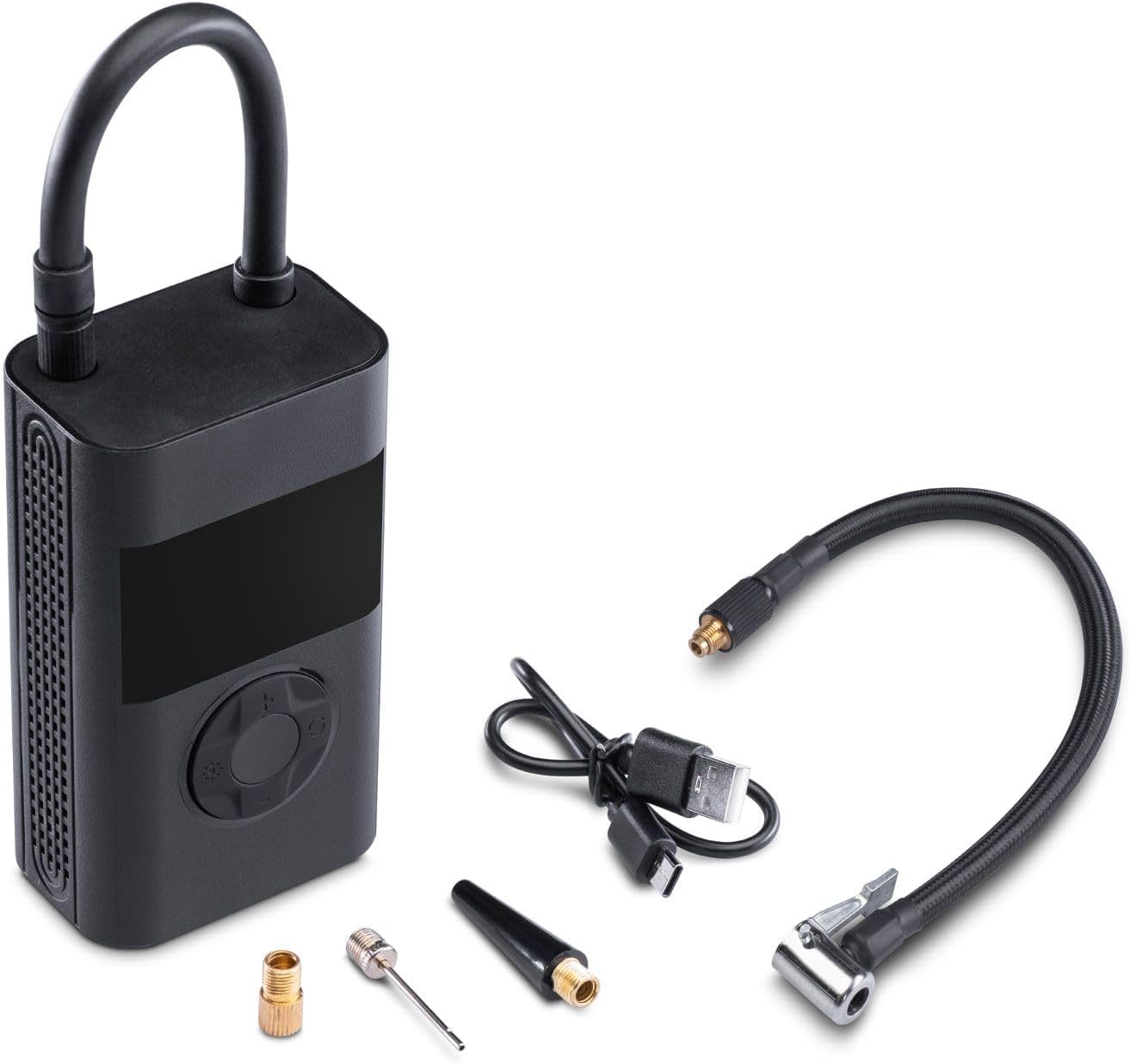
Figure 2: The Midland ENERPUMP compressor shown with its charging cable, extension hose, and various inflation nozzles.
3. Karatteristiċi tal-prodott
- Inflazzjoni mgħaġġla: Capable of inflating up to 10 bar (150 PSI), suitable for cars, motorcycles, bicycles, balloons, and mattresses.
- Batterija Integrata ta' 4000mAh: Provides cordless operation and can function as a power bank for external devices.
- Disinn kompatt u portabbli: Faċli biex taħżen u ttrasporta.
- Dawl LED integrat: For visibility during use in low-light conditions or emergencies.
- USB-C Rechargeable: Convenient charging via the included USB-C cable.
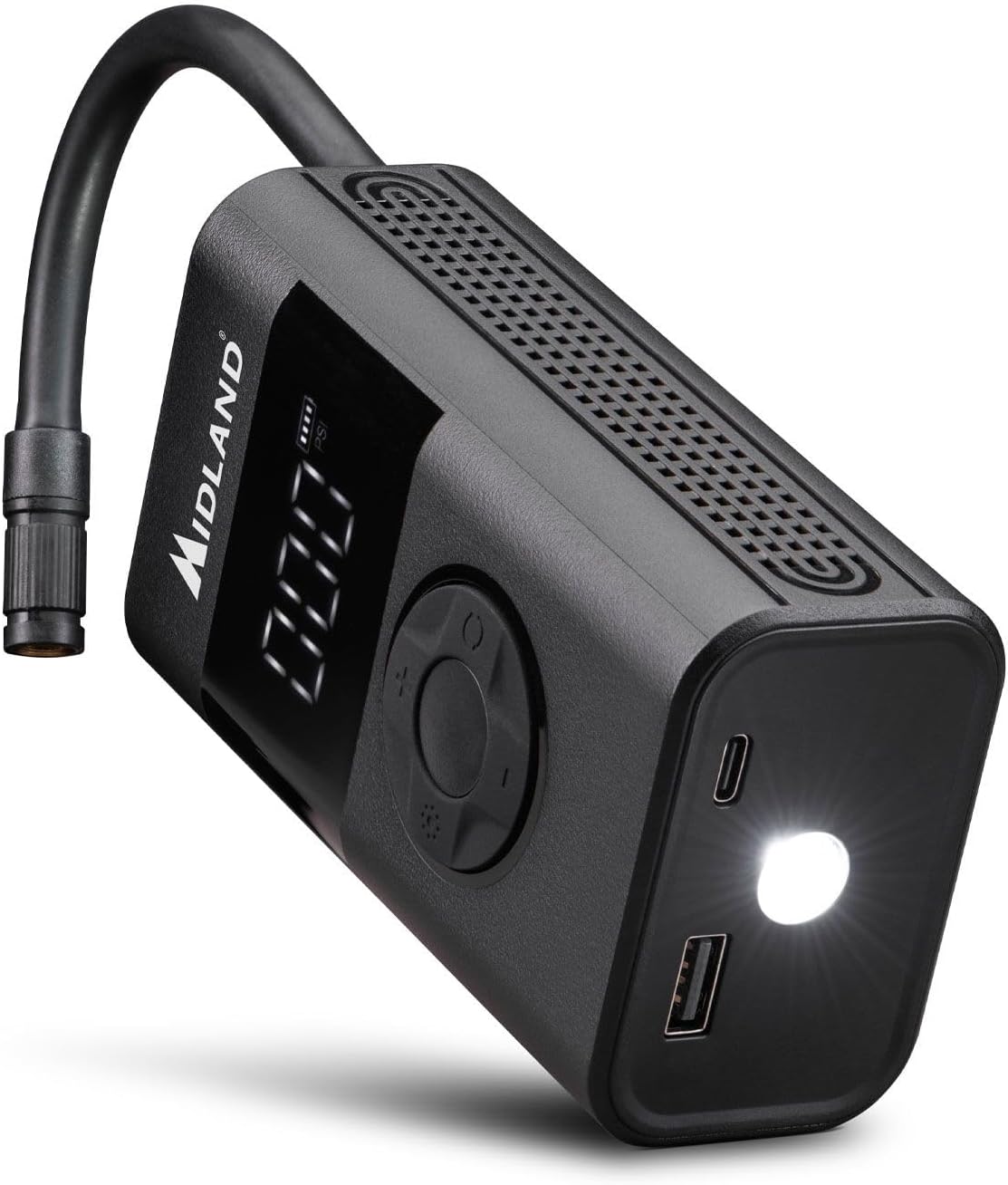
Figura 3: Angolat view of the compressor highlighting the USB charging ports and the integrated LED light for dark environments.
4. Setup
4.1 Iċċarġjar tal-Apparat
- Connect the provided USB-C charging cable to the compressor's USB-C port.
- Connect the other end of the cable to a suitable USB power adapter (not included) or a powered USB port.
- The battery indicator on the display will show the charging status. Ensure the device is fully charged before first use.
4.2 Attaching the Hose and Nozzles
- Screw the extension hose securely onto the air outlet port of the compressor.
- Select the appropriate nozzle for the item you wish to inflate.
- Attach the selected nozzle to the free end of the extension hose.
5. Istruzzjonijiet Operattivi
5.1 Tixgħel/Jitfi
- To power on, press and hold the power button (usually the central button) for a few seconds until the display illuminates.
- To power off, press and hold the power button again until the display turns off. The device may also power off automatically after a period of inactivity.
5.2 Setting Desired Pressure
- Once powered on, the display will show the current pressure unit (e.g., PSI, Bar). Use the mode button (often indicated by a gear or unit symbol) to cycle through available pressure units.
- Use the '+' and '-' buttons to adjust the target pressure value. Refer to the item's manufacturer recommendations for correct pressure.
5.3 Inflation Process
- Connect the hose with the appropriate nozzle to the item you wish to inflate. Ensure a secure connection to prevent air leakage.
- The display will show the current pressure of the connected item.
- Press the start/stop button (often indicated by a play/pause symbol or the power button) to begin inflation.
- The compressor will automatically stop once the preset target pressure is reached.
- Skonnettja l-pajp mill-oġġett.
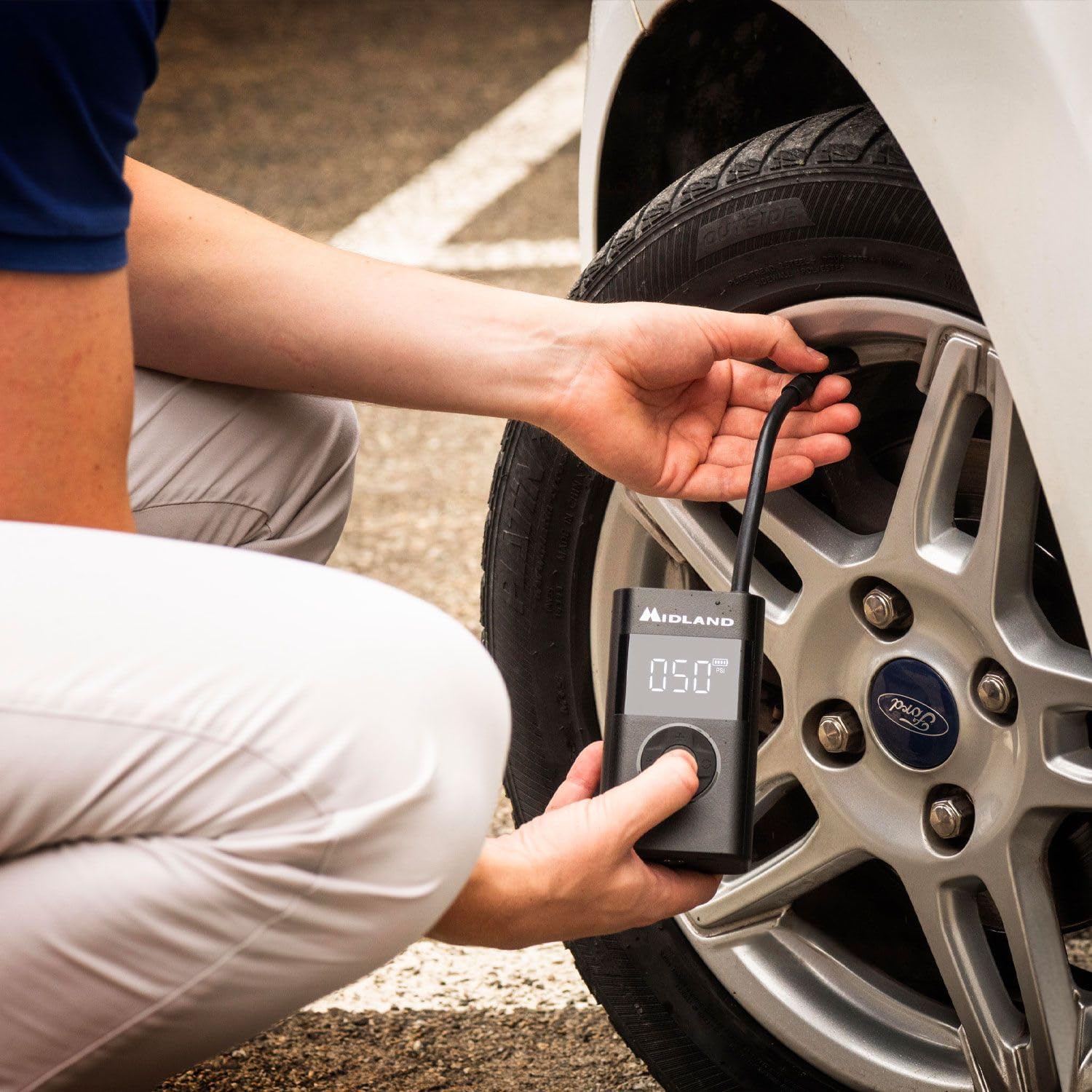
Figure 4: A user demonstrating the inflation of a car tire using the Midland ENERPUMP portable air compressor.

Figura 5: Close-up view of the Midland ENERPUMP in use, showing the digital display indicating the pressure during tire inflation.
5.4 Użu bħala Power Bank
The ENERPUMP can charge other electronic devices. Connect your device's charging cable to the USB-A output port on the compressor. The compressor's battery will then supply power to your device.
5.5 L-użu tad-Dawl LED
Press the dedicated light button (if available, or a long press on a specific button) to turn the integrated LED light on or off. This is useful for illuminating your work area in dark conditions.
6. Manutenzjoni
- Tindif: Imsaħ il-barra tal-kompressur b'ċarruta ratba u damp cloth. Do not use harsh chemicals or abrasive cleaners. Ensure no water enters the ports.
- Ħażna: Store the compressor in a cool, dry place, away from direct sunlight and extreme temperatures. Keep it out of reach of children.
- Kura tal-batterija: To prolong battery life, charge the device fully at least once every three months, even if not in regular use. Avoid completely draining the battery frequently.
7 Issolvi l-problemi
| Problema | Kawża Possibbli | Soluzzjoni |
|---|---|---|
| Il-kompressur ma jixgħelx. | Batterija baxxa jew l-apparat mitfi. | Charge the battery. Press and hold the power button to turn on. |
| No air is being pumped. | Hose not securely attached, nozzle blocked, or target pressure already reached. | Ensure hose and nozzle are tightly connected. Check for obstructions. Verify target pressure setting. |
| Inflation is slow. | Low battery or large volume item. | Ensure battery is fully charged. Inflation time varies based on item size. |
| Il-qari tal-pressjoni mhux preċiż. | Loose connection or sensor issue. | Ensure hose is securely connected. If problem persists, contact customer support. |
8. Speċifikazzjonijiet
| Numru tal-Mudell | C1651 |
| Dimensjonijiet tal-Prodott | 6 x 4 x 35 ċm |
| Piż tal-oġġett | 560 g |
| Materjal | Aluminju |
| Sors tal-Enerġija | Mħaddma bil-batterija |
| Kapaċità tal-batterija | 4000mAh |
| Pressjoni massima | 10.34-il Bar (150 PSI) |
| Tul tal-Manka | 19 ċentimetri |
| Port tal-Iċċarġjar | USB-C |
| Port tal-ħruġ | USB-A (for power bank function) |
9. Informazzjoni dwar is-Sigurtà
Jekk jogħġbok aqra u ifhem l-istruzzjonijiet kollha tas-sigurtà qabel ma tuża dan il-prodott. Jekk ma ssegwix dawn l-istruzzjonijiet, dan jista' jirriżulta f'xokk elettriku, nar, jew korriment serju.
- Żomm l-apparat 'il bogħod mill-ilma u l-umdità.
- Do not operate the compressor in explosive atmospheres, such as in the presence of flammable liquids, gases, or dust.
- Always ensure the correct pressure setting for the item being inflated to prevent over-inflation and potential bursting.
- Tħallix il-kompressur waħdu waqt li jkun qed jaħdem.
- Keep children and pets away from the compressor during use.
- Do not modify or attempt to repair the device yourself. Contact qualified service personnel for repairs.
- Use only the provided or recommended charging cable and accessories.
- Evita li tesponi l-batterija għal sħana estrema jew dawl tax-xemx dirett.
10. Garanzija u Appoġġ
Midland products are manufactured to high-quality standards. For warranty information, technical support, or service inquiries, please refer to the warranty card included with your purchase or visit the official Midland websit. Jekk jogħġbok żomm il-prova tax-xiri tiegħek għal talbiet ta' garanzija.


