1. Introduzzjoni
The Ugoos SK2 TV Box is a high-performance streaming media player designed to transform your television into a smart entertainment hub. Running on Android 12.0 with Google TV, it offers seamless access to a vast library of movies, TV shows, and applications. Equipped with a Realtek RTD1325 ARM Cortex-A55 Quad-Core CPU, 4GB RAM, and 32GB ROM, the SK2 ensures smooth 4K HDR playback and efficient multitasking. Its advanced connectivity options, including WiFi 6 and Bluetooth 5.2, provide a stable and fast streaming experience.
2. Kontenut tal-Pakkett
Please verify that all items are present in the box:
- Ugoos SK2 TV Box
- BT + IR Remote Control
- 12V/1A Power Adapter (US Plug)
- Cable HDMI
- Manwal għall-Utent bl-Ingliż

Figure 2.1: Ugoos SK2 TV Box and its accompanying remote control.
3. Prodott Aktarview
The Ugoos SK2 TV Box features a compact design with essential ports for connectivity.
3.1 Quddiem u Ġenb Views

Figura 3.1: Ġenb view of the Ugoos SK2 TV Box, showing the USB-C, Reset button, and USB 2.0 (5V===) port.
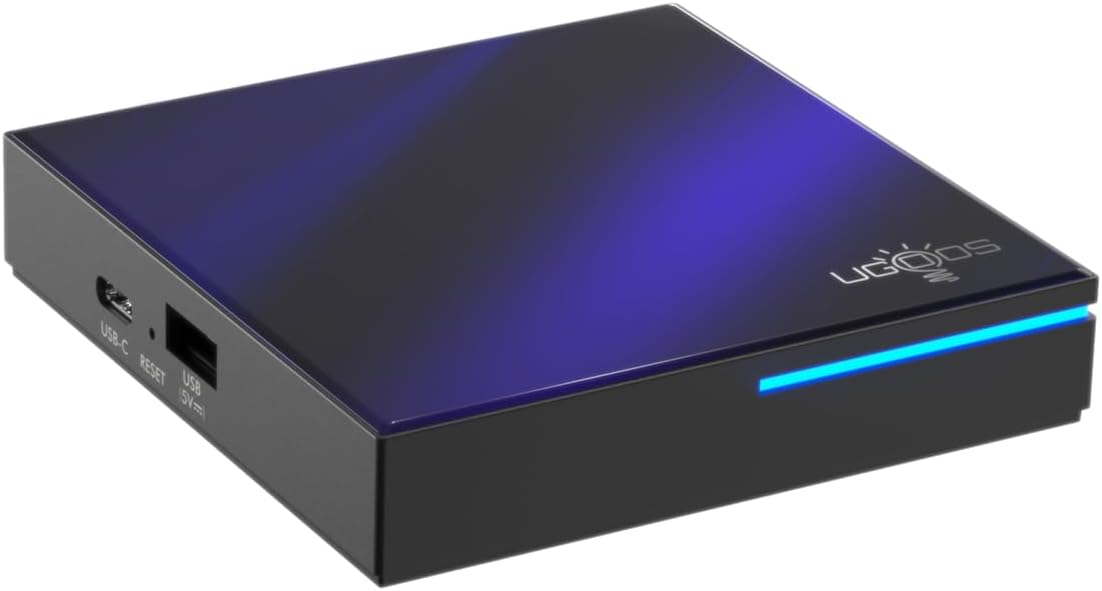
Figura 3.2: Quddiem u ġenb view highlighting the indicator light strip, which illuminates when the device is powered on.
3.2 Wara View (Portijiet)
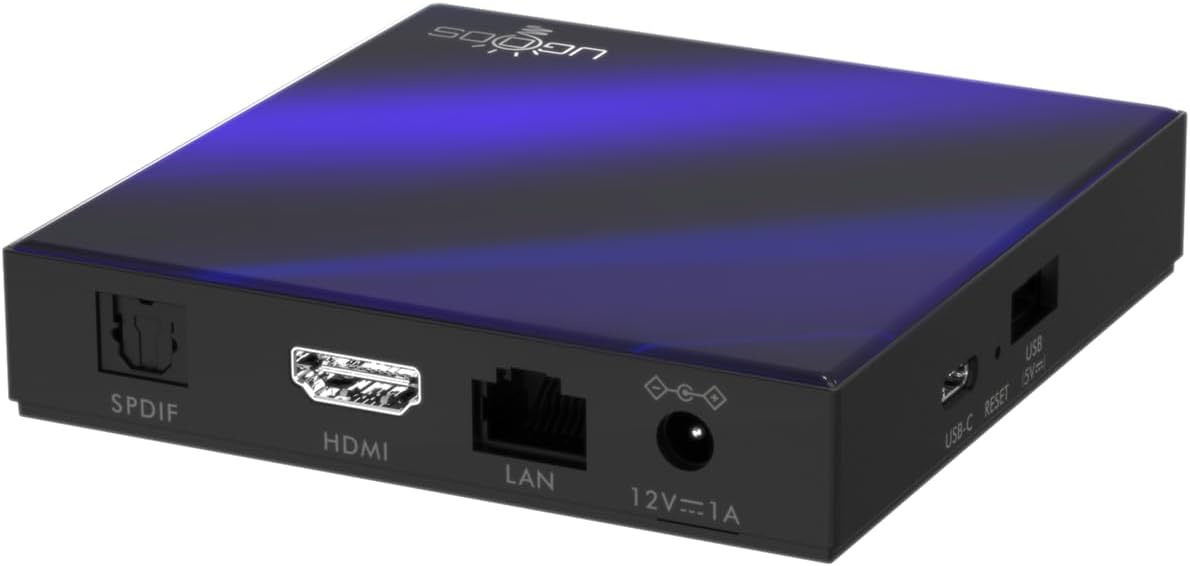
Figura 3.3: Wara view of the Ugoos SK2 TV Box, displaying the SPDIF, HDMI, LAN (Ethernet), and 12V/1A Power input ports.
Vidjo 3.1: Unboxing u aktarview of the Ugoos SK2 ATV Box, showcasing its design and available ports.
4. Gwida ta' Setup
Follow these steps to set up your Ugoos SK2 TV Box:
- Qabbad mat-TV: Connect one end of the provided HDMI cable to the HDMI port on the Ugoos SK2 TV Box and the other end to an available HDMI input on your television.
- Qabbad l-Enerġija: Plug the 12V/1A power adapter into the DC IN port on the TV Box and then plug the adapter into a wall outlet. The indicator light on the front of the device will illuminate.
- Daħħal il-Batteriji tar-Remot: Open the battery compartment on the back of the BT + IR Remote Control and insert two AAA batteries (not included), ensuring correct polarity.
- Qawwa Mixgħul: Power on your television and select the correct HDMI input source corresponding to where the TV Box is connected. The Ugoos SK2 TV Box should automatically power on.
- Setup Inizjali: Follow the on-screen instructions to complete the initial setup, including language selection, region/country, and network connection (Wi-Fi or Ethernet).
- Par Kontroll Remot: During the initial setup, you may be prompted to pair the remote control. Press and hold the 'Home' and 'Back' buttons simultaneously for 5 seconds until the indicator light on the remote flashes, indicating successful pairing.
- Qabbad man-Netwerk: For optimal performance, connect the device to your home network. You can use either the built-in WiFi 6 (2.4/5/6Ghz) or connect an Ethernet cable to the LAN port for a wired connection.
5. Istruzzjonijiet Operattivi
The Ugoos SK2 TV Box runs on Google TV, providing a user-friendly interface for content discovery and streaming.
5.1 Navigation and Apps
Use the remote control to navigate through the Google TV interface. The home screen provides personalized recommendations, quick access to installed apps like YouTube, Netflix, Prime Video, and Disney+, and a search function powered by Google Assistant.
5.2 Kontroll tal-Vuċi (Assistent tal-Google)
Press the Google Assistant button on your remote to activate voice control. You can use voice commands to search for content, control playback, get answers, and manage smart home devices.
5.3 Casting Content (Chromecast built-in)
The device features Chromecast built-in, allowing you to cast movies, shows, photos, and more directly from your phone or tablet to your TV.
Daqq ta' 5.4 4K HDR
The Ugoos SK2 supports 4K 60fps resolution, H.265, AV1, and 4K HDR content, including Dolby Vision and HDR10+. This ensures a vibrant and detailed viewing experience with smooth playback.
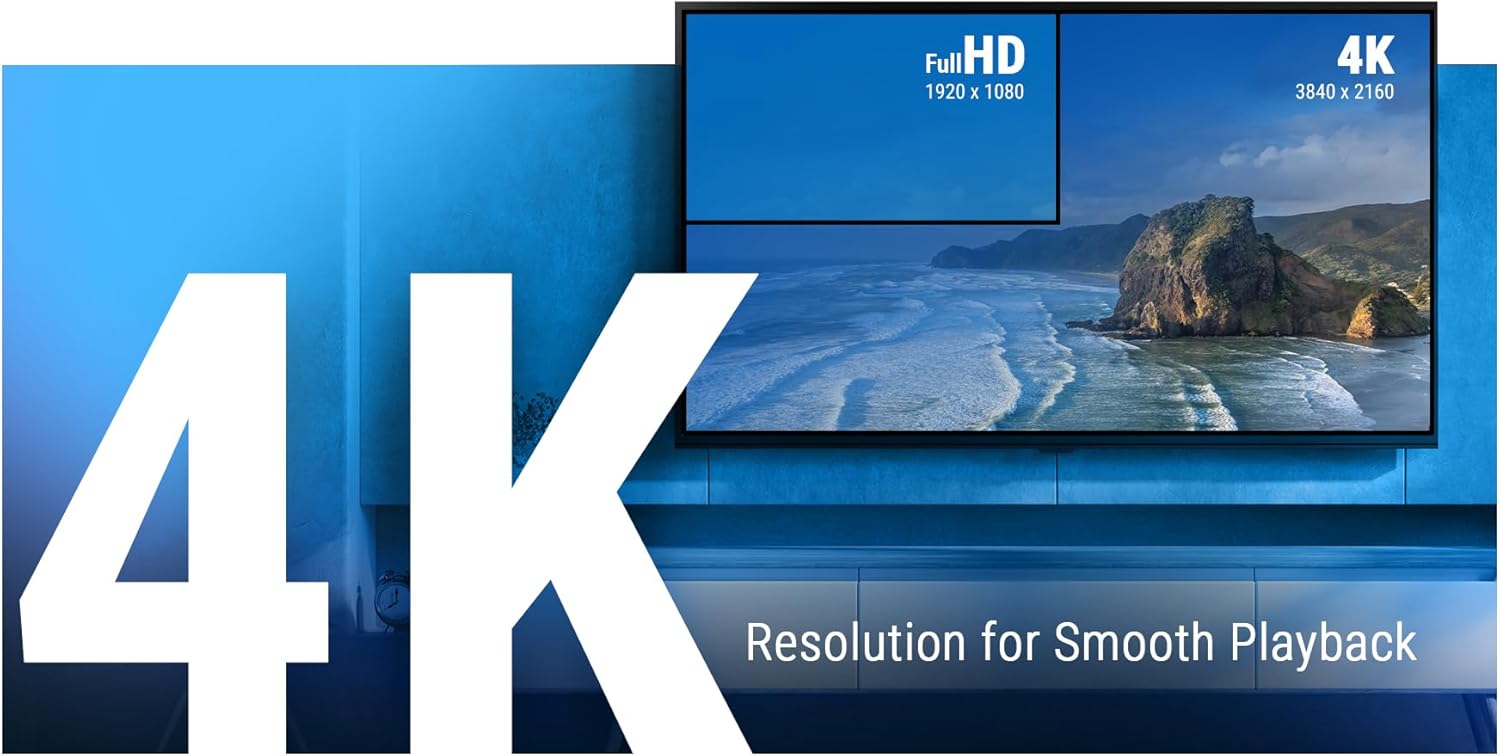
Figure 5.1: The Ugoos SK2 supports 4K resolution for smooth and high-quality video playback.

Figure 5.2: The device supports advanced video technologies like AV1, HDR10+, and Dolby Vision for enhanced visual fidelity.

Figure 5.3: The Automatic Frame Rate (AFR) system ensures optimal resolution and frequency matching for smooth video playback.
6. Manutenzjoni
To ensure the longevity and optimal performance of your Ugoos SK2 TV Box, follow these maintenance guidelines:
- Tindif: Uża drapp artab u niexef biex tnaddaf il-barra tal-apparat. Evita li tuża prodotti tat-tindif likwidi jew materjali li joborxu.
- Ventilazzjoni: Kun żgur li l-apparat jitqiegħed f'żona ventilata sew biex tevita li jisħon iżżejjed. Tgħattix il-fetħiet tal-ventilazzjoni.
- Aġġornamenti tas-Software: Periodically check for and install software updates to ensure you have the latest features and security patches. This can usually be done through the device's settings menu.
- Ġestjoni tal-Ħażna: While the device has 32GB of internal storage, regularly manage your installed apps and media to prevent performance degradation due to full storage.
7 Issolvi l-problemi
If you encounter issues with your Ugoos SK2 TV Box, refer to the following common problems and solutions:
- Ebda Qawwa:
- Kun żgur li l-adapter tal-enerġija huwa konness sew kemm mal-apparat kif ukoll ma' sokit tal-enerġija li jaħdem.
- Iċċekkja jekk is-sokit tal-enerġija hux qed jaħdem billi tqabbad apparat ieħor.
- Ebda Stampa/Sinjal:
- Verify that the HDMI cable is securely connected to both the TV Box and the TV.
- Kun żgur li t-TV tiegħek huwa ssettjat għas-sors tad-dħul HDMI korrett.
- Ipprova kejbil HDMI jew port HDMI differenti fuq it-TV tiegħek.
- Il-Kontroll mill-bogħod ma Jirrispondix:
- Iċċekkja u ibdel il-batteriji fil-kontroll remot.
- Re-pair the remote control by pressing and holding the 'Home' and 'Back' buttons simultaneously for 5 seconds.
- Kwistjonijiet ta' Konnettività Wi-Fi:
- Kun żgur li r-router tal-Wi-Fi tiegħek huwa mixgħul u qed jaħdem sew.
- Move the TV Box closer to the router or consider using an Ethernet connection.
- Erġa' ibda kemm it-TV Box kif ukoll ir-router tal-Wi-Fi tiegħek.
- Iffriżar/Ħabta tal-App:
- Agħlaq u erġa' iftaħ l-applikazzjoni problematika.
- Neħħi l-cache u d-dejta tal-app permezz tas-settings tal-apparat.
- Kun żgur li s-softwer tal-apparat huwa aġġornat.
For persistent issues, consider performing a factory reset (refer to the device settings for this option). Note that a factory reset will erase all personal data and installed applications.
8. Speċifikazzjonijiet
Detailed technical specifications for the Ugoos SK2 TV Box:
| Karatteristika | Deskrizzjoni |
|---|---|
| Isem tal-Mudell | SK2 |
| Brand | Ugoos |
| Sistema Operattiva | Android 12.0 (Google TV) |
| Processor (SOC) | Realtek RTD1325, ARM Cortex-A55 Quad-Core CPU |
| GPU | Mali-G57 MC1 |
| RAM | 4GB DDR4 |
| Ħażna Interna | 32GB eMMC |
| Konnettività bla fili | WiFi 6 (2.4/5/6Ghz, IEEE 802.11 a/b/g/n/ac/ax 2x2 MIMO) |
| Bluetooth | Bluetooth 5.2 |
| Output tal-vidjo | HDMI (4K 60fps, HDR, AV1, VP9, H.265) |
| Appoġġ Awdjo | Dolby Vision-Atmos |
| Ethernet | Port tal-LAN ta' 100M |
| Portijiet USB | USB-C, USB 2.0 |
| Portijiet Oħrajn | SPDIF, Reset |
| Input tal-Enerġija | 12V/1A |
| Dimensjonijiet | 3.78 x 3.78 x 0.75 pulzieri |
| Piż tal-oġġett | 1.35 liri |
| Karatteristiċi Speċjali | Chromecast built-in, Google Assistant |

Figura 8.1: Aktarview of the Ugoos SK2's core technical specifications.

Figure 8.2: Comparison illustrating the improved data transfer speed of Bluetooth 5.2 supported by the Ugoos SK2.
9. Informazzjoni dwar is-Sigurtà
Please read and follow these safety precautions to prevent damage to the device or injury to yourself:
- Uża biss l-adapter tal-enerġija pprovdut.
- Tesponix l-apparat għall-ilma, umdità, jew temperaturi estremi.
- Evita li tpoġġi l-apparat ħdejn sorsi tas-sħana jew fid-dawl tax-xemx dirett.
- Tippruvax tiżżarma jew timmodifika l-apparat.
- Żomm l-apparat u l-aċċessorji fejn ma jintlaħaqx mit-tfal.
10. Garanzija u Appoġġ
The Ugoos SK2 TV Box is covered by a standard manufacturer's warranty. Please refer to the warranty card included in your package or contact Ugoos customer support for detailed information regarding warranty terms, service, and technical assistance.
For further support, visit the official Ugoos websit jew ikkuntattja lit-tim tas-servizz tal-konsumatur tagħhom.


