1. Introduzzjoni
This manual provides detailed instructions for the installation, operation, and maintenance of your HEATIT ET-85W Black Touchscreen Programmable Thermostat. This thermostat is designed for electric radiant floor heating systems, offering advanced control and energy efficiency.
The HEATIT ET-85W thermostat allows for remote management via the Warmme app, voice control through Alexa and Google Assistant, and features intelligent 7-day programming with Adaptive Learning technology. It is compatible with various electric radiant floor heating systems and includes dual sensing capabilities for both room and floor temperatures.

Image 1.1: The HEATIT ET-85W thermostat alongside its smartphone application interface, demonstrating remote control capabilities.
2. Karatteristiċi tal-prodott
The HEATIT ET-85W thermostat is equipped with several features to enhance comfort and energy management:
- Smart & Voice Control: Manage your heating system remotely using the Warmme app (iOS/Android) or voice commands via Alexa and Google Assistant.
- Intelligent 7-Day Programming: Customize heating schedules for each day of the week, or use 5+1+1 day programming, with Adaptive Learning technology to optimize energy use.
- Kompatibilità Universali: Designed for most electric radiant floor heating systems (tile, wood, laminate) with a wide voltage firxa (85V-265V).
- Sensazzjoni Doppja: Monitors both room and floor temperatures, with a floor temperature limit of 95°F (35°C) for material protection.
- Disinn Sleek: Modern touchscreen interface that integrates seamlessly into contemporary home decor.
- Sigurtà u Konvenjenza: Includes Child Lock, Vacation Mode, and Open Window Detection features.
- Kapaċità Għolja: Supports up to 16A load.

Immaġni 2.1: Fuqview of key features such as Child Lock, Anti-frozen function, APP Remote control, and Holiday Mode, designed for electric underfloor heating systems.
3. Installazzjoni
Importanti: Installation should be performed by a qualified electrician in accordance with local electrical codes. Ensure power is disconnected before beginning installation.
3.1. Passi tal-Immuntar
- Gently press your fingers under the side of the front part of the thermostat and pull it toward you to separate the display module from the backplate.
- Connect the thermostat wiring according to the wiring instructions provided in Section 3.2.
- Mount the backplate to the wall or socket by screwing it through the designated holes on each side.
- Carefully put the display module back onto the mounted backplate until it clicks into place.

Image 3.1: Visual guide for the physical installation of the thermostat, from separating components to final assembly.
3.2. Istruzzjonijiet tal-Wiring
Refer to the wiring diagram below for proper connection. Ensure all connections are secure and comply with electrical safety standards. For installations in bathrooms or wet locations, it is recommended to use a floor sensor, a room-out sensor, or both. A room-out sensor is used to detect the temperature in the entire room and is sold separately.
Suġġeriment: To prolong the lifetime of the thermostat, keep the maximum load around 90% of 16A.

Image 3.2: Detailed wiring diagram illustrating connections for power (N1, L1, N, L), floor sensor (S1, S2), and room-out sensor (COM, S1).
4. Operazzjoni
4.1. Thermostat Symbols and Controls
Familiarize yourself with the symbols and controls on your thermostat's touchscreen for effective operation.

Image 4.1: Explanation of thermostat symbols, including buttons for confirmation, parameter selection, and icons for WiFi, heating, modes, and sensor types.
4.2. Wizard tal-Istartjar
When the unit is activated for the first time, the startup wizard will guide you through initial settings:
- Settings tal-Arloġġ: Set the day, hour, and minute. If connected to Wi-Fi, the thermostat will automatically update time.
- Għażla tas-Sensor: Choose from five options for temperature sensing:
- Floor sensor only (default)
- Room sensor only (built-in)
- Room sensor and floor sensor (with floor temperature limit)
- External room sensor only
- External room sensor and floor sensor (with floor temperature limit)
- Floor Temperature Limit: If using a floor sensor, set the maximum floor temperature to protect your flooring material.
- Home or Office Mode: Select the environment type for optimized default settings.
4.3. Skedi ta' Programmazzjoni
The thermostat offers flexible programming options to suit your lifestyle:
- Programmazzjoni ta' 7 Ijiem: Each day from Monday to Sunday can be set individually.
- Programmazzjoni ta' 5+1+1 Jiem: Monday to Friday share the same schedule, while Saturday and Sunday can be set individually.
Default parameters for Home and Office modes are pre-set but can be customized.

Image 4.2: Illustration of the programmable schedule interface, detailing options for daily and weekly temperature adjustments.
4.4. Modi ta' Kontroll
The thermostat supports multiple operating modes to tailor your comfort:
- Modalità Awtomatika: Follows the programmed schedule.
- Modalità Manwali: Allows for constant temperature setting, overriding the schedule.
- Modalità Vaganza: Maintains a set temperature for an extended period, ideal for energy saving when away.
- Lock tat-tfal: Jipprevjeni bidliet mhux awtorizzati fis-settings.
- Anti-Frozen: Activates heating if the temperature drops below a set minimum to prevent freezing.
- Sejbien ta' Tieqa Miftuħa: Automatically pauses heating if a sudden temperature drop (indicating an open window) is detected, saving energy.
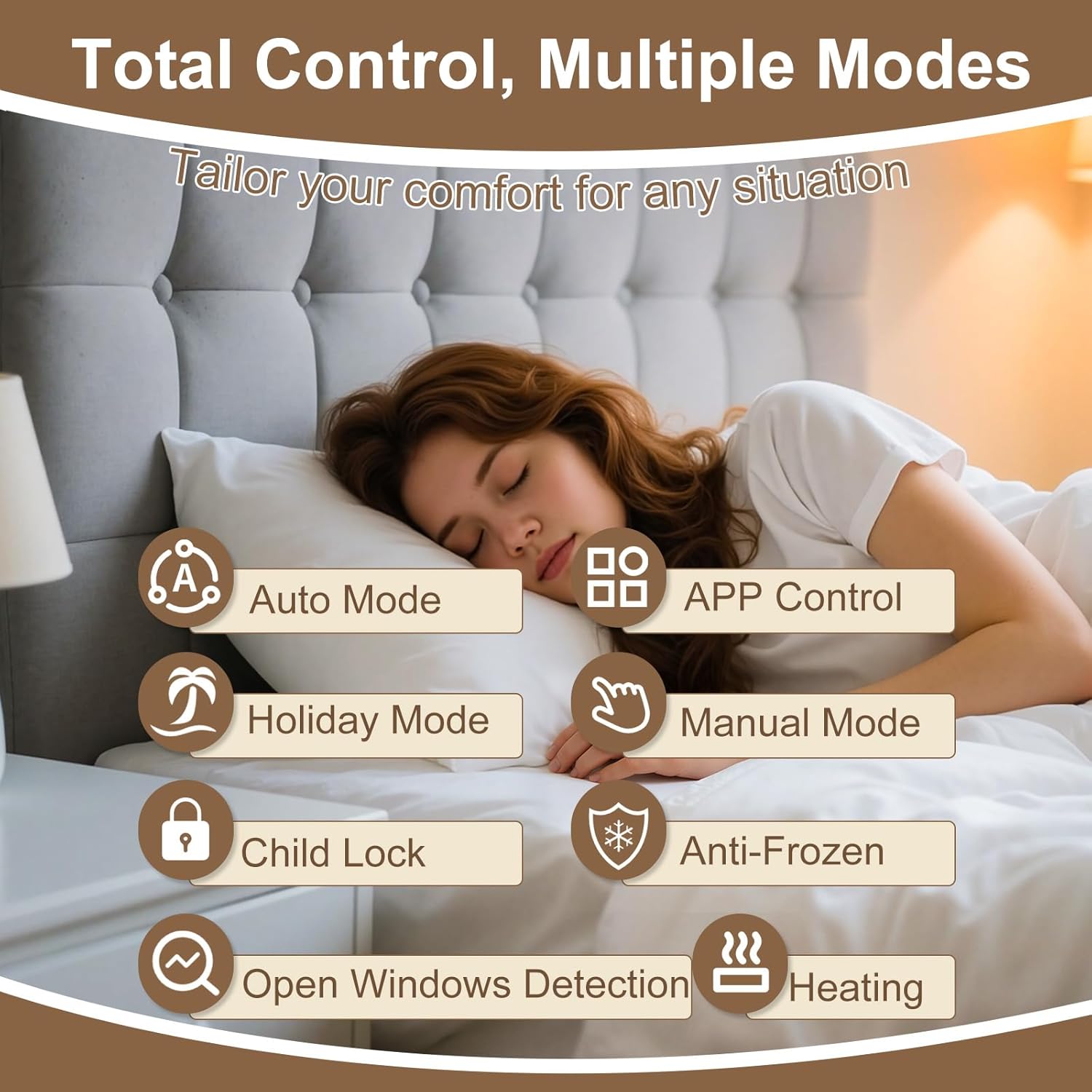
Image 4.3: Visual representation of the various control modes and functions for comprehensive temperature management.
4.5. Smart & Voice Control
Connect your thermostat to your home Wi-Fi network to unlock smart control features:
- Warmme App: Download the Warmme app (available on iOS and Android) to remotely manage your thermostat, adjust settings, monitor temperature, and view energy usage reports from anywhere.
- Assistenti tal-Vuċi: Integrate with Amazon Alexa and Google Assistant for convenient hands-free temperature adjustments.

Image 4.4: Demonstrates voice control capabilities with popular smart home assistants, allowing users to manage temperature hands-free.

Immaġni 4.5: Fuqview of the smartphone app's interface for manual control, remote adjustments, and personalized programming.
5. Manutenzjoni
The HEATIT ET-85W thermostat requires minimal maintenance. Follow these guidelines to ensure optimal performance:
- Tindif: Gently wipe the touchscreen with a soft, dry cloth. Avoid using abrasive cleaners or solvents, as these can damage the screen and finish.
- Aġġornamenti tas-Software: Ensure your Warmme app is up to date to receive the latest features and performance improvements. The thermostat's firmware may also receive updates via Wi-Fi.
- Kura tas-Sensor: Ensure the floor sensor and any external room sensors are free from obstructions and debris to maintain accurate temperature readings.
6 Issolvi l-problemi
If you encounter issues with your HEATIT ET-85W thermostat, consider the following common solutions:
- Ebda Qawwa/Wiri Mitfi: Check the circuit breaker for your heating system. Ensure the thermostat is properly connected to the power supply as per the wiring instructions.
- Qari tat-Temperatura Mhux Korrett: Verify that the selected sensor (room, floor, or both) is appropriate for your setup and is not obstructed. Ensure the floor sensor is correctly installed beneath the flooring.
- Kwistjonijiet ta' Konnessjoni Wi-Fi: Ensure your home Wi-Fi network is active and the thermostat is within range. Re-enter Wi-Fi credentials in the Warmme app if necessary. The thermostat supports 2.4 GHz Wi-Fi networks.
- It-Termostat Mhux Jirrispondi: Try restarting the thermostat by turning off the power at the circuit breaker for a few minutes, then turning it back on.
- Programming Not Working: Double-check your programmed schedules in the app or on the thermostat. Ensure the thermostat is in Auto Mode to follow the schedule.
- Floor Overheating/Underheating: Verify the floor temperature limit setting. If set too low, it may prevent adequate heating; if too high, it may cause overheating.
For persistent issues, refer to the detailed troubleshooting section in the full product manual or contact customer support.
7. Speċifikazzjonijiet
| Karatteristika | Dettall |
|---|---|
| Brand | SĦANA |
| Numru tal-Mudell | ET-85W BLACK |
| Tip ta' Kontrollur | Touchscreen, Amazon Alexa, Google Assistant |
| Karatteristika Speċjali | Programmable, Smart & Voice Control |
| Kulur | Iswed |
| Tip ta' Kontroll tat-Temperatura | Digital, Programmable, Smart/Remote |
| Teknoloġija tal-Konnettività | Wi-Fi (2.4GHz) |
| Komponenti Inklużi | Sensor tal-Art |
| Sors tal-Enerġija | Corded Elettriku |
| Voltage | 85V-265V (AC) |
| Tagħbija Max | 16A |
| Tip ta 'Wiri | Touchscreen |
| Metodu ta' Kontroll | App, Voice |
| Tip ta 'Immuntar | Floor Mount (intended for wall installation to control floor heating) |
| Dimensjonijiet tal-Pakkett | 6.46 x 4.88 x 2.6 pulzieri |
| Piż tal-oġġett | 12 uqija |
8. Garanzija u Appoġġ
The HEATIT ET-85W Touchscreen Programmable Thermostat is backed by a Garanzija limitata ta 'sena. Din il-garanzija tkopri difetti fil-materjali u l-abbilità taħt użu normali.
For warranty claims, technical assistance, or any questions regarding your thermostat, please contact HEATIT customer support. Refer to the product packaging or the official HEATIT webis-sit għall-aktar informazzjoni ta' kuntatt aġġornata.


