1. Introduzzjoni
This manual provides essential information for the safe and efficient use of your TCL TAB 11 Gen2 tablet. Please read this manual thoroughly before operating the device and retain it for future reference. The TCL TAB 11 Gen2 is an 11-inch tablet designed for everyday tasks, media consumption, and communication, featuring a vibrant display, robust performance, and a long-lasting battery.

Immaġni: Quddiem view of the TCL TAB 11 Gen2 tablet displaying the home screen with time and date.
2. Kontenut tal-Pakkett
Upon unpacking your TCL TAB 11 Gen2, please verify that all items listed below are present:
- TCL TAB 11 Gen2 Tablet
- USB-C Cable
- Gwida Quick Start
- Informazzjoni dwar is-Sikurezza u l-Garanzija
- Kaxxa Protettiva (tista' tvarja skont ir-reġjun/pakkett)
- SIM Eject Tool (for microSD card slot access)
Note: A power adapter is typically not included and must be purchased separately.

Image: TCL TAB 11 Gen2 tablet securely placed in a black protective case, positioned to stand upright.
3. Device Overview
Familiarize yourself with the physical components of your TCL TAB 11 Gen2 tablet.
3.1 Quddiem View
- Wiri: Skrin LCD ta '11 pulzier.
- Kamera ta' quddiem: Located at the top center when held in landscape orientation.
- Sensers: Ambient light sensor, proximity sensor.
3.2 Wara View
- Kamera ta' wara: Main camera module.
- TCL Logo: Identifikazzjoni tal-marka.

Immaġni: Wara view of the TCL TAB 11 Gen2 tablet, highlighting the circular camera module and the TCL brand logo.
3.3 Ġenb Views (Ports and Buttons)
- Buttuna tal-Qawwa: Użat biex jixgħel/jitfi l-apparat jew biex iqajjem/jorqod l-iskrin.
- Buttuni tal-Volum: Adjust the device's volume.
- Port USB-C: Għall-iċċarġjar u t-trasferiment tad-dejta.
- Slott tal-Karta MicroSD: Expandable storage.
- Kelliema: Output awdjo.
4. Setup
4.1 Qawwa Inizjali
- Agħfas u żomm il- Buttuna tal-Qawwa until the TCL logo appears.
- Segwi l-istruzzjonijiet fuq l-iskrin biex tagħżel il-lingwa tiegħek, tikkonnettja ma' netwerk Wi-Fi, u tissettja l-kont Google tiegħek.
4.2 Iċċarġjar tal-batterija
Connect the provided USB-C cable to the tablet's USB-C port and the other end to a compatible USB power adapter (not included) or a computer. The battery indicator on the screen will show charging status.
4.3 Daħħal Karta MicroSD
- Sib is-slott tal-kard microSD fuq il-ġenb tat-tablet.
- Use the SIM eject tool to open the tray.
- Poġġi l-kard tal-microSD fit-trej bil-kuntatti tad-deheb iħarsu 'l isfel.
- Imbotta t-trej bil-mod lura fl-islott sakemm tikklikkja f'postu.
5. Istruzzjonijiet Operattivi
5.1 Display Features (NXTVISION)
The TCL TAB 11 Gen2 features an 11-inch display with NXTVISION technology, offering a resolution of 1920x1200 pixels. This technology enhances color, clarity, and contrast for an improved viewing experience, making it suitable for video calls, web browsing, and media consumption.

Image: The TCL TAB 11 Gen2 tablet showcasing its vibrant display with NXTVISION technology, presenting rich colors and sharp details.
5.2 Prestazzjoni
Powered by a MediaTek Helio G80 processor and equipped with 6GB of RAM, the tablet delivers smooth performance for streaming videos, browsing the web, and handling daily applications. The 256GB internal storage provides ample spazju għal tiegħek files, photos, and apps, with further expansion possible via a microSD card.
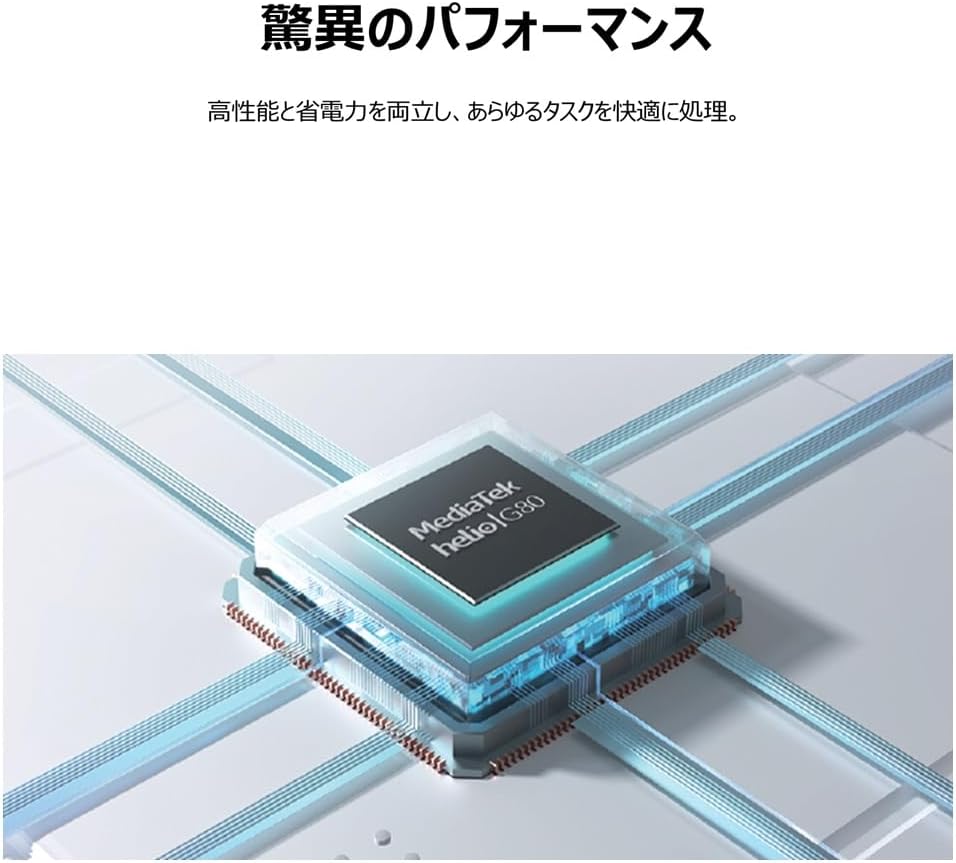
Image: An illustrative depiction of the MediaTek Helio G80 processor, symbolizing the tablet's processing capabilities.

Image: The TCL TAB 11 Gen2 tablet displaying a photo gallery, with a prominent '256GB' graphic, indicating its large storage capacity.
5.3 Ħajja tal-batterija
The tablet is equipped with an 8000mAh battery, designed to provide extended usage throughout the day. This large capacity also allows the tablet to function as a mobile power source for other devices, if supported by appropriate cables (sold separately).

Image: A cutaway diagram of the TCL TAB 11 Gen2 tablet, highlighting the large 8000mAh battery component.
5.4 Sistema Operattiva
The TCL TAB 11 Gen2 runs on the Android operating system, providing access to a wide range of applications through the Google Play Store and a familiar user interface.
6. Manutenzjoni
- Tindif: Uża drapp artab u mingħajr suf biex tnaddaf l-iskrin u l-qafas tat-tablet. Evita materjali li joborxu jew kimiċi ħarxa.
- Ħażna: Aħżen il-pillola f'post frisk u niexef 'il bogħod mix-xemx diretta u minn temperaturi estremi.
- Kura tal-batterija: Biex ittawwal il-ħajja tal-batterija, evita li tiċċarġja kompletament il-batterija ta' spiss. Iċċarġja l-apparat regolarment.
- Aġġornamenti tas-Software: Iċċekkja u installa regolarment aġġornamenti tas-softwer biex tiżgura prestazzjoni u sigurtà ottimali.
7 Issolvi l-problemi
If you encounter issues with your TCL TAB 11 Gen2, refer to the following common solutions:
- Apparat mhux qed jixgħel: Ensure the battery is charged. Connect the tablet to a power source and try again.
- L-iskrin ma jirrispondix: Try restarting the tablet by holding the Power Button for approximately 10-15 seconds.
- Kwistjonijiet ta' konnessjoni Wi-Fi: Check if Wi-Fi is enabled in settings. Restart your router and the tablet. Ensure you are within range of the Wi-Fi signal.
- Applikazzjonijiet li jiġġarraf: Close and reopen the application. Clear the app's cache in settings. If the issue persists, uninstall and reinstall the app.
- Prestazzjoni bil-mod: Agħlaq l-applikazzjonijiet fl-isfond li mhumiex meħtieġa. Neħħi l-cache u l-applikazzjonijiet temporanji files. Consider a factory reset if performance issues continue after other troubleshooting steps (back up your data first).
8. Speċifikazzjonijiet
| Karatteristika | Speċifikazzjoni |
|---|---|
| Brand | TCL |
| Isem tal-Mudell | TAB 11 Gen2 (9465X5) |
| Daqs tal-Wiri | 10.95 pulzieri |
| Riżoluzzjoni | 1920x1200 pixel |
| Brand CPU | MediaTek (Helio G80) |
| RAM | 6GB |
| Kapaċità tal-Ħżin tal-Memorja | 256 GB |
| Sistema Operattiva | Android |
| Tip ta 'Konnettività | Wi-Fi |
| Kapaċità tal-batterija | 8000mAh (23.1 Watt Hours) |
| Piż tal-oġġett | 1.01 Kilogrammi |
| Kulur | Griż |
9. Garanzija u Appoġġ
For warranty information, please refer to the warranty card included in your product packaging or visit the official TCL support website. If you require technical assistance or have questions not covered in this manual, please contact TCL customer support through their official channels.
Tista' ssib aktar informazzjoni u riżorsi ta' appoġġ fuq Ħanut tal-Marka TCL fuq Amazon.


