1. Prodott Aktarview
The Baseus EnerGeek 145W Power Bank is a high-capacity portable charging device designed to provide fast and efficient power to a wide range of electronic devices, including laptops, smartphones, and tablets. It features a 20000mAh battery, a maximum output of 145W, and an integrated 60cm retractable USB-C cable for convenience.

Image: The Baseus EnerGeek 145W Power Bank, showcasing its compact design and the integrated retractable USB-C cable. The digital display is visible, indicating battery status.
Karatteristiċi ewlenin:
- Qawwa Massima ta' 145W: Supports Power Delivery for rapid charging of high-power devices.
- 20000mAh Kapaċità: Provides multiple charges for smartphones and laptops.
- Integrated 60cm Retractable USB-C Cable: Durable and convenient for storage and use.
- Iċċarġjar b'ħafna portijiet: Two USB-C ports and two USB-A ports allow simultaneous charging of up to four devices.
- Wirja Diġitali Intelliġenti: Real-time display of battery level, charging power, and remaining time.
- Sistema Avvanzata ta' Tkessiħ: Features conductive graphene, aerogel insulation, and an AI-powered chip for effective temperature regulation.
2. Kontenut tal-Pakkett
Jekk jogħġbok iċċekkja l-pakkett għall-oġġetti li ġejjin:
- Baseus EnerGeek 145W Power Bank (EnerGeek GR11)
- Manwal għall-Utent
- (Additional accessories may vary by region or package)
3. Twaqqif u l-Ewwel Użu
3.1 Iċċarġjar inizjali
Before first use, it is recommended to fully charge the Baseus EnerGeek Power Bank. This ensures optimal battery performance and longevity.
- Connect the integrated USB-C cable or a separate USB-C cable to the power bank's input port (USB-C1 or USB-C2).
- Connect the other end of the cable to a compatible USB-C wall charger (100W charger recommended for fastest charging).
- The digital display will show the charging status and battery percentage. The power bank is fully charged when the display shows 100%.

Image: The Baseus EnerGeek Power Bank connected to a wall charger via its integrated USB-C cable, illustrating the fast charging input capability.
4. Istruzzjonijiet Operattivi
4.1 Apparati tal-Iċċarġjar
The Baseus EnerGeek Power Bank can charge up to four devices simultaneously using its various output ports.
- Bl-użu tal-Kejbil USB-C Integrat: Pull out the 60cm retractable USB-C cable and connect it to your device's USB-C port.
- Użu ta' Kejbils Esterni: Connect your device's charging cable to one of the available USB-C (C2, C3) or USB-A (A1) output ports on the power bank.
- The power bank will automatically detect the connected device and begin charging. The digital display will show the output power.
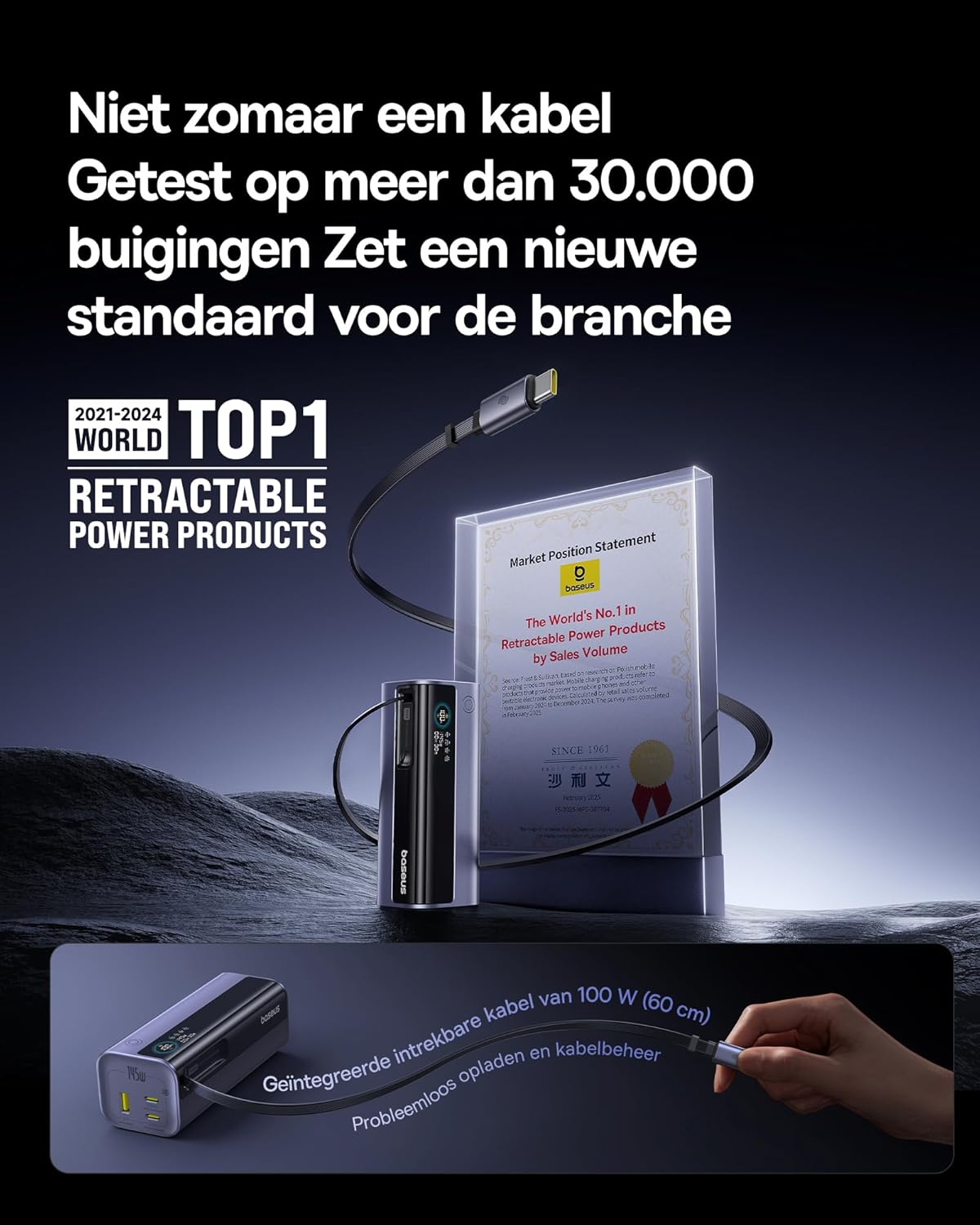
Image: The Baseus EnerGeek Power Bank connected to a laptop and an iPhone, demonstrating its ability to charge multiple devices simultaneously with high power output.
4.2 Nifhmu d-Displej Diġitali
The intelligent digital display provides real-time information:
- Livell tal-batterija: Juri l-bqija tal-batterija perċentwalitage.
- Charging Power (Input/Output): Displays the current wattage being drawn or delivered.
- Ħin li Fadal: Estimates the time left for the power bank to fully charge or discharge.
- Status I/O: Indicates which ports are active for input or output.

Immaġni: Dettaljata view of the Baseus EnerGeek Power Bank's digital display, showing battery percentage, ilma kurrentitage, and estimated remaining time.
4.3 Ir-Riġbid tal-Kejbil
To retract the integrated USB-C cable, gently pull it out slightly further, then release it. The cable will automatically retract into the power bank's housing.
5. Manutenzjoni u Kura
- Żomm il-power bank 'il bogħod minn temperaturi estremi (sħan jew kesħin), dawl tax-xemx dirett, u ambjenti umdi.
- Tesponix il-bank tal-enerġija għall-ilma jew likwidi oħra.
- Evita li twaqqa’ jew tissuġġetta l-bank tal-enerġija għal impatti qawwija.
- Clean the surface of the power bank with a soft, dry cloth. Do not use harsh chemicals or abrasive materials.
- Aħżen il-power bank f'post frisk u niexef meta ma tkunx qed tużah għal perjodi twal. Huwa rakkomandat li tiċċarġjah sa madwar 50-70% qabel ma taħżnu għal żmien twil.
6 Issolvi l-problemi
| Problema | Kawża Possibbli | Soluzzjoni |
|---|---|---|
| Il-bank tal-enerġija mhux qed jiċċarġja | Low battery on power bank; faulty charging cable; incompatible wall adapter. | Ensure the power bank has some charge. Try a different USB-C cable and a compatible wall adapter (e.g., 100W PD charger). |
| Apparat mhux jiċċarġja mill-bank tal-enerġija | Power bank battery is empty; faulty device cable; device not compatible with power bank output. | Recharge the power bank. Try a different charging cable for your device. Ensure your device supports the power bank's output specifications. |
| Iċċarġjar bil-mod | Cable or adapter not supporting fast charging; multiple devices connected reducing individual output. | Use a high-quality, fast-charging compatible cable and adapter. Disconnect other devices to maximize output to a single device. |
| Il-wiri diġitali mhux qed jaħdem | Power bank is off; temporary software glitch. | Press the power button to activate the display. If the issue persists, try fully discharging and recharging the power bank. |
7. Speċifikazzjonijiet
| Karatteristika | Dettall |
|---|---|
| Numru tal-Mudell | EnerGeek GR11 |
| Kapaċità tal-batterija | 20000mAh |
| Max Output Power | 145W (Totali) |
| Ħruġ tal-Kejbil USB-C1 | 100W Max |
| Output USB-C2 | 100W Max |
| Output USB-C3 | 100W Max |
| Output USB-A1 | 33W Max |
| Input (USB-C) | 100W Max |
| Dimensjonijiet | 13 x 5.2 x 4.9 ċm |
| Piż | 465 g |
| Tip ta 'batterija | Lithium-ion |
| Karatteristiċi Speċjali | Digital display, Integrated cable, Fast charging |
8. Garanzija u Appoġġ
Għal informazzjoni dwar il-garanzija u l-appoġġ għall-klijenti, jekk jogħġbok irreferi għall-paġna uffiċjali ta' Baseus. webis-sit jew ikkuntattja lill-bejjiegħ bl-imnut li mingħandu xtrajt il-prodott. Żomm il-prova tax-xiri tiegħek għal talbiet ta' garanzija.
Manifattur: Baseus
ASIN: B0F83VMZJT
L-Ewwel Data Disponibbli: 9 ta’ Mejju, 2025
Għal aktar għajnuna, tista' żżur il- Ħanut Baseus fuq Amazon.


