Introduzzjoni
Thank you for choosing the Eseesmart YL-P7 Smart Fingerprint Padlock. This advanced security device offers multiple unlocking methods including fingerprint, passcode, smartphone app, and iWatch control, providing convenient and robust protection for your belongings. This manual will guide you through the setup, operation, and maintenance of your new smart padlock.
Prodott Overview
The Eseesmart YL-P7 is designed for versatility and durability, suitable for both indoor and outdoor use. Its robust construction and multiple access options ensure your items remain secure while offering unparalleled ease of use.
Immaġni: The Eseesmart YL-P7 Smart Fingerprint Padlock, showcasing id-disinn kompatt u l-finitura eleganti tiegħu.
Karatteristiċi ewlenin:
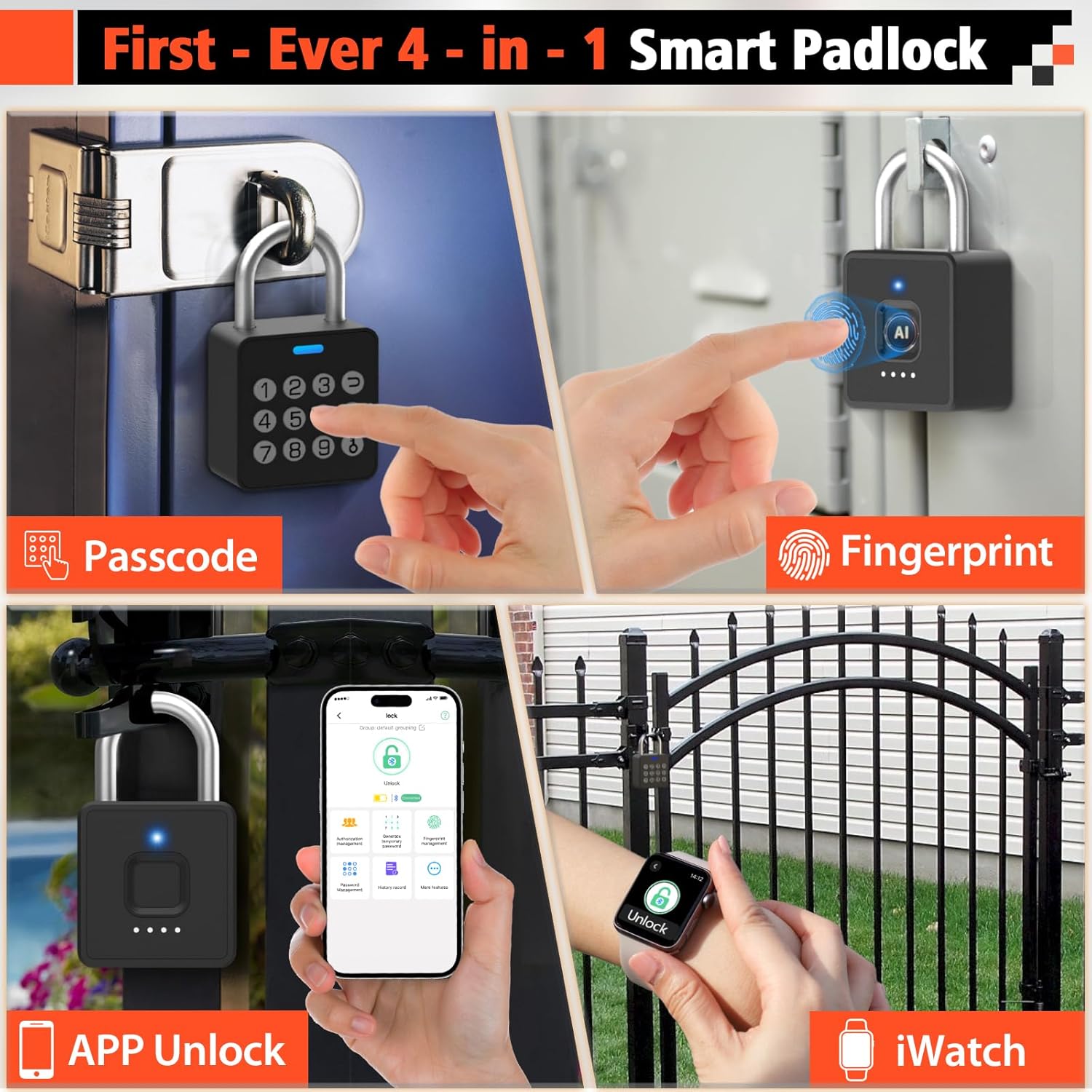
- 4-in-1 Unlocking: Fingerprint, Passcode, Smartphone App, and iWatch.
- Fast Biometric Recognition: Unlock in 0.2 seconds with registered fingerprints.
- Multi-Function Passwords: Supports 20 permanent codes, time-scheduled guest passwords, and unlimited one-time codes.
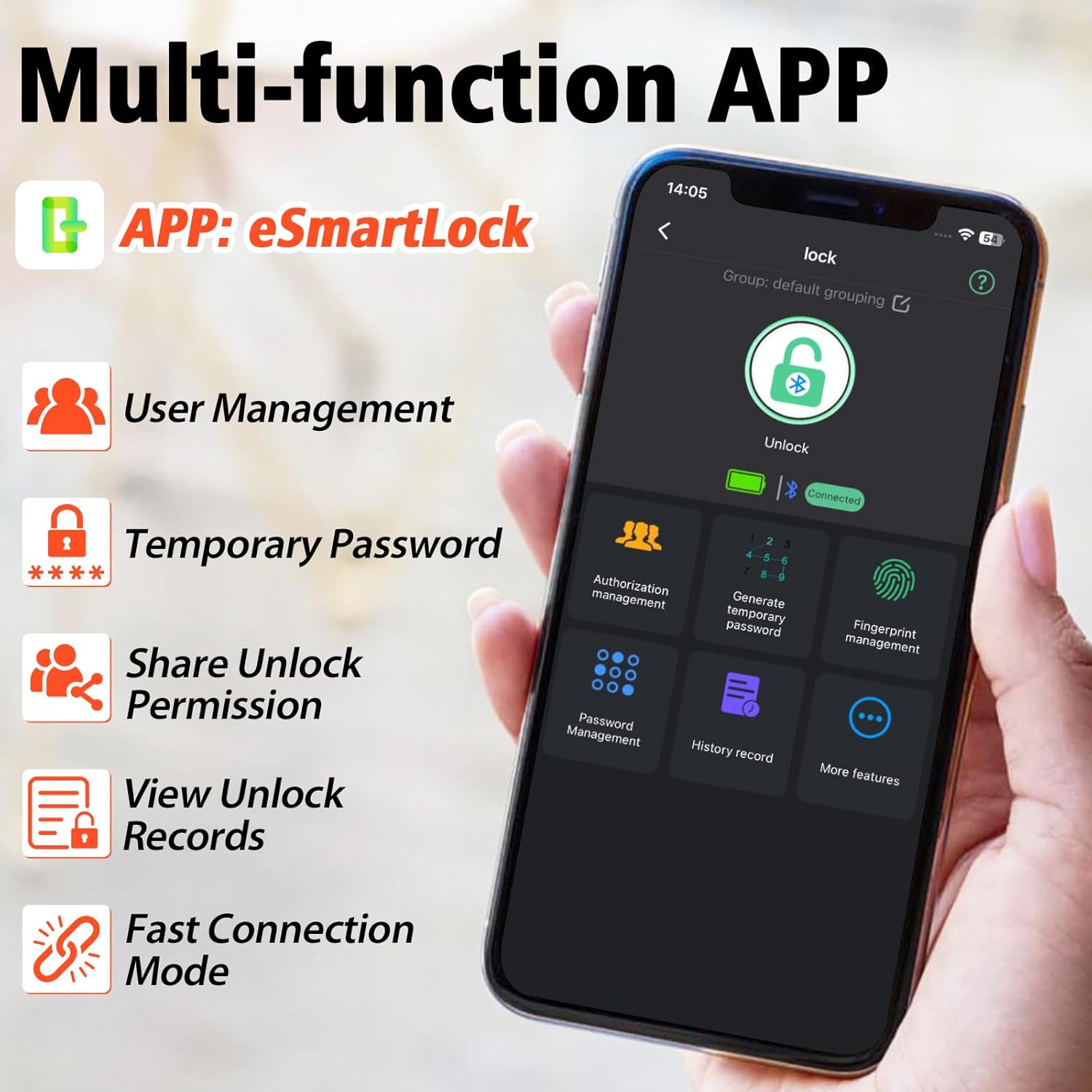
- Kontroll Smart APP: Manage fingerprints, passwords, track unlock records, and share access remotely via Bluetooth.
- Kostruzzjoni Durabbli: Built with alloy steel and zinc alloy body with a hardened steel shackle, resistant to cutting and tampering.
- Disinn reżistenti għat-temp: IP65 waterproof and dustproof, withstands temperatures from -4°F to 113°F.
- Batterija fit-tul: 110mAh lithium battery provides 6 months standby or 2000 unlocks per charge, rechargeable via USB-C.

Immaġni: Visual representation of the four unlocking methods: Passcode, Fingerprint, APP Unlock, and iWatch.
Vidjow: An official Eseesmart video demonstrating the revolutionary 4-in-1 unlocking capabilities of the smart padlock, including fingerprint, passcode, app, and iWatch access.
X'hemm fil-Kaxxa
- 1 x Eseesmart YL-P7 Smart Padlock
- 1 x USB-C Charge Cable
- 1 x Manwal tal-Utent (dan id-dokument)
Gwida ta' Setup
1. Niżżel u Installa l-App
The Eseesmart YL-P7 Smart Padlock is controlled via the eSmartLock app. Download it from your device's app store (iOS App Store or Google Play Store for Android) or scan the QR code provided in the included user manual.

Immaġni: The eSmartLock app interface on a smartphone, showing various management options for the padlock.
2. Tqabbil Inizjali
- Kun żgur li l-Bluetooth tal-ismartphone tiegħek huwa attivat.
- Open the eSmartLock app and follow the on-screen instructions to add a new device.
- L-app tiggwidak fil-proċess ta' tqabbil.
3. Reġistrazzjoni tal-Marki tas-Swaba'
- In the eSmartLock app, navigate to "Fingerprint Management".
- Select "Add Fingerprint" and follow the prompts.
- Place your finger firmly on the padlock's fingerprint sensor, lifting and replacing it as instructed by the app until registration is complete. You can register up to 20 fingerprints.

Immaġni: Close-up of the padlock's fingerprint sensor, highlighting its quick recognition capability.
4. Passcode Setup
- From the eSmartLock app, go to "Password Management".
- You can set permanent passcodes (up to 20), generate time-scheduled guest passwords, or create one-time passwords.
- Follow the app's instructions to enter and confirm your desired passcode.

Immaġni: The padlock featuring its integrated keypad for passcode entry.
Istruzzjonijiet Operattivi
Jinfetaħ bil-marki tas-swaba'
Place a registered finger firmly on the fingerprint sensor. The padlock will unlock in approximately 0.2 seconds if the fingerprint is recognized.
Unlocking with Passcode
Enter your set passcode on the keypad and press the unlock button (usually indicated by a 'U' or unlock symbol). The padlock will unlock if the passcode is correct.
Unlocking via App
Open the eSmartLock app on your smartphone. Ensure Bluetooth is connected. Tap the "Unlock" icon within the app to remotely unlock the padlock.
Unlocking via iWatch
If configured, you can unlock the padlock directly from your iWatch using the eSmartLock app interface on your watch.

Immaġni: A user unlocking the Eseesmart padlock using an iWatch, demonstrating convenient access.
Qsim Aċċess
Through the eSmartLock app's "Authorization Management" or "Generate Temporary Password" features, you can grant temporary or permanent access to other users. They will need to download the app to receive and use the shared access.
Charging the Padlock
The Eseesmart YL-P7 features a built-in 110mAh lithium battery. When the battery is low, the padlock's indicator light will signal a low charge. Connect the included USB-C cable to the charging port located at the bottom of the padlock and to a standard USB power source (e.g., computer, wall adapter) to recharge. A full charge supports over 2000 unlocks or 6 months of standby time.

Immaġni: The padlock connected to a USB-C charging cable, illustrating its rechargeable battery feature.
Manutenzjoni
- Tindif: Wipe the padlock with a soft, dry cloth. Avoid using abrasive cleaners or solvents.
- Reżistenza għall-Ilma: The padlock is IP65 rated for water and dust resistance, making it suitable for outdoor use. However, it should not be submerged in water. Ensure the USB-C port cover is securely closed when not charging.
- Temperatura: The padlock is designed to operate in temperatures ranging from -4°F to 113°F.

Immaġni: The Eseesmart padlock shown in a rainy environment, demonstrating its IP65 waterproof capabilities.
Issolvi l-problemi
| Problema | Kawża Possibbli | Soluzzjoni |
|---|---|---|
| Padlock does not unlock with fingerprint. | Fingerprint not registered or sensor is dirty/wet. | Ensure finger is clean and dry. Re-register fingerprint if necessary. Try a different registered finger. |
| Padlock does not respond. | Low battery or device is in sleep mode. | Charge the padlock. Tap any button or the fingerprint sensor to wake it up. |
| App cannot connect to padlock. | Bluetooth is off or padlock is out of range. | Ensure Bluetooth is on and the padlock is within range. Restart the app and try again. |
| Forgot passcode. | Passcode forgotten. | Use a registered fingerprint or the app to unlock. Reset or change the passcode via the app. |
Speċifikazzjonijiet
- Ditta: Eseesmart
- Numru tal-Mudell: YL-P7
- Tip ta' serratura: Biometric, Combination Lock, Padlock
- Materjal: Zinc Alloy Body + Hardened Steel Shackle
- Dimensjonijiet tal-oġġett (L x W x H): 1.74 x 0.97 x 2.95 pulzieri
- Piż tal-oġġett: 0.24 Kilogrammi
- Karatteristiċi Speċjali: 0.2s Fast Fingerprint Recognition, 4-in-1 Unlock (Fingerprint + Password + App + iWatch), Multi-Function Passwords (Permanent/Guest/One-Time Codes)
- Protokoll tal-Konnettività: Bluetooth
- Tip ta 'Kontrollur: Android, iOS
- Metodu ta' Kontroll: App, Touch
- Batterija: 110mAh Lithium (Rechargeable via USB-C)
- Reżistenza għall-Ilma: IP65
- Użi Rakkomandati: Locker Lock, Gym Locker Lock, School Locker, Fence, Gate, Shed, Storage, Pool

Immaġni: Detailed dimensions of the Eseesmart YL-P7 Smart Padlock.
Immaġni: Examples of various use cases for the Eseesmart YL-P7 Smart Padlock, including lockers, gates, sheds, and fences.
Garanzija u Appoġġ
The Eseesmart YL-P7 Smart Fingerprint Padlock comes with a 6-il xahar garanzija. Eseesmart also provides appoġġ tekniku bla ħlas tul il-ħajja. For any issues, replacements, refunds, or assistance, please contact Eseesmart customer service.


