1. Introduzzjoni
This manual provides essential information for the safe and efficient operation of your Defy DMO243 Digital Convection Microwave. Please read these instructions thoroughly before using the appliance and retain them for future reference. This appliance combines microwave, convection, and grilling functions to offer versatile cooking options.
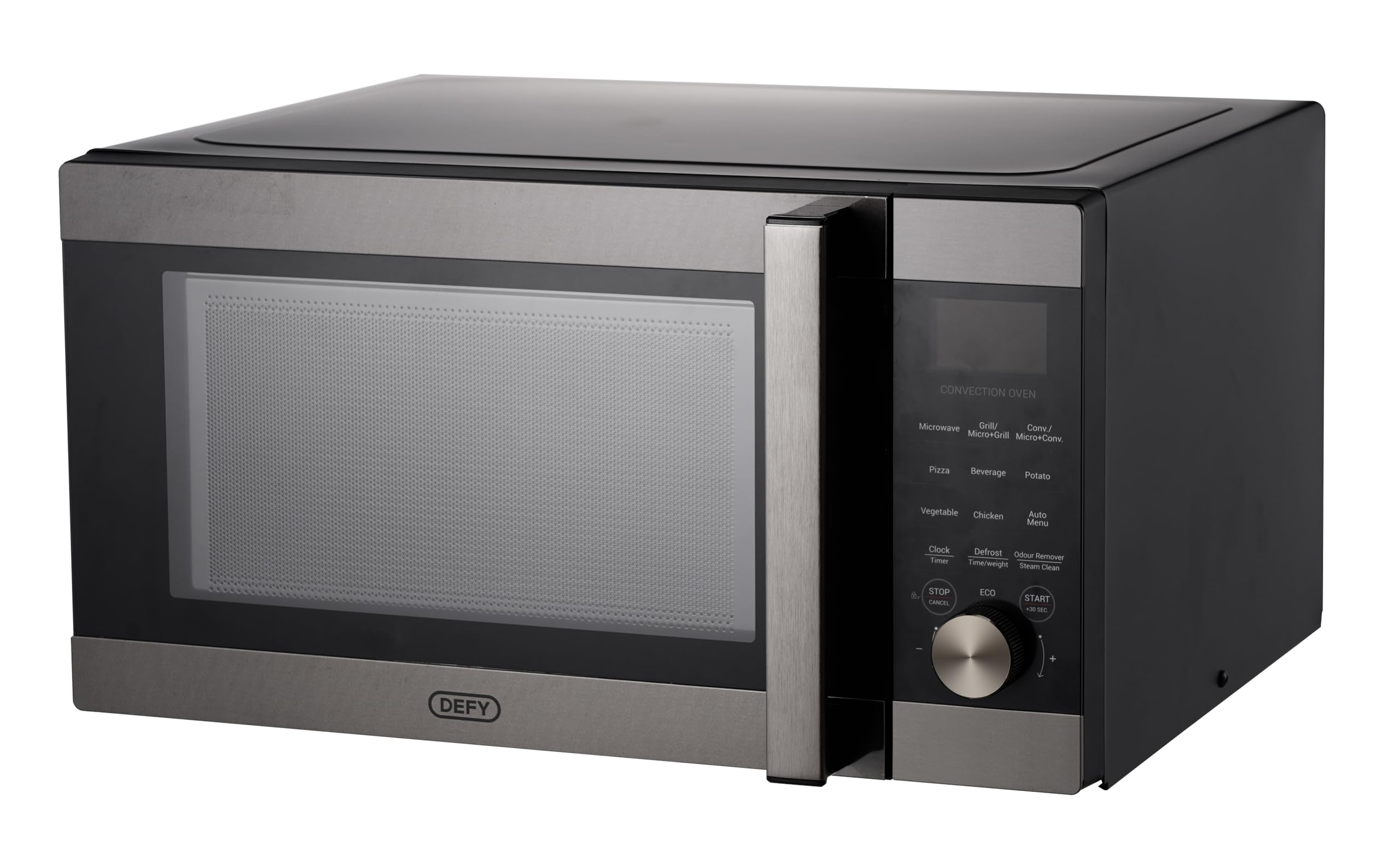
Image: The Defy DMO243 Digital Convection Microwave, showcasing its black and silver finish and digital control panel.
2. Istruzzjonijiet tas-Sigurtà
Dejjem segwi l-prekawzjonijiet bażiċi ta’ sigurtà meta tuża apparati elettriċi biex tnaqqas ir-riskju ta’ nar, xokk elettriku, korriment lil persuni, jew espożizzjoni għal enerġija eċċessiva tal-microwave.
- Tippruvax tħaddem dan il-forn bil-bieba miftuħa għax dan jista' jirriżulta f'espożizzjoni ta' ħsara għall-enerġija tal-microwave.
- Tpoġġi l-ebda oġġett bejn il-wiċċ ta 'quddiem tal-forn u l-bieb jew tħalli l-ħamrija jew residwi aktar nodfa jakkumulaw fuq l-uċuħ tas-siġillar.
- Tħaddimx il-forn jekk ikun bil-ħsara. Huwa partikolarment importanti li l-bieba tal-forn tingħalaq sew u li ma jkun hemm l-ebda ħsara lill-bieba, liċ-ċappetti, jew lis-siġilli.
- Persunal tas-servizz kwalifikat biss għandu jaġġusta jew isewwi dan l-apparat.
- Kun żgur li l-apparat ikun ertjat kif suppost.
- Issaħħanx likwidi jew ikel ieħor f'kontenituri ssiġillati peress li jistgħu jisplodu.
- Naddaf il-kavità tal-forn, il-bieba, u s-siġilli regolarment.
3. Setup u Installazzjoni
3.1 Disimballaġġ
Carefully remove all packaging materials from the oven cavity and accessories. Check the oven for any damage, such as dents or a broken door. Do not install if the oven is damaged.
3.2 Tqegħid
Place the oven on a flat, stable surface that can support its weight and the heaviest food item likely to be cooked in it. Ensure adequate ventilation by leaving a minimum of 20 cm (8 inches) of space above the oven, 10 cm (4 inches) at the rear, and 5 cm (2 inches) on both sides. Do not block any ventilation openings.

Immaġni: Quddiem view of the Defy DMO243 microwave, illustrating its compact design for countertop placement.
3.3 Konnessjoni Elettrika
Plug the oven into a standard household electrical outlet. Ensure the voltagL-e u l-frekwenza jaqblu mal-ispeċifikazzjonijiet fuq it-tikketta tal-klassifikazzjoni tal-apparat.
3.4 Assemblaġġ tat-Turntable
Place the roller ring in the depression on the oven floor. Place the glass turntable on top of the roller ring, ensuring it is seated correctly. The turntable must always be used during operation.
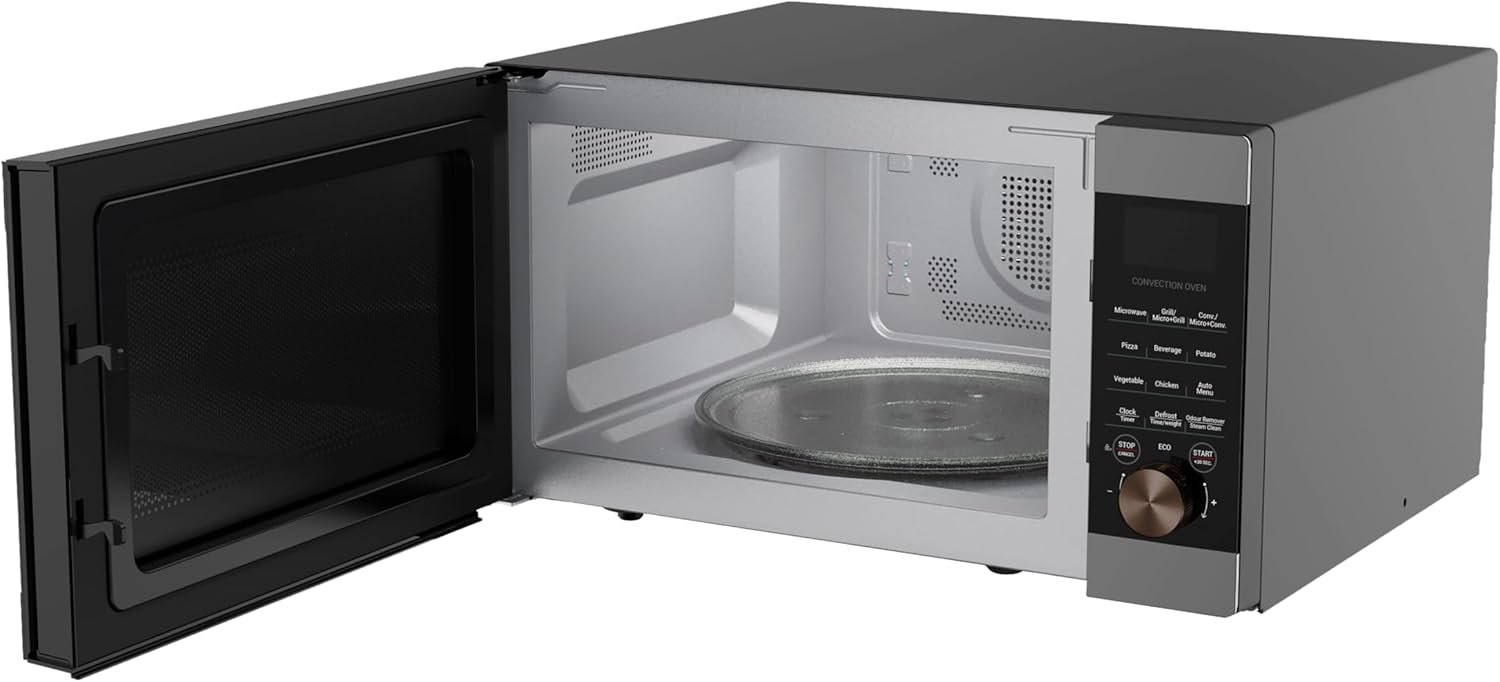
Immaġni: Intern view of the Defy DMO243 microwave with the door open, showing the glass turntable and roller ring.
3.5 Issettjar tal-Arloġġ
Upon initial power-up, the display will show '0:00'. To set the clock, refer to the detailed instructions in the operating section of this manual.
4. Istruzzjonijiet Operattivi
4.1 Control Panel Overview
The control panel features a digital display, function buttons for Microwave, Grill, Convection, and various pre-programmed settings, along with a rotary dial for time/weight adjustment and a Start/Stop button.

Image: A close-up of the Defy DMO243 control panel, highlighting the digital display and various function buttons.
4.2 Modi tat-tisjir
- Tisjir bil-majkrowejv: Press the 'Microwave' button, rotate the dial to select power level (e.g., P100 for 100%), then rotate again to set cooking time. Press 'Start'.
- Tisjir tal-Grejl: Press the 'Grill' button, rotate the dial to set cooking time. Press 'Start'.
- Tisjir bil-konvezzjoni: Press the 'Convection' button, rotate the dial to select temperature, then rotate again to set cooking time. Press 'Start'. Convection mode uses a fan to circulate hot air, similar to a conventional oven.

Image: Illustration of the convection cooking feature, showing a baked pie, indicating even heat distribution.
- Tisjir kombinat: This oven offers Micro+Grill and Micro+Convection modes for combined cooking. Refer to the specific instructions in the full manual for setting these modes.
4.3 Pre-programmed Functions
The Defy DMO243 includes 15 pre-programmed cooking functions for convenience. These include settings for Popcorn, Beverage, Potato, Auto Reheat, Rice, Pizza, Vegetables, Frozen Dinner, Weight Defrost, Speed Defrost, Chicken, Beef/Mutton, Skewered Meat, and Cake. Select the desired function and follow the on-screen prompts.
4.4 Defrosting
The appliance offers both Weight Defrost and Speed Defrost options. Select the appropriate defrost function and input the weight or time as required. The system will automatically calculate the defrosting time.
4.5 Tisjir Espress
Press the '+30 Sec' button for a quick 30-second start at full microwave power. Each press adds 30 seconds to the cooking time.

Image: The microwave on a kitchen counter, illustrating the convenience of the express cooking function for quick meal preparation.
4.6 Modalità ECO
Activate ECO mode to turn off the display during standby, conserving power. Refer to the full manual for activation instructions.

Image: The ECO mode icon, indicating the power-saving feature of the microwave.
4.7 Lock tat-Tfal
The Child Lock feature prevents accidental operation by children. To activate or deactivate, refer to the specific instructions in the full manual.

Image: A child stirring a bowl, representing the child safety lock feature that prevents accidental operation.
5. Manutenzjoni u Tindif
5.1 Tindif Ġenerali
Regularly clean the oven interior and exterior with a damp cloth and mild detergent. Avoid abrasive cleaners or scouring pads. Ensure the door seals are clean and free from food debris.
5.2 Odour Removal (Steam Clean)
The Steam Clean function helps soften grime and remove odors. Place a bowl of water with lemon slices inside the oven and activate the Steam Clean function. Wipe the interior clean after the cycle.

Image: A woman looking into the microwave, illustrating the effectiveness of the Steam Clean and Odour Remover function for maintaining cleanliness.
6 Issolvi l-problemi
Jekk tiltaqa' ma' problemi bil-microwave tiegħek, ikkonsulta t-tabella li ġejja qabel ma tikkuntattja lis-servizz.
| Problema | Kawża Possibbli | Soluzzjoni |
|---|---|---|
| Il-forn mhux se jibda | Il-korda tal-enerġija mhux imdaħħla; Il-bieb mhux magħluq sew; Il-fjus maħruq jew is-circuit breaker qabad. | Ensure plug is securely inserted; Close door firmly; Check household fuse or reset circuit breaker. |
| Ikel mhux tisħin | Ħin tat-tisjir/livell ta' qawwa mhux korrett; Il-bieb mhux magħluq sew. | Adjust time/power; Close door firmly. |
| Turntable ma ddurx | It-turntable mhux imqiegħed sew; Iċ-ċirku tar-romblu maħmuġ jew bil-ħsara. | Re-seat turntable; Clean or replace roller ring. |
7. Speċifikazzjonijiet
Key technical specifications for the Defy DMO243 Digital Convection Microwave:
- Numru tal-Mudell: 8690842691607
- Kapaċità: 43 Litri
- Qawwa / Wattage: 2200 watt
- Materjal: Stainless Steel
- Dimensjonijiet tal-Prodott (P x W x H): 55.3 x 58.2 x 31.1 ċm
- Piż tal-oġġett: 23.8 kg
- Kulur: Iswed/fidda
- Karatteristiċi Speċjali: Large Capacity, Portable, Programmable, Child Lock, ECO Mode, Steam Clean
Image: The Defy DMO243 microwave with its dimensions (height, width, depth) clearly indicated.

Image: An illustration highlighting the 43-liter capacity, suitable for larger meals.
8. Garanzija u Appoġġ
For warranty information and customer support, please refer to the warranty card included with your product or visit the official Defy website. You may also contact Defy customer service directly for assistance with product registration, troubleshooting, or spare parts.
Manifattur: Defy Appliances (Pty) Ltd
Sfida Websit: www.defy.co.za


