1. Introduzzjoni
This manual provides essential information for setting up, operating, and maintaining your Sceptre 24-inch Gaming Monitor (E248W-FW100T Series). Please read this manual thoroughly before using the product to ensure optimal performance and safety.
Karatteristiċi ewlenin:
- Immersive 24-inch Display: Experience captivating visuals with slim bezels for an expanded viewing żona.
- Smooth 100Hz Refresh Rate: Enjoy fluid and responsive graphics, reducing choppiness in fast-paced content.
- 1ms Blur Reduction (BR): Enhances gaming performance with rapid response times.
- Teknoloġija AMD FreeSync™: Synchronizes the monitor's refresh rate with your graphics card for tear-free gameplay.
- Bidla fid-Dawl Blu: Reduces harmful blue light emissions to alleviate eye strain during extended use.
- Kelliema Integrati: Built-in speakers provide audio without requiring external devices.
- Konnettività versatili: Includes 2x HDMI, 1x DisplayPort (DP), and VGA inputs for broad compatibility.
Official Sceptre brand video showcasing the monitor's versatility for work, creation, gaming, and streaming.
2. Setup
2.1 Spakkjar u Armar
Carefully remove the monitor and all components from the packaging. Assemble the stand according to the instructions provided in the quick start guide. Ensure the monitor is placed on a stable, flat surface.
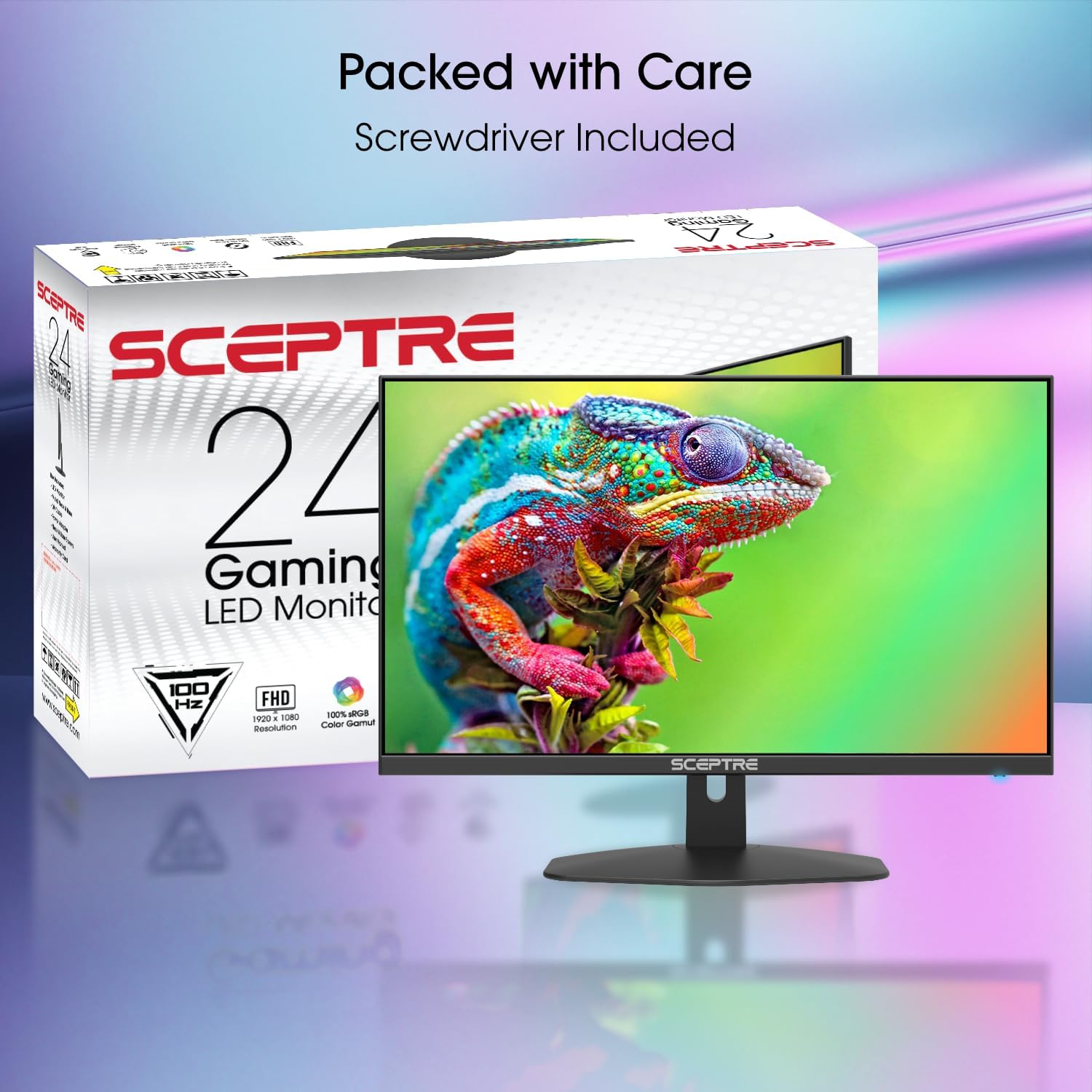
The Sceptre 24-inch Gaming Monitor alongside its retail packaging, indicating included accessories.
2.2 Kejbils tal-Konnessjoni
Connect the power cable to the monitor and a power outlet. Use the appropriate video cable (HDMI or DisplayPort recommended for optimal performance) to connect your computer or gaming console to the monitor. The monitor also supports VGA connections. For audio, use the Audio In port if connecting via VGA, or the Audio Out port for external speakers/headphones.

Naħa view highlighting the monitor's thin profile and stand, useful for understanding placement and cable management.
Detailed user demonstration of the Sceptre 24-inch monitor, including a view of the rear ports (HDMI, VGA, Audio In/Out), control buttons, and a sound test of the integrated speakers.
3. It-tħaddim tal-Monitor
3.1 Power On/Off
Agħfas il-buttuna tal-qawwa li tinsab fuq wara tal-monitor biex tixgħelu jew titfih. Id-dawl indikatur tal-qawwa jixgħel meta l-monitor ikun attiv.
3.2 Għażla tal-Input
Use the input selection button (often labeled 'E' or an arrow icon) on the back of the monitor to cycle through available input sources (HDMI1, HDMI2, DP, VGA). The monitor will automatically detect an active signal.
3.3 Menù tal-Wiri fuq l-Iskrin (OSD)
Access the OSD menu by pressing the 'M' button on the back of the monitor. Use the up/down arrow buttons to navigate through menu options and the 'E' button to select. Adjust settings such as brightness, contrast, color temperature, and input source.
3.4 Kontroll tal-Awdjo
The monitor features integrated speakers. Volume controls are typically integrated into the OSD menu or accessible via dedicated up/down buttons on the back of the monitor. For external audio, connect headphones or speakers to the Audio Out port.
Utent review demonstrating two Sceptre 24-inch monitors in a dual setup, highlighting their slim design and suitability for multi-monitor configurations.
Utent review wirjaasing the Sceptre 24-inch monitor in a home office environment, emphasizing screen size, picture quality, and lightweight design for monitor stands.
4. Manutenzjoni
4.1 Tindif tal-Monitor
Biex tnaddaf l-iskrin, imsaħ bil-mod b'ċarruta ratba u mingħajr suf. Għal marki persistenti, imsaħ bil-modampen the cloth with water or a mild, non-abrasive screen cleaner. Avoid using harsh chemicals or abrasive materials that could damage the screen surface. Ensure the monitor is powered off and unplugged before cleaning.
4.2 Kura Ġenerali
Avoid placing heavy objects on the monitor or its cables. Keep the monitor away from direct sunlight, heat sources, and excessive moisture. Ensure proper ventilation around the monitor to prevent overheating.
5 Issolvi l-problemi
If you encounter issues with your monitor, refer to the following common solutions. For more detailed troubleshooting or persistent problems, please contact Sceptre customer support.
- Ebda Qawwa: Kun żgur li l-kejbil tal-enerġija huwa konness sew kemm mal-monitor kif ukoll ma' sokit tal-enerġija li jaħdem. Iċċekkja jekk id-dawl indikatur tal-enerġija hux mixgħul.
- Ebda Sinjal: Verify that the video cable is correctly connected to both the monitor and your source device (PC, console). Ensure the correct input source is selected on the monitor.
- Immaġni Teptip/Distorta: Check cable connections. Adjust the refresh rate settings on your computer. Ensure your graphics card drivers are up to date.
- Ebda Ħsejjes: Confirm the volume is not muted or set too low on both the monitor and your source device. If using external speakers/headphones, ensure they are properly connected to the Audio Out port.
6. Speċifikazzjonijiet
| Karatteristika | Speċifikazzjoni |
|---|---|
| Numru tal-Mudell | E248W-FW100T.A1 |
| Daqs tal-Iskrin | 24 Pulzier |
| Riżoluzzjoni | 1920 x 1080 (FHD 1080p) |
| Riżoluzzjoni Massima tal-Iskrin | 1920 x 1080 Pixels |
| Riffriskar Rata | 100Hz |
| Ħin ta' Rispons | 1ms BR (Blur Reduction) |
| Proporzjon ta' l-aspett | 16:9 |
| Wiċċ tal-Iskrin | Matte |
| Konnettività | 2x HDMI, 1x DisplayPort, 1x VGA, Audio In, Audio Out |
| Kelliema Integrati | Iva |
| Karatteristiċi Speċjali | AMD FreeSync™, Blue-Light Shift, Edgeless Design |
| Dimensjonijiet tal-Prodott (LxWxH) | 7.6 x 21.3 x 17.2 pulzieri |
| Piż tal-oġġett | 9.98 liri |
7. Garanzija u Appoġġ
Sceptre monitors are designed for reliability and performance. For information regarding your product's warranty, please refer to the warranty card included in your product packaging or visit the official Sceptre website. If you require technical assistance or have questions not covered in this manual, please contact Sceptre customer support for further assistance.


