Introduzzjoni
The Insta360 Mic Air Transmitter is an ultralight (7.9g) wireless microphone designed for seamless audio capture with compatible Insta360 cameras. It features advanced noise cancelling and high-quality 48kHz audio sampling, making it ideal for vlogging, streaming, and voice recording in various environments. This manual provides essential information for setting up, operating, and maintaining your Mic Air Transmitter.
X'hemm fil-Kaxxa
Ivverifika li l-komponenti kollha huma preżenti fil-pakkett tiegħek:
- 1x Insta360 Mic Air Transmitter
- 1x Charging Base to USB-A Cable
- 1x Button Magnet
- 1x Magnet Pendant
- 1x Clip Magnet
- 1x Windskrin
- 1x Carry Case
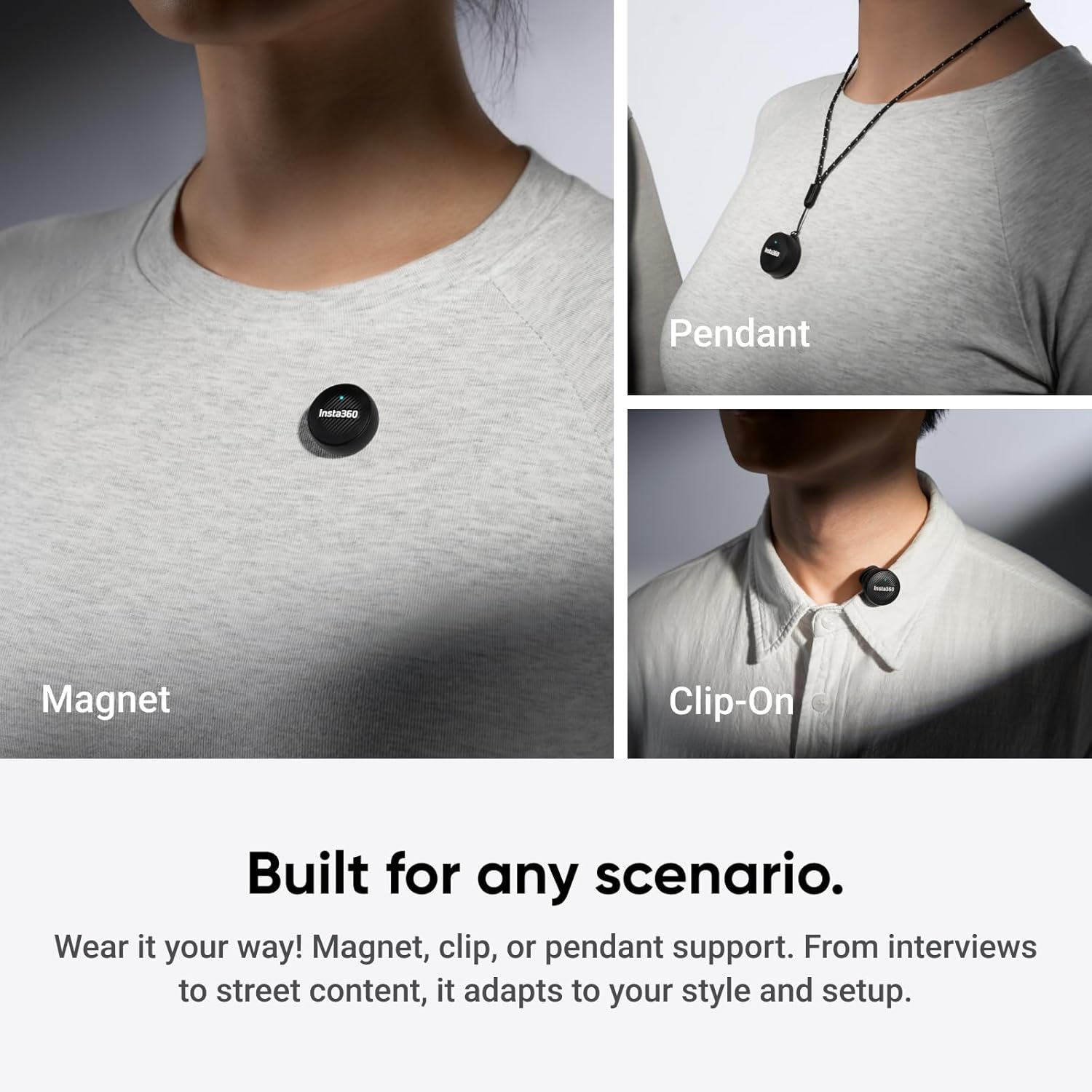
Image: All components included in the Insta360 Mic Air Transmitter package.
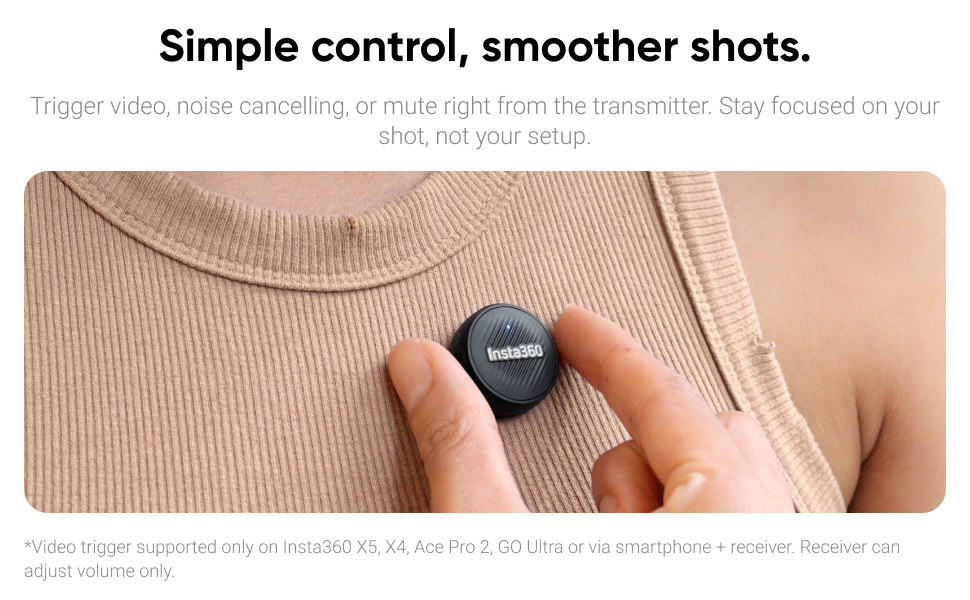
Image: The Insta360 Mic Air Transmitter, charging cable, magnets, windshield, and carry case.
Video: An unboxing of the Insta360 Mic Air Transmitter kit, showing all included items and their initial presentation.
Karatteristiċi tal-Prodott
Konnettività bla xkiel
The Mic Air Transmitter connects wirelessly and directly to compatible Insta360 cameras such as the X5, X4, X4 Air, Ace Pro 2, and GO Ultra. No additional receiver is needed for these cameras, ensuring a smooth and reliable workflow. For connection with mobile devices and the Insta360 Flow series, the Insta360 Mic Air (1 TX + 1 RX) bundle is required.

Image: The Mic Air Transmitter paired with an Insta360 camera for direct wireless audio capture.
Ultralight and Discreet Design
Weighing only 7.9g, the Mic Air Transmitter is coin-sized and ultralight, allowing it to remain discreetly out of sight. This ensures that your voice remains the focus without distracting visual elements.

Image: The compact and lightweight design of the Mic Air Transmitter, held in a hand for scale.
Qbid Awdjo ta 'Kwalità Għolja
Capture clear, true-to-life sound with 48kHz sampling and omnidirectional audio pickup. This ensures every detail of your voice is recorded with crystal clarity.

Image: The Mic Air Transmitter emphasizing its 48kHz high-quality audio capabilities.
Advanced Noise Cancelling
Equipped with advanced noise cancellation and a windshield, the Mic Air keeps your audio clean and sharp, even in noisy outdoor environments or windy conditions.

Image: The Mic Air Transmitter in use outdoors, showcasing its advanced noise cancelling feature.
Kontroll mill-Bogħod Sempliċi
The transmitter features a button that allows you to trigger video recording, activate noise cancelling, or mute the microphone directly. This enables you to stay focused on your shot without needing to interact with your camera.

Image: The Mic Air Transmitter's button for remote control of camera functions.
Versatile Wearing Options
The Mic Air Transmitter offers multiple wearing options including magnetic attachment, clip-on, and pendant functionality. This adaptability ensures it can be used in various scenarios, from interviews to street content, fitting your style and setup.
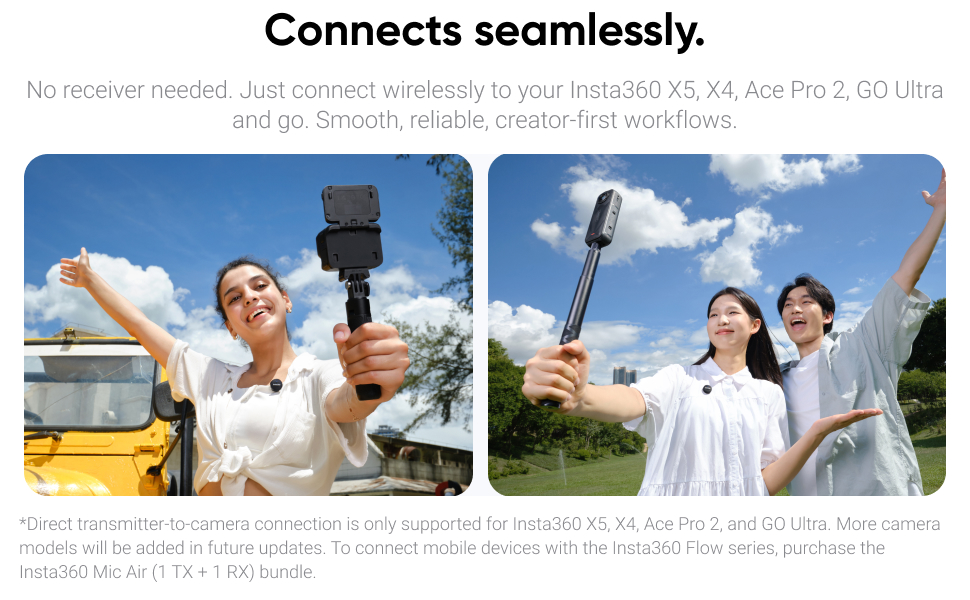
Image: Various wearing options for the Mic Air Transmitter, including magnetic, clip-on, and pendant styles.
Video: A short clip demonstrating the versatility of the Insta360 Mic Air Transmitter's wearing options.
Setup
Pairing with Insta360 Cameras
- Ensure your Insta360 camera (X5, X4, X4 Air, Ace Pro 2, GO Ultra) is powered on.
- Power on the Mic Air Transmitter.
- The transmitter will automatically attempt to connect to your camera via Bluetooth. A successful connection is indicated by a solid blue light on the transmitter.
- For X4, direct Bluetooth connection with the transmitter is supported.
Video: A real-world audio test of the Insta360 Mic Air Transmitter with an Insta360 X5 camera, demonstrating its direct connection.
Connecting to Mobile Devices (Requires Mic Air (1 TX + 1 RX) Bundle)
To connect to mobile devices (smartphones, tablets) and the Insta360 Flow series, you must use the Insta360 Mic Air (1 TX + 1 RX) bundle, which includes a receiver. The receiver typically connects via USB-C or Lightning adapter.
Twaħħil Aċċessorji
- Windskrin: Gently slide the windshield over the microphone element on the transmitter to reduce wind noise.
- Magnets/Clips: Use the provided button magnet, clip magnet, or magnet pendant to secure the transmitter to clothing or other surfaces.
Istruzzjonijiet Operattivi
Qawwa mixgħul/mitfi
Press and hold the power button on the transmitter to turn it on or off.
Funzjonijiet ta 'Kontroll mill-bogħod
The transmitter features a multi-function button for remote control:
- Stampa Unika: Start/stop video recording or take a photo (functionality depends on camera mode).
- Press doppju: Activate/deactivate noise cancelling.
- Stampa Twila: Ixekkel/itwaqqaf il-mikrofonu.
Video: A demonstration of the Insta360 Mic Air Transmitter's remote control features with an Ace Pro camera.
Manutenzjoni
- Keep the transmitter and accessories clean and dry.
- Store in the provided carry case when not in use to prevent damage.
- Evita li tesponi l-apparat għal temperaturi estremi jew dawl tax-xemx dirett għal perjodi twal.
Issolvi l-problemi
Kompatibilità
The Mic Air Transmitter connects directly to Insta360 X5, X4, Ace Pro 2, and GO Ultra via Bluetooth. Insta360 Mic Air (1 TX + 1 RX) is compatible with USB-C equipped smartphones, tablets, and computers.
Ħajja tal-batterija
Approximately 7.5 hours when Bluetooth connected to Insta360 X5 camera. Approximately 10 hours when connected to the Receiver (from the 1 TX + 1 RX bundle).
Connecting Two Transmitters to One Receiver
Yes, this is supported. Update the Transmitter and the Receiver separately to v1.0.0.20 or above. In Receiver Mode, one Receiver supports connecting to two Transmitters simultaneously. However, Insta360 cameras (X5/X4/Ace Pro 2) only support one Transmitter connection.
Speċifikazzjonijiet
| Fattur tal-Forma tal-Mikrofonu | Lavalier |
| Dimensjonijiet tal-oġġett (L x W x H) | 5 x 4 x 2 pulzieri |
| Sors tal-Enerġija | Bażi tal-Iċċarġjar |
| Numru ta' Batteriji | 1 Polimer tal-litju (inkluż) |
| Materjal | Plastic Or Metal |
| Numru ta 'Kanali | 2 |
| Piż tal-oġġett | 7.9 Gram (0.279 uqija) |
| Apparati Kompatibbli | Insta360 X5/X4/X4 Air/Ace Pro 2/GO Ultra |
| Teknoloġija tal-Konnettività | Bluetooth |
| Tip ta' Konnettur | USB Type-C (on charging base) |
| Karatteristiċi Speċjali | Stable Transmission, Advanced Noise Reduction, Ultralight, Wireless, High-Quality Audio with 48kHz samplipp |
| Użi Rakkomandati | Daily Vlogs Travel, Live Streaming, Short-Form Videos, Voice Recording |
Garanzija u Appoġġ
For warranty information and technical support, please refer to the official Insta360 webis-sit jew ikkuntattja lis-servizz tal-konsumatur tagħhom direttament. Żomm il-prova tax-xiri tiegħek għal talbiet ta' garanzija.


