Introduzzjoni
Thank you for choosing the Donner MAMP2 Awdjo Stereo Amplifier. This powerful 2-channel receiver delivers 600W peak power (60W RMS x 2) and offers a wide range of connectivity options, including Bluetooth 5.3, USB, RCA, optical, coaxial, FM radio, and dual microphone inputs. Designed for an enhanced audio experience, the MAMP2 is perfect for home audio setups, karaoke, and various multimedia applications. Please read this manual thoroughly before operating the device to ensure proper use and optimal performance.
Informazzjoni Importanti dwar is-Sigurtà
- Sors tal-Enerġija: Tiżgura l- ampLififier huwa konness ma' provvista ta' enerġija li taqbel mal-volumtage speċifikat fuq l-unità.
- Ventilazzjoni: Timblokkax il-fetħiet tal-ventilazzjoni. Installa skont l-istruzzjonijiet tal-manifattur.
- Ilma u Umdità: Tesponix dan l-apparat għax-xita jew għall-umdità. Tpoġġix oġġetti mimlija b'likwidi, bħal vażuni, fuq l-apparat.
- Sħana: Tinstallax ħdejn xi sorsi tas-sħana bħal radjaturi, reġistri tas-sħana, stufi, jew apparat ieħor (inkluż amplifiers) li jipproduċu sħana.
- Tindif: Naddaf biss b'ċarruta niexfa.
- Servizzi: Irreferi l-manutenzjoni kollha lil persunal tas-servizz kwalifikat. Is-servizz huwa meħtieġ meta l-apparat ikun ġie bil-ħsara b'xi mod, bħal korda tal-provvista tal-enerġija jew plagg ikun bil-ħsara, likwidu jkun inxtered jew oġġetti jkunu waqgħu fl-apparat, l-apparat ikun ġie espost għax-xita jew umdità, ma jaħdimx b'mod normali , jew twaqqgħet.
- Impedenza tal-Ispeaker: Ensure connected speakers have an impedance of 4-8 ohms.
Kontenut tal-Pakkett
Jekk jogħġbok iċċekkja li l-oġġetti kollha huma preżenti u f'kundizzjoni tajba:
- Donner MAMP2 Riċevitur Stereo
- Kontroll mill-bogħod (batteriji AAA mhux inklużi)
- Manwal għall-Utent
Prodott Overview
Kontrolli tal-Panew ta' Quddiem

Figura 1: Front Panel Layout of the Donner MAMP2 Amplifier, showing various inputs and control knobs.
- Swiċċ tal-Enerġija: Dawwar l-unità ON / OFF.
- Talk-over Button: Lowers background music volume when microphone is in use.
- Pum VOL MIC: Jaġġusta l-volum tal-mikrofonu.
- Pum ECHO: Adjusts microphone echo effect.
- Pum tal-BASS: Adjusts bass frequency level.
- Pumi tan-Nofs: Adjusts midrange frequency level.
- Pum TREBLE: Adjusts treble frequency level.
- Pum tal-VOLUM TAL-MUŻIKA: Kontroll tal-volum ewlieni għad-daqq tal-mużika.
- Buttuna tal-Modalità: Cycles through input modes (Bluetooth, USB, FM, AUX, Optical, Coaxial, Phono).
- Buttuna BT: Jaqleb direttament għall-modalità Bluetooth.
- Buttuna STOP: Jieqaf daqq USB.
- Buttuni CH-/CH+: For FM radio channel selection or USB track navigation.
- AUX IN: 3.5mm jack ta 'input awżiljarju.
- Port USB: For USB drive playback (up to 64GB).
- MIC 1/MIC 2 Inputs: 1/4'' microphone input jacks.
Konnessjonijiet tal-Panew ta' wara

Figura 2: Rear Panel Layout of the Donner MAMP2 Amplifier, showing various audio input and speaker output terminals.
- Terminal tal-Antenna FM: Qabbad l-antenna FM inkluża għar-riċeviment tar-radju.
- DIGITAL INPUTS (Optical/Coaxial): Connect digital audio sources like Smart TVs, Blu-ray players.
- INPUT TAL-LINJA (RCA): Connect analog audio sources such as CD/DVD players, media players.
- PHONO INPUT (RCA): Connect a turntable with an MM (Moving Magnet) cartridge. Includes built-in preampaktar ħaj.
- SPEAKER SYSTEM Outputs (L/R): Connect passive speakers (4-8 ohms). Supports up to 2 groups of 4 speakers.
- SUBWOOFER Output: Qabbad subwoofer attiv.
- Input tal-Korda tal-Enerġija: Connect the power cable to an AC outlet.
Gwida ta' Setup
1. Konnessjoni tal-Ispeaker
Il-MAMP2 amplifier supports up to two groups of 4 passive speakers (4-8 ohms impedance) and one active subwoofer. Ensure correct polarity (+ to + and - to -) when connecting speakers.
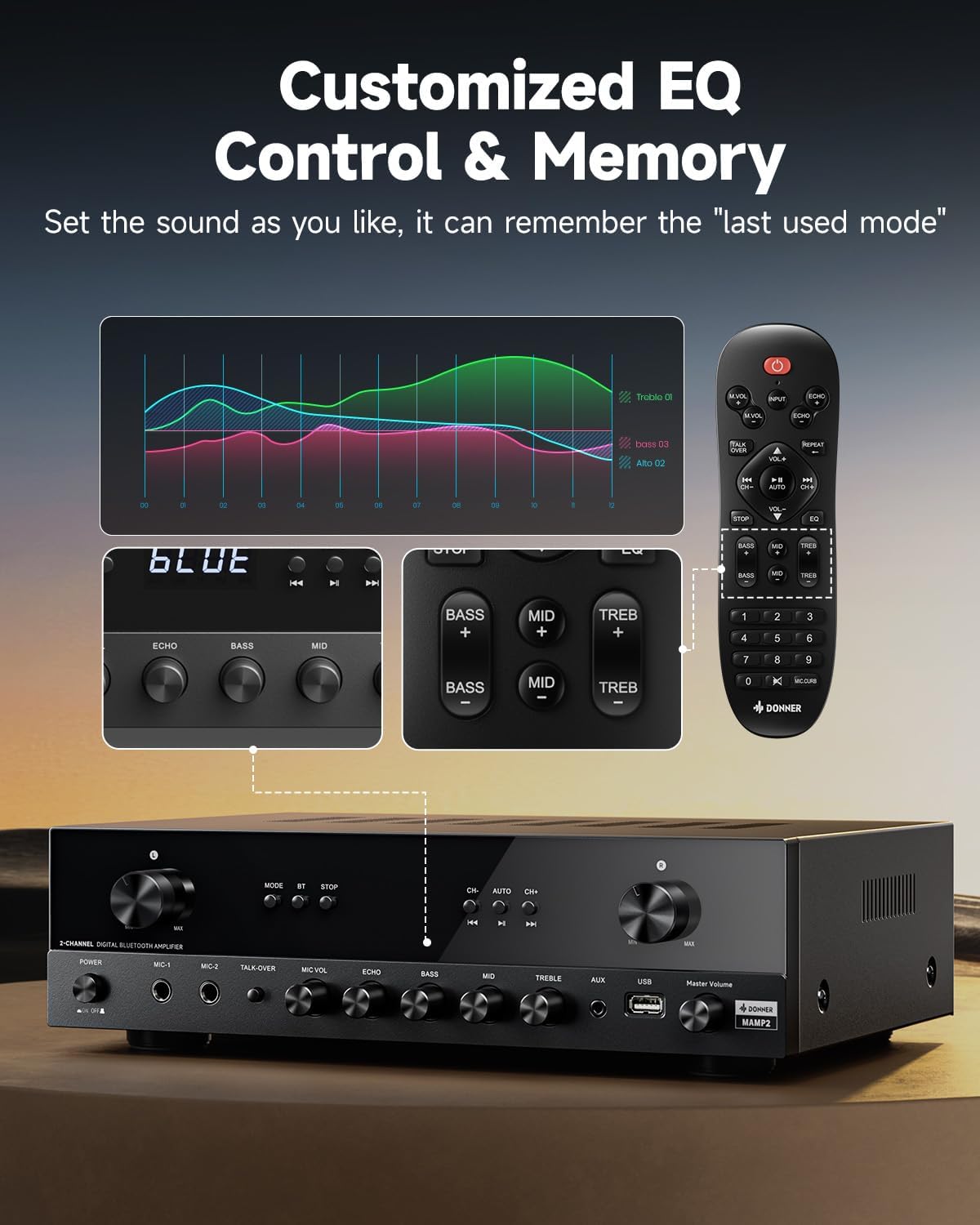
Figura 3: Diagram showing how to connect passive speakers and an active subwoofer to the Donner MAMP2 ampaktar ħaj.
- Connect your passive speakers to the "SPEAKER SYSTEM" terminals on the rear panel. The amplifier supports 2 channels, allowing for stereo sound.
- If using an active subwoofer, connect it to the "SUBWOOFER Output" on the rear panel.
2. Konnessjoni tas-Sors Awdjo
Connect your desired audio sources to the appropriate input jacks on the amplifier. The MAMP2 offers a variety of input options:

Figura 4: Fuqview of various audio input options available on the Donner MAMP2 amplifier, including Bluetooth, USB, AUX, FM, Microphone, CD/DVD, Phono, Coaxial, and Optical.
- RCA (LINE IN): For traditional audio devices like CD/DVD players.
- Optical/Coaxial (DIGITAL INPUTS): For digital audio from Smart TVs, game consoles, etc.
- Phono (RCA): For turntables with MM cartridges.
- AUX (3.5mm front panel): For portable devices like smartphones or tablets.
- USB (front panel): For USB flash drives (up to 64GB) containing audio files.
- Microphone (1/4'' front panel): For connecting microphones for karaoke or public speaking.
- Antenna FM: Connect the provided FM antenna to the rear terminal for radio reception.
3. Konnessjoni tal-Enerġija
- Once all audio and speaker connections are made, connect the power cord to the amplifier's power input and then to a suitable AC power outlet.
Istruzzjonijiet Operattivi
Tixgħel/Jitfi
- Agħfas il- Swiċċ tal-Qawwa fuq il-pannell ta' quddiem biex iddawwar amplifier ON jew OFF.
Selecting Input Mode
You can select the desired input source using the Modalità button on the front panel or the corresponding buttons on the remote control.

Figura 5: Close-up of the Mode, BT, and Stop buttons on the front panel for input selection and playback control.
- Agħfas il- Modalità button repeatedly to cycle through inputs: Bluetooth, USB, FM, AUX, Optical, Coaxial, Phono.
- Alternatively, press the dedicated input buttons on the remote control.
Operazzjoni Bluetooth
- Aqleb il- ampaktar f'saħħtu għal Bluetooth mode. The display will show "BLUE".
- On your mobile device, enable Bluetooth and search for "Donner MAMP2".
- Select "Donner MAMP2" to pair. Once connected, you can stream audio wirelessly.

Figura 6: Illustrates the process of pairing a mobile device with the Donner MAMP2 amplifier permezz tal-Bluetooth.
Daqq USB
- Insert a USB flash drive (formatted to FAT32, up to 64GB) into the front panel USB port.
- Aqleb għal USB mod. Il- amplifier will automatically begin playing supported audio files.
- Uża l- CH-/CH+ buttons on the front panel or remote to navigate tracks. Press STOP to pause/stop playback.
Operazzjoni tar-Radju FM
- Aqleb għal FM mod.
- Uża l- CH-/CH+ buttuni biex tirranġa l-frekwenzi manwalment.
- For quick frequency selection, use the numeric keypad on the remote control (e.g., for FM 97.1, enter "971").
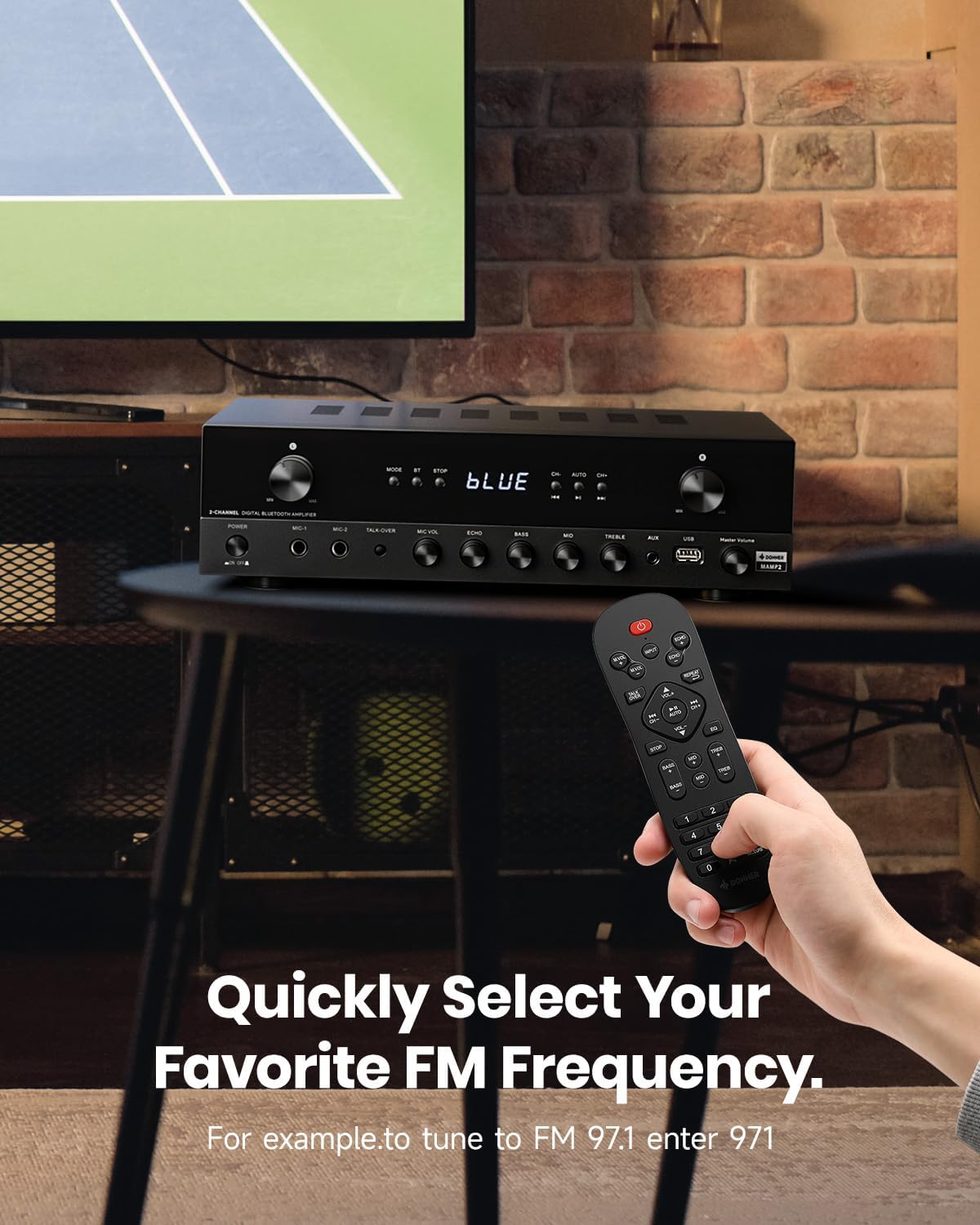
Figura 7: Demonstrates how to quickly select your favorite FM radio frequency using the remote control's numeric keypad.
Microphone and Karaoke Functions
- Qabbad il-mikrofoni mal- MIC 1 or MIC 2 1/4'' jacks on the front panel.
- Aġġusta l-volum tal-mikrofonu billi tuża l- MIC VOL pum.
- Adjust echo effect using the ECHO pum.
- Agħfas il- Talk-over button to automatically lower background music when speaking into the microphone.
Customized EQ Control and Memory
Il-MAMP2 amplifier allows independent adjustment of Bass, Mid, and Treble levels via both the front panel knobs and the remote control. The amplifier automatically saves your last selected mode, volume, and EQ settings.
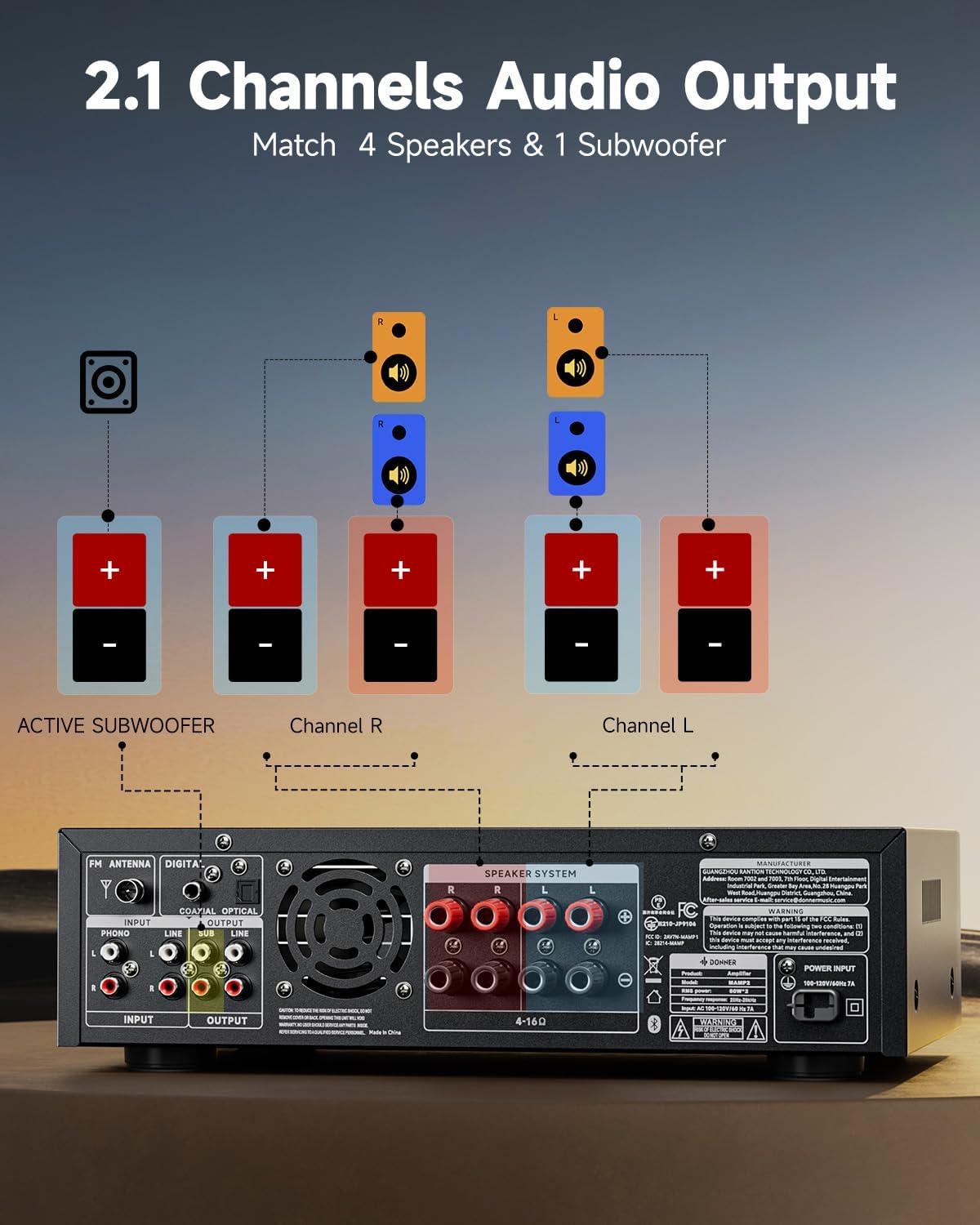
Figura 8: Illustration of the customizable EQ controls (Bass, Mid, Treble) on both the amplifier and remote, and the memory function.
- Dawwar il- BASS, MID, u TREBLE knobs on the front panel to adjust the respective frequency levels.
- Use the dedicated EQ buttons on the remote control for precise adjustments.
Phono Input (Turntable)
- Connect your turntable (with an MM type cartridge) to the DĦUL FONO Ġakki RCA fuq il-pannell ta' wara.
- Aqleb il- ampaktar f'saħħtu għal Phono mode. The built-in preamplifier will boost the signal.
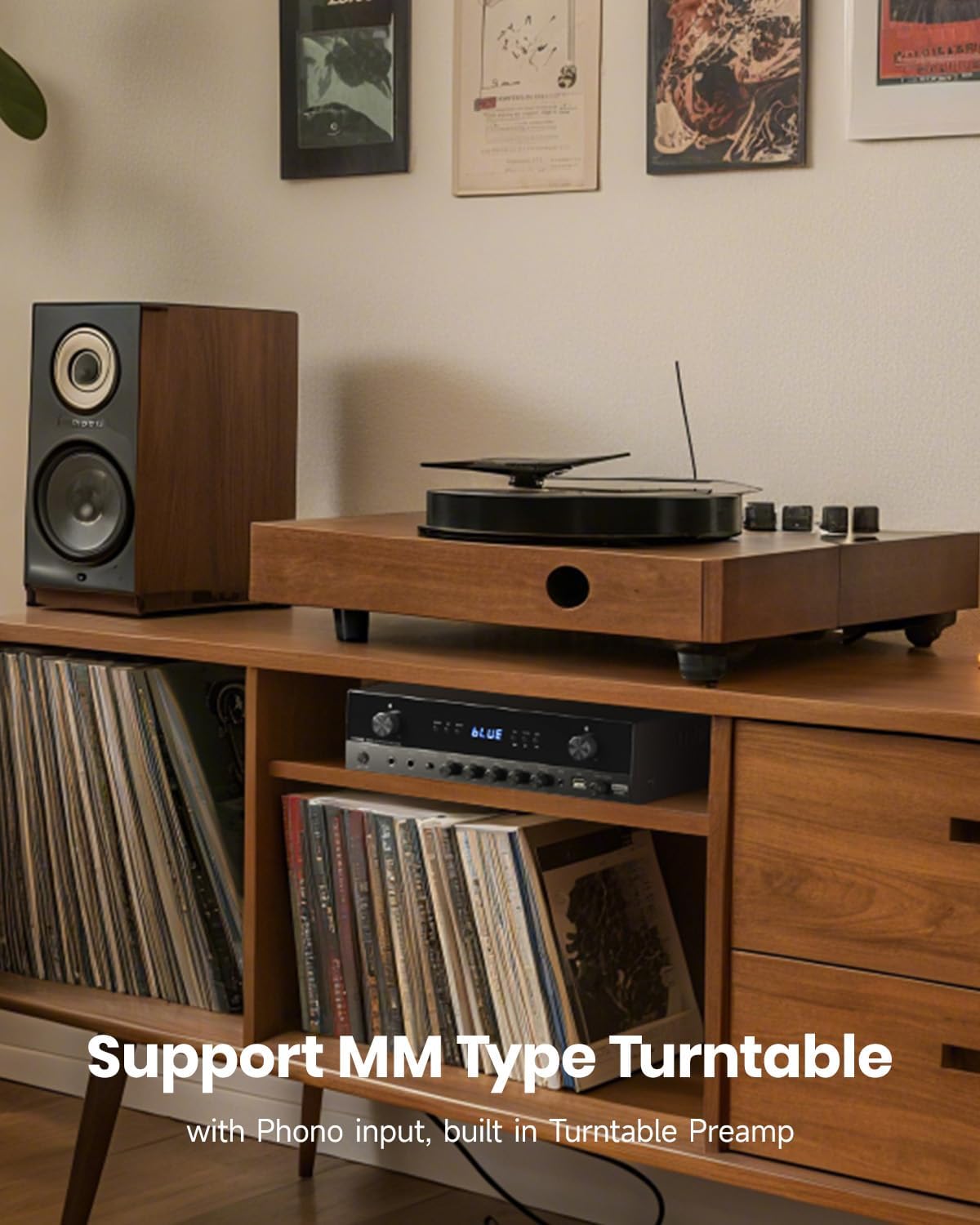
Figura 9: The Donner MAMP2 amplifier supports MM type turntables with its dedicated Phono input and built-in preampaktar ħaj.
Kontroll tal-Volum
- Aġġusta l-volum ġenerali tal-mużika billi tuża l-buttuna l-kbira VOLUM MUŻIKU knob on the front panel or the Volume +/- buttons on the remote control.
Manutenzjoni
- Tindif: Wipe the unit with a soft, dry cloth. Do not use liquid cleaners or aerosol sprays.
- Ventilazzjoni: Kun żgur li l-fetħiet tal-ventilazzjoni huma nodfa mit-trab u l-fdalijiet biex tevita li jisħnu żżejjed.
- Ħażna: Jekk taħżen il amplifier for an extended period, disconnect it from the power outlet and store it in a cool, dry place.
Issolvi l-problemi
| Problema | Kawża Possibbli | Soluzzjoni |
|---|---|---|
| Ebda qawwa | Il-korda tal-enerġija mhux imqabbda; Is-sokit tal-enerġija difettuż; Amplifier huwa mitfi. | Ensure power cord is securely connected. Try a different outlet. Press the Power Switch. |
| Ebda output tal-ħoss | Incorrect input selected; Speaker wires loose/incorrectly connected; Volume too low; Mute is on. | Select the correct input mode. Check speaker connections and polarity. Increase volume. Check if mute is active on remote. |
| Il-Bluetooth mhux qed jgħaqqad | AmpIl-lifer mhux fil-modalità Bluetooth; L-apparat huwa 'l bogħod wisq; L-apparat diġà huwa konness ma' ieħor ampaktar ħaj. | Aqleb amplifier to Bluetooth mode. Move device closer. Disconnect from other devices and try again. |
| Akkoljenza fqira tal-FM | L-antenna mhix imqabbda jew pożizzjonata ħażin. | Connect the FM antenna securely. Adjust antenna position for better signal. |
| Mikrofonu mhux qed jaħdem | Il-mikrofonu mhux imqabbad sew; il-VOLUM TAL-MIC baxx wisq. | Ensure microphone is fully plugged in. Increase MIC VOL knob. |
Speċifikazzjonijiet
| Brand | Donner |
| Mudell | MAMP2 |
| Dimensjonijiet (L x W x H) | 35 x 24.8 x 9.8 ċm (13.8 x 9.8 x 3.9 pulzieri) |
| Piż | 4.7 kg (10.4 lbs) |
| Ħruġ ta 'Qawwa RMS | 60W x 2 Channels |
| Ogħla tal-Qawwa tal-Qawwa | 600W |
| Modalità tal-Ħruġ tal-Awdjo | Stereo |
| Impedenza tal-Ispeaker | 4-8 Ohms |
| Teknoloġija tal-Konnettività | Bluetooth 5.3, USB, AUX, RCA, Optical, Coaxial, FM |
| Apparati Kompatibbli | Speakers, Subwoofers, Smartphones, Televisions, Turntables, Tablets, PCs |
| Inputs tal-mikrofonu | 2 x 1/4'' Jacks |
| Appoġġ USB | Sa 64GB |
Garanzija u Appoġġ
Donner products are designed and manufactured to the highest quality standards. For detailed warranty information and technical support, please refer to the warranty card included with your product or visit the official Donner websit. Żomm l-irċevuta tax-xiri tiegħek bħala prova tax-xiri għal kwalunkwe talba ta' garanzija.
For further assistance, please contact Donner customer service through their official channels.


