1. Introduzzjoni
This manual provides essential information for the setup, operation, and maintenance of your Thomson Go TV 32-inch Portable Android TV, Model 32HA4M44. Designed for flexible viewing, this HD Ready television features Android TV for access to numerous streaming services, Google Assistant for voice control, and a built-in battery for up to 4 hours of portable use. Its adjustable stand and integrated wheels enhance mobility, allowing you to enjoy entertainment anywhere in your home.

Figura 1: Quddiem view of the Thomson Go TV 32-inch Portable Android TV on its stand.
2. Kontenut tal-Pakkett
Ensure all the following items are included in your product packaging:
- Thomson Go TV 32-inch Unit
- Adapter tal-Enerġija
- Kejbil tal-Enerġija
- Kontroll mill-bogħod
- Manwal għall-Utent (dan id-dokument)
- Karta ta' Garanzija
3. Setup Fiżiku
3.1. Dimensjonijiet u Pożizzjonament
Before setting up, consider the dimensions of your TV for optimal placement.

Figure 2: Diagram illustrating the dimensions of the Thomson Go TV, including its height, width, and depth.
3.2. Adjusting the TV View
The Thomson Go TV offers adjustable tilt, height, and rotation features for a comfortable viewing esperjenza.
- Mejjel: Adjust the screen vertically to reduce glare or optimize viewangolu tal-ing.
- Għoli: Għolli jew baxxi l-iskrin sal-livell tal-għajnejn.
- Rotazzjoni: Swivel the screen horizontally to share content with others in the room.

Figure 3: The TV stand allows for various adjustments to achieve an optimal viewangolu tal-ing.
3.3. Mobilità
The integrated wheels at the base of the stand allow for easy movement of the TV between rooms or locations.
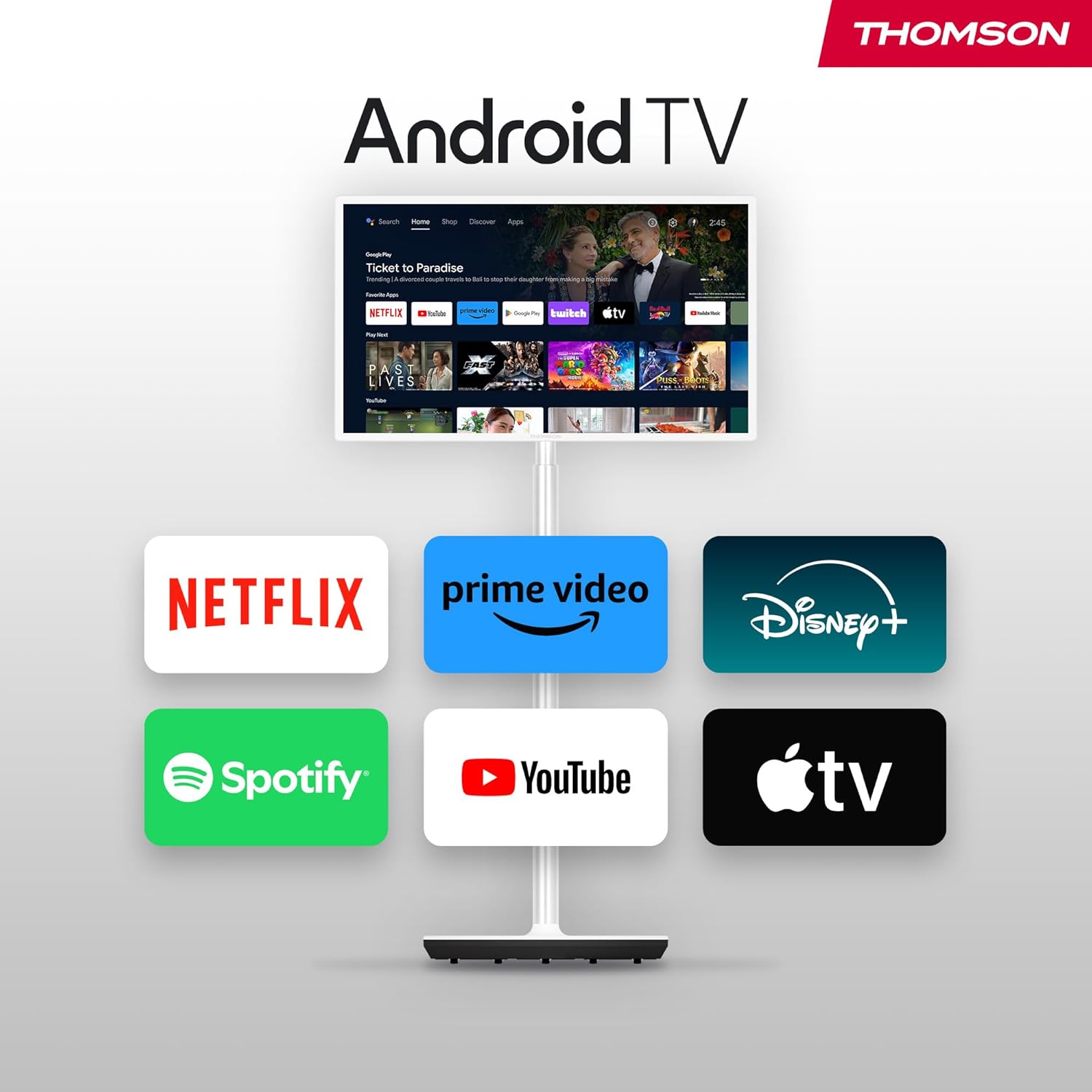
Figure 4: The TV can be easily moved around your home thanks to its wheeled base.
4. Konnessjonijiet
The Thomson Go TV provides various ports for connecting external devices:
- HDMI: Connect high-definition devices such as Blu-ray players, gaming consoles, or set-top boxes.
- USB: Qabbad apparati tal-ħażna USB għad-daqq tal-midja.
- LAN (Ethernet): Għal konnessjoni tal-internet bil-fili.
- AV IN: Għall-konnessjoni ta' apparati analogi eqdem.
- Antenna: For connecting to a terrestrial antenna for live TV broadcasts.

Figure 5: Rear panel showing available connection ports.
5. L-Ewwel Tixgħel u l-Konfigurazzjoni
To power on your Thomson Go TV, connect the power adapter to the TV and a power outlet. Press the power button on the TV or the remote control. Follow the on-screen instructions for initial setup, including language selection, network connection (Wi-Fi or Ethernet), and Google account login for Android TV features.
6. Operating Your Thomson Go TV
6.1. Interfaċċja tat-TV Android
Your Thomson Go TV runs on Android TV, providing a user-friendly interface for accessing a wide range of applications and content. The home screen displays your favorite apps, recommended content, and various categories for easy navigation.

Figure 6: The Android TV home screen with various streaming applications.
6.2. Kontroll tal-Vuċi bl-Assistent tal-Google
The remote control features a dedicated button for Google Assistant, allowing you to control your TV and search for content using voice commands. Simply press the Google Assistant button and speak your command.

Figure 7: The remote control with Google Assistant and direct access buttons.

Figure 8: Using voice commands with Google Assistant on the Thomson Go TV.
6.3. Streaming and Casting
Access popular streaming services like Netflix, Prime Video, YouTube, Disney+, and Spotify directly from the Android TV interface. Utilize Google Cast to stream movies, music, and videos from your smartphone, tablet, or laptop directly to your TV screen.

Figure 9: Content being cast from a mobile device to the Thomson Go TV using Google Cast.
6.4. Operazzjoni tal-batterija
The integrated battery provides up to 4 hours of viewing time, allowing for flexible placement without immediate need for a power outlet.
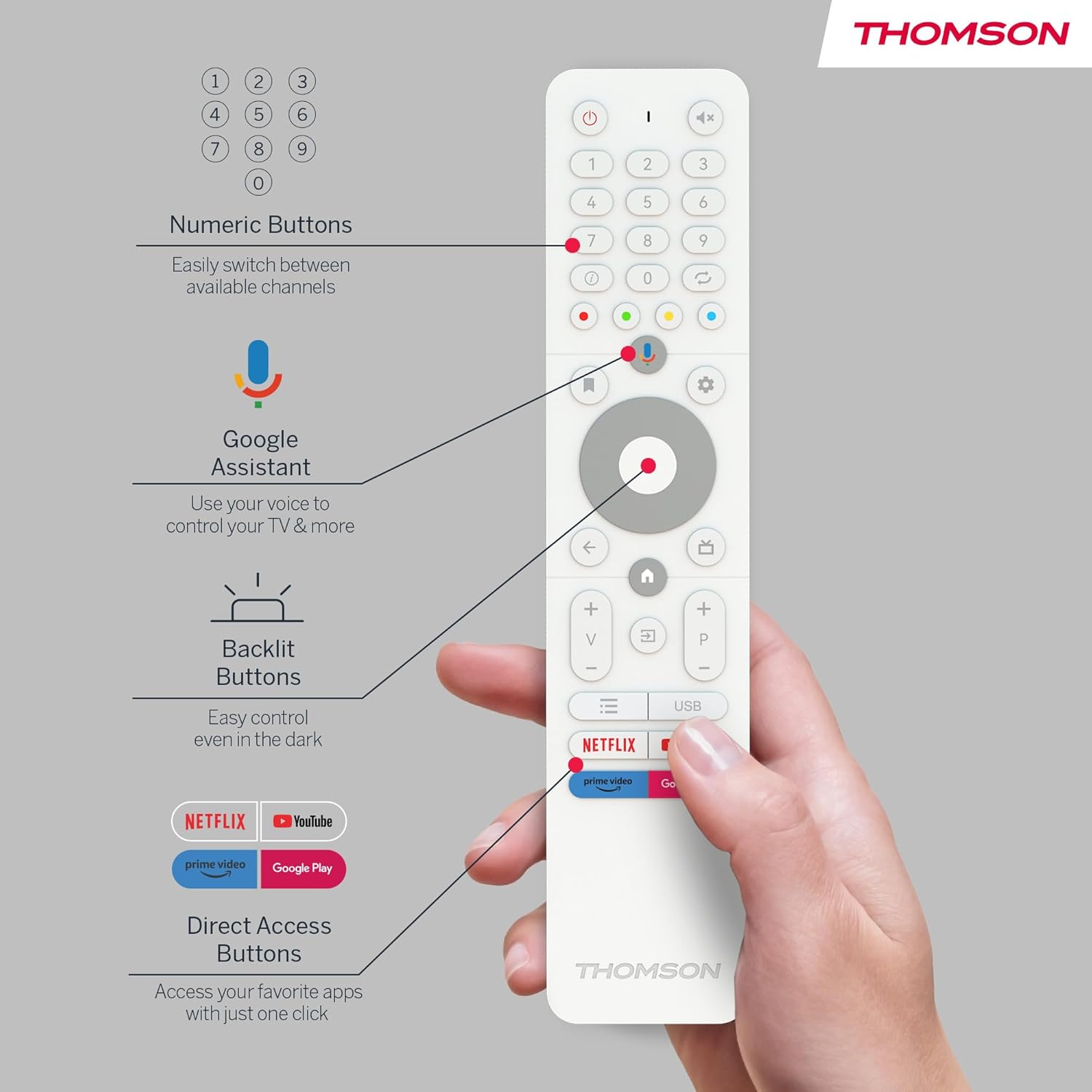
Figure 10: The TV's built-in battery supports portable use for up to 4 hours.
6.5. Karatteristiċi tal-Awdjo
Experience clear audio with Dolby Audio technology and 16W speakers.

Figure 11: Dolby Audio enhances the sound experience on the Thomson Go TV.
6.6. Hotspot Functionality
The TV supports hotspot functionality, allowing it to share its internet connection with other devices.
Figure 12: The TV's hotspot feature in use, sharing its internet connection.
7. Manutenzjoni u Kura
To ensure the longevity and optimal performance of your Thomson Go TV, follow these general maintenance guidelines:
- Tindif: Use a soft, dry cloth to clean the screen and exterior surfaces. For stubborn marks, slightly dampNaddaf id-drapp bl-ilma jew b'tindif tal-iskrin ħafif u mhux abrażiv. Evita kimiċi ħarxa.
- Ventilazzjoni: Kun żgur li l-fetħiet tal-ventilazzjoni tat-TV mhumiex imblukkati biex tevita li jisħon iżżejjed.
- Ħażna: When not in use for extended periods, store the TV in a cool, dry place away from direct sunlight and extreme temperatures.
- Kura tal-batterija: For optimal battery life, avoid fully discharging the battery frequently. Charge it regularly, even if not in constant use.
8 Issolvi l-problemi
If you encounter issues with your Thomson Go TV, try the following basic troubleshooting steps:
- Ebda Qawwa: Iċċekkja jekk il-kejbil tal-enerġija huwiex imqabbad sew kemm mat-TV kif ukoll mas-sokit tal-enerġija. Kun żgur li s-sokit jaħdem sew.
- Ebda Stampa/Ħoss: Verify that the correct input source is selected. Check all cable connections (HDMI, AV, Antenna).
- Il-Kontroll mill-bogħod Mhux Jaħdem: Ibdel il-batteriji fir-remote control. Kun żgur li m'hemm l-ebda ostaklu bejn ir-remote u s-sensor IR tat-TV.
- Kwistjonijiet ta' Konnessjoni man-Netwerk: Restart your Wi-Fi router. Reconnect the TV to the Wi-Fi network or try a wired Ethernet connection.
- App Mhux Tirrispondi: Try closing and reopening the application. If the issue persists, restart the TV.
For more complex issues, refer to the online support resources or contact customer service.
9. Speċifikazzjonijiet Tekniċi
| Karatteristika | Speċifikazzjoni |
|---|---|
| Brand | Thomson |
| Numru tal-Mudell | 32HA4M44 |
| Daqs tal-Iskrin | 32 pulzieri (81 Ċentimetri) |
| Teknoloġija tal-Wiri | LCD |
| Riżoluzzjoni | 720p (1366x768) |
| Riffriskar Rata | 60 Hz |
| Sistema Operattiva | Android TV |
| Karatteristiċi Speċjali | Chromecast, Browser, Voice Control (Google Assistant), Hotspot Function |
| Konnettività | HDMI, USB (1 port), Wi-Fi, Ethernet |
| Teknoloġija Awdjo | Dolby Awdjo |
| Tip ta 'batterija | Jonju tal-litju (inkluż) |
| Ħajja tal-batterija | Sa 4 sigħat |
| Klassifikazzjoni tal-Effiċjenza tal-Enerġija | E |
| Dimensjonijiet tal-Prodott | 6P x 73W x 43H ċentimetri |
| Manifattur | NixxiegħaView GmbH |
| Pajjiż ta' Oriġini | Iċ-Ċina |
For detailed energy information, please visit the EPREL database: https://eprel.ec.europa.eu/qr/2062485
10. Garanzija u Appoġġ
The Thomson Go TV 32HA4M44 comes with a manufacturer's warranty of 3 years. For warranty claims, technical support, or service inquiries, please refer to the contact information provided on your warranty card or visit the official Thomson support websit.


