1. Introduzzjoni
The TOMLOV P10 Evo is a versatile handheld digital microscope designed for detailed observation of various objects such as coins, jewelry, plants, and more. Featuring a 2-inch IPS screen, 20X digital magnification, and adjustable LED lighting, it offers clear and precise viewing. Its compact and portable design makes it suitable for both indoor and outdoor exploration. The device supports photo and video capture and can connect to Windows or macOS devices for larger viewing u qsim.

Figure 1.1: TOMLOV P10 Evo Handheld Close-Up Microscope in use.

Figure 1.2: The compact design of the P10 Evo allows for easy portability.
2. X'hemm fil-Kaxxa
Jekk jogħġbok iċċekkja l-kontenut tal-pakkett mal-irċevuta biex tiżgura li l-oġġetti kollha huma preżenti:
- TOMLOV P10 Evo Microscope
- Cable USB
- polz Lanyard
- Manwal għall-Utent (dan id-dokument)

Figure 2.1: Included components in the TOMLOV P10 Evo package.
3. Setup
3.1 Iċċarġjar tal-Apparat
The TOMLOV P10 Evo comes with a built-in Lithium Ion battery. Before first use, or when the battery indicator shows low power, charge the device using the provided USB cable. Connect the USB cable to the microscope's charging port and the other end to a standard USB power adapter (not included) or a computer's USB port.
3.2 Daħħal Karta MicroSD
While the microscope has a small built-in memory for approximately 80 photos, a microSD card (up to 32GB, not included) is required for video recording and extended storage. Locate the microSD card slot on the device and gently insert the card until it clicks into place. Ensure the card is inserted in the correct orientation.
4. Istruzzjonijiet Operattivi
4.1 Power On/Off
To power on the device, press and hold the power button until the screen illuminates. To power off, press and hold the power button again until the screen turns off.
4.2 Magnification and Viewing
The P10 Evo offers up to 20X digital magnification. Place the microscope directly on the object you wish to observe. The device has an optimized fixed focus at approximately 1 cm from the lens to the object, making it ideal for flat surfaces like coins, leaves, and jewelry. The 2-inch IPS screen provides a clear, high-contrast, and anti-glare view.
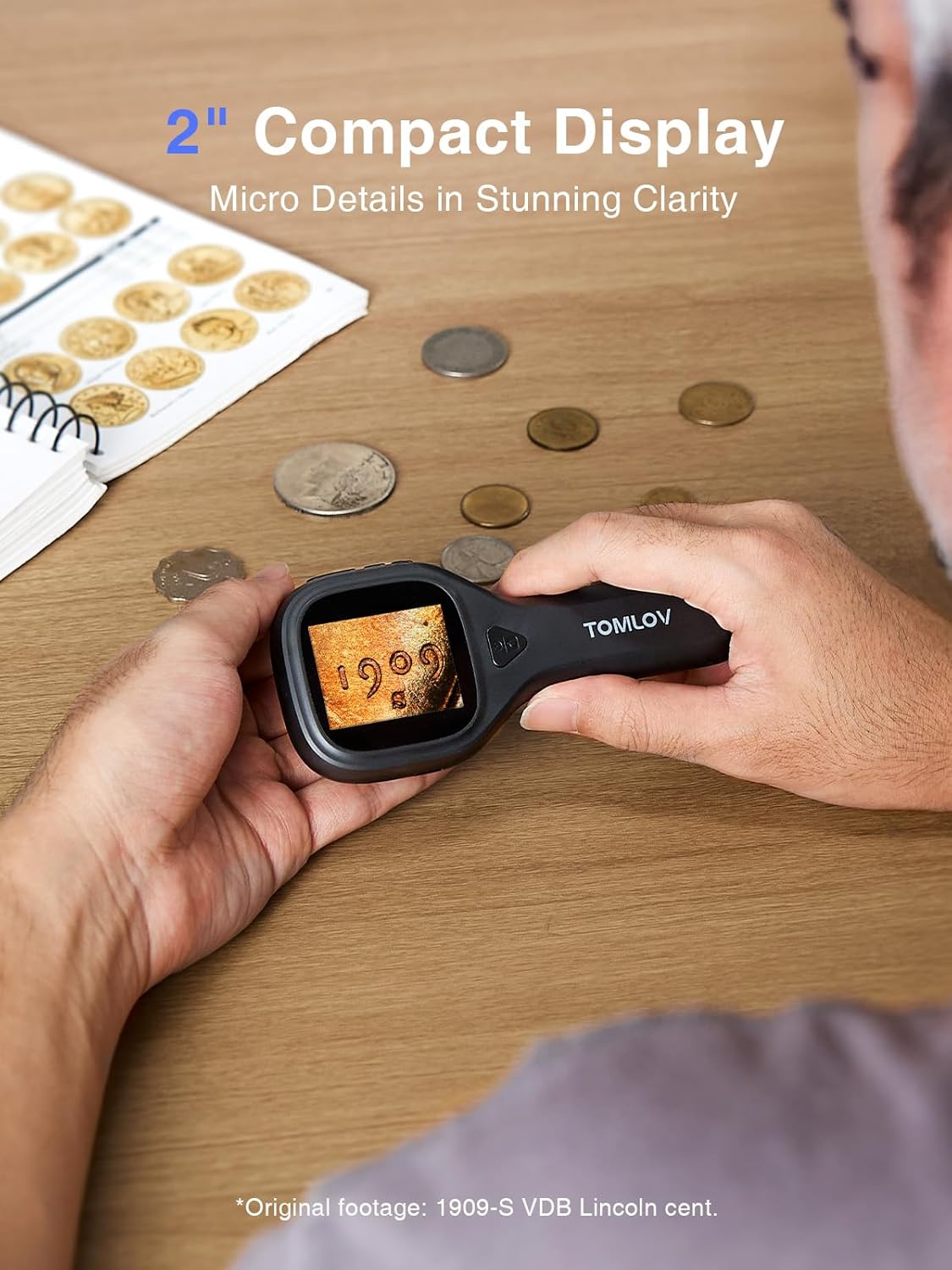
Figure 4.1: Observing micro details with the 2-inch compact display.

Figure 4.2: Great magnification unveils stunning details.
4.3 Aġġustament tal-Luminożità tal-LED
The device features adjustable LED lighting for optimal illumination. To increase or decrease the LED light intensity, long-press the “+” or “–” buttons. This allows fine-tuning for various lighting conditions and object types, ensuring clearer, glare-free viewing.

Figure 4.3: Adjustable LED lighting for optimal viewing.
4.4 Qbid ta' Ritratti u Vidjows
Use the built-in camera to capture images and record videos of your observations. Press the dedicated capture button (usually marked with a camera icon) to take a photo. To record a video, press and hold the capture button; press again to stop recording. Ensure a microSD card is inserted for video recording and ample ħażna.

Figure 4.4: Capture photos and videos directly from the device.
4.5 Vidjo Uffiċjali tal-Prodott
Video 4.1: Demonstration of the TOMLOV P10 Evo Microscope examining a 100 dollar bill, showcasing its magnification capabilities.
5. Konnessjoni mal-PC
The TOMLOV P10 Evo can be connected to a Windows or macOS device via USB for a larger view, sharing, or archiving your captured images and videos. Once connected, the microscope may appear as a removable storage device or a webcam, depending on the operating system and specific drivers (if required).

Figure 5.1: Connect the microscope to a PC for a larger view and easy sharing.
6. Manutenzjoni
- Tindif: Use a soft, dry cloth to clean the microscope's body. For the lens and screen, use a microfiber cloth specifically designed for optics. Avoid abrasive cleaners or solvents.
- Ħażna: Store the microscope in a cool, dry place away from direct sunlight and extreme temperatures.
- Kura tal-batterija: Biex ittawwal il-ħajja tal-batterija, evita li tiċċarġja kompletament il-batterija ta' spiss. Iċċarġja l-apparat regolarment, anke jekk ma jkunx qed jintuża għal perjodi twal.
7 Issolvi l-problemi
- Q: The image is blurry or out of focus.
- A: The P10 Evo has a fixed focus at approximately 1 cm from the lens to the object. Ensure the microscope is placed directly on the flat surface of the object you are viewing. It is not recommended for viewing through glass or deep structures.
- Q: Cannot record videos or store many photos.
- A: The built-in memory is limited to about 80 photos. For video recording and more storage, a microSD card (up to 32GB, not included) is required. Ensure a compatible microSD card is properly inserted.
- M: L-apparat ma jixgħelx.
- A: Ensure the battery is sufficiently charged. Connect the device to a power source using the USB cable and allow it to charge for some time before attempting to power it on again.
- Q: Cannot connect to PC.
- A: Ensure the USB cable is securely connected to both the microscope and the computer. Try a different USB port or cable. On some systems, specific drivers might be needed, or the device might appear under 'Devices and Printers' rather than a standard drive letter.
8. Speċifikazzjonijiet
| Karatteristika | Dettall |
|---|---|
| Isem tal-Mudell | P10 Evo |
| Tkabbir | Up to 20X Digital |
| Skrin | Display IPS ta '2 pulzieri |
| Sors tad-Dawl | LED aġġustabbli |
| Sors tal-Enerġija | Batterija tal-jone tal-litju waħda (inkluża) |
| Ħażna | Built-in memory (approx. 80 photos), MicroSD card slot (up to 32GB, not included) |
| Konnettività | USB (Windows/macOS compatible) |
| Dimensjonijiet tal-Prodott | 5.3 x 2.5 x 1.1 pulzieri |
| Piż tal-oġġett | 2.4 uqija |
9. Garanzija u Appoġġ
TOMLOV products are designed for reliability and performance. This product comes with a standard manufacturer's warranty. For detailed warranty information, product support, or technical assistance, please visit the official TOMLOV webis-sit jew ikkuntattja lis-servizz tal-konsumatur tagħhom direttament. Żomm l-irċevuta tax-xiri tiegħek bħala prova tax-xiri għal talbiet ta' garanzija.
TOMLOV Store: https://www.amazon.com/stores/TOMLOV-MoreThanAMicroscope/page/334D788A-37DC-4A94-B4F1-126172CFDF04


